Web Panel & Public Site
Installing MediaDesk, the reader website, and every admin menu area.
Item: MediaDesk — Multilingual AI-Powered Newsroom ERP
Start Here: Who Does What
Read this first. MediaDesk has two kinds of work: a short one-time server setup that needs someone comfortable with hosting (a server administrator or developer), and everything else, which an editor or site owner does in the admin panel with no code. The table tells you who to send each task to before you start.
| Task | Who | Where |
|---|---|---|
Upload files, create the database, run composer install and npm run build, run the web installer | Server admin / developer | Quick Start → Install |
Point the domain at public/, HTTPS certificate, PHP upload limits, folder permissions | Server admin / developer | Server Requirements |
| Cron entry (scheduler) and queue worker (Supervisor) | Server admin / developer | Cron, Queue & Workers |
| Upgrading to a new version (upload, migrations, cache clear) | Server admin / developer | Upgrading |
| CDN rules, Redis, headless Chrome for e-paper PDFs (all optional) | Server admin / developer | Common Setup |
| Building and publishing the Android / iOS app (Flutter SDK, Firebase project, store accounts) | Developer | Mobile App |
| Logo, favicon, brand colour, front-page design, home page sections, menus | Admin panel | Branding Without Code |
| Site name, languages, time zone, currency, contact details, social links | Admin panel | Settings |
| Mail, AI keys, payment gateways, push keys, storage, social accounts (paste credentials, press Test connection) | Admin panel | Settings → Integrations |
| Articles, categories, authors, staff accounts and roles, ads, memberships, newsletters | Admin panel | Admin Panel |
| Checking that cron, queue, storage and keys work | Admin panel | System → System health (Troubleshooting FAQ) |
Rule of thumb: if a step mentions a terminal command, .env, cron or Supervisor, it belongs to your server administrator. Once they have finished the required server items once, day-to-day running needs only the admin panel.
Third-party accounts you create yourself. Hosting is the only hard requirement. Every other service (mail delivery, payment gateways, AI providers, cloud storage, CDN) is optional and uses your own account and keys. The mobile app depends on Google Firebase (firebase_core, firebase_messaging are compiled into it): for app push notifications you must create your own Firebase project and accept Google’s Firebase / Google APIs Terms of Service. No Firebase project, key or config file from the author is included. See Mobile App → Firebase disclosure.
Minimum Setup to Go Live
When is setup “complete enough”? When every Required row below is done. Everything marked Optional adds a feature and can be switched on later, while the site is live. A full production checklist is in Quick Start → Go-Live Checklist.
| Item | Status | Without it | Who |
|---|---|---|---|
Hosting with PHP 8.3+, MySQL 8 / MariaDB 10.6+, HTTPS, domain pointing at public/ | Required | Nothing runs | Server admin |
| Installer finished; Super Admin with a strong password | Required | Every page redirects to /install | Server admin |
php artisan storage:link and writable storage/, bootstrap/cache/ | Required | Uploaded images do not show; errors on save | Server admin |
Cron entry running schedule:run every minute | Required | View counts, scheduled posts, renewals, digests and the finance ledger stop | Server admin |
Queue worker (or QUEUE_CONNECTION=sync on a small site) | Required for newsletters and push | Campaigns and push wait forever in the queue | Server admin |
| Mail (SMTP or a mail API) with a test e-mail received | Required | No password resets, newsletter confirmations or invoices | Admin panel |
| Site name, logo, favicon, default language, time zone, currency | Required | The site shows the MediaDesk defaults | Admin panel |
APP_DEMO=false, sample staff accounts removed (only after a command-line db:seed) | Required | Known demo logins exist on your site | Server admin |
| At least one category and one published article | Required | Empty home page; the app shows nothing | Admin panel |
| Payment gateway (Stripe, PayPal, local gateways) + webhook | Optional | Paid memberships, ad invoices and donations use bank transfer / manual only | Admin panel (webhook URL in the gateway’s dashboard) |
| AI key (Anthropic, Gemini or OpenAI) | Optional | The AI copilot says “not configured”; everything else works | Admin panel |
| Web push (VAPID keys) | Optional | No browser notification prompt | Admin panel |
| Firebase (FCM) for the mobile app | Optional (needs your own Firebase project) | The app works, without push notifications | Developer + admin panel |
| Mobile app built and published | Optional | Readers use the website / PWA | Developer |
| Cloud storage (S3/R2/B2), CDN, Redis | Optional | Media stays on the server disk; fine for most sites | Server admin + admin panel |
| Social auto-posting, Google sign-in, captcha, analytics IDs | Optional | Those features stay hidden | Admin panel |
| Headless Chrome (e-paper PDFs, best-quality social cards) | Optional | No e-paper PDF; social cards use GD | Server admin |
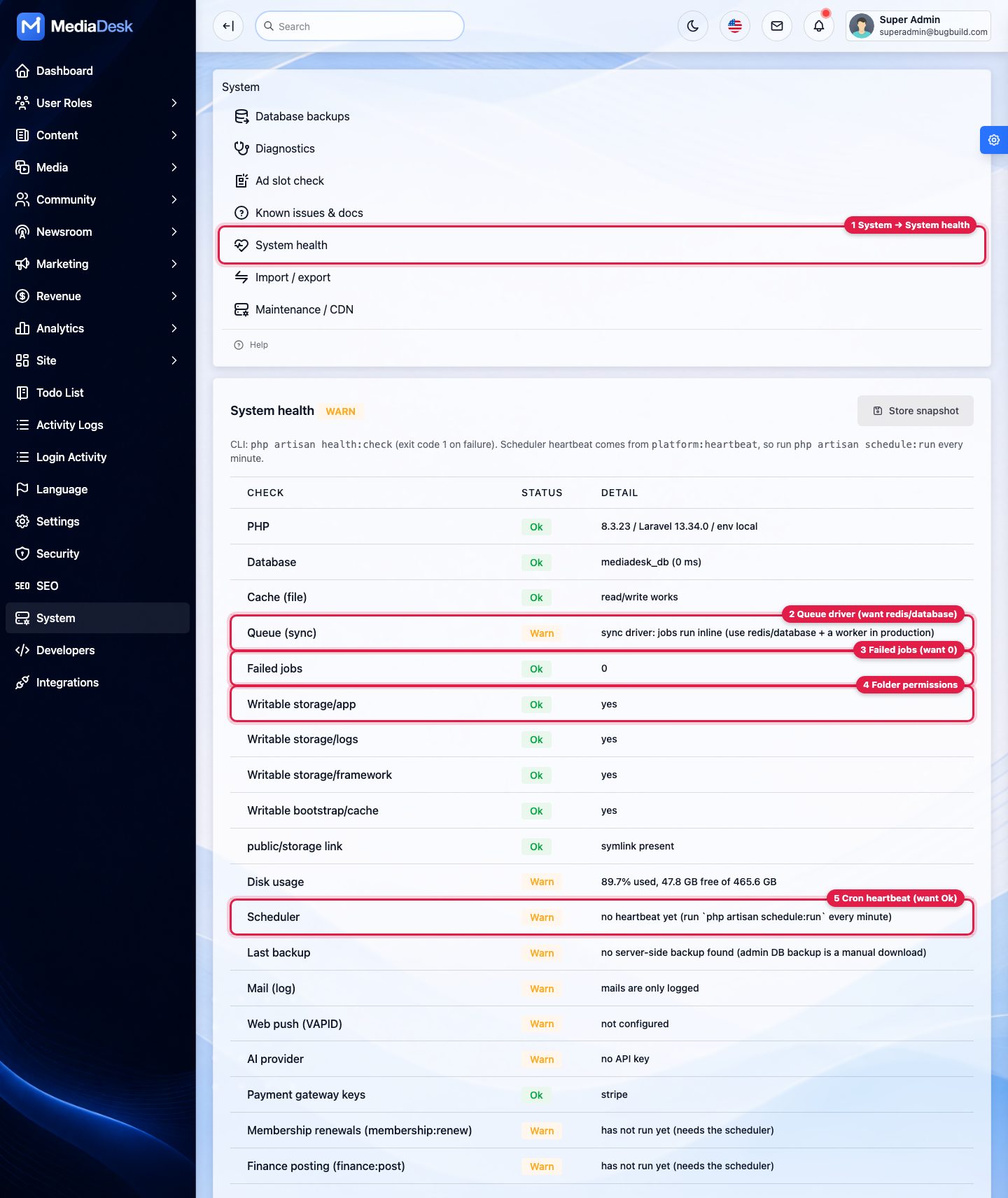
Quick test: open System → System health. When Database, Writable storage/*, public/storage link, Scheduler and Mail show Ok and Queue is not sync (or you accept sync), you are ready to go live. Warn on AI, push or payment keys only means an optional feature is off.
Branding Without Code: Logo, Colours, Front Page
Everything in this section is done in the admin panel by a Super Admin (or a role with the general settings and appearance permissions). No file editing, no build step. Changes appear on the public site right after saving; the visual theme uses draft → preview → publish so readers never see half-finished colours.
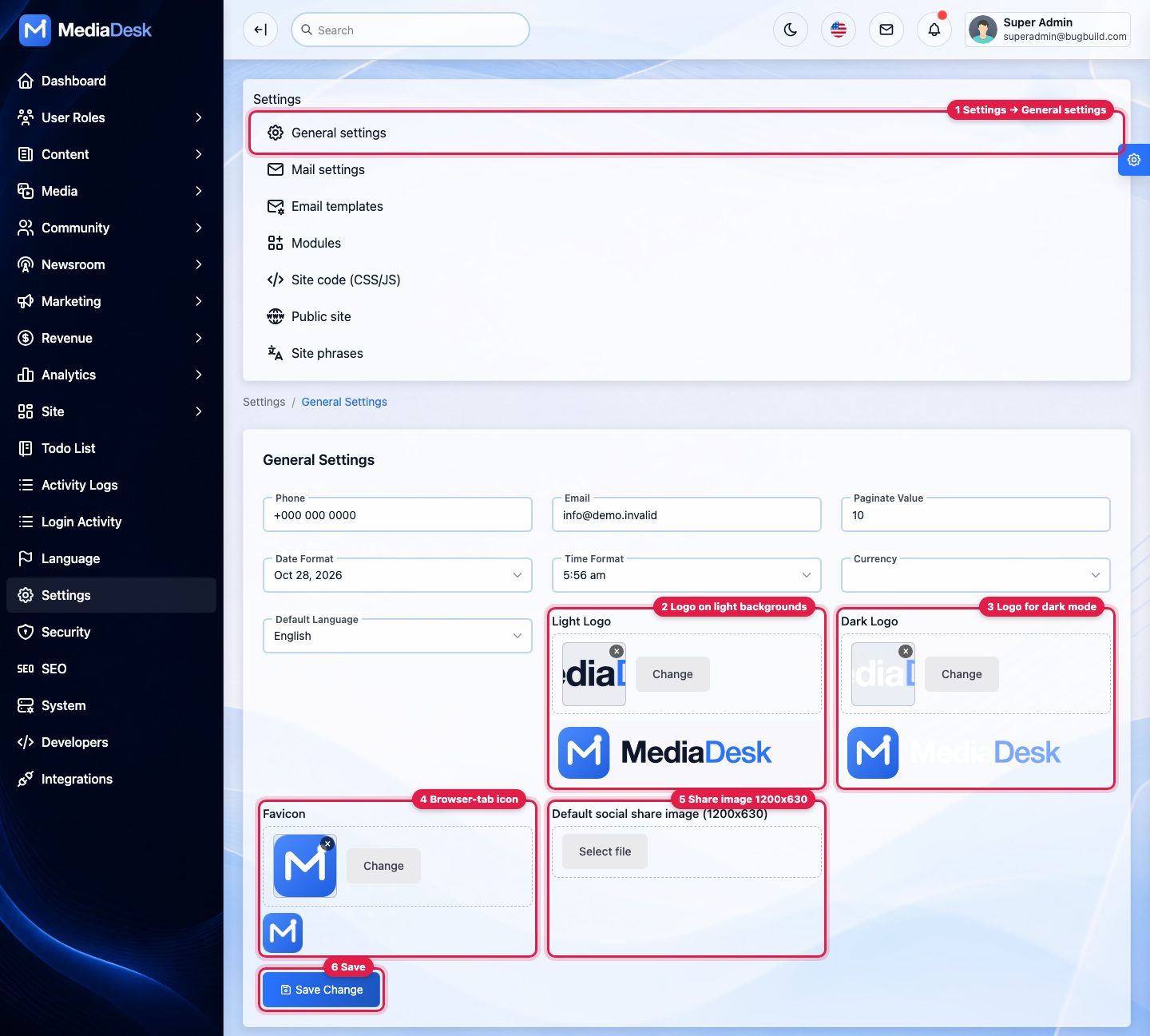
1. Logo, dark-mode logo, favicon and share image
Open Settings → General settings
Left menu Settings, then General settings (callout 1).
Upload the logos
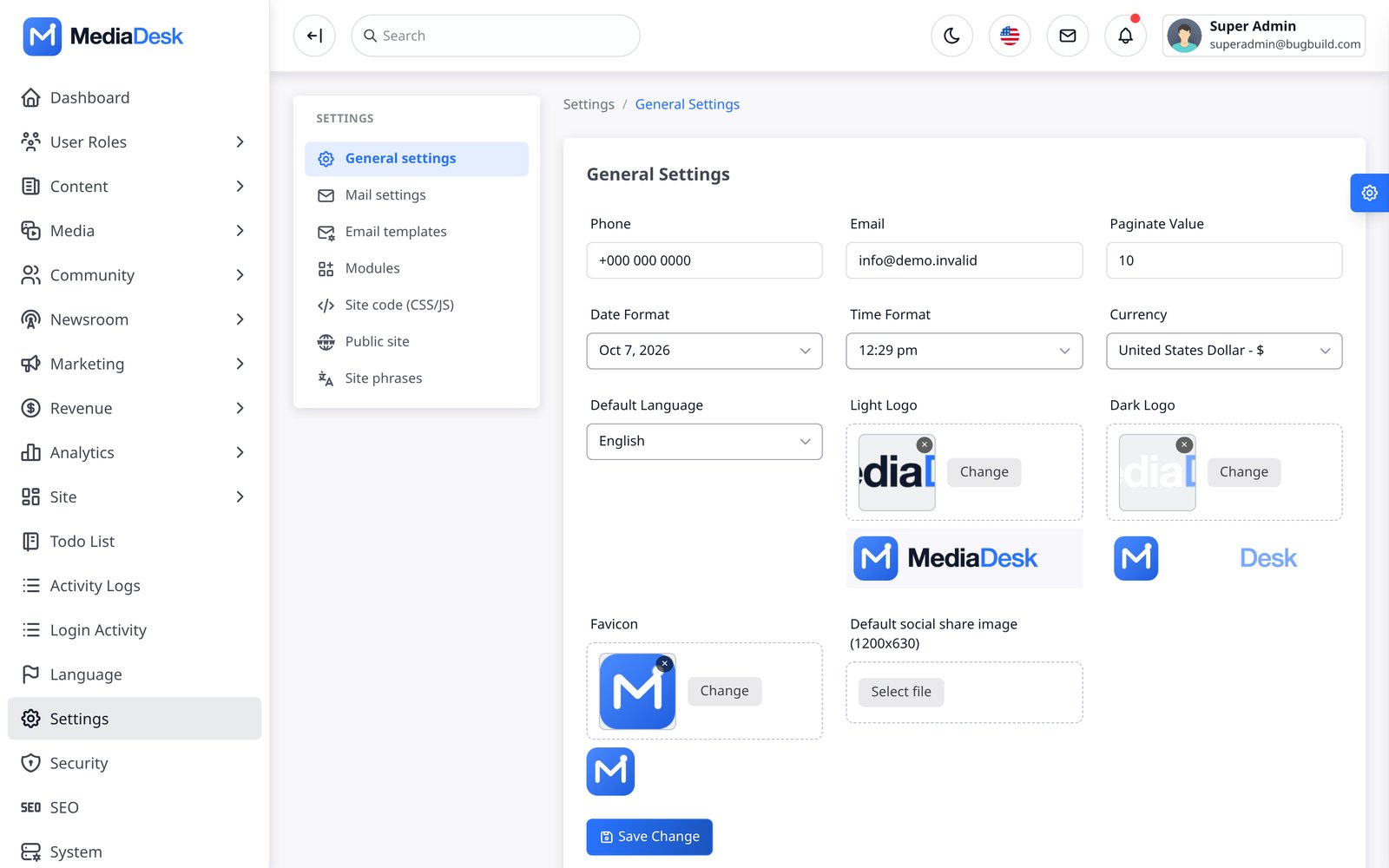
Light Logo (2) is used on light backgrounds, Dark Logo (3) in dark mode. Use a transparent PNG about 600 × 120 px. Press Change, pick an image from the media library or upload a new one.
Favicon and share image
Favicon (4): a square PNG (browser tab icon). The installable-app (PWA) icon is a separate field, Settings → Public site → App icon (PNG 512 × 512). Default social share image (5): 1200 × 630 px, shown when a page without its own image is shared on Facebook, X or WhatsApp.
Save
Press Save Change (6), then reload the public site. If the old logo still shows, see “My change does not show”.
Different logo per language (for example a Bangla wordmark)? Settings → Public site → Site shell → Logo and favicon per language. Empty fields fall back to the General settings logo.
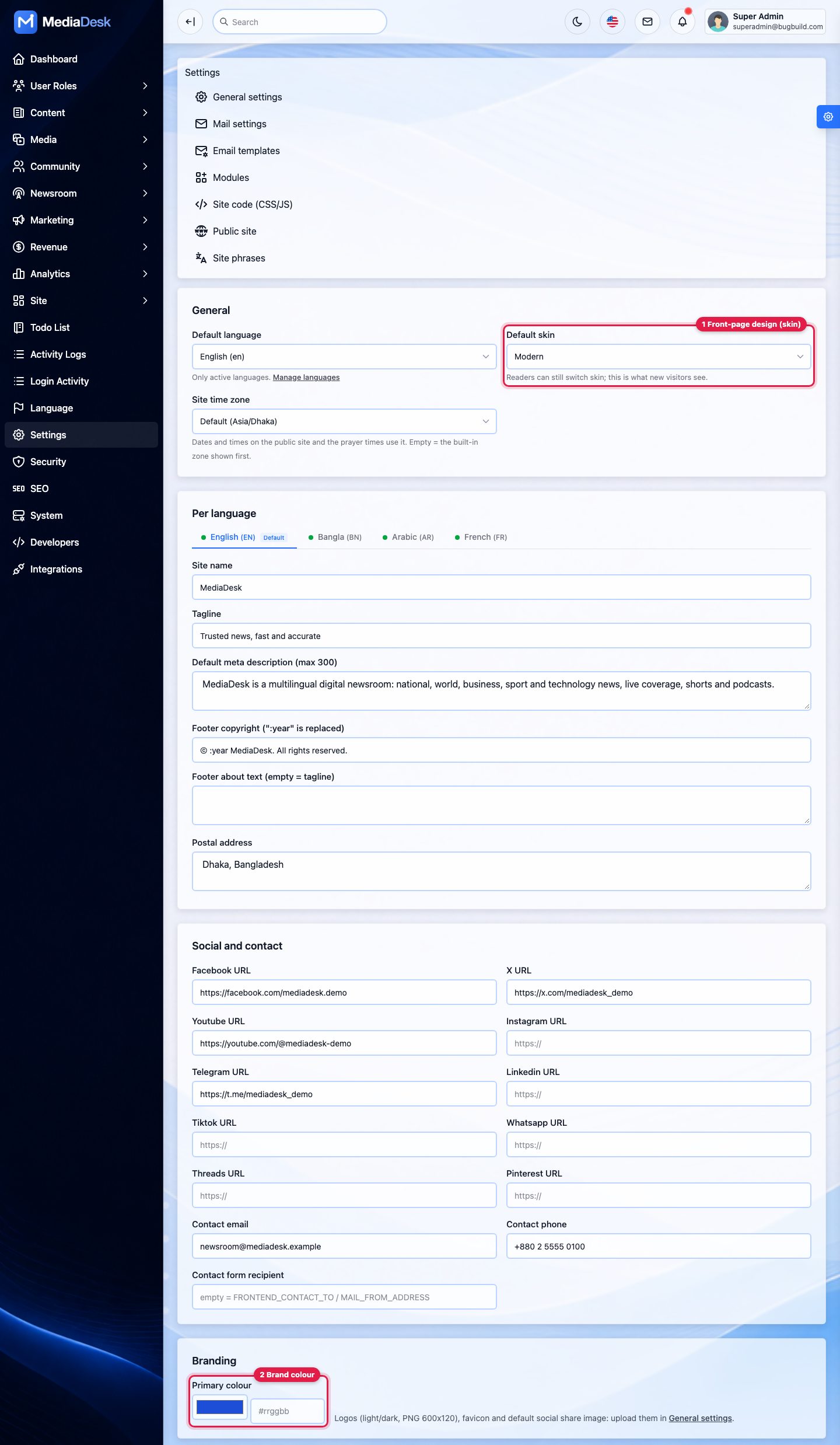
2. Brand colour and front-page design (skin)
Open Settings → Public site
Default skin (callout 1) chooses the front-page design new visitors see: Modern, Classic, Magazine, Night, Compact, Local, Alo, Times, Wire, Broadcast or Star (screenshots in Reader Site & Skins). Readers can still switch skins themselves. Default theme sets the colour mode on the website and in the mobile app for readers who have not picked one: Light (the default), Dark or System, which follows the device.
Brand colour
Scroll to Branding → Primary colour (2). Pick a colour or type a hex code such as
#c8102e. It replaces the accent colour (links, buttons, highlights) on every skin in light mode, the phone browser bar colour and the header of e-mails and newsletters. Dark mode and the Night skin keep their own accent so text stays readable. A note under the field warns when white text on your colour would be hard to read (contrast below 4.5:1).Site name and tagline
In the same page, Per language tabs hold the site name, tagline, footer text and address for each language.
Save
Press Save at the bottom of the page.
3. Background, text colours, corners, header and footer style
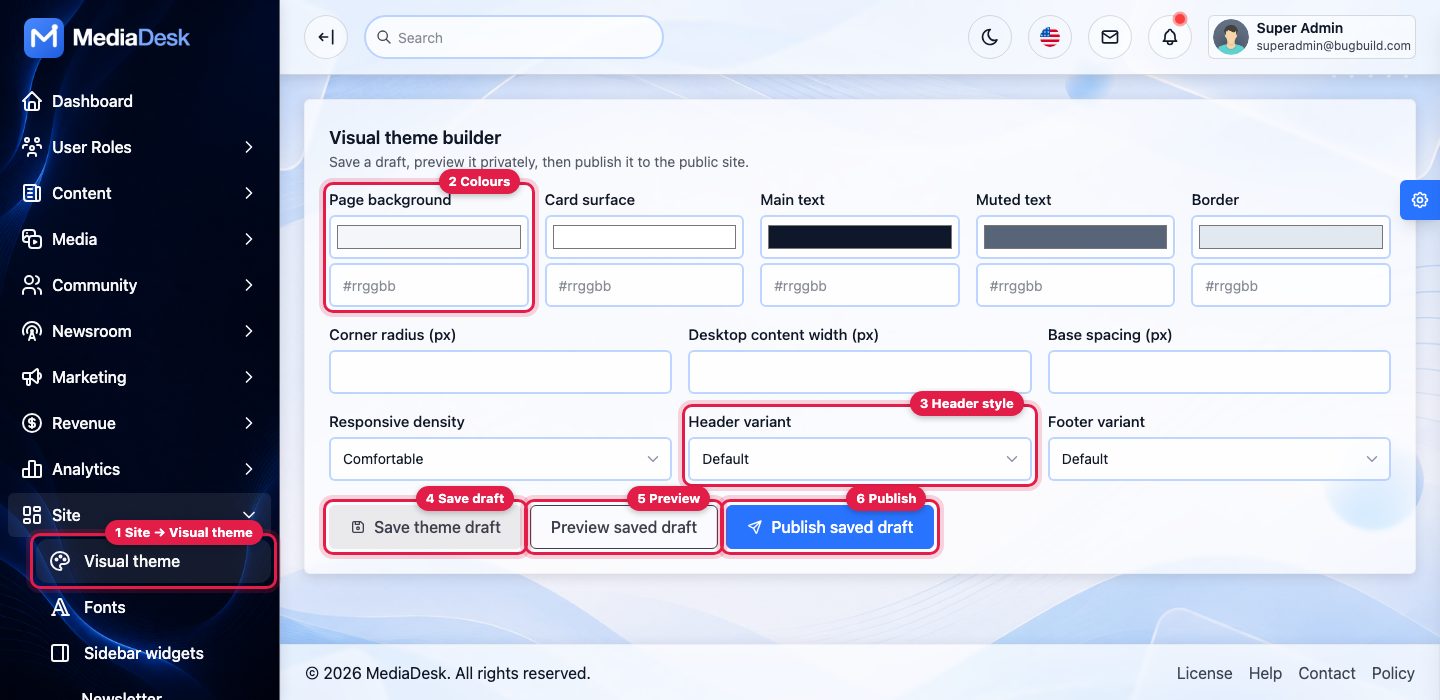
Open Site → Visual theme
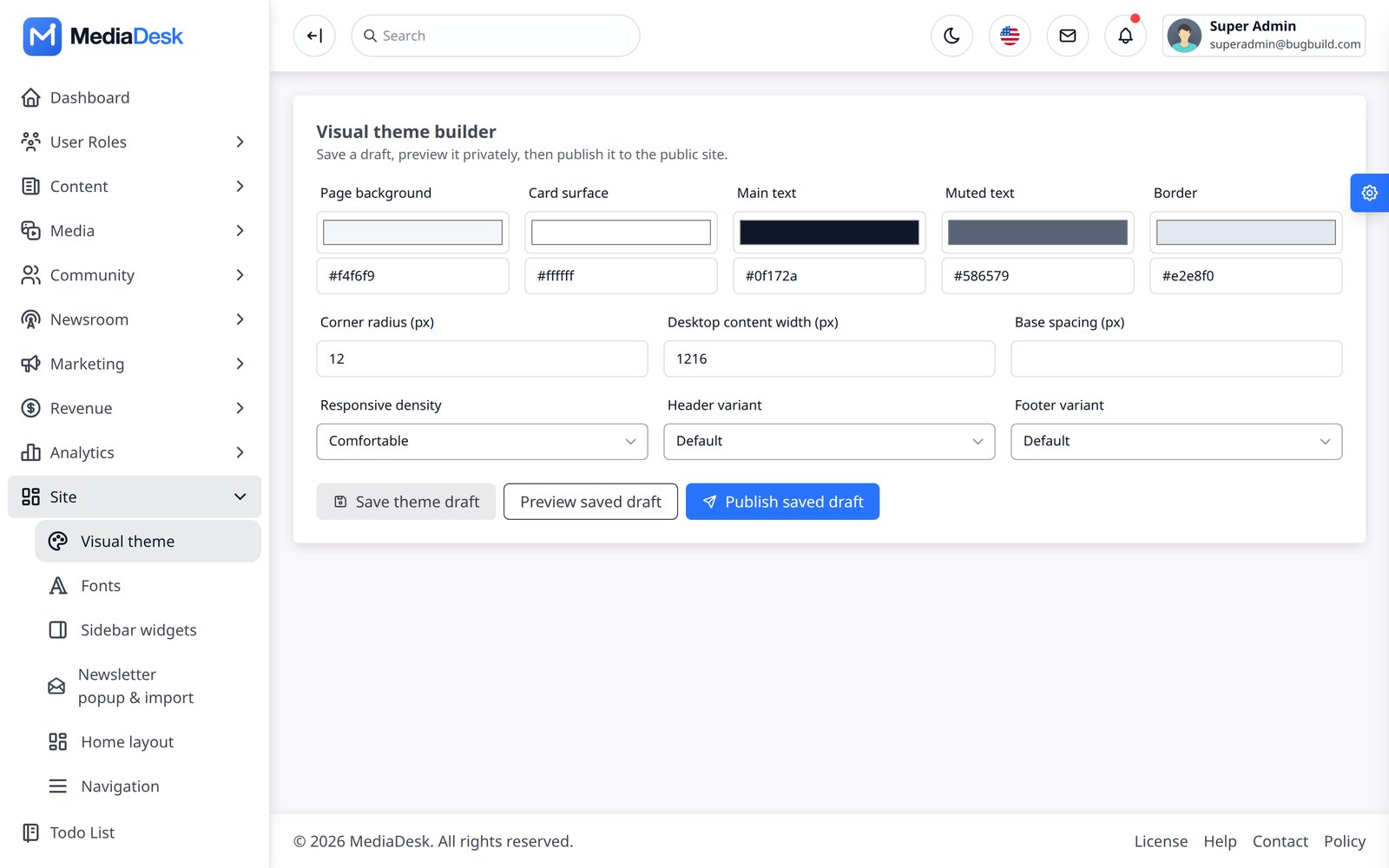
Callout 1. Set page background, card surface, main text, muted text and border colours (2) with the colour pickers; corner radius, content width and spacing; and the Header variant (3: default, centered, compact) and footer variant.
Save draft, preview, publish
Save theme draft (4) stores your choice without changing the live site. Preview saved draft (5) opens the site in a new tab with the draft applied only for you. Publish saved draft (6) makes it live for everyone. To go back to the defaults, clear the fields, save and publish.
4. Front-page sections and order
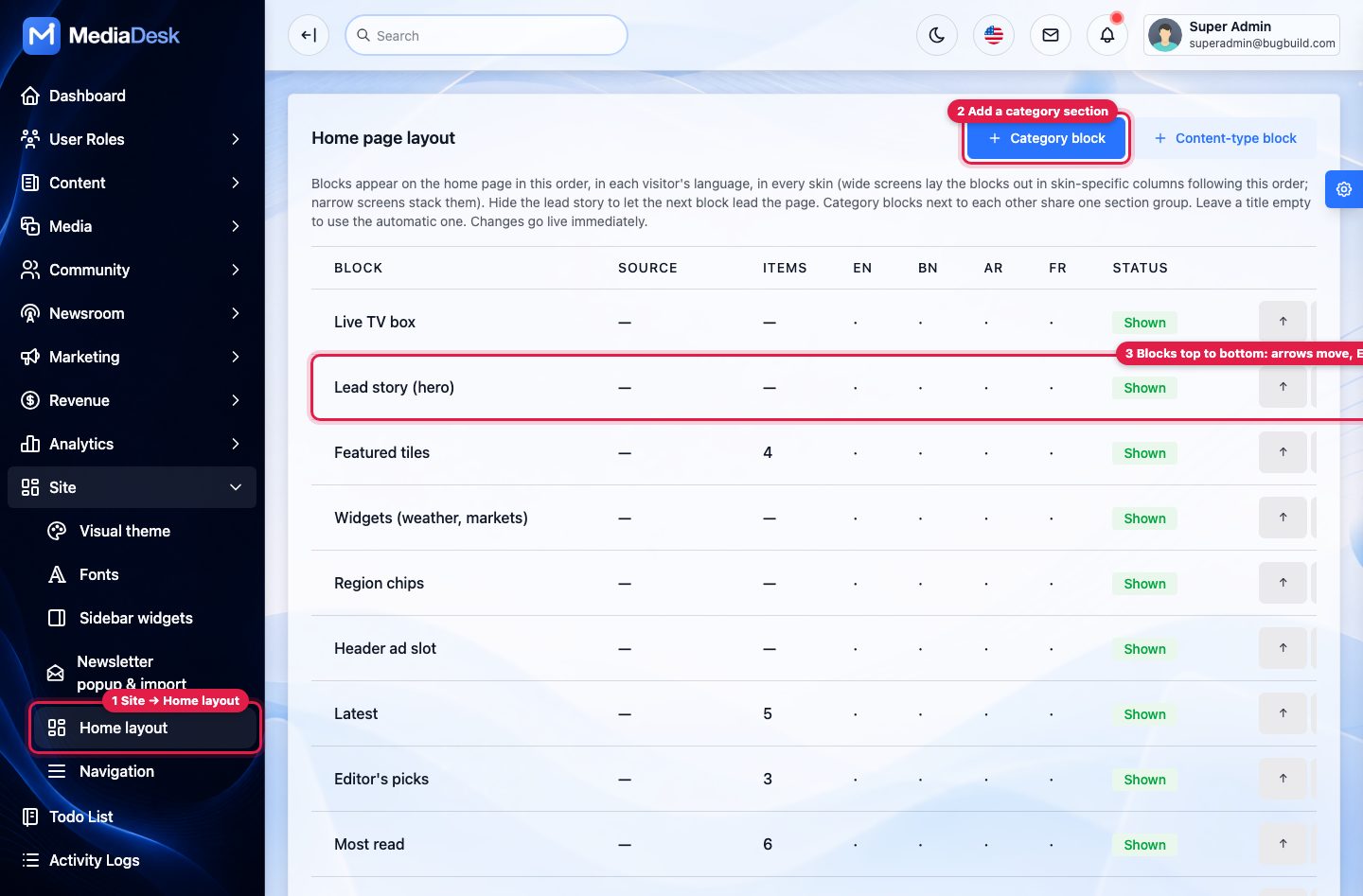
Open Site → Home layout
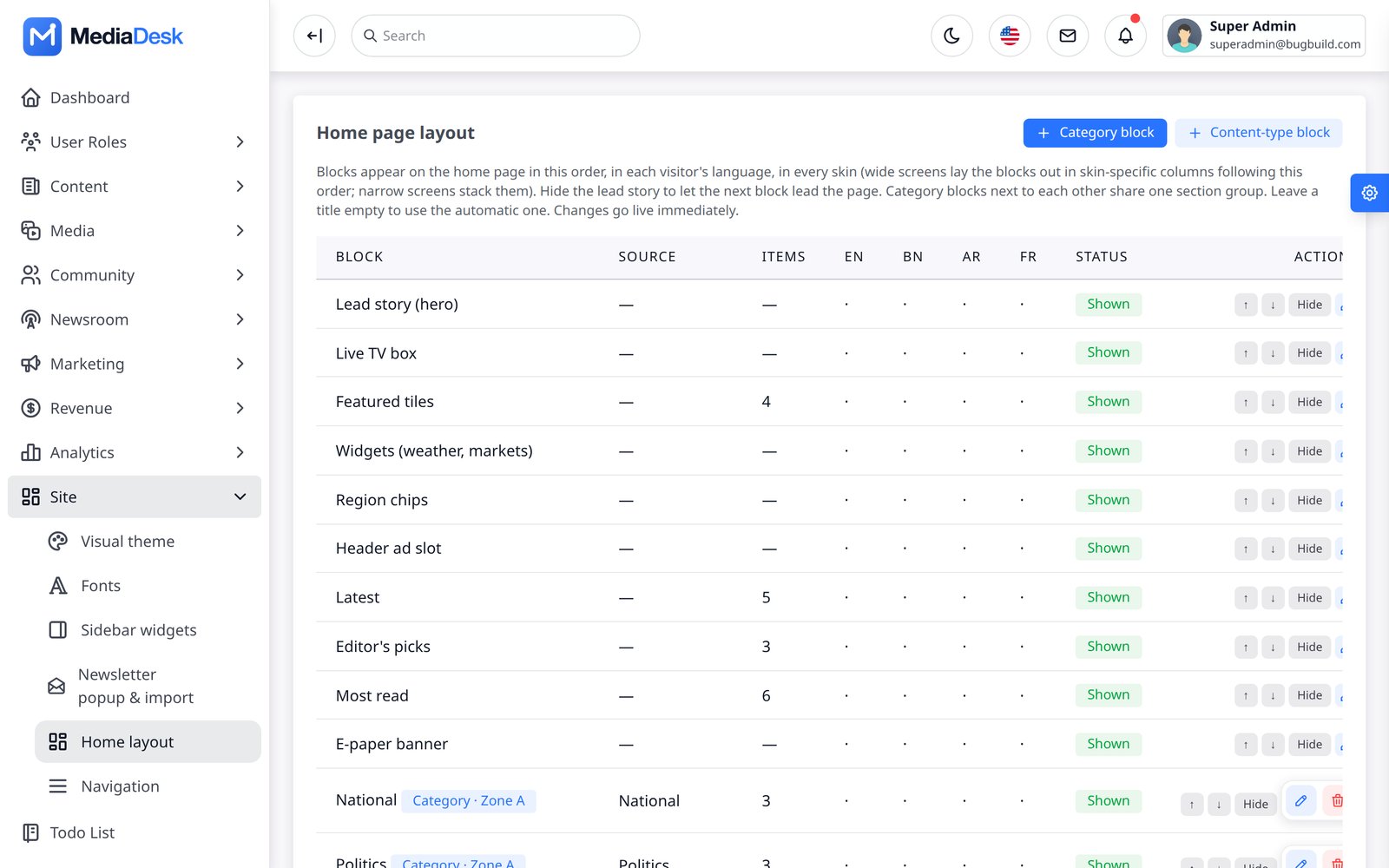
The table lists the home page blocks top to bottom (callout 3): live TV box, lead story, featured tiles, latest, editor’s picks, most read, category sections, videos, podcasts, newsletter box and more.
Re-order, hide, rename
Use the ↑ / ↓ arrows to move a block. Open a block to switch it off (Active), change its title per language, change how many stories it shows or, for category blocks, which category and zone it uses.
Add a section for a category
+ Category block (2) adds, for example, a “Sports” section that shows the latest Sports stories. + Content-type block adds a strip of videos, podcasts, fact checks and similar. Changes are live immediately.
Menus
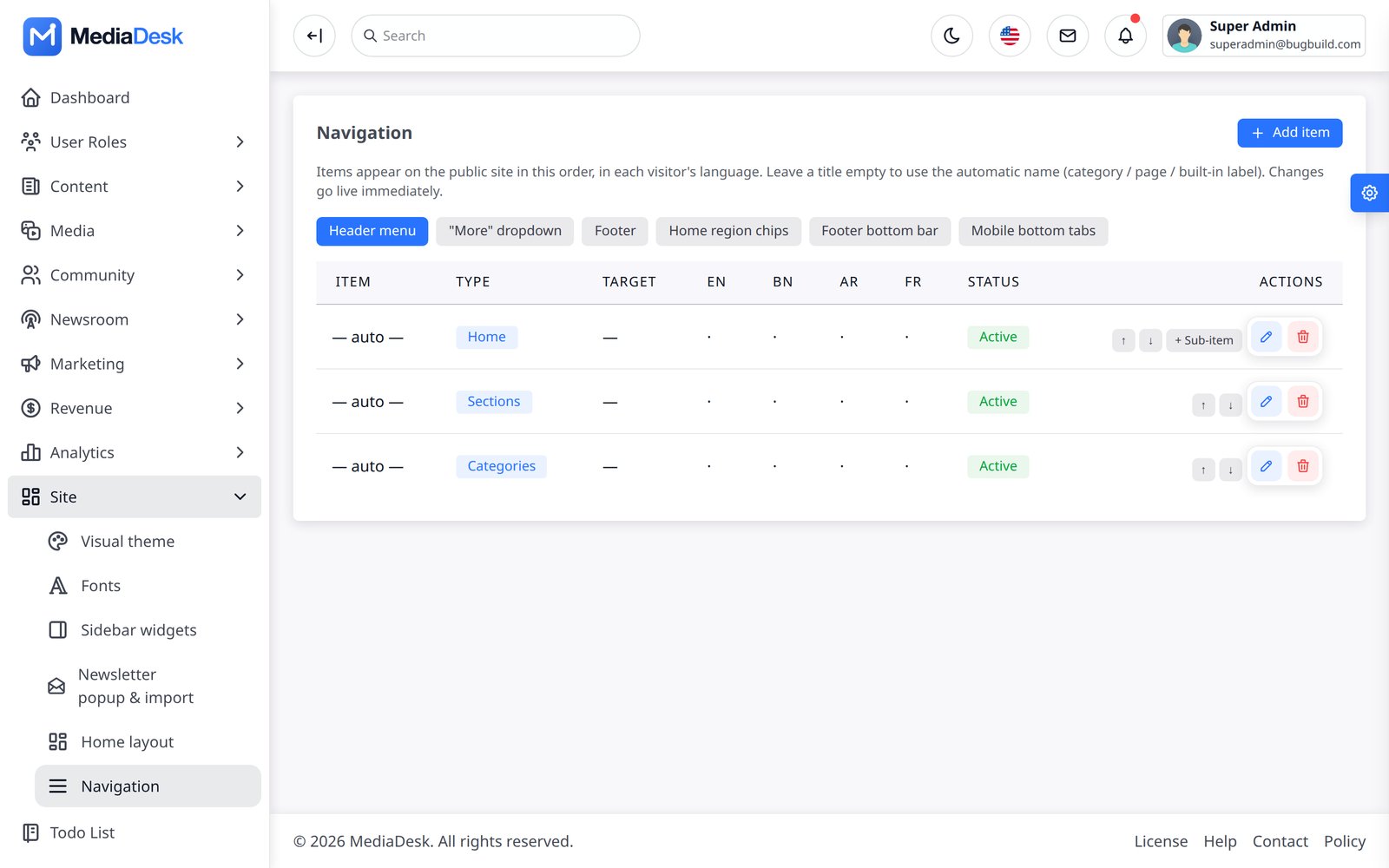
Site → Navigation builds the header menu, the “more” dropdown, the footer and the mobile bottom menu, with labels per language.
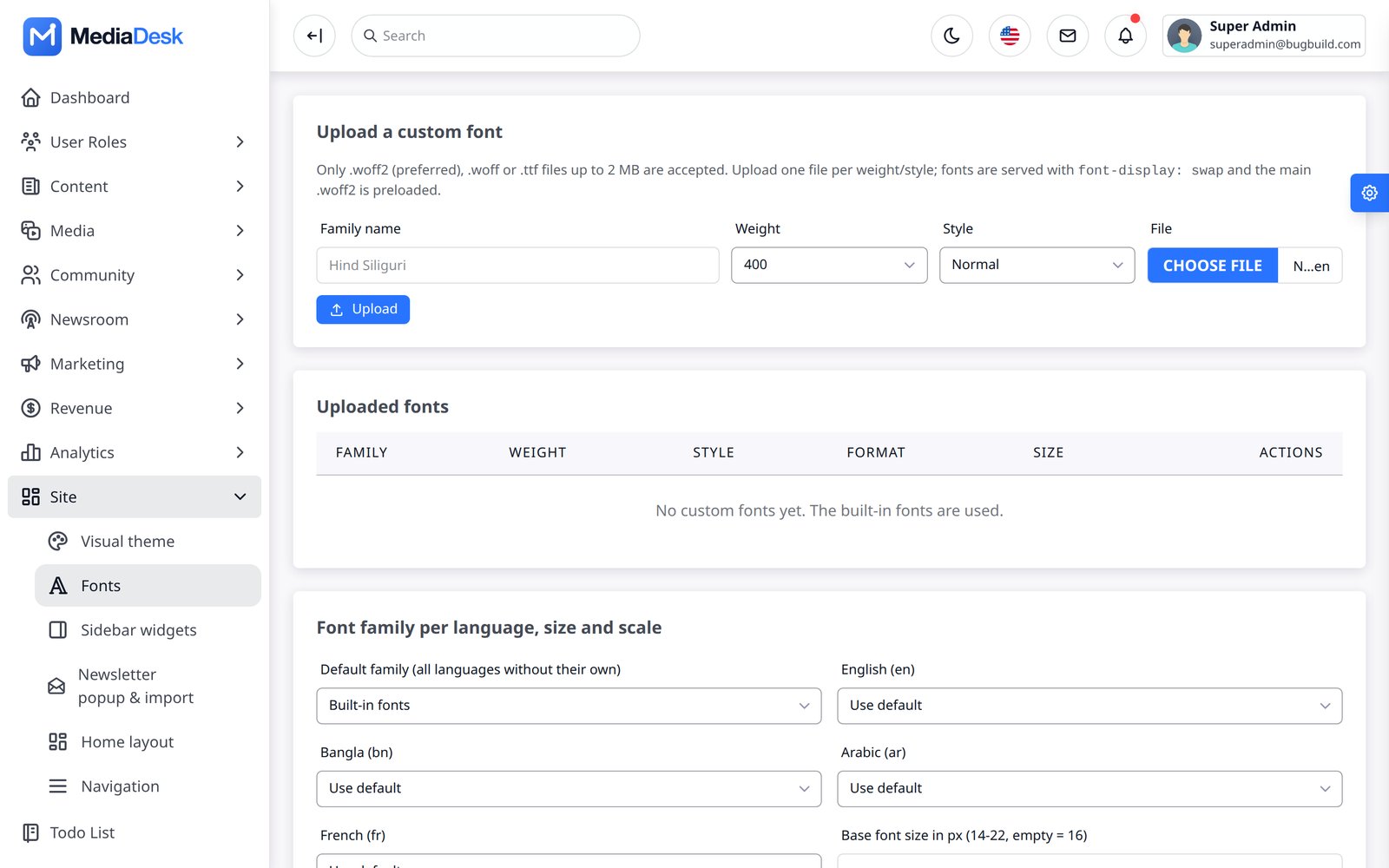
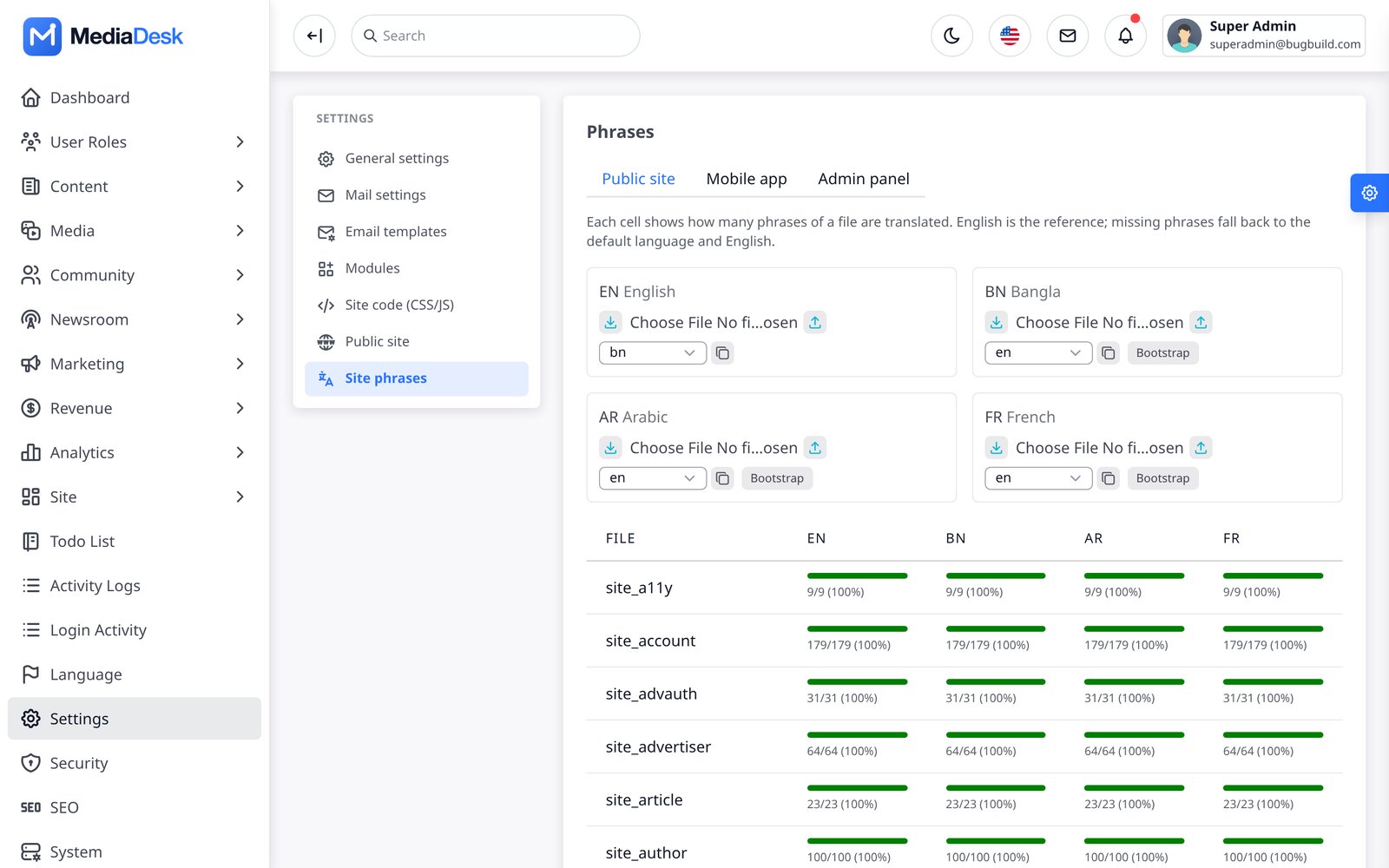
Fonts per language: Site → Fonts. Sidebar widgets: Site → Sidebar widgets. Interface wording (button labels, footer texts): Settings → Site phrases. The mobile app’s name and icon are set at build time by the developer (Mobile App → Rebranding); the app picks up articles, categories and menu automatically.
What You Get
MediaDesk is one Laravel 13 application that gives a newsroom three things at once: a public reader website (11 selectable skins, 4 languages, PWA), an admin “ERP” for the whole editorial and commercial workflow (190 admin screens, 813 routes), and a REST API (51 endpoints under /api/v1) that the included Flutter app for Android and iOS uses. This page covers the web side: installing it, the public site, and every admin menu area. The phone app has its own page: Mobile App.
Reader site
Home, categories, articles, live blog, podcasts, e-paper, shorts, web stories, classifieds, membership.
Open →Newsroom desk
Story board, deadlines, news inbox with RSS/API feeds, tasks, revisions, AI copilot.
Open →For a step-by-step install see the Quick Start; for mail, storage, queue, AI keys, payment gateways, push and OAuth see Common Setup.
Screenshots in this guide were captured on a demo database (sample articles, “Demo” advertisers and invoices, sample weather/stock/prayer values). Names, numbers and the Bangla-first language setting are demo data, not features of your install.
Server Requirements
The installer checks every item below and will not continue until they pass.
| Requirement | Minimum |
|---|---|
| PHP | 8.3 or newer (composer.json requires ^8.3) |
| Database | MySQL 8 or MariaDB 10.6+. The installer connects with pdo_mysql only; sqlite is not supported by the wizard. |
| PHP extensions (checked) | curl, fileinfo, exif, mbstring, intl, pdo_mysql, openssl, json, xml, ctype, tokenizer, gd |
| Writable folders (checked) | storage, storage/app, storage/framework, storage/logs, bootstrap/cache, and the .env file (or its folder) |
| Web server | Apache or nginx with URL rewriting; document root = public/ |
| Node.js 20+ | Required once to build the front-end assets (npm ci && npm run build); public/build is not shipped. Vite 6 + Tailwind CSS 4. |
| Composer 2 | Required to install the PHP dependencies (composer install); vendor/ is not shipped. |
| Optional | Redis (cache/session/queue, phpredis); ffmpeg for video/audio tools; Google Chrome / Chromium for e-paper PDFs and social cards; Supervisor for the queue worker. |
| Cron | One entry, every minute (see Cron, Queue & Workers) |
Point the domain at the public folder, not the project root. Serving the project root exposes .env.
Run the Installer
Step-by-step guides: VPS Installation (your own server with SSH) or cPanel Installation (shared hosting, no SSH needed).
Upload the project, run composer install --no-dev --optimize-autoloader and npm ci && npm run build (the package does not include vendor/ or public/build), copy .env.example to .env, create an empty MySQL database with a user that has access to that database only, point the domain at public/, then open https://your-domain.com/install. The wizard is a real feature of the app (routes/install.php); once it finishes it writes the lock file storage/installed and the /install URLs answer 404 for good.
Welcome — requirements
Shows PHP version, each required extension and each writable path with pass/fail. Continue is only possible when everything is green.
Database & site
App name, app URL, DB host, port, name, user, password. The installer tests the connection and refuses any database that already contains tables (nothing is changed and
.envis not written), then writes.env(APP_ENV=production,APP_DEBUG=false,APP_URL,DB_*, and a freshAPP_KEYif none exists).Administrator
Your name, e-mail and password (min 8, confirmed). This becomes the Super Admin.
Run
Checks again that the database is empty, runs
migrate --force(nevermigrate:freshordb:wipe; no table is ever dropped), seeds base data (route list, currencies, languages, flag icons, settings, permissions, roles), creates the Super Admin, runscms:sync-permissions, triesstorage:link, then writes the lock filestorage/installedandAPP_INSTALL=true. A “Done” page links to/login.
The wizard installs base data only: no articles, no demo advertisers. Your site starts empty. See Demo mode if you want sample content for evaluation.
The installer lock
The installer is closed for good as soon as either of these exists: the file storage/installed (written by the wizard) or APP_INSTALL=true in .env (for command-line installs; the lock file is then written automatically on the next request). The lock does not depend on the database: losing APP_INSTALL from .env, replacing .env or a database outage never reopens the wizard. If the database cannot be reached the site shows an error page until the DB_* values in .env are correct, so the installer can never overwrite your database credentials or your content.
To run the installer again on purpose (for example on a new, empty database), delete storage/installed and set APP_INSTALL=false. It still refuses a database that contains tables. If a run is interrupted, the database is no longer empty: empty it (or create a new one) and start the wizard again. When moving a site to a new server, copy storage/ including storage/installed.
Prefer the command line? cp .env.example .env, set APP_URL and the DB_* values (use APP_ENV=local for local development over http), then composer install, php artisan key:generate, php artisan migrate --force, php artisan db:seed --force, php artisan cms:sync-permissions, php artisan storage:link, npm ci && npm run build, and finally set APP_INSTALL=true in .env to lock the installer. Note that db:seed also runs UserSeeder, which creates three sample staff accounts ([email protected], [email protected], [email protected], password 12345678; defaults in config/demo.php, overridable with DEMO_SUPERADMIN_EMAIL, DEMO_ADMIN_EMAIL, DEMO_USER_EMAIL, DEMO_PASSWORD) — change or delete them before going live. The wizard does not create them.
After Installing
Sign in
Open
/loginwith the administrator you created.Run the doctor
php artisan mediadesk:doctorchecks PHP, folders, database, cache/queue/mail and optional tools and prints how to fix each problem. Platform → System health shows the same kind of checks in the browser.Set the site identity
Settings → Public site: default language, default skin, site name, tagline and description per language. Settings → General settings: logos, favicon, social image. See Settings.
Set your time zone and currency
Settings → Public site → Time zone sets the public time zone (dates, “today”, scheduled digests and the e-paper build); the default comes from
SITE_TIMEZONEin.env. Finance → Currencies sets the base currency for ads, invoices, finance and reader support, with exchange rates for other currencies; the default comes fromAPP_CURRENCY(ISO 4217, e.g.USD). Membership prices are entered per currency on each plan. The database always stores UTC.Add credentials
Settings → Integrations holds mail, AI keys, storage, push, payment gateways and social OAuth. They are stored encrypted in the database. See Integrations Hub.
Start the scheduler and a queue worker
Without them newsletters, push, social posts, renewals, e-paper builds and the finance ledger do not run. See next section.
Make it indexable (only when you go live)
Search engines are blocked unless
APP_ENV=productionorSEO_INDEXABLE=true.
Cron, Queue & Workers
MediaDesk needs both a cron entry and a queue worker for production use. This is the single most common reason “nothing sends”.
* * * * * cd /var/www/mediadesk && php artisan schedule:run >> /dev/null 2>&1
The scheduler (routes/console.php) runs these entries; clock times follow the site time zone (Settings → Public site, else SITE_TIMEZONE):
| Command | When | What it does |
|---|---|---|
stats:flush | every minute | Moves buffered article view/read counters into the database |
ads:flush | every minute | Moves buffered ad impression/click counters into ad_stats |
automation:tick | every minute | Evaluates time and threshold based automation triggers |
social:publish-due | every minute | Dispatches queued social posts whose time has come |
marketing:campaigns-run | every minute | Starts newsletter campaigns whose scheduled time has passed |
frontend:push-breaking | every minute | Pushes new breaking articles that were not pushed yet |
platform:heartbeat | every minute | Heartbeat shown on System health |
platform:webhooks-retry | every minute | Retries failed outgoing webhooks |
desk:fetch-sources | every 5 minutes | Fetches due RSS/Atom/JSON sources into the news inbox |
authors:notify-followers | every 10 minutes | E-mails followers about new articles by authors they follow |
membership:renew | hourly | Bills due subscription periods, dunning, expiry |
membership:remind | hourly at :30 | Sends renewal reminders before a membership renews or ends |
articles:prune-editing | daily at 03:40 | Removes abandoned article drafts and expired edit locks |
finance:post | hourly at :15 | Posts paid invoices, donations, classifieds to the ledger (idempotent) |
health:check --record | hourly | Records system-health history |
frontend:newsletter-send daily | daily 07:00 | Daily digest to subscribers of the daily list |
frontend:newsletter-send weekly | Fridays 08:00 | Weekly digest |
ads:expiry-alert | daily 08:00 | Closes finished campaigns, alerts about campaigns ending soon |
frontend:epaper-build | daily 05:30 | Builds e-paper PDFs with headless Chrome |
authors:close-month | 1st of month 02:00 | Writes monthly author revenue-share statements |
demo:reset | daily 03:00 | Only when APP_DEMO=true and not production — never on a real site |
Check what is registered with php artisan schedule:list. The Platform → System health screen reports the scheduler heartbeat and whether a worker is needed.
Queue worker
Newsletter campaigns, push alerts (web push and FCM), newsletter digests, social posts and some mails are queued jobs. The default QUEUE_CONNECTION=sync runs them inline (fine for a small test, slow for campaigns). For production use Redis or the database driver plus a worker under Supervisor:
[program:mediadesk-worker]
command=php /var/www/mediadesk/artisan queue:work redis --sleep=3 --tries=1 --max-time=3600
user=www-data
numprocs=2
autostart=true
autorestart=true
stopasgroup=true
stopwaitsecs=3600
redirect_stderr=true
stdout_logfile=/var/log/mediadesk-worker.log
The project has no jobs or failed_jobs migration. For the database queue driver run php artisan queue:table, php artisan queue:failed-table and php artisan migrate first — or use Redis. Run php artisan queue:restart after every deploy.
What’s New in 1.2.0
Where to find each new feature. To move an existing site to 1.2.0, follow Upgrading & Demo Mode.
| Feature | Where | What it does |
|---|---|---|
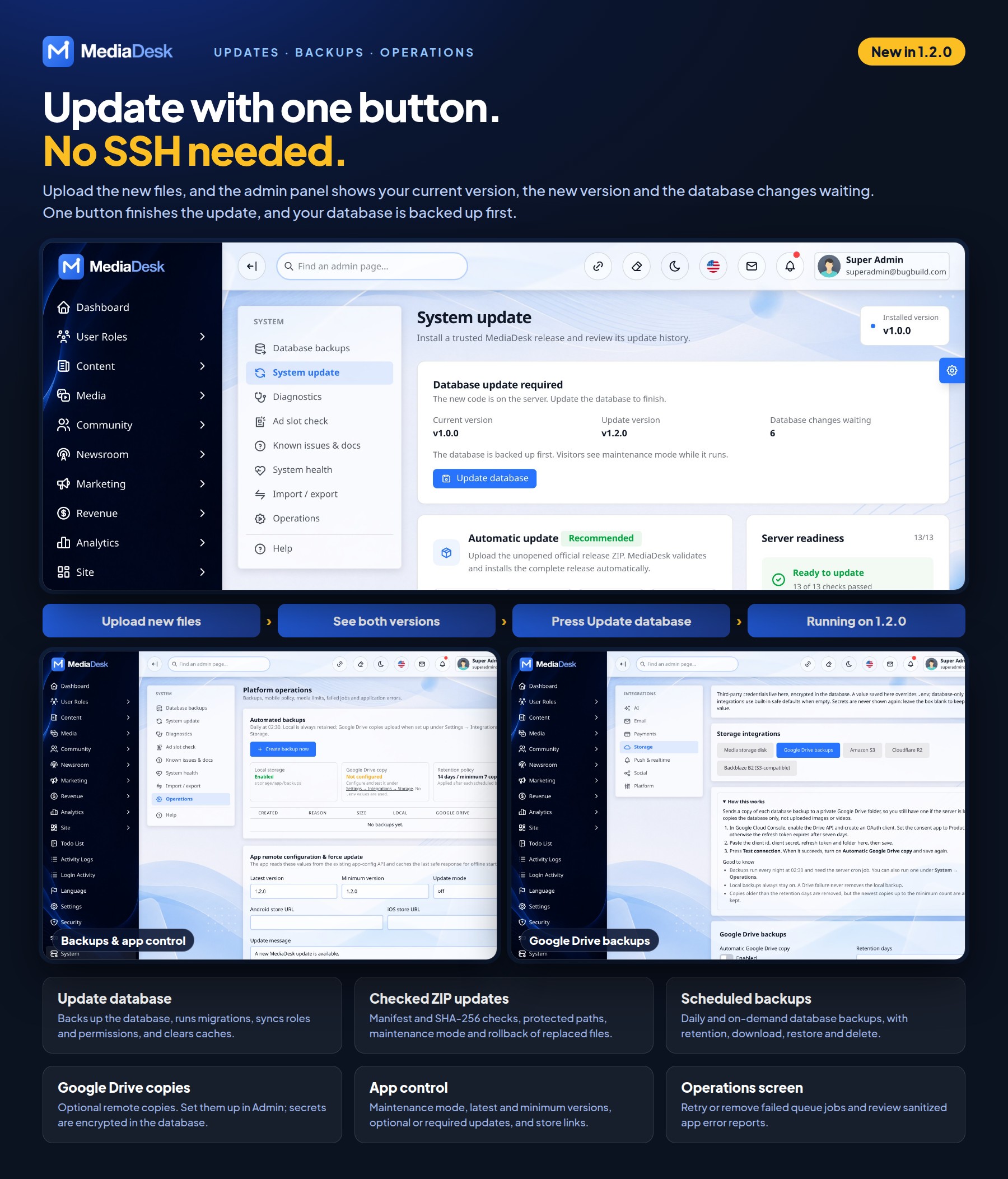
| Update database | System → System update | After a file upload, shows the current version, the update version and the database changes waiting. The button backs up the database, runs migrations, syncs roles and permissions, and clears caches. |
| Backups | System → Operations | Daily and on-demand database backups, with retention, download, restore and delete. Daily backups need the server cron job. |
| Google Drive copies | Settings → Integrations → Storage → Google Drive backups | Optional remote copy of each database backup. Client Secret and Refresh Token are encrypted in the database. |
| App control | System → Operations | App maintenance mode, latest and minimum versions, optional or required updates, and store links. |
| Failed jobs and app errors | System → Operations | Retry or remove failed queue jobs and review sanitized app error reports. |
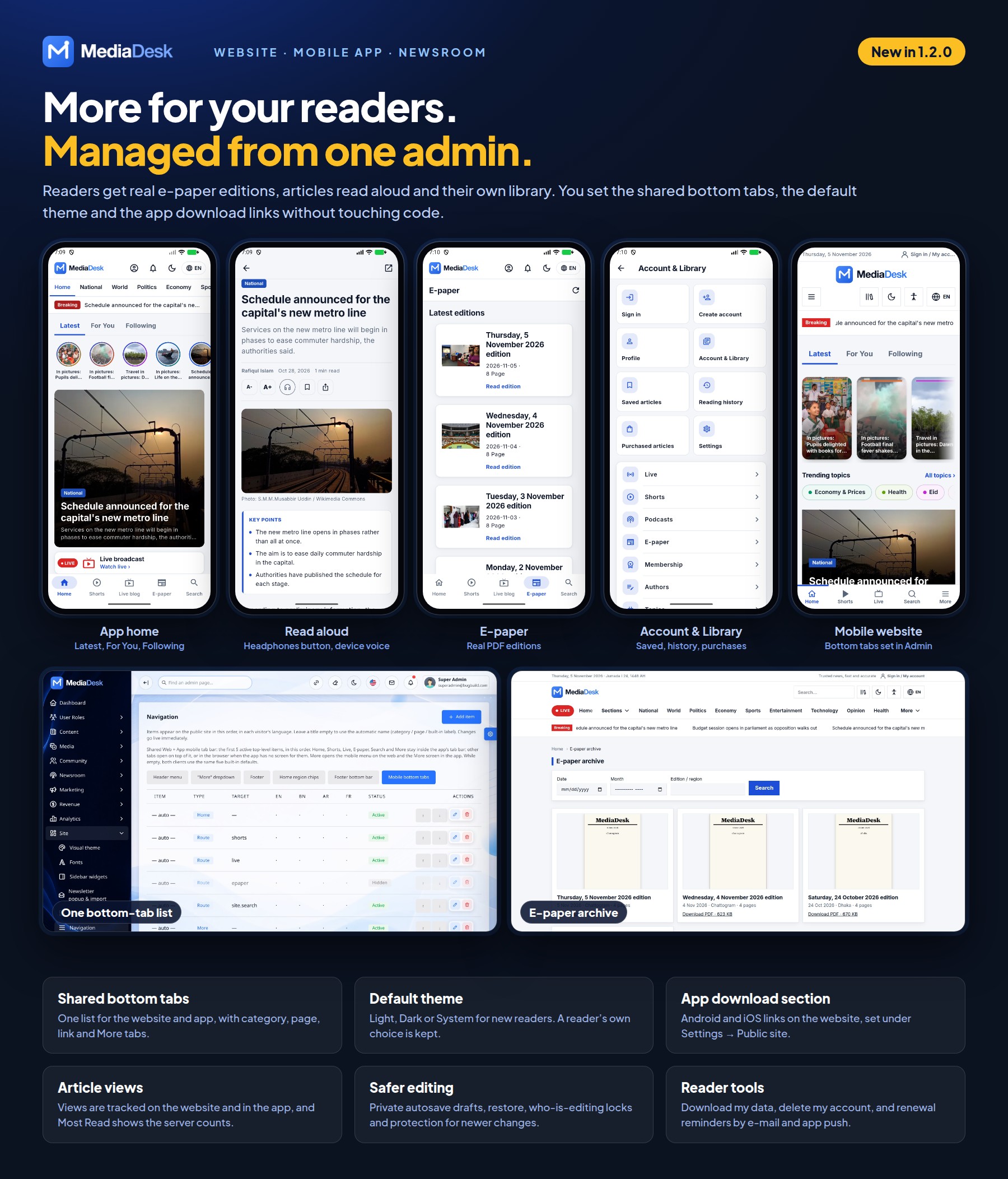
| Bottom tabs | Site → Navigation → Mobile bottom tabs | One list for the website and app. The first five active items show. Category, page and link tabs need an app built from this release. |
| Default theme | Settings → Public site → Default theme | Light, Dark or System for readers who have not chosen a mode. A reader’s own choice is kept. |
| App download section | Settings → Public site → Show the app download card | Shows Android and iOS links on the website. Each enabled link must be a full HTTPS URL. |
| E-paper editions | Website and app | Readers open real PDF editions. Page previews need Poppler on the server; without it, Open PDF still works. |
| Article views | Website and app | Views are tracked, and Most Read shows the server counts. |
| Read aloud and library | App | Device-voice read aloud, following feeds, guest library, library backup and account security tools. See the mobile app guide. |
Upgrading & Demo Mode
Version 1.2.0 includes a professional updater under System → System update. It supports official ZIP upload and FTP/cPanel updates finished from the admin panel. Packages are checked before protected files are touched, and the updater coordinates maintenance mode, backups, migrations, permission sync, caches and queue workers. The manual server workflow below remains available.
System Update methods in 1.2.0
- ZIP: upload the official ZIP in System → System update. MediaDesk validates its manifest and every declared SHA-256 checksum before applying it.
- FTP/cPanel: version 1.2.0 changes the PHP packages and the website styles, and the download has no
vendor/orpublic/build/. On your computer, open the newWebSourceCodefolder and runcomposer install --no-dev --optimize-autoloader,npm ciandnpm run build, then deletenode_modules. Upload everything over the old program files, includingvendor/andpublic/build/, while preserving.env,storage/and uploads. In File Manager, delete every.phpfile inbootstrap/cache/. If you skip this, old cached routes can make the update screen show 404. Then open System → System update and press Update database. No SSH is needed. - Status: after the upload the screen shows the current version (1.0.0 for installations that never recorded one), the update version and the number of database changes waiting. When the database update finishes, the current version changes to the new version and the panel closes. The database is backed up first; if a step fails, the site reopens, the version stays the same and you can press the button again.
- After updating from source: run
npm run buildso the latest styles and scripts load. The site and app open in Light mode for readers who have not chosen a mode; set Settings → Public site → Default theme to System to keep following the device. Your bottom tabs are not changed.
The updater enables maintenance mode, creates private database and affected-file backups, validates protected paths, records update history, restarts queues and restores service. If file installation fails, replaced files are rolled back automatically. Database migrations already committed may require restoring the matching pre-update database backup.
Install locked dependencies with composer install --no-dev --optimize-autoloader when a release changes composer.lock. Do not run composer update on the production server.
Before you start
- Read the Changelog entry of every version between yours and the new one, including its “Upgrade notes” (version-specific steps). Your version is the one at the top of the documentation that came with your download (and in
AppSourceCode/pubspec.yamlfor the app). - Back up the database (
mysqldump --single-transaction yourdb > backup.sql),.envandstorage/(it holds uploads and the installer lockstorage/installed). - Keep a list of any files you changed yourself (custom Blade views, CSS). An upgrade overwrites them; prefer Settings → Site code and Site phrases for customisations, which live in the database and survive upgrades.
Upgrade steps (every version)
# 1. Maintenance page while files change (everyone sees it until step 7)
php artisan down --refresh=15

# 2. Upload the new WebSourceCode over the old one.
#    Do NOT overwrite or delete: .env, storage/, public/storage (link), public/uploads (if you created it)

# 3. Dependencies and front-end assets
composer install --no-dev --optimize-autoloader
npm ci && npm run build

# 4. Database changes (adds new tables/columns; never drops your data)
php artisan migrate --force

# 5. New permissions for new admin screens
php artisan cms:sync-permissions

# 6. Clear every cache, then rebuild the production caches
php artisan optimize:clear
php artisan optimize

# 7. Restart queue workers so they load the new code, then go live
php artisan queue:restart
php artisan up
- New
.envkeys: compare the new.env.examplewith your.env(diff .env.example .env) and copy over any key you do not have. Missing keys fall back to safe defaults. - OPcache: if
opcache.validate_timestamps=0, reload PHP-FPM (sudo systemctl reload php8.3-fpm) or the old code keeps running. - No SSH? Run step 3 on your computer and upload
vendor/andpublic/build. Steps 4–7 then need your host’s “run command” tool or a one-off cron entry; ask your host if unsure. - Do not run the installer again,
migrate:fresh,db:wipeordb:seedon a live site. The installer stays locked as long asstorage/installedexists. - Mobile app: copy your changes (
API_BASE, app name, icon, bundle id, Firebase files) into the newAppSourceCode, runflutter pub get, raiseversion:inpubspec.yamland build a new release.
Rolling back: put the old files back, restore the database dump taken before step 1 (a newer migration may have changed tables), then run steps 6 and 7.
Version-specific notes
| Upgrading to | Extra steps |
|---|---|
| 1.2.0 | From 1.0.0, use the official updater or upload the new files and run composer install --no-dev --optimize-autoloader, then php artisan mediadesk:database-update --release=1.2.0. Do not run composer update. Configure Google Drive backup in Admin; no backup keys belong in .env. |
| 1.0.0 | Initial release; nothing to migrate. |
Each future release adds a row here and an “Upgrade notes” list in the Changelog whenever it needs more than the steps above (for example a new .env key, a one-time artisan command or a new server requirement).
Demo mode (evaluation only)
Demo content for evaluation. On a throw-away database ALLOW_DEMO_SEED=true php artisan db:seed --class=FrontendDemoSeeder --force loads a sample newspaper (articles in bn/en/ar/fr, authors, topics, podcasts, live events, comments, static pages). It deletes all existing article, category, podcast and live-update rows first. The installer sets APP_ENV=production, where demo seeders refuse to run unless ALLOW_DEMO_SEED=true (or APP_DEMO=true) is set. Photos, clips and audio are not bundled, so the sample stories use placeholder thumbnails.
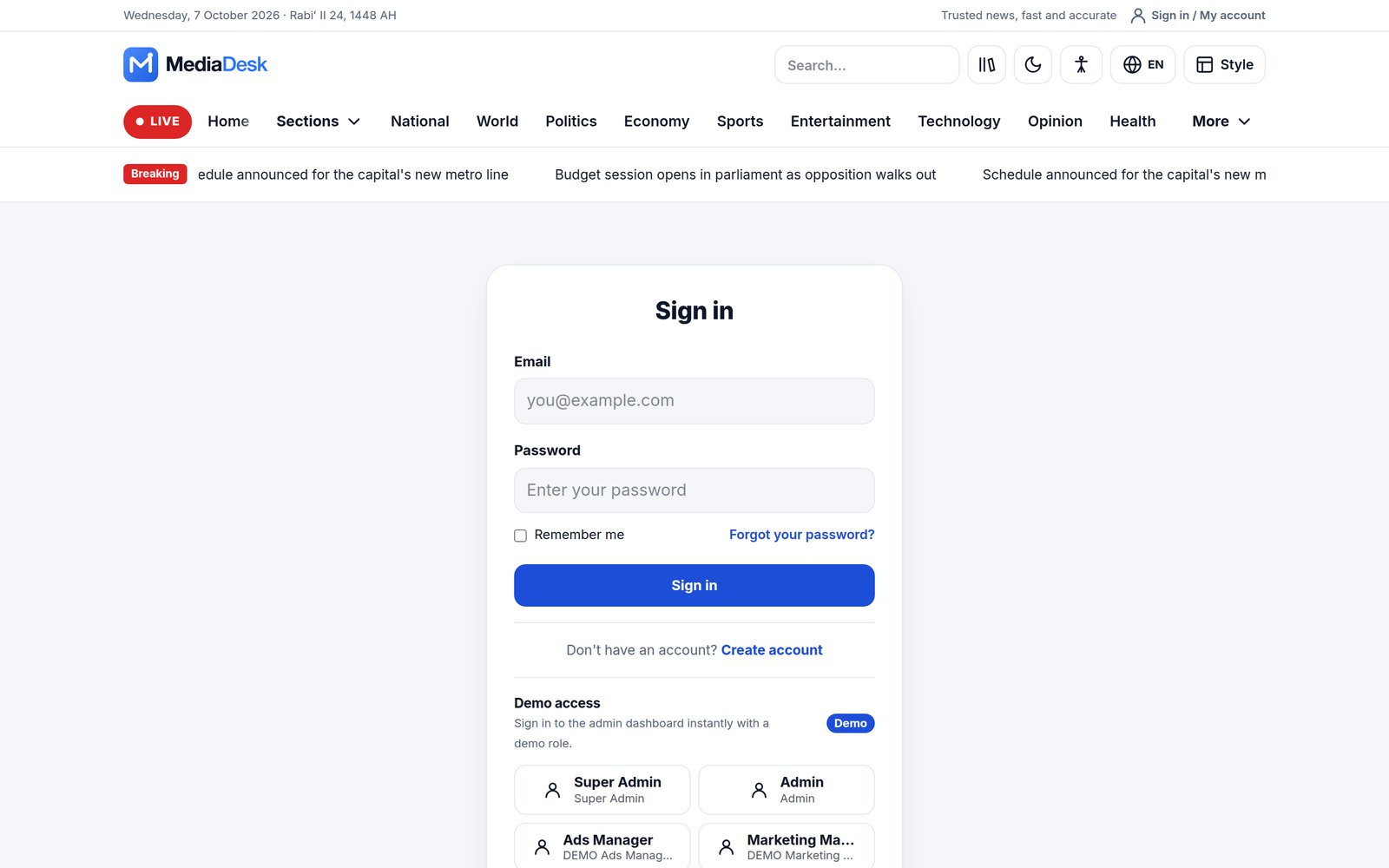
APP_DEMO=true is the one switch for the public-demo behaviour: a read-only showcase for any user with the role slug demo and for the published demo logins (the accounts in config/demo.php and *@demo.mediadesk.test; switch this part off with DEMO_READONLY_ACCOUNTS=false): non-GET requests return 403 and password/key inputs are masked. It also shows the one-click demo login buttons and enables the nightly demo:reset (only when APP_ENV is not production). Keep APP_DEMO=false on a real site.
Reader Site & Skins
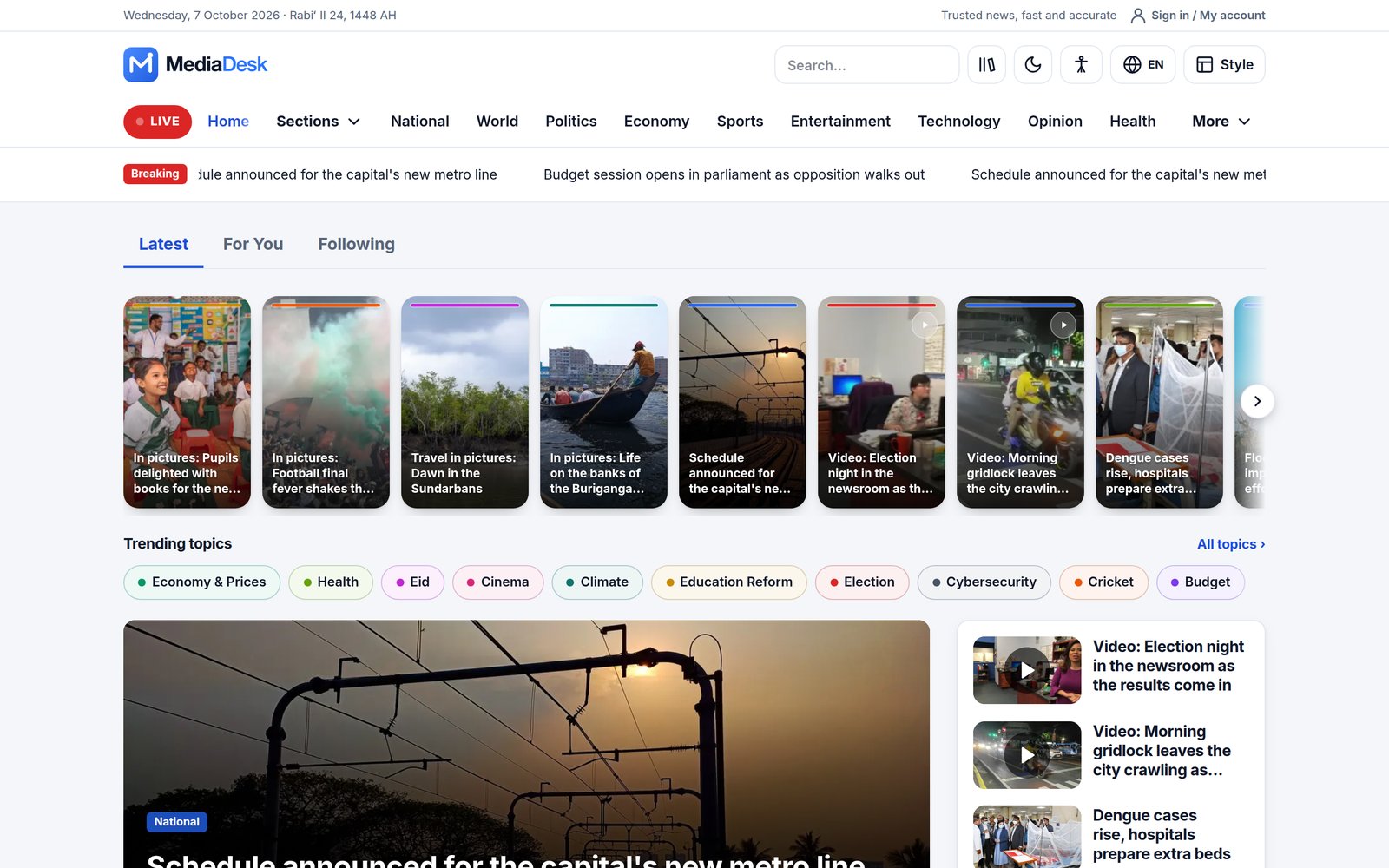
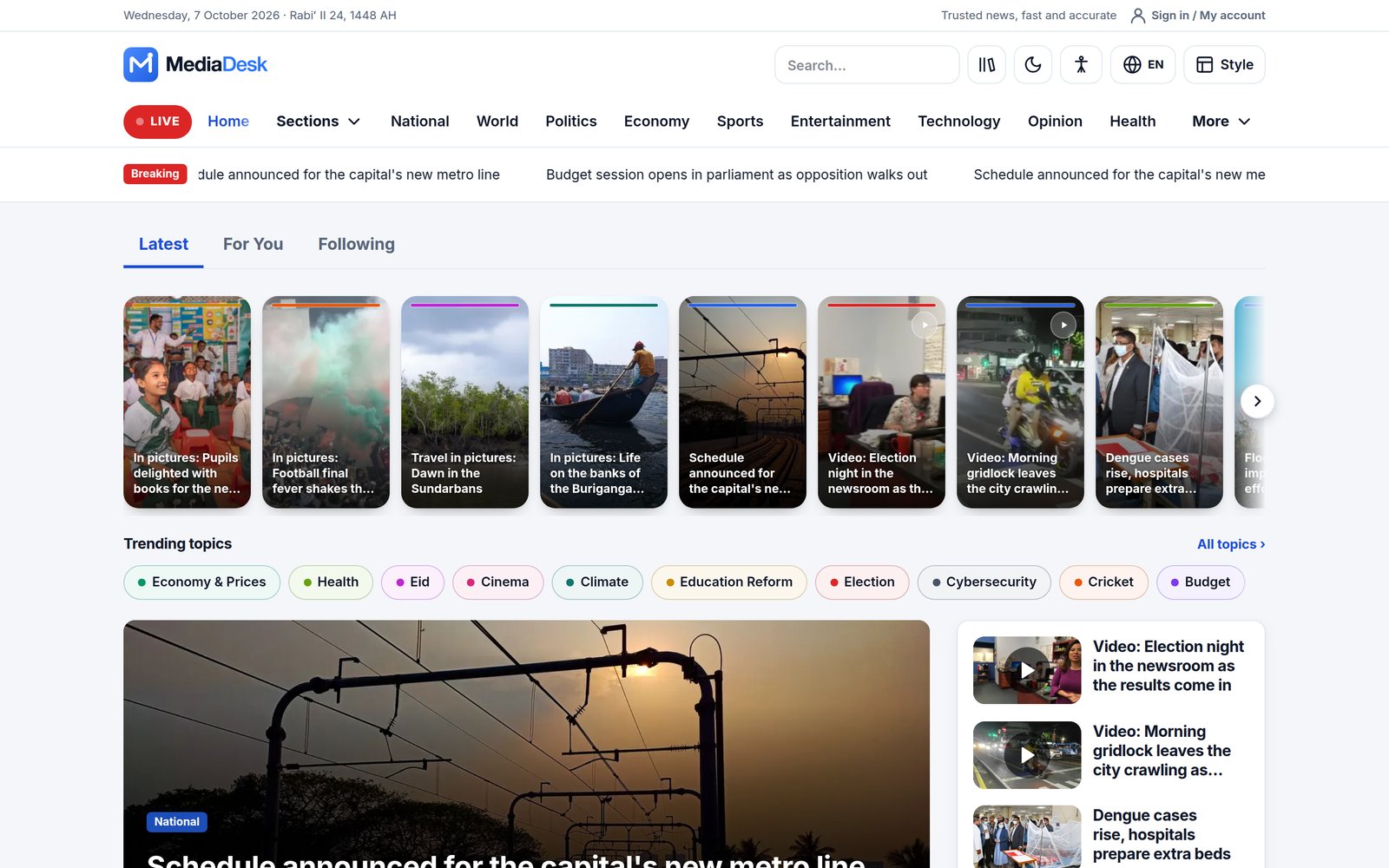
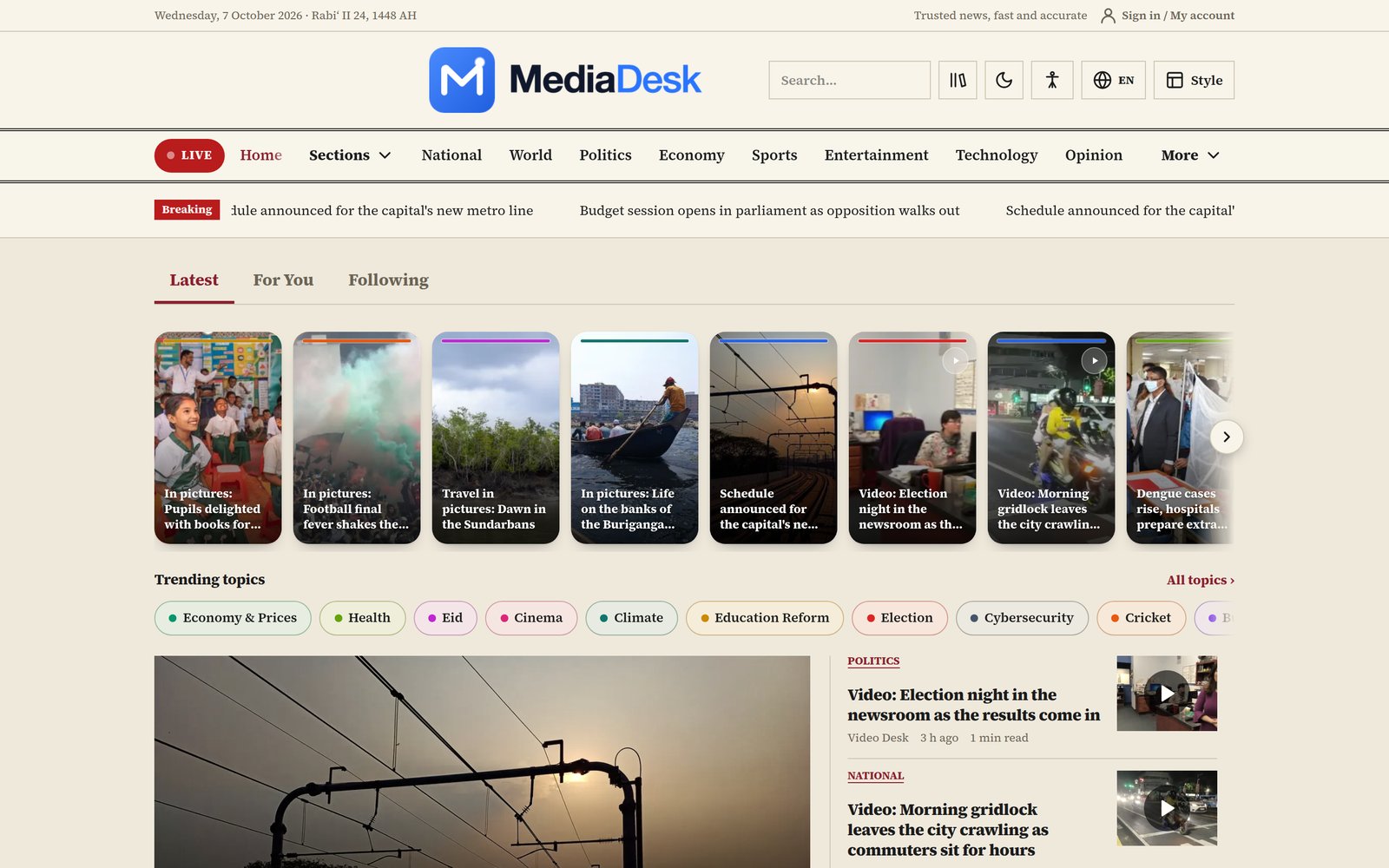
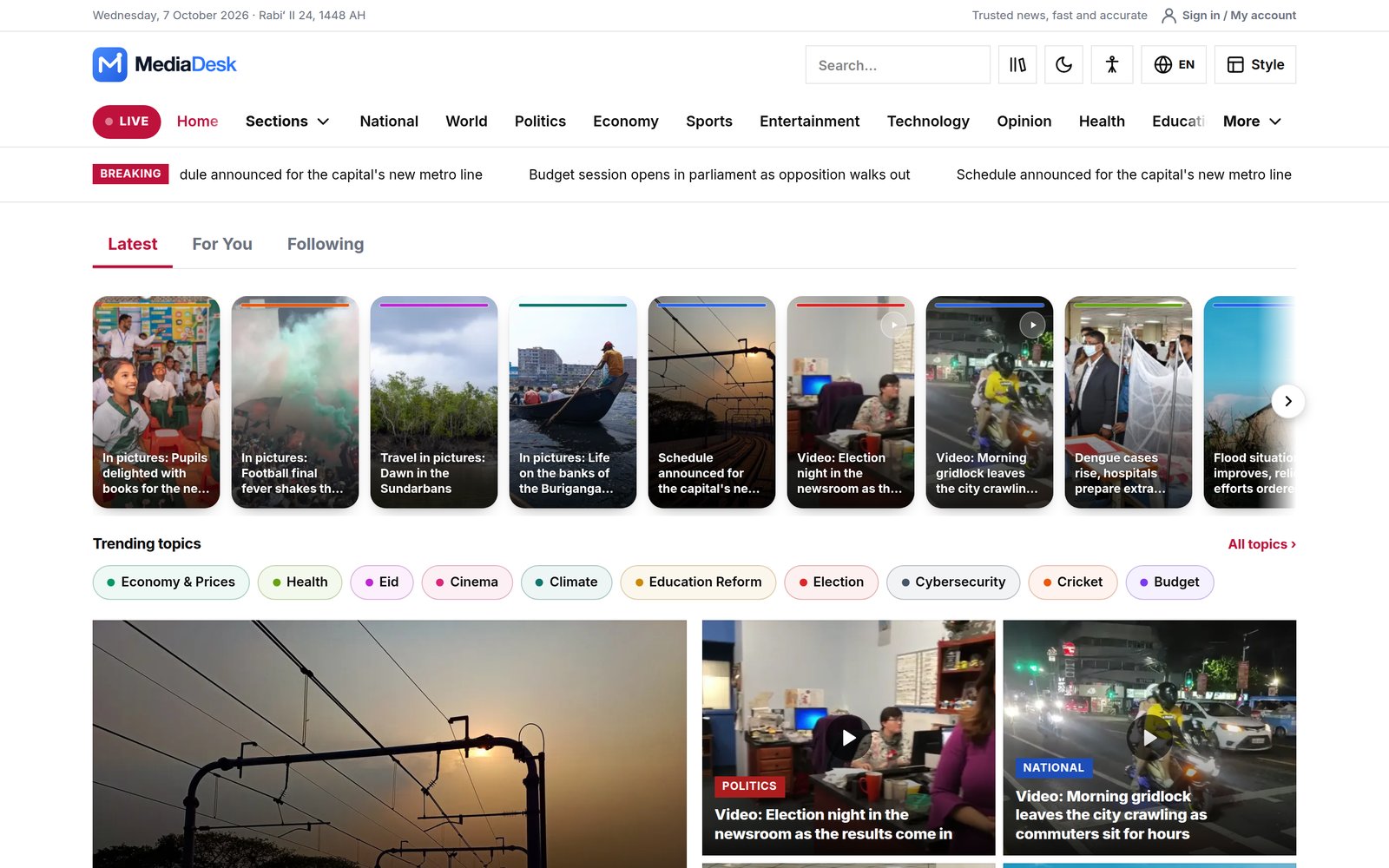
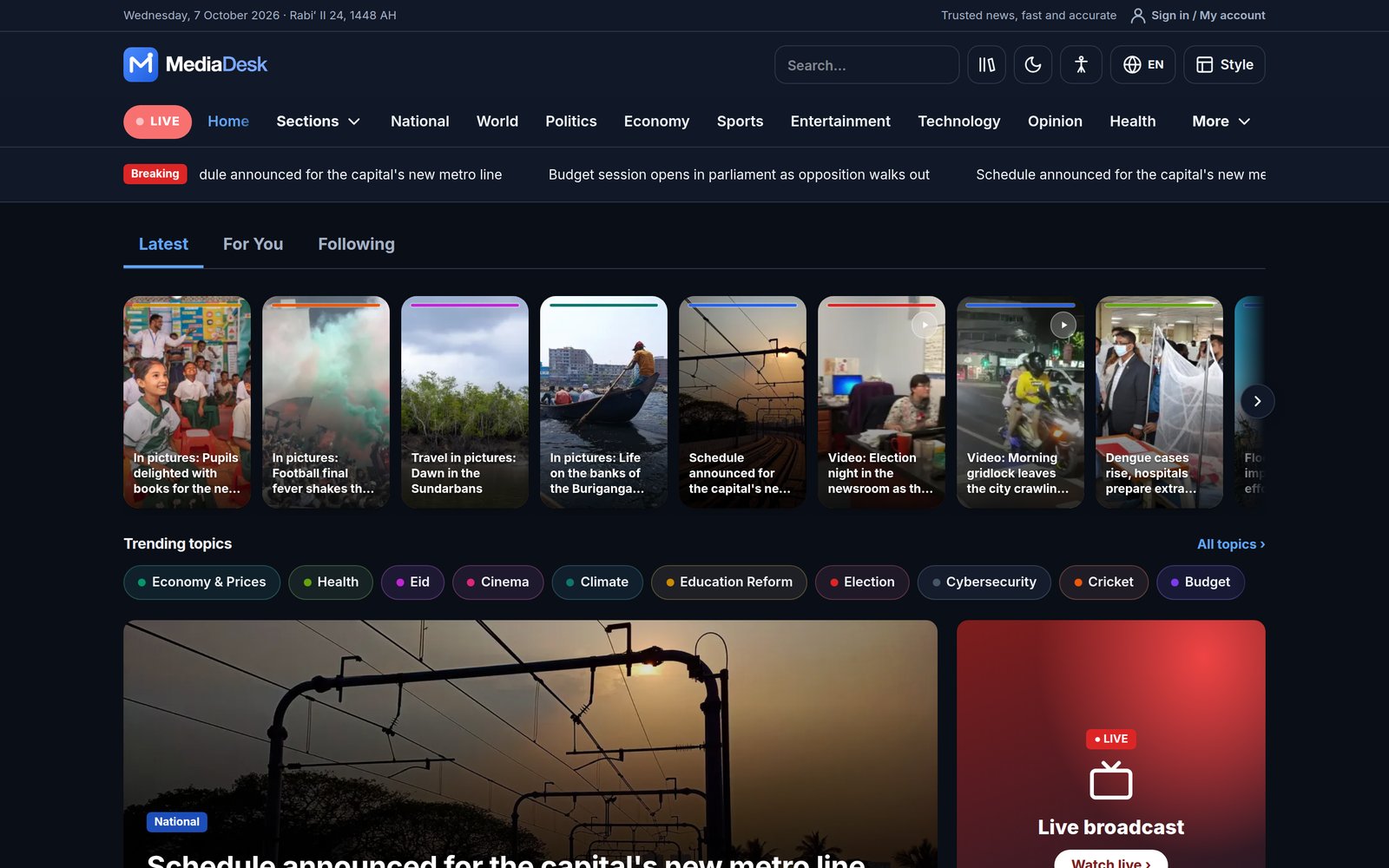
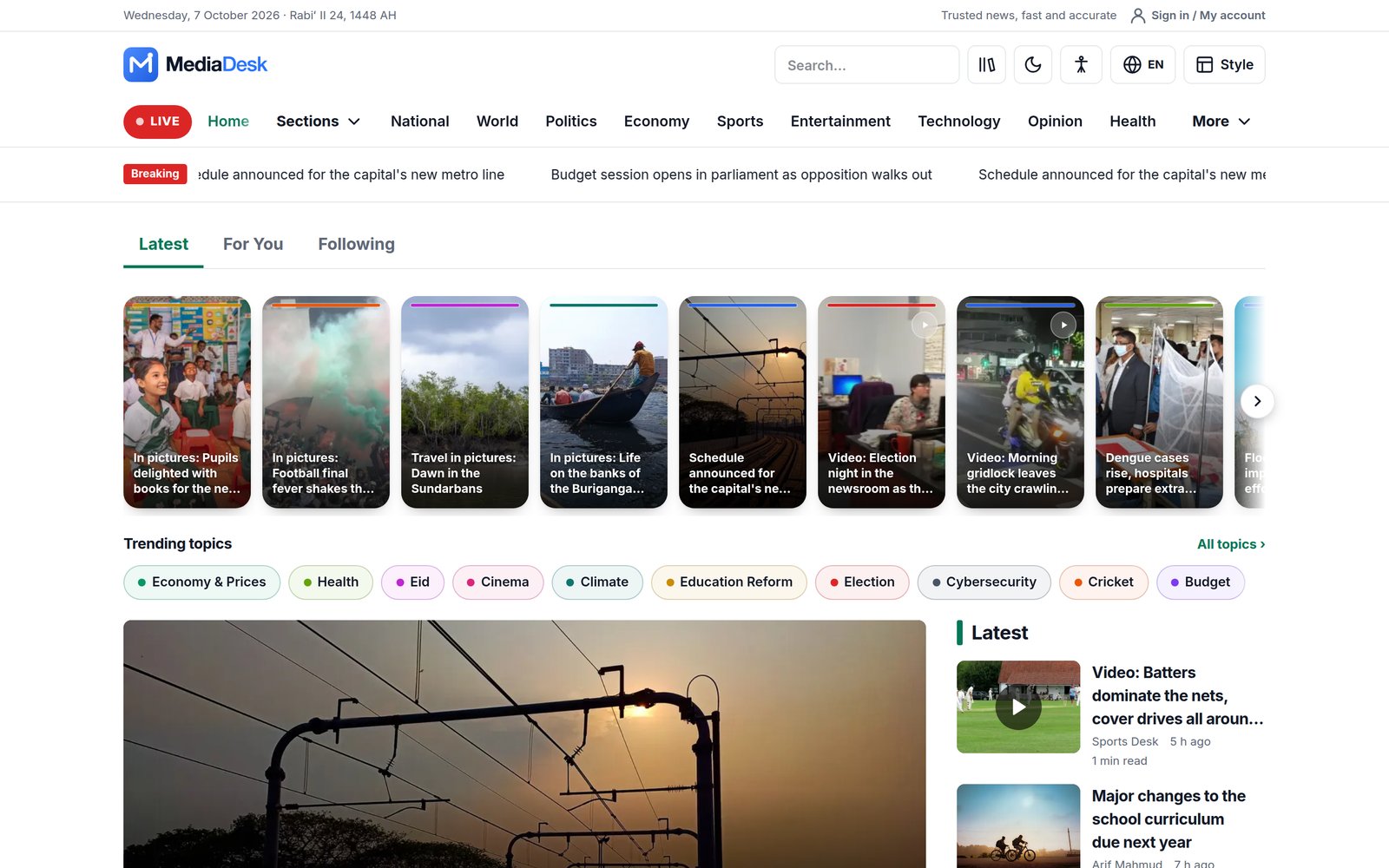
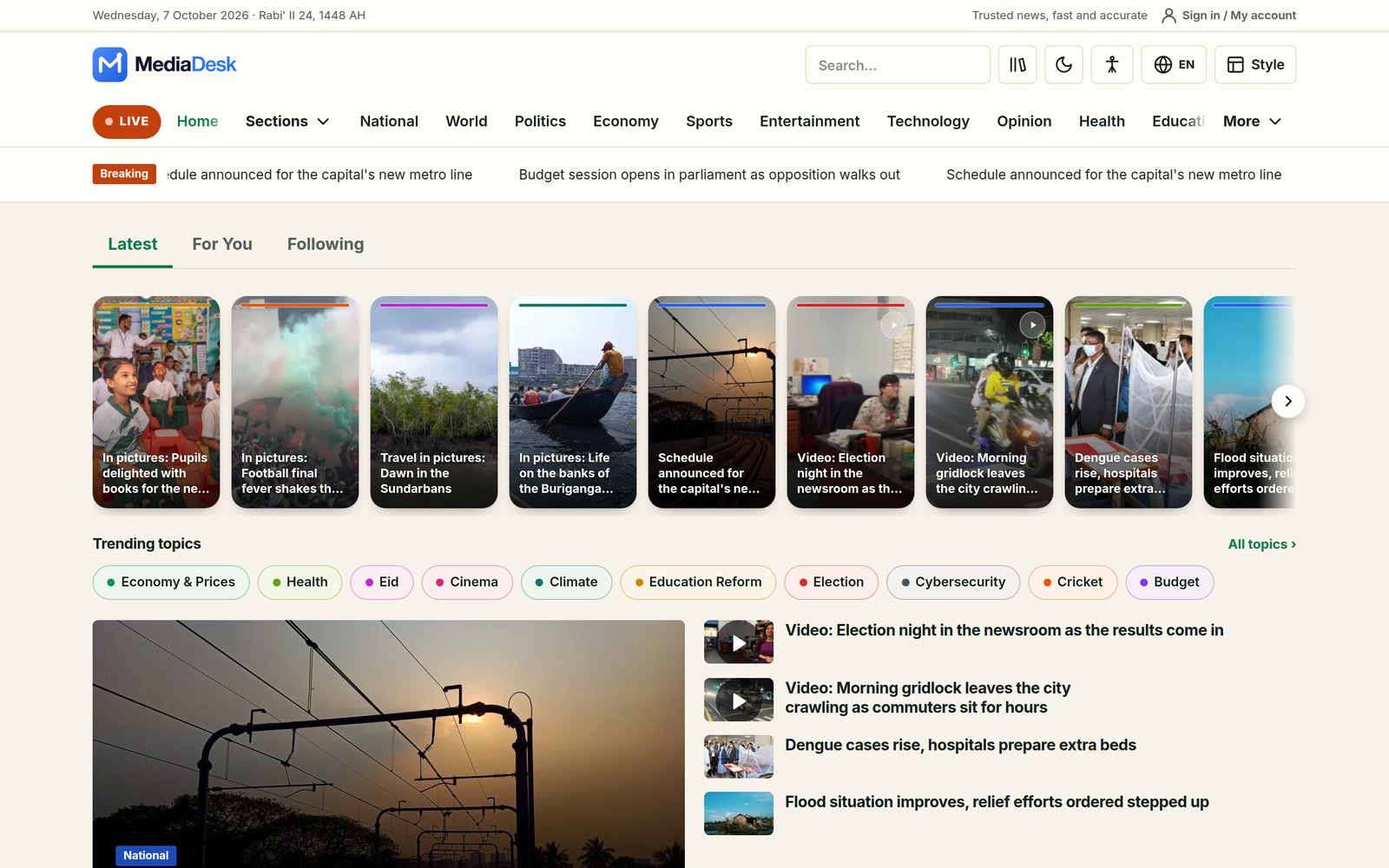
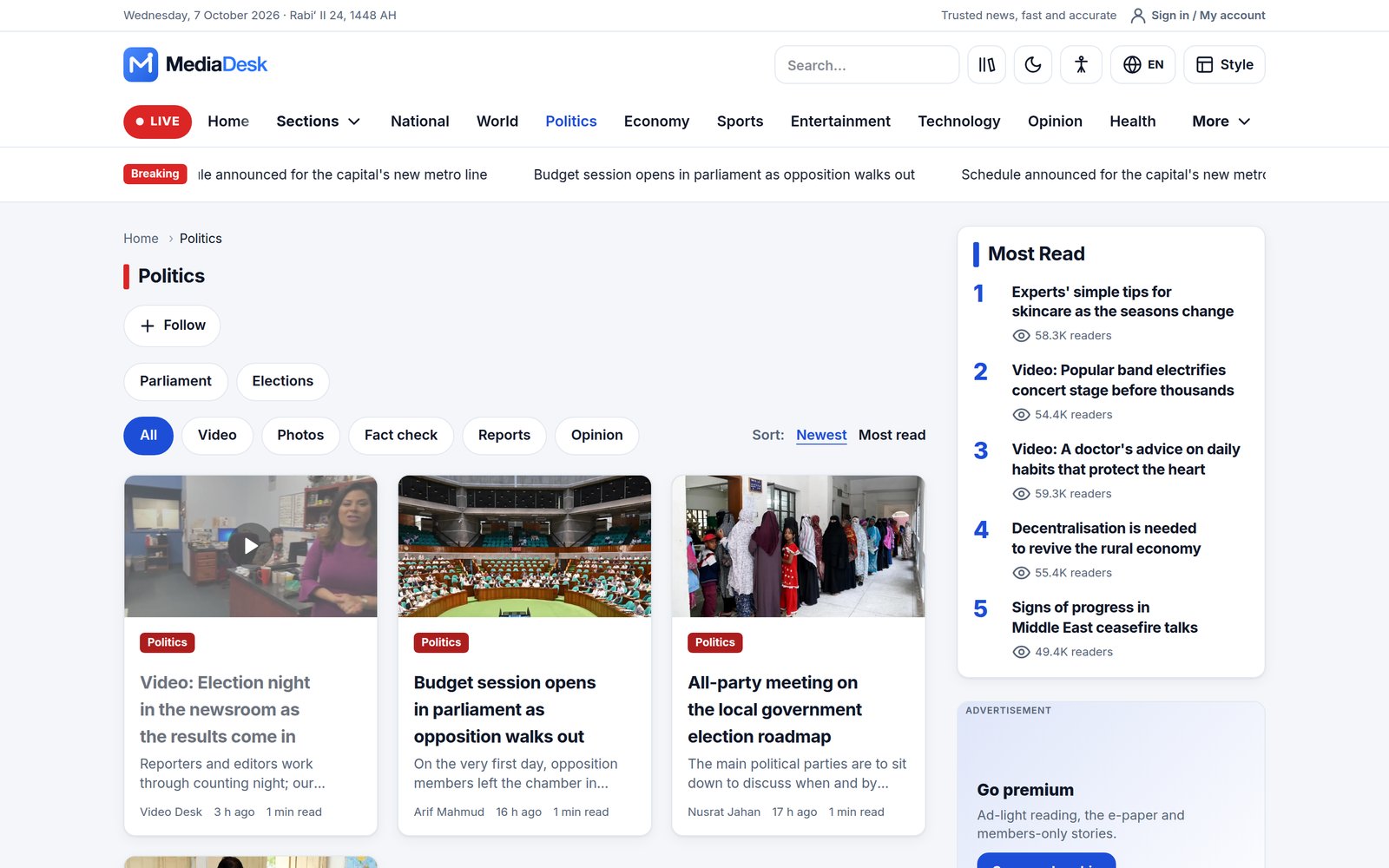
The public site lives at /{locale}/… (for example /en, /bn, /ar, /fr). The root URL redirects to the default language you choose in Settings → Public site. Each reader can pick one of 11 skins — Modern, Classic, Magazine, Night, Compact, Local, Alo, Times, Wire, Broadcast and Star — plus light/dark mode; the admin sets the default skin. A skin can be forced for a visit with ?skin=classic.
Reading Features
- Home — breaking bar, hero, featured, latest, trending, editor’s picks, videos; stories rail; Latest / For You / Following tabs; the block order is set in Home layout.
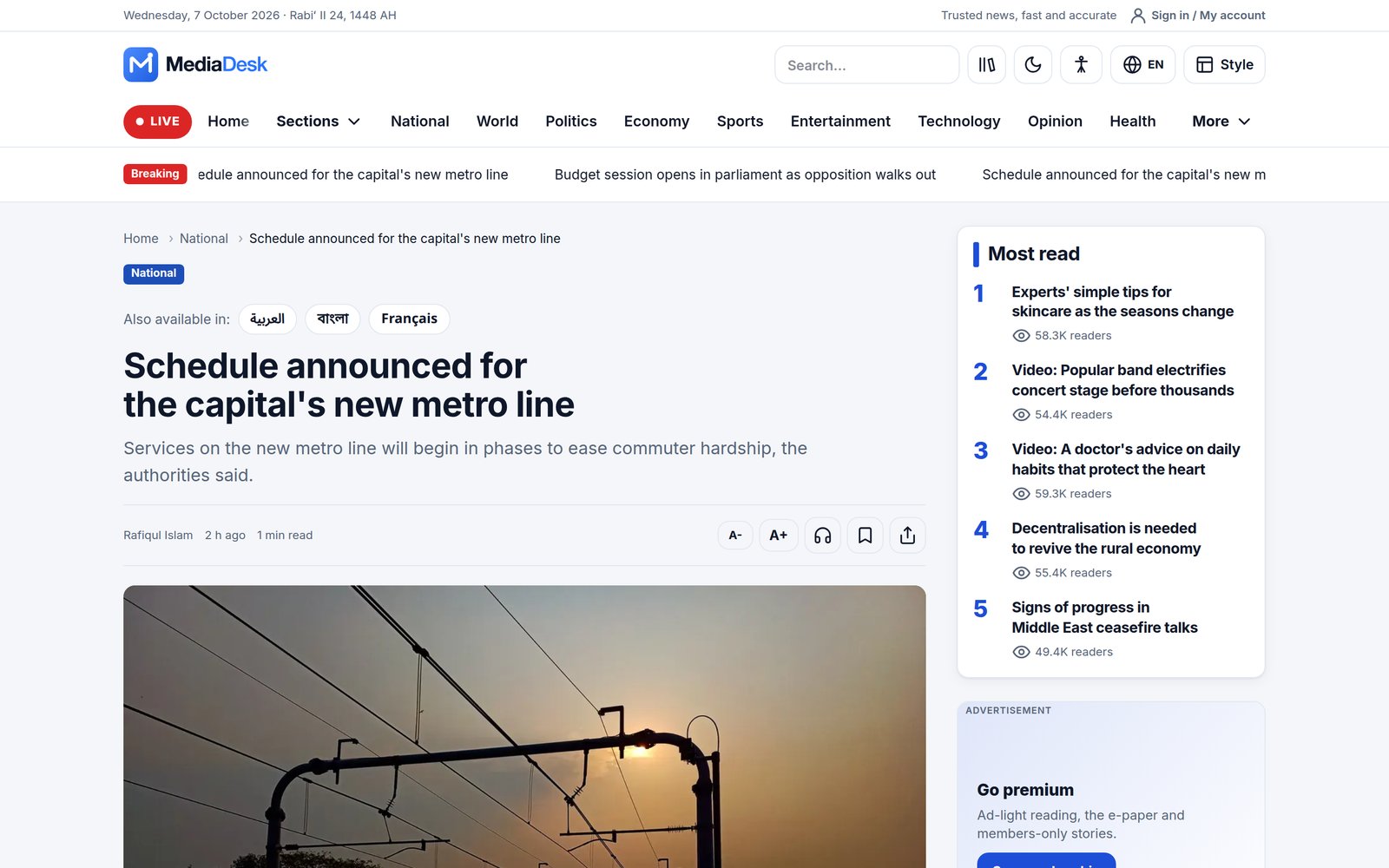
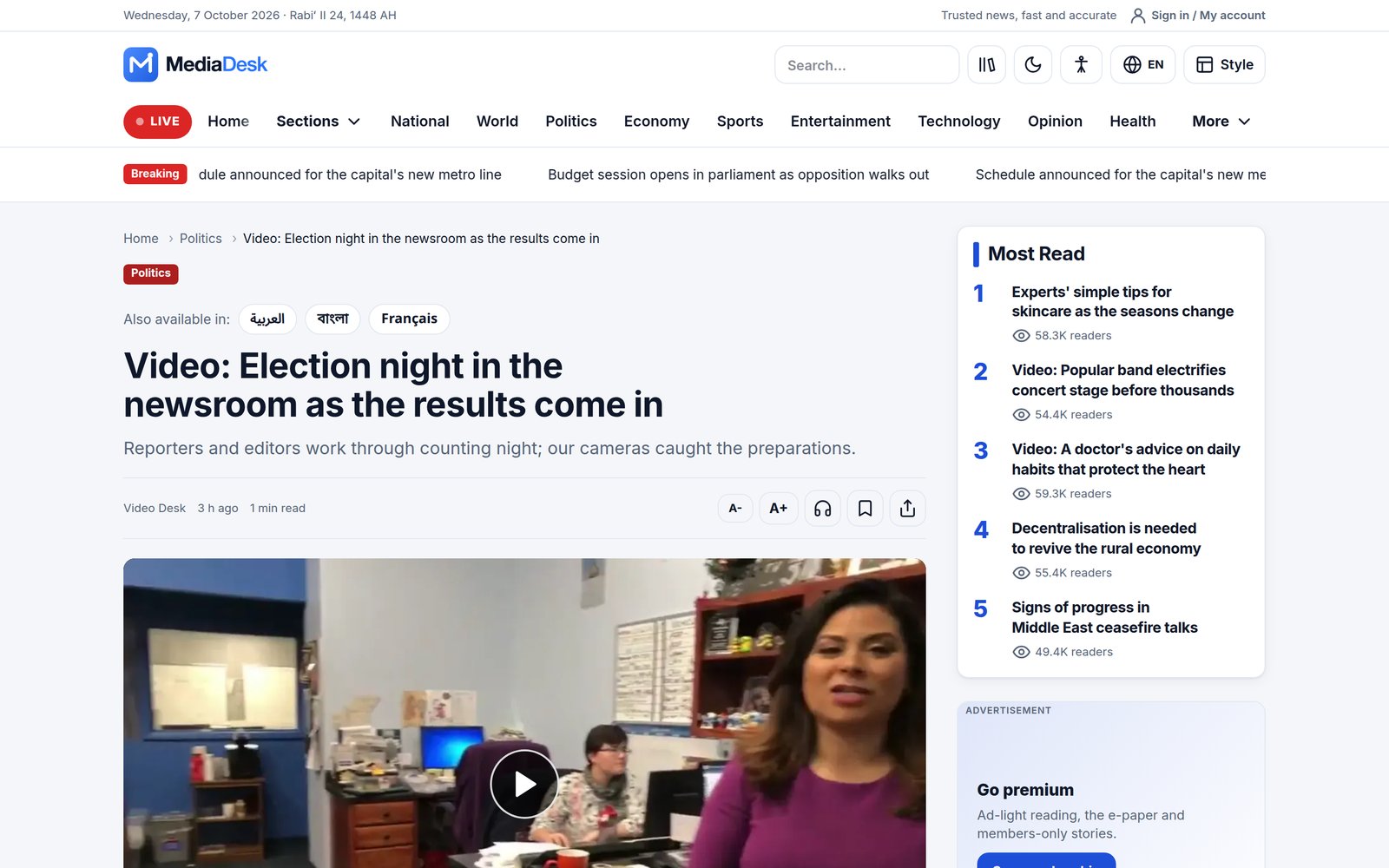
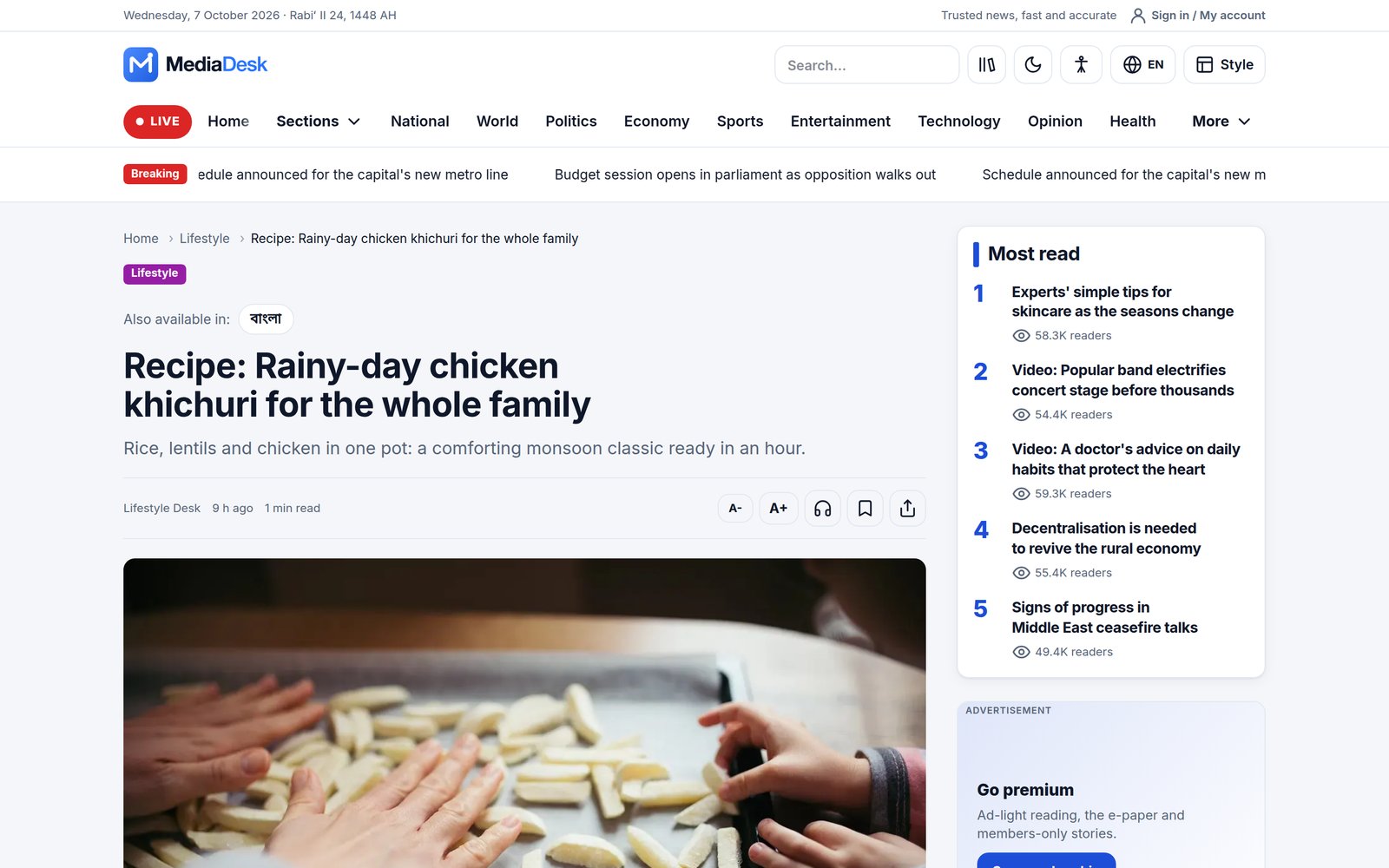
- Article page — key points, reading time, author, share, text-size and listen controls, related stories, reactions, comments, reader polls, premium truncation for paywalled stories, sponsor disclosure for sponsored articles.
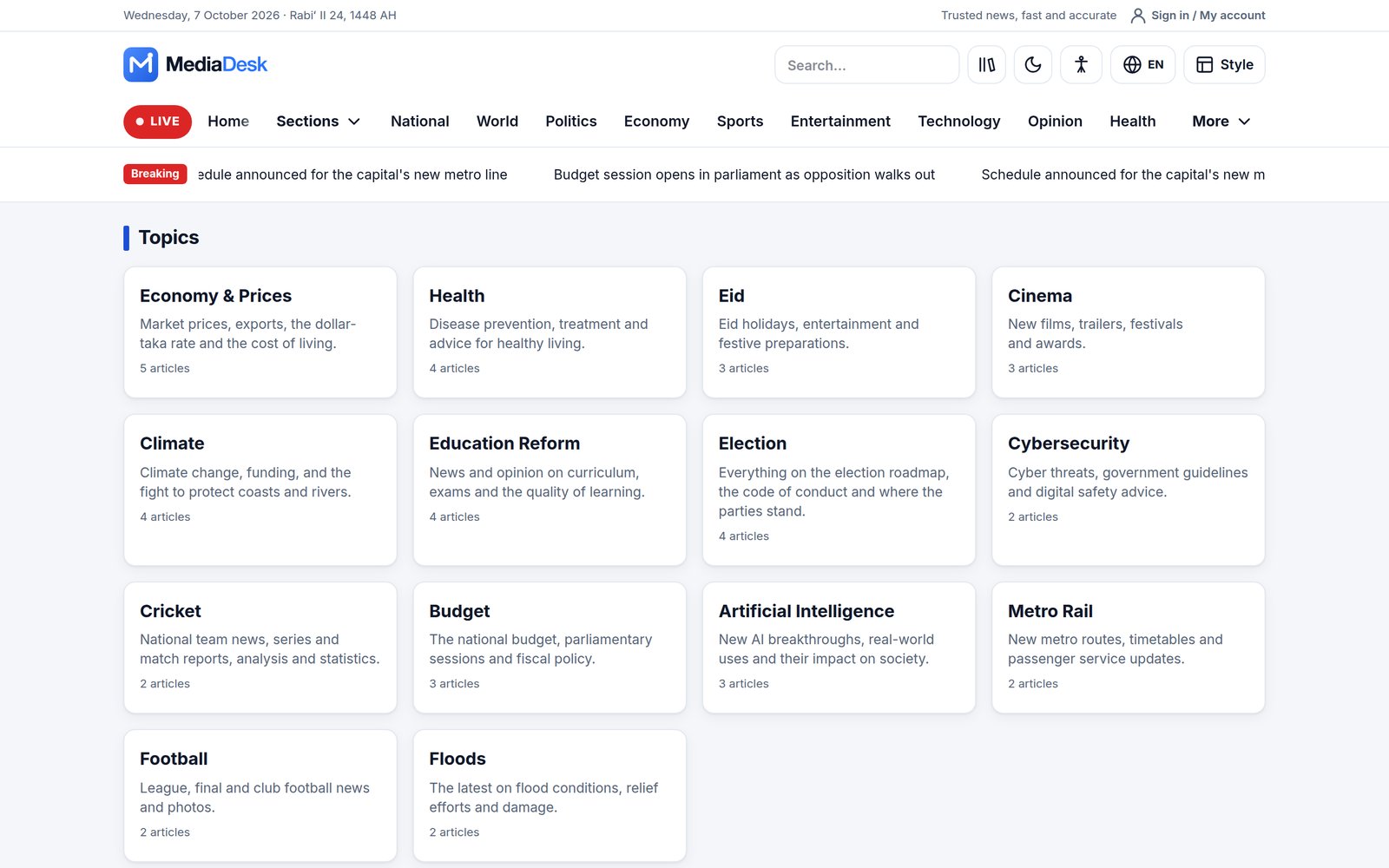
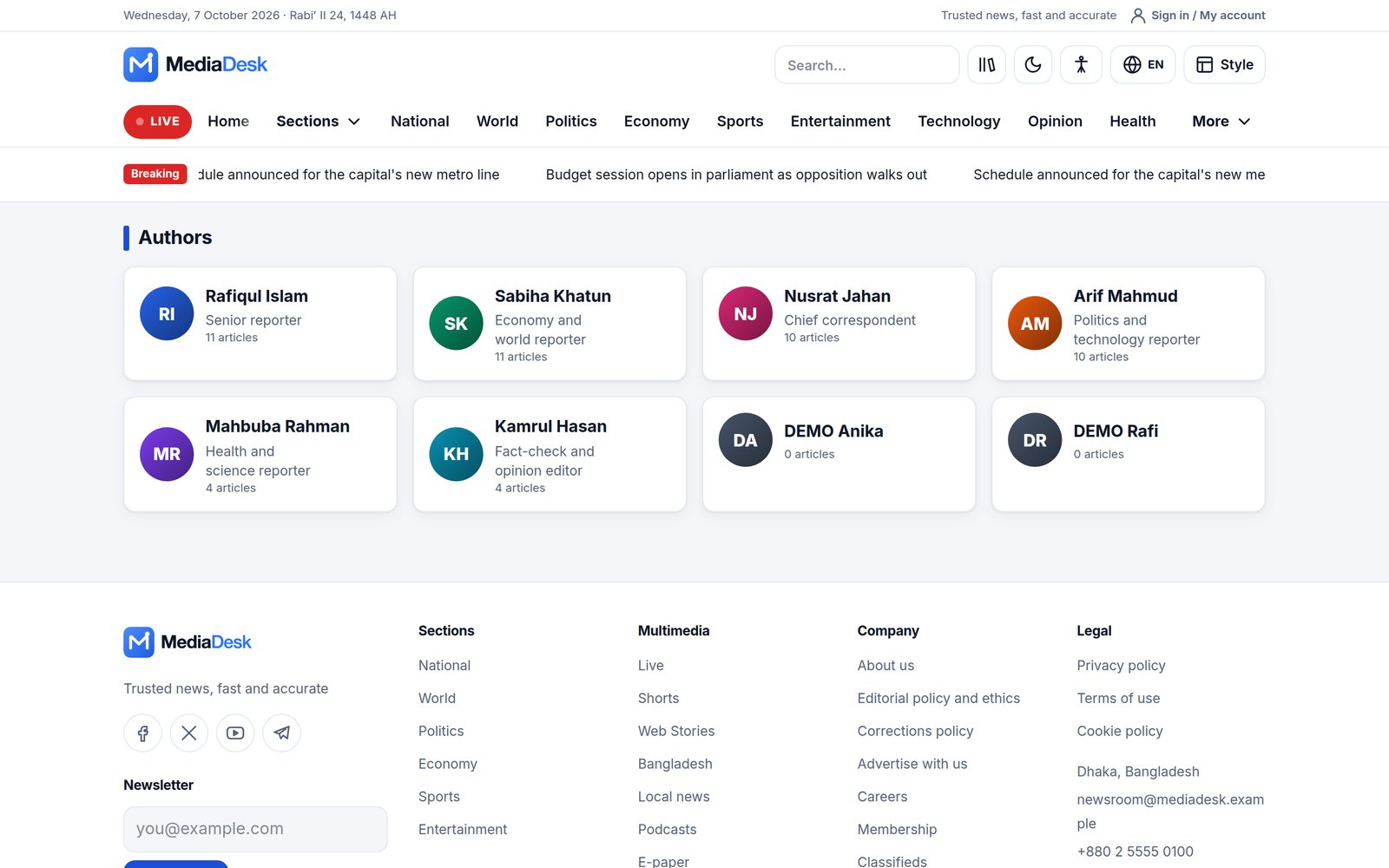
- Personalisation — bookmarks, reading history, follow topics and authors, authors and topics directories.
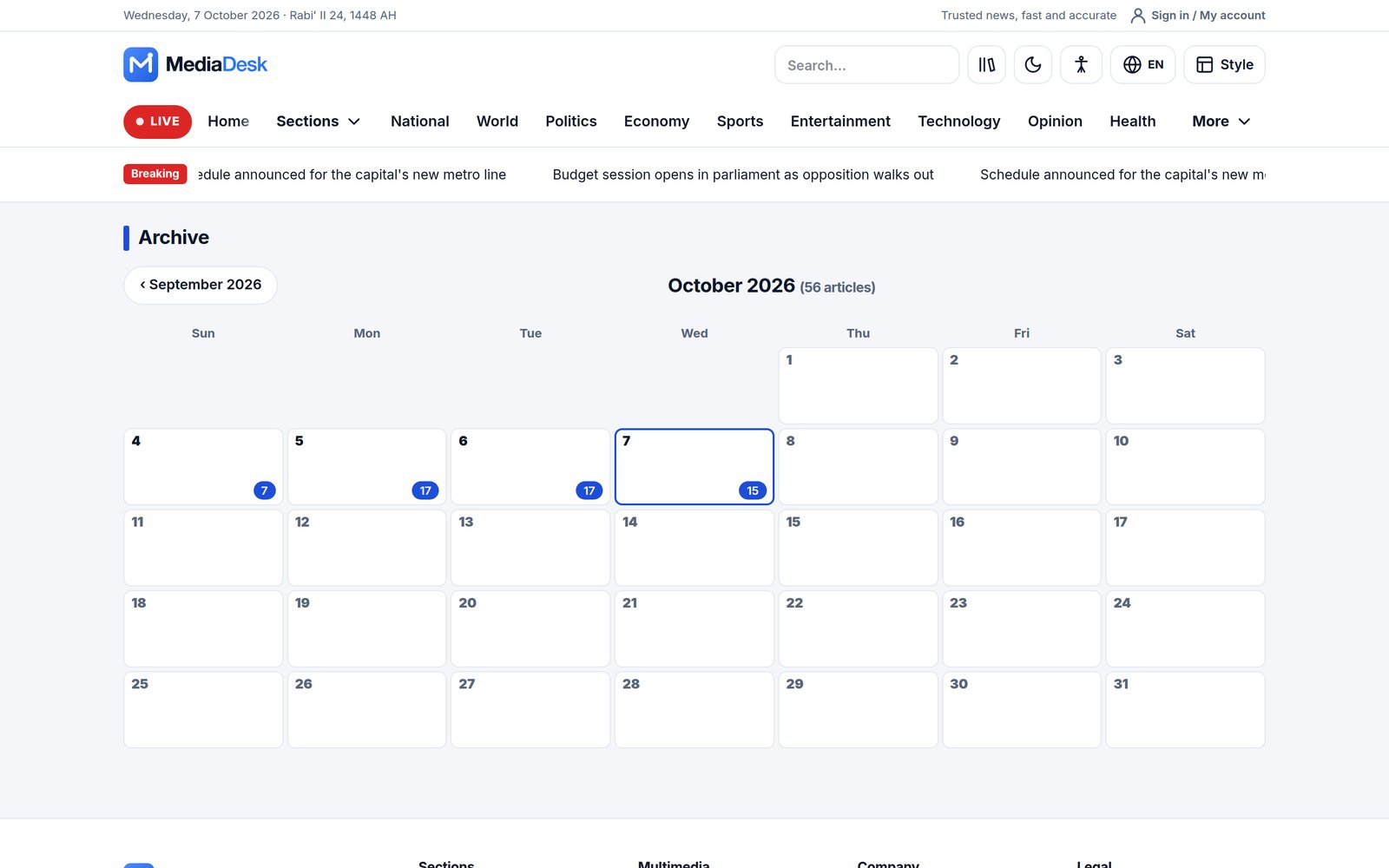
- Archive calendar and search across the active language.
Languages & RTL
Four languages ship: Bangla (bn), English (en), Arabic (ar, right-to-left) and French (fr). Every public URL carries the language, every page emits hreflang alternates, and content falls back to the default language with a language chip when a translation is missing. Admins add more languages under Language and edit interface phrases under Appearance → Site phrases (see Fonts, Widgets, Phrases). Arabic automatically flips the layout.
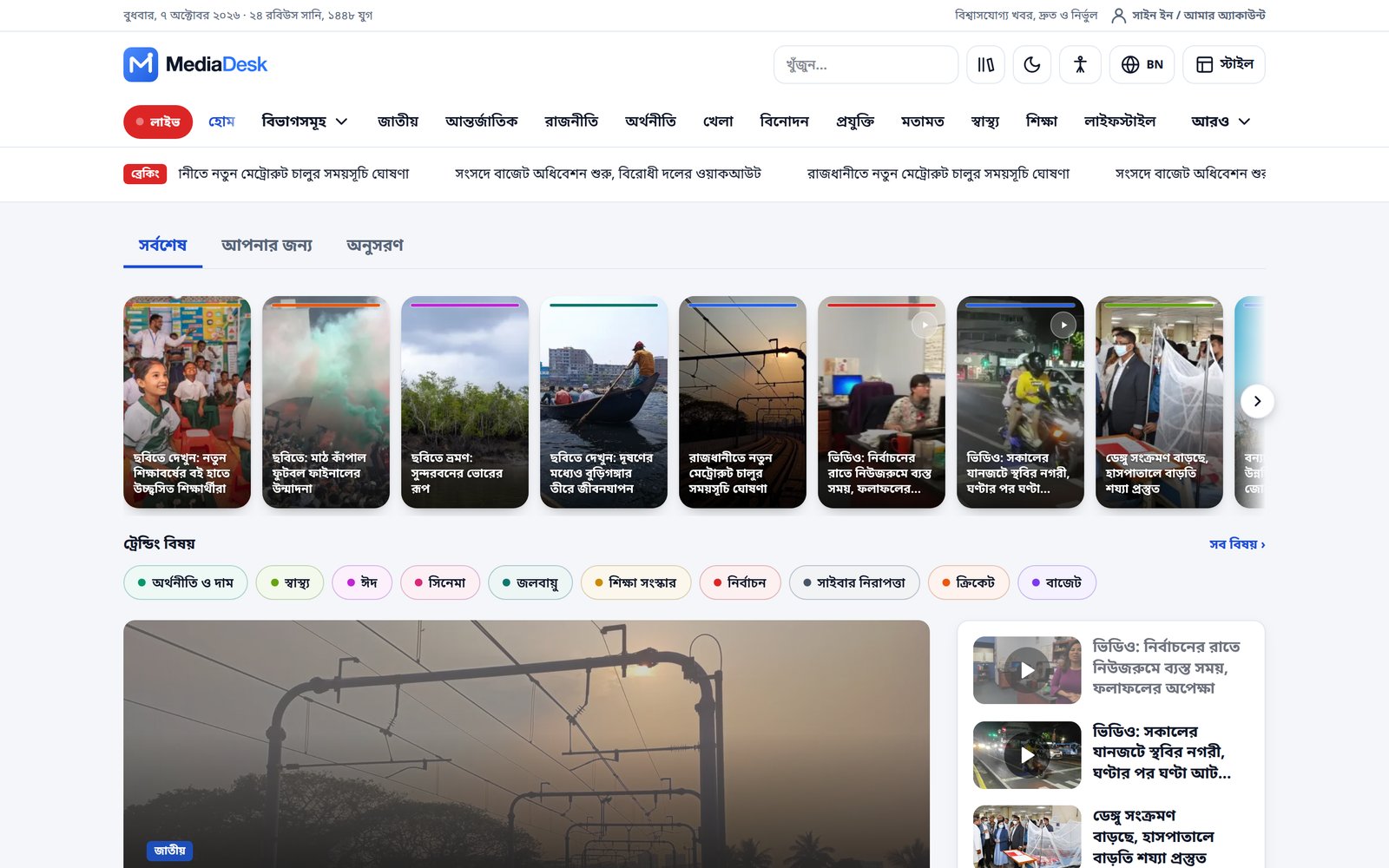
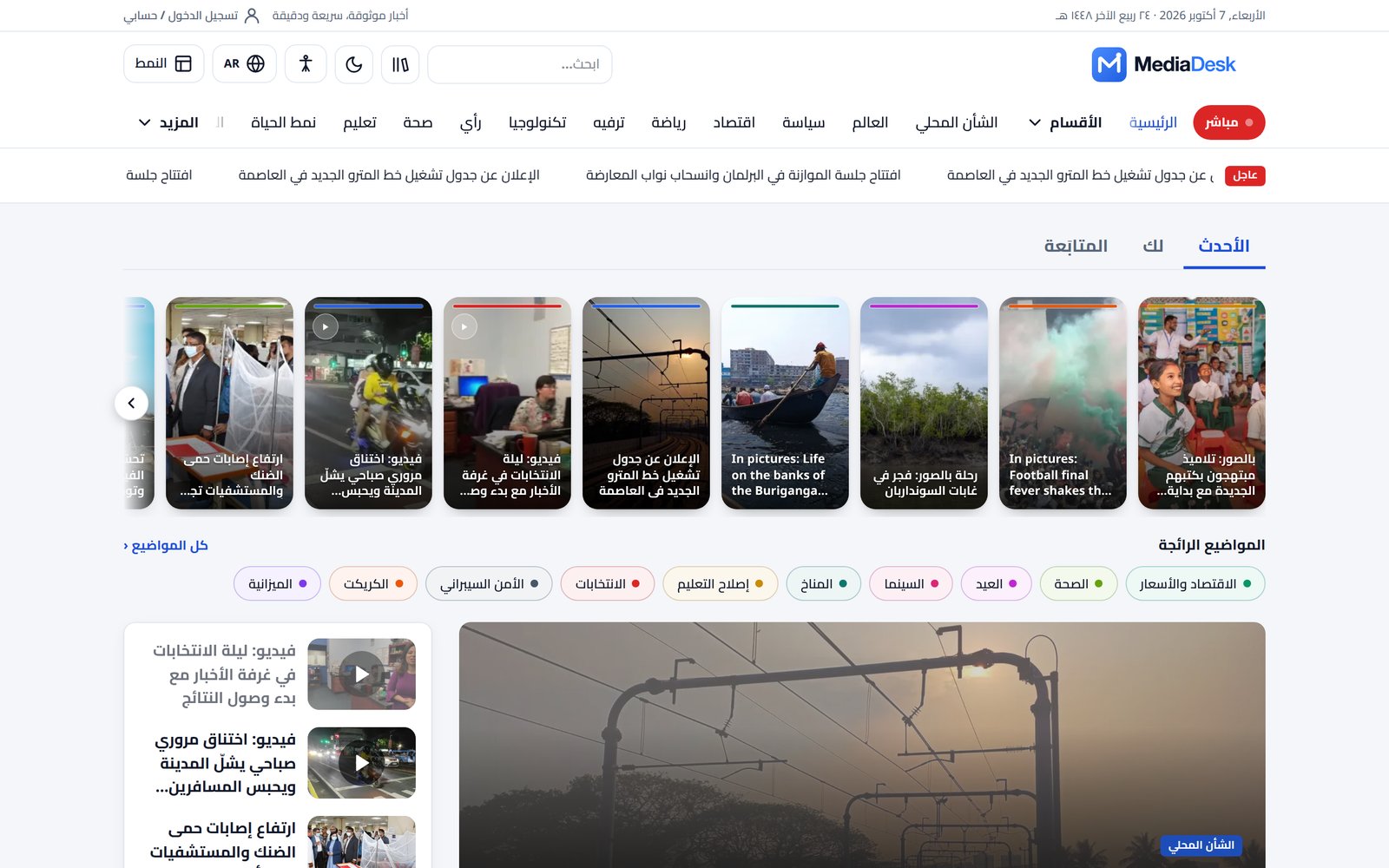
Adding a language: create it in the Language module (code, name, direction, status active), copy lang/en/site_*.json to lang/{code}/ and translate, then translate content per language in each article.
Live, Podcasts, E-paper
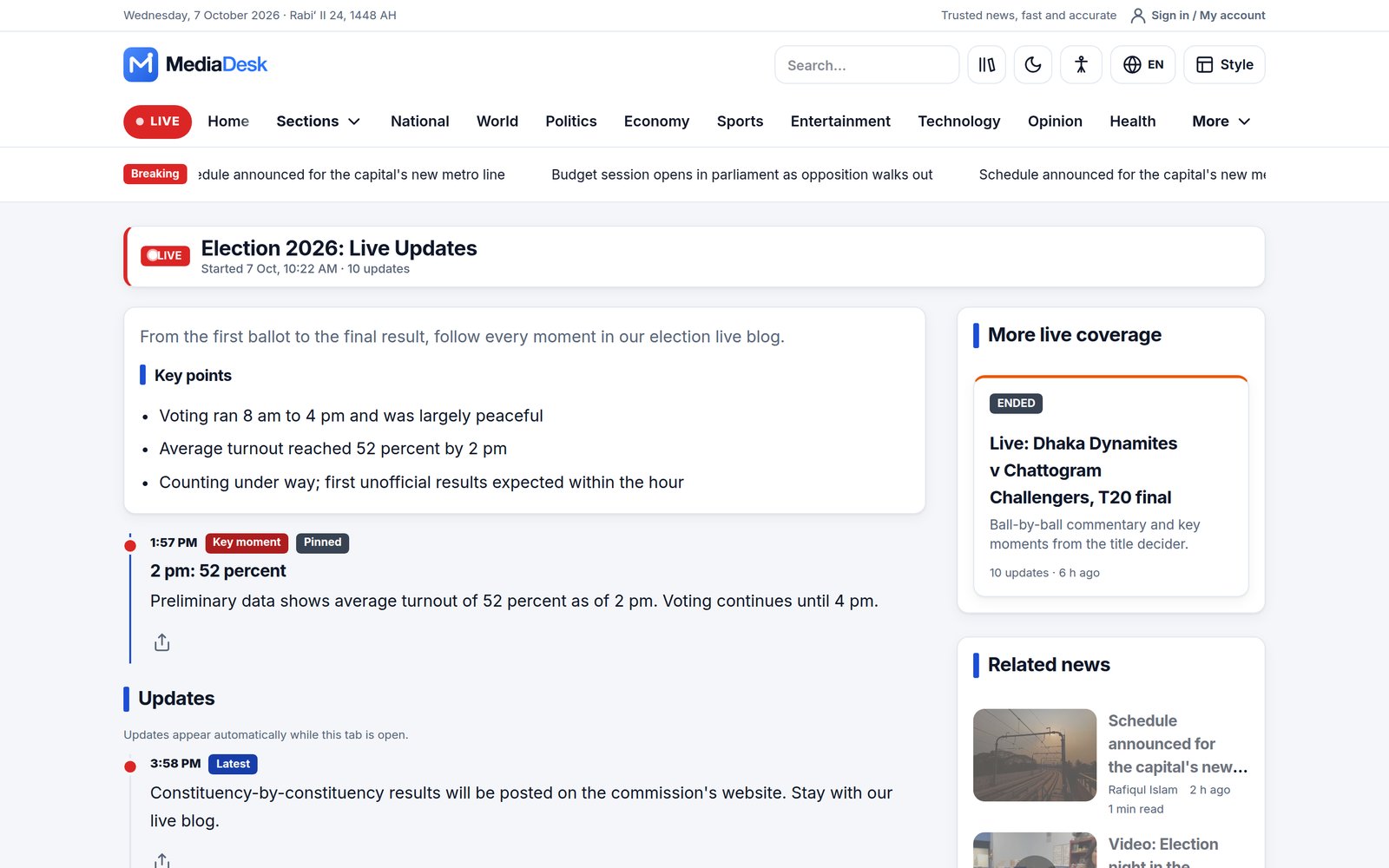
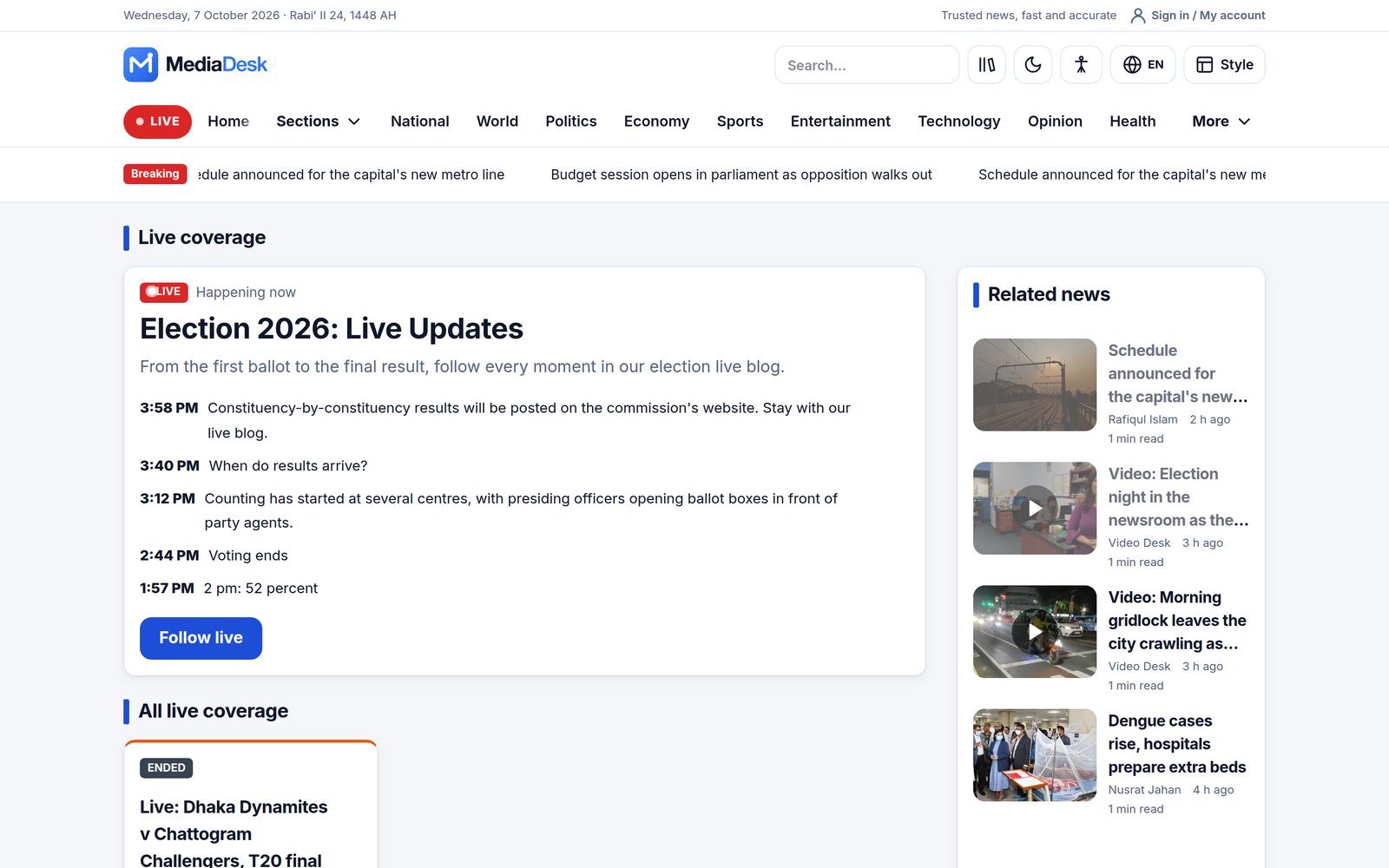
- Live blogs — events with timed, pinnable updates; the live hub lists current and ended coverage.
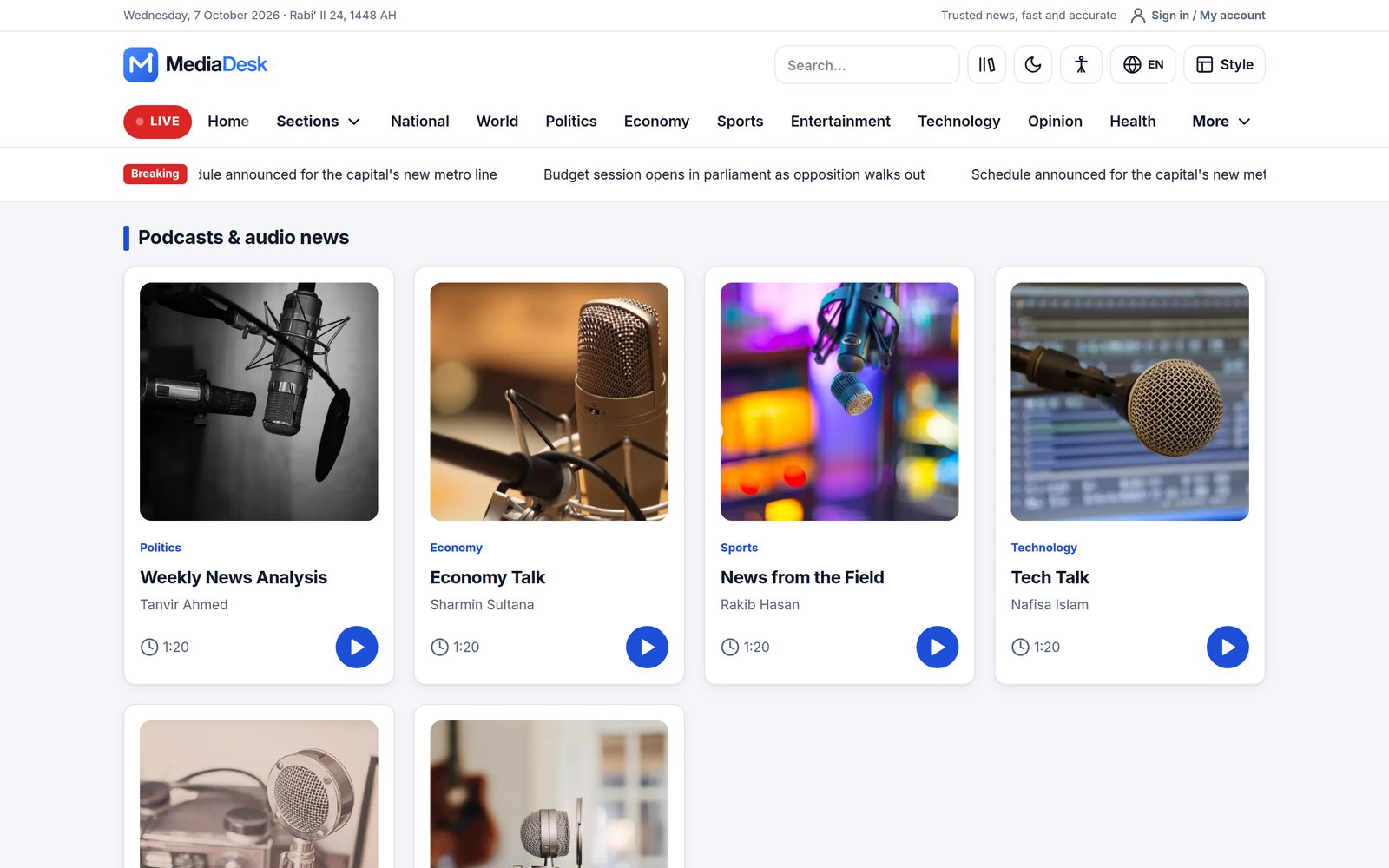
- Podcasts — episode list, built-in player, premium episodes, podcast RSS (
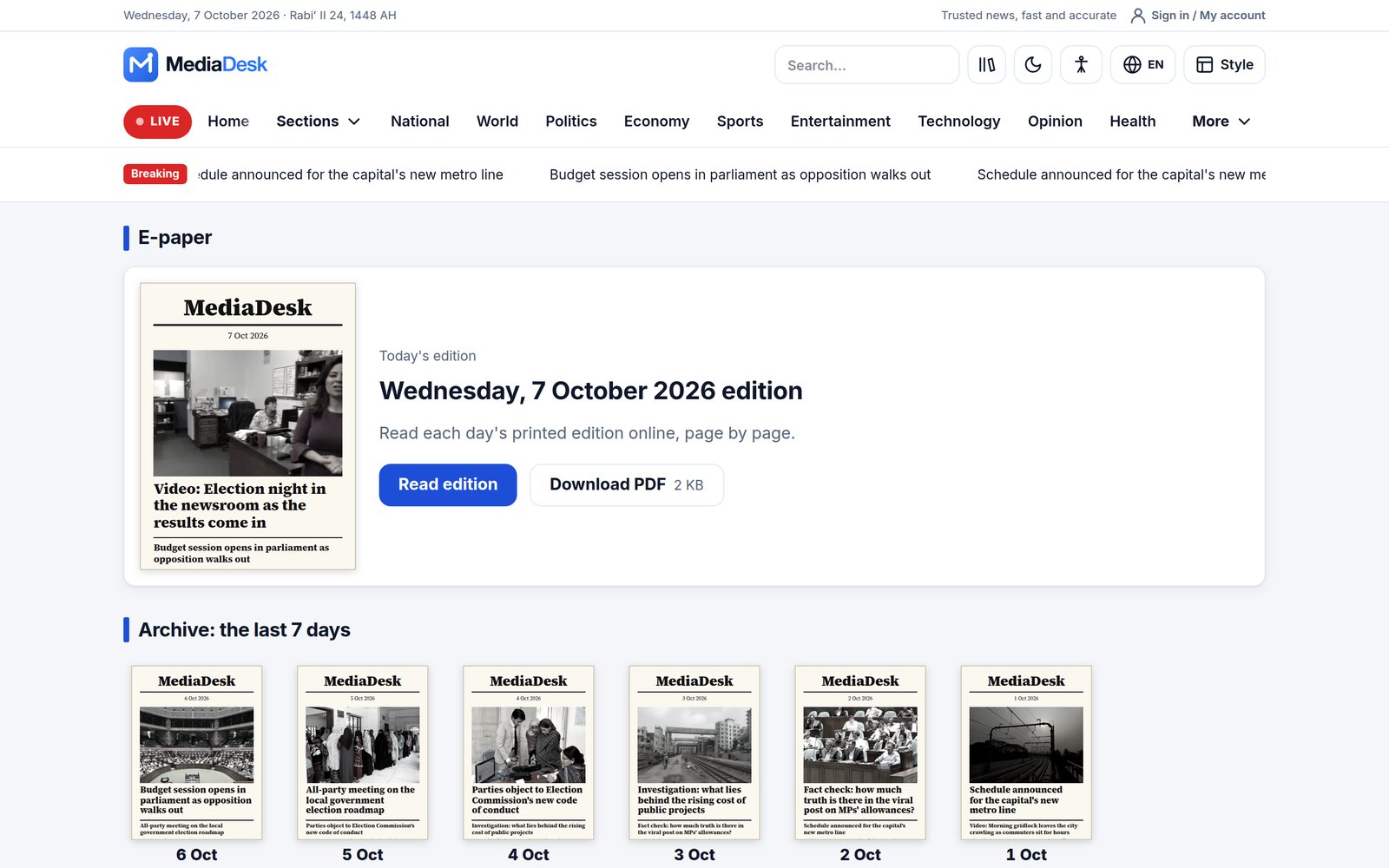
/{locale}/podcast.xml). - E-paper — HTML page-by-page reader per day and language, archive of the last days, and real multi-page PDF editions for download (free or members-only).
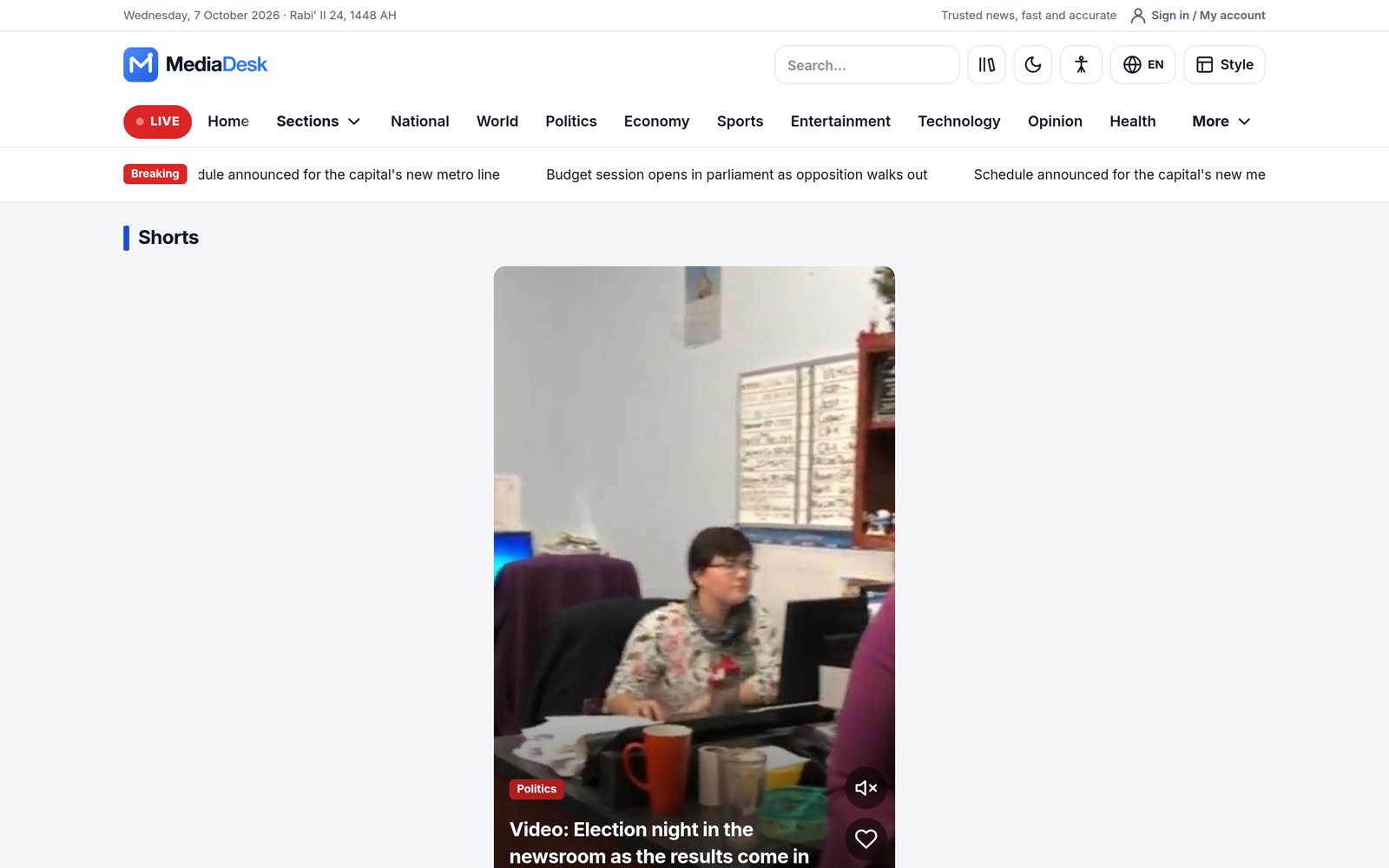
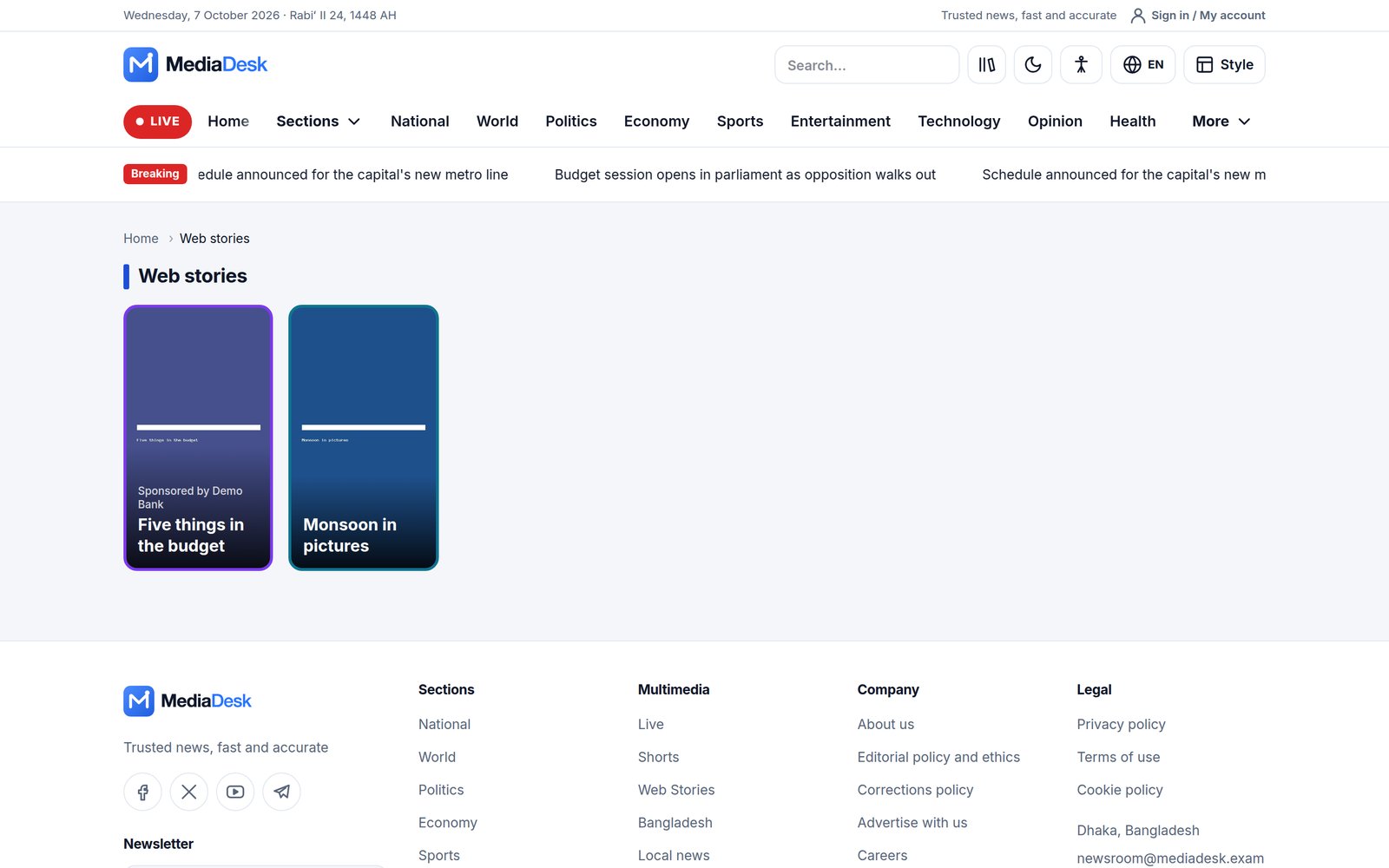
- Shorts and Web stories — vertical video and swipe stories.
Accounts & Membership
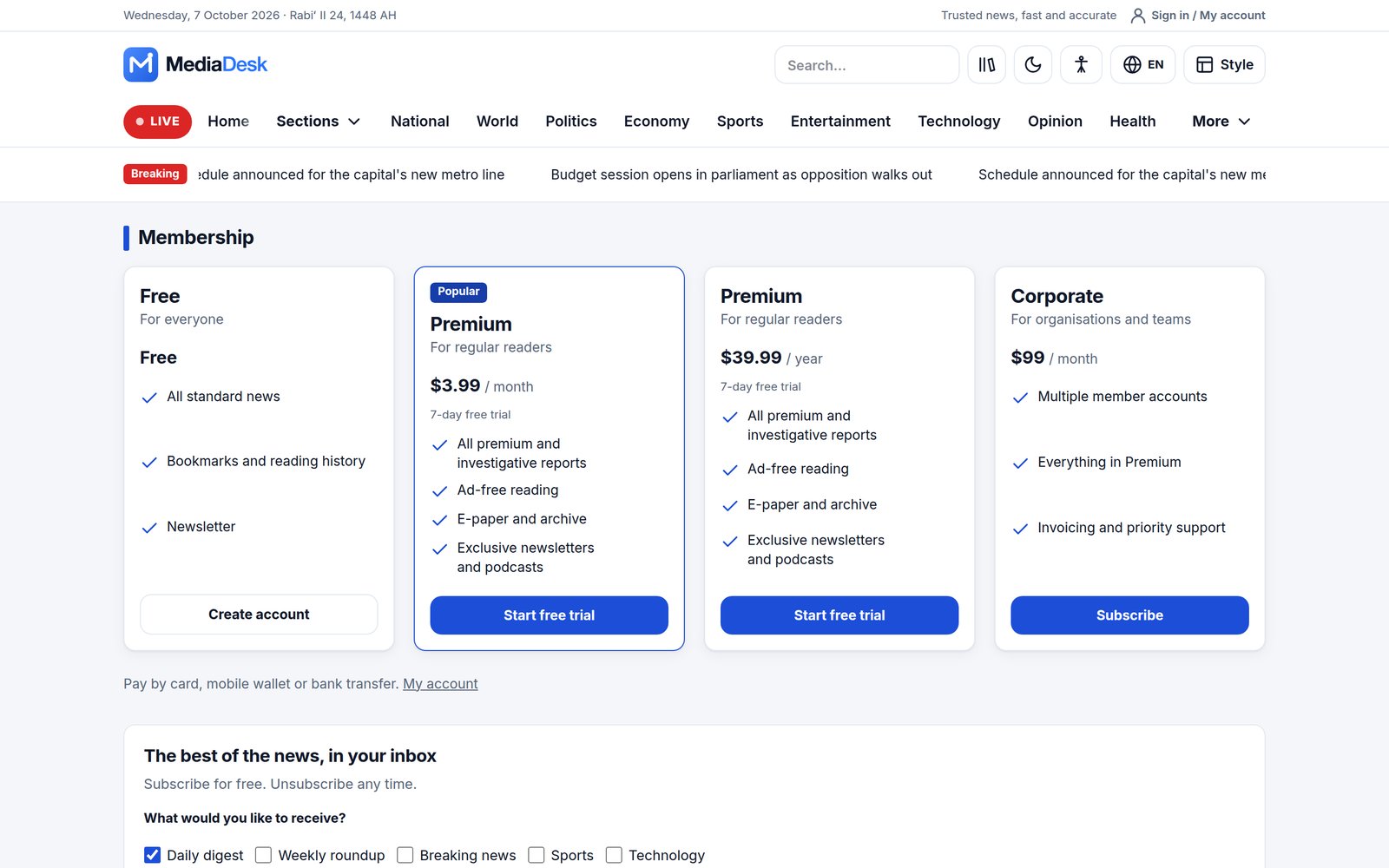
Readers register, verify their e-mail and sign in at /{locale}/account. The membership page lists plans (Free, Premium monthly/yearly, Corporate in the demo) with a checkout that uses any gateway you enabled. Premium articles show an intro and a paywall card; one-off pay-per-post purchases and corporate seats are supported. Everything is explained in Membership and Payment Gateways.
Download my data and delete my account
Signed-in readers manage their own data from the Privacy and your data section of /{locale}/account.
- Download my data gives a JSON file with the account, memberships, invoices, purchases, comments, poll votes, follows, devices, newsletter sign-up and contact messages. Passwords, tokens, payment provider references and internal hashes are left out.
- Delete my account is at
/{locale}/account/delete. Use this address as the account-deletion link that app stores ask for. Readers confirm with their password, or with a confirmation link sent by e-mail that works for 60 minutes. Readers who signed up with Google need the e-mail link, because they have no password they know. - Deleting ends the membership immediately, stops future payments and removes the profile, follows, saved items, devices, newsletter sign-up and contact messages. Comments and poll votes stay without the reader’s identity. Unused membership time is not refunded automatically.
- Invoices, payment records and offline payment proofs stay for accounting, linked to the anonymised account. Articles published under the reader’s byline stay with the newsroom.
- Deletion is refused while an author payout is pending or approved. It works once the payout has been paid or rejected.
The wording on the deletion page is a sensible default, not legal advice. Check it against your privacy policy and the data-retention rules in your country.
Community & Extras
- Comments and reactions with moderation (default: every comment is held until approved) and optional captcha.
- Reader polls, newsletter with double opt-in, one-click unsubscribe and an optional popup.
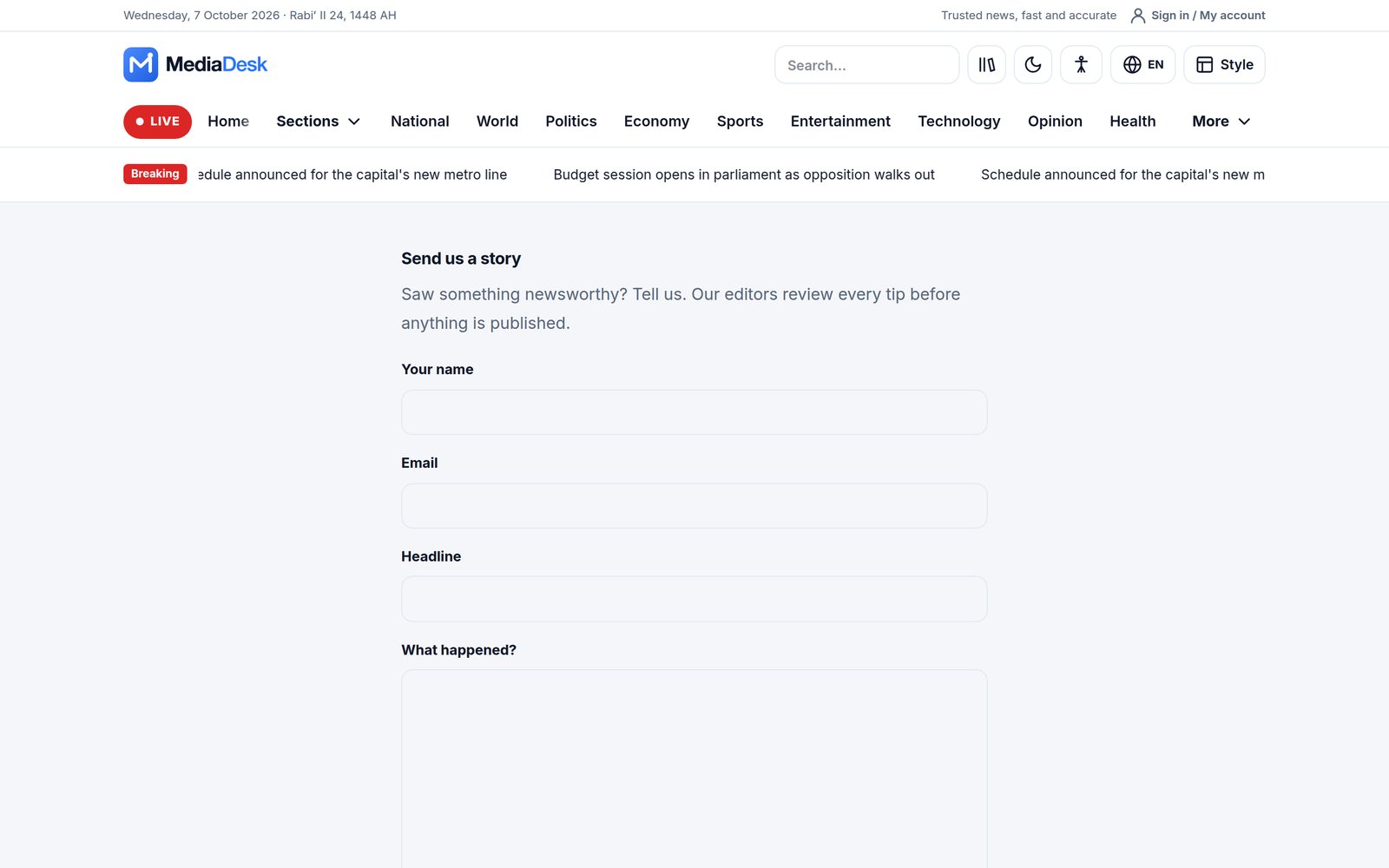
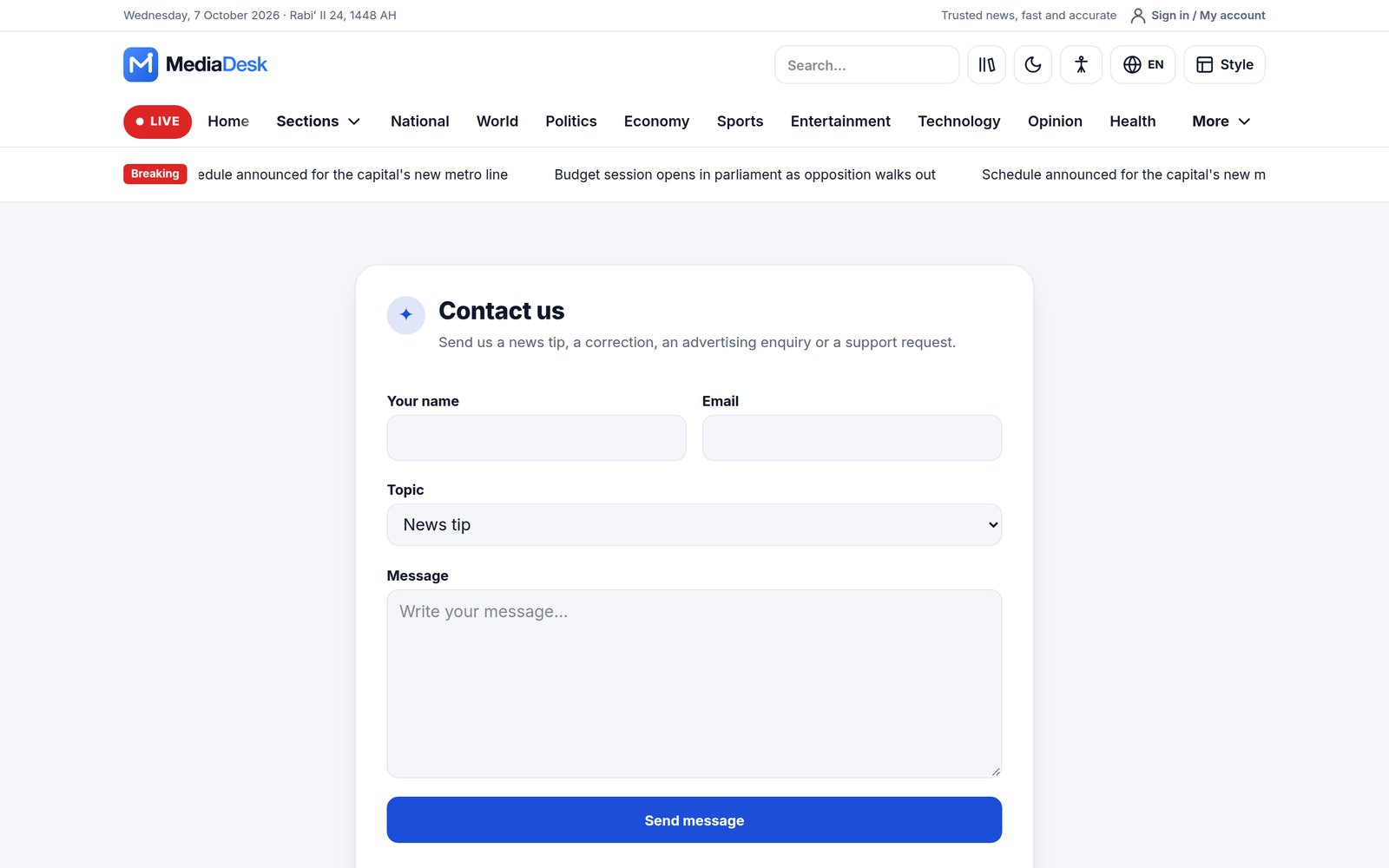
- Submit a story form (reader tips and stories land in the news inbox) and a contact form (lands in the contact inbox).
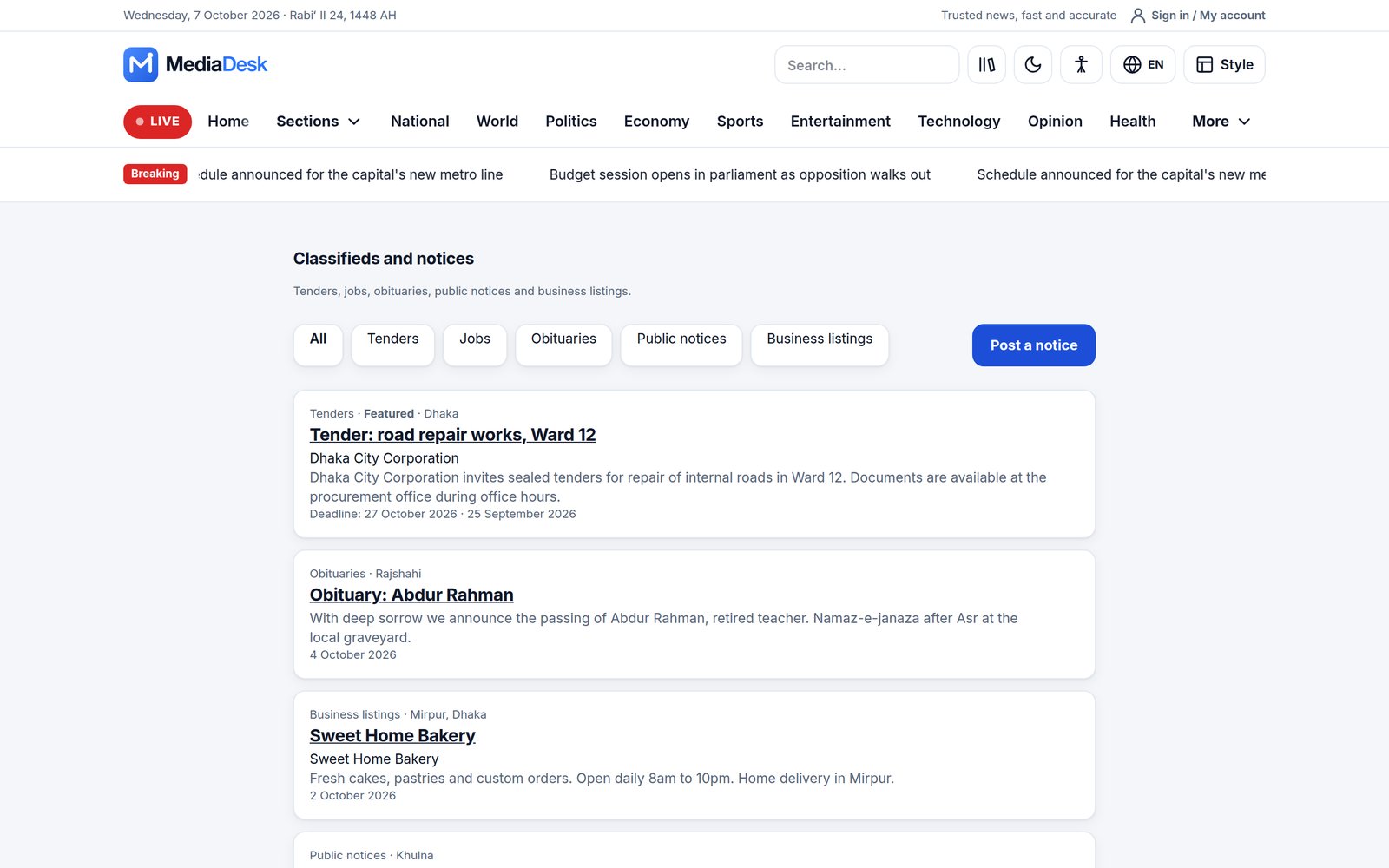
- Classifieds and notices (jobs, tenders, obituaries, business listings; paid listings go through finance), support / donations page (
/{locale}/support). - Bangladesh pack (prayer times, weather, currency rates, Dhaka Stock Exchange) — values are demo data until you configure the fetch.
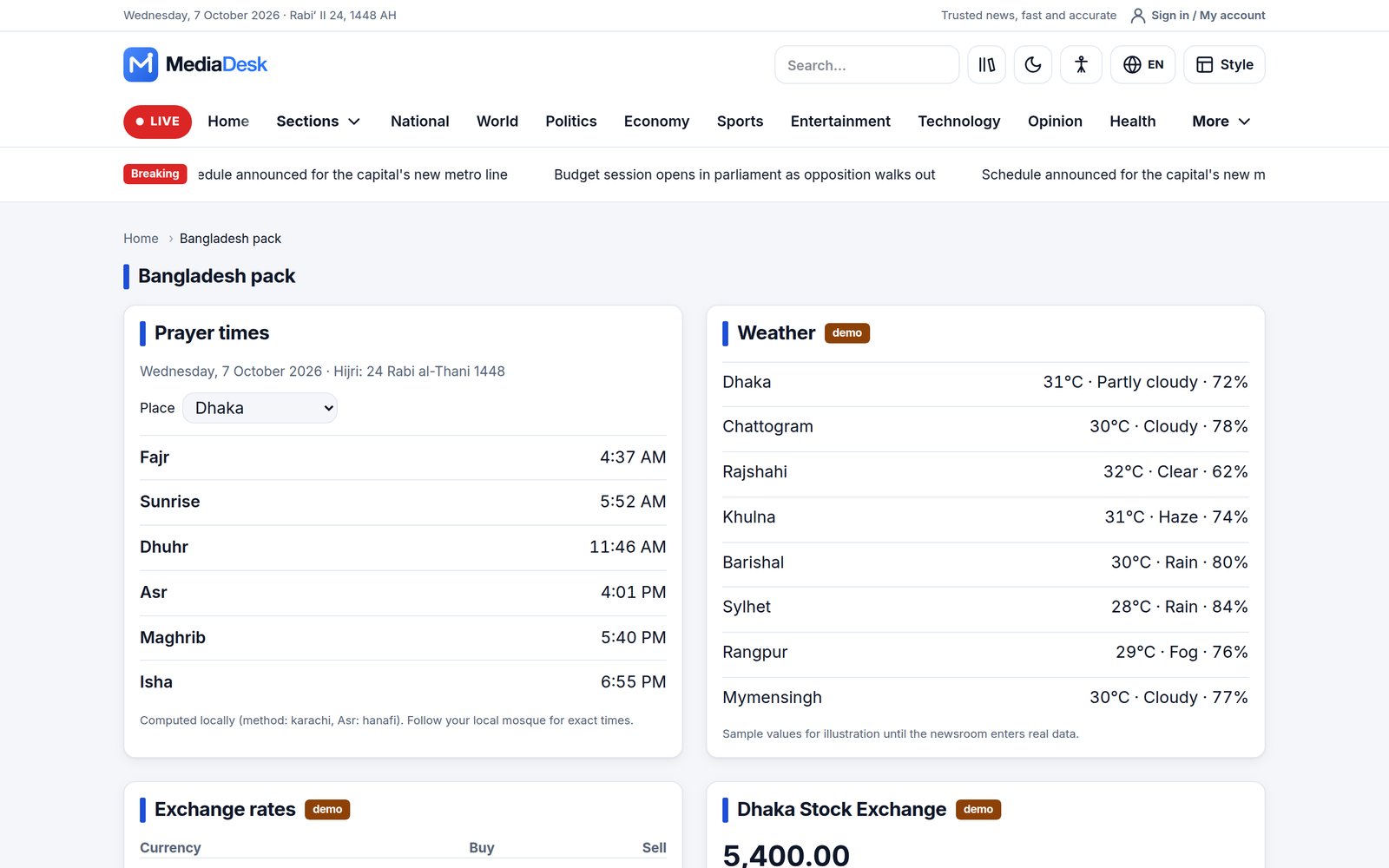
The Bangladesh pack shows sample weather, exchange-rate and DSE values until CONTENT_FETCH_ENABLED=true and the endpoints in config/content.php are set; php artisan content:bd-fetch refreshes them. Prayer times are computed on the server. Turn the whole pack off in Modules if you do not need it.
SEO, PWA & Consent
- XML sitemaps (
/sitemap.xml, news sitemap/sitemap-news.xml),robots.txt,llms.txt, JSON-LD, RSS feeds, canonical +hreflang. - Installable PWA with offline fallback and web-push opt-in (service worker at
/sw.js). - Cookie consent: GA4, Meta Pixel and AdSense load only after the visitor consents.
- Speed: stateless pages are served with
Cache-Control: public, s-maxage=300so a CDN can cache them.
Dashboard & Navigation
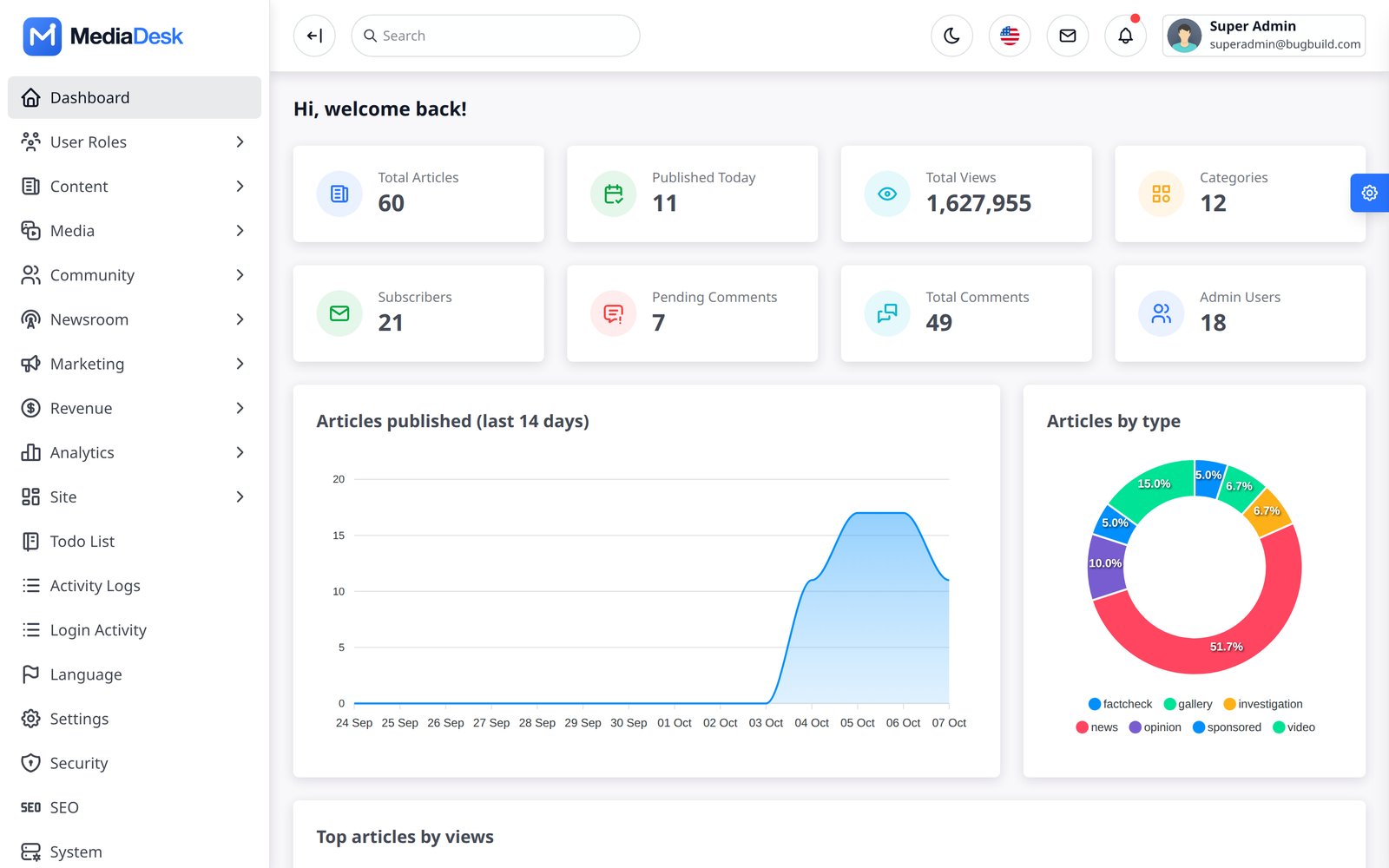
Sign in at /login. The left sidebar groups the admin into: Content, Newsroom, Marketing, Monetisation, Analytics, Platform, Appearance, plus To-do list, Activity logs, Login activity, Language and Settings. A group disappears when its module is switched off or when your role lacks the permission. The dashboard shows totals (articles, published today, views, categories, subscribers, pending comments, total comments, admin users), a 14-day publishing chart, a split by article type and the top articles by views.
Modules (16 toggles)
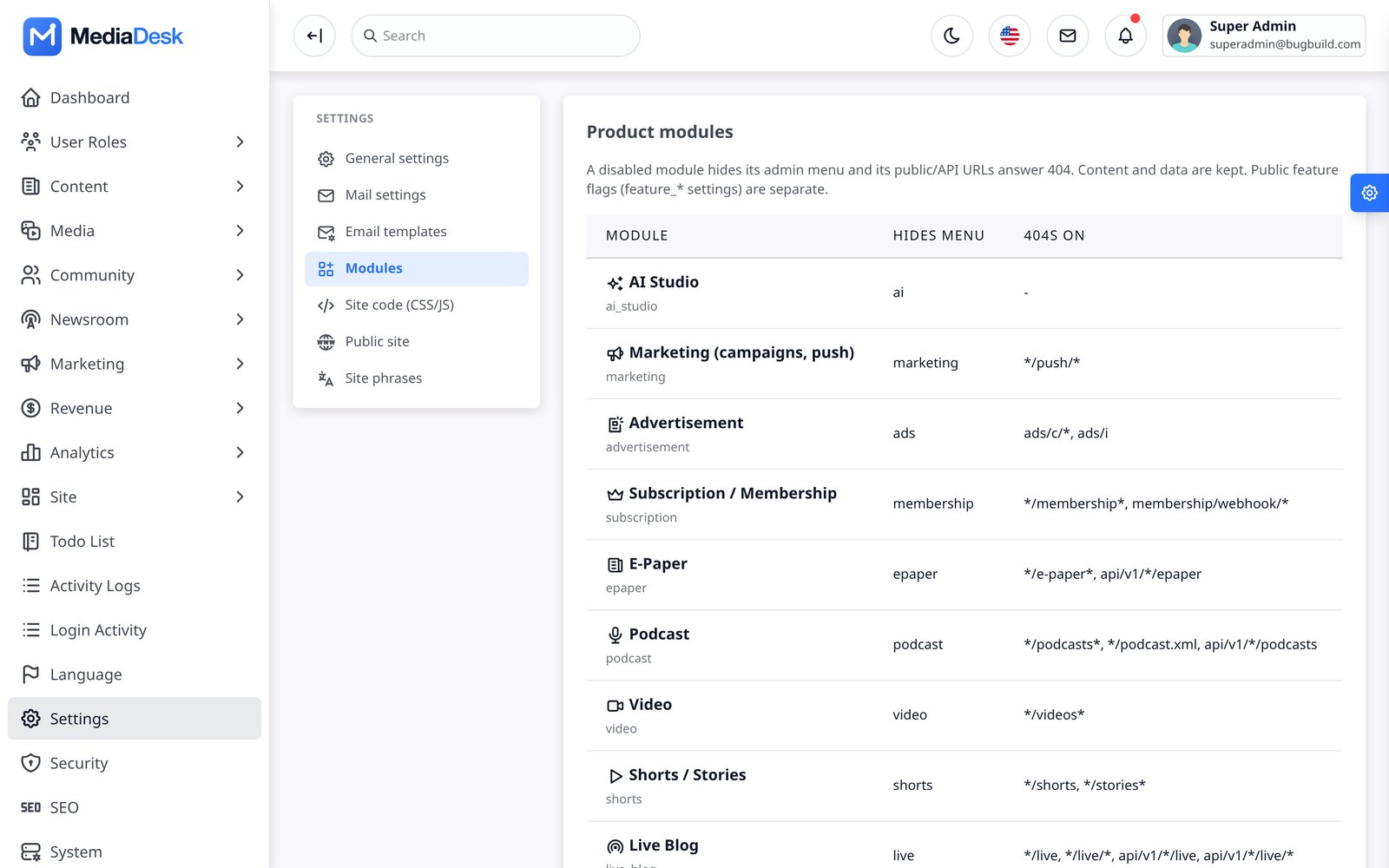
Platform → Modules (/admin/platform/modules) switches product areas on and off. A disabled module hides its sidebar menu and makes its public and API URLs answer 404. The 16 modules: AI Studio, Marketing (campaigns, push), Advertisement, Subscription / Membership, E-Paper, Podcast, Video, Shorts / Stories, Live Blog, Newsletter, Analytics, Bangladesh Pack, Mobile / Public API v1, Classifieds, Automation, Finance. Switch off what you do not sell: a news site without e-paper simply disables E-Paper.
Users & Roles
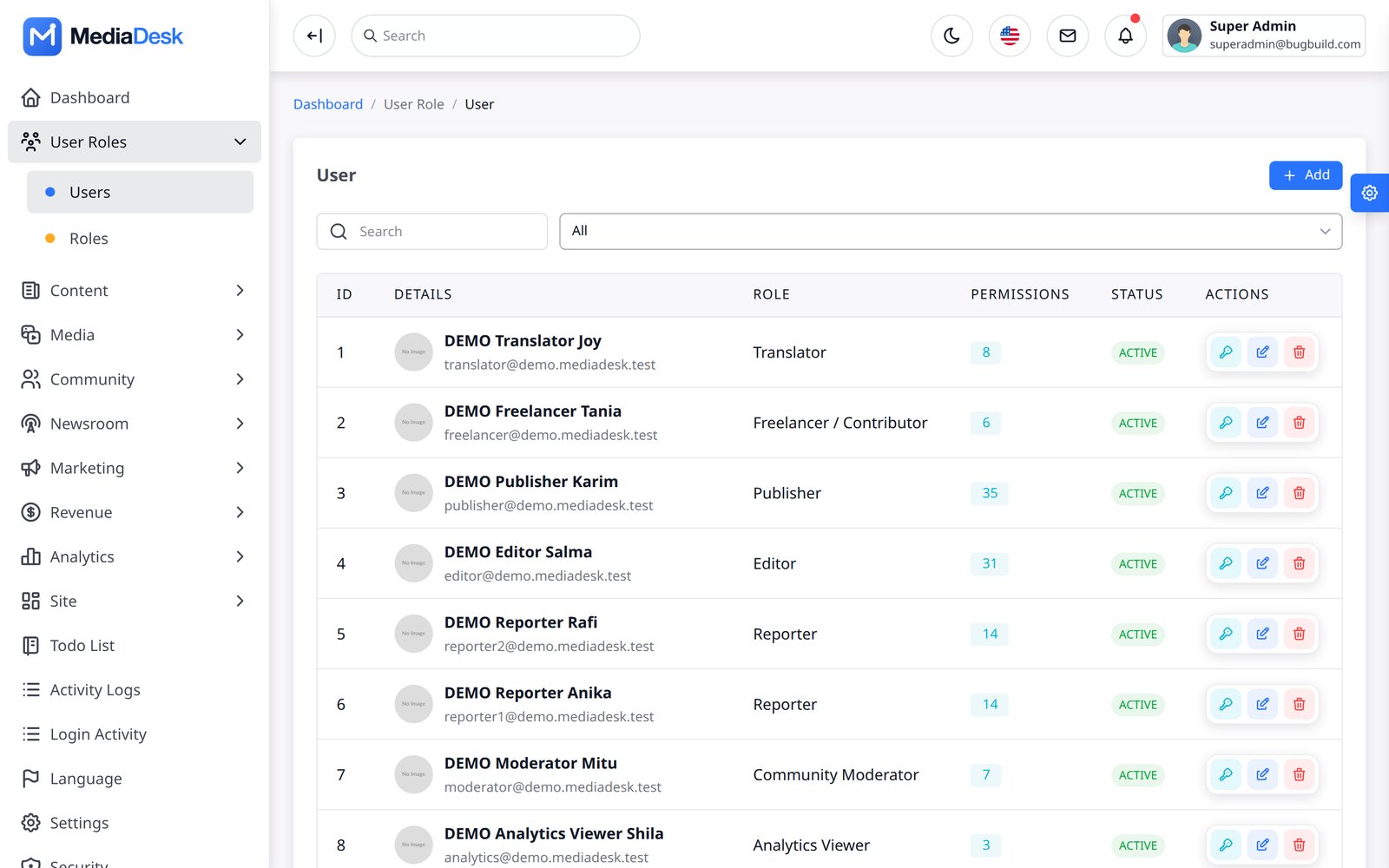
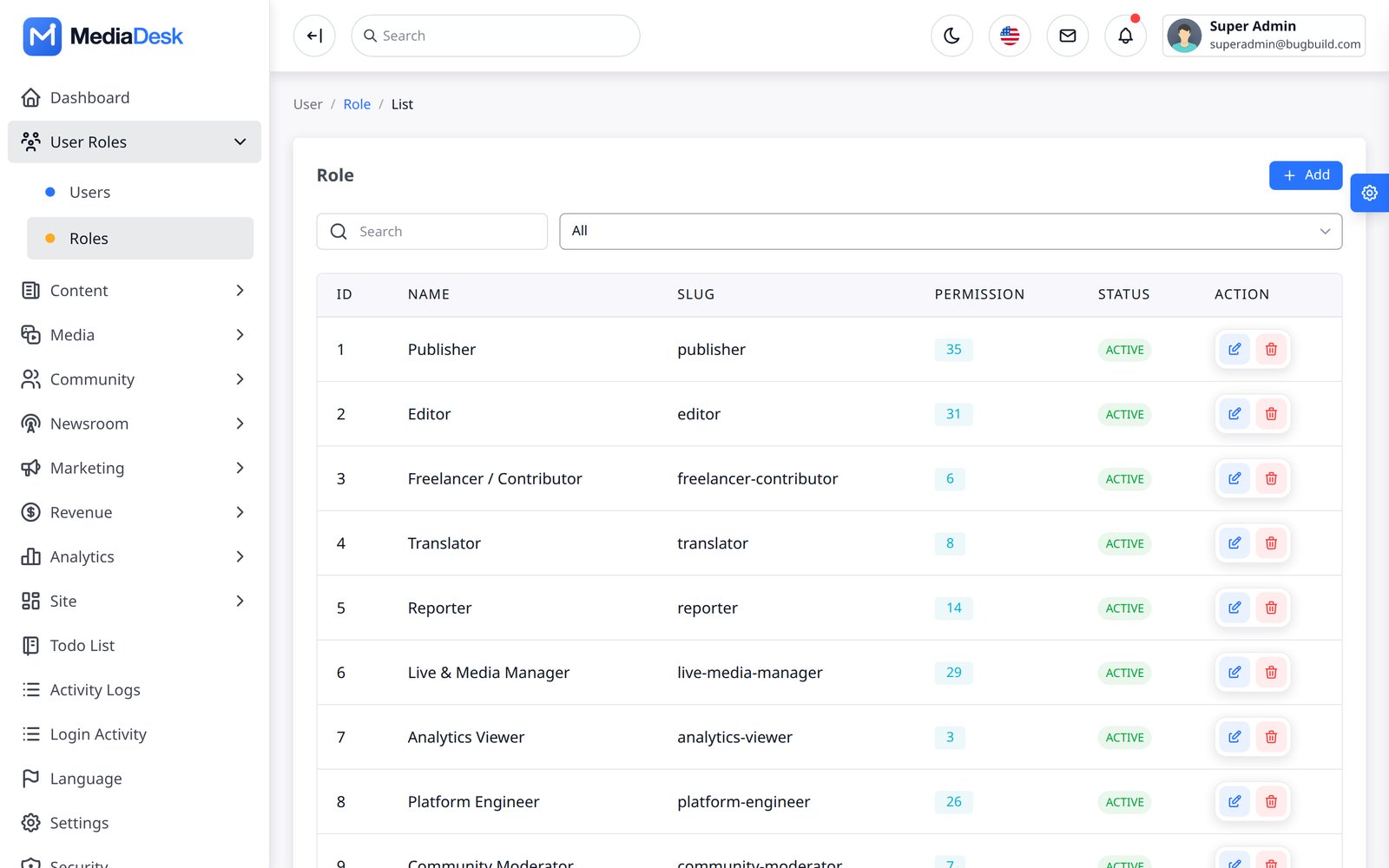
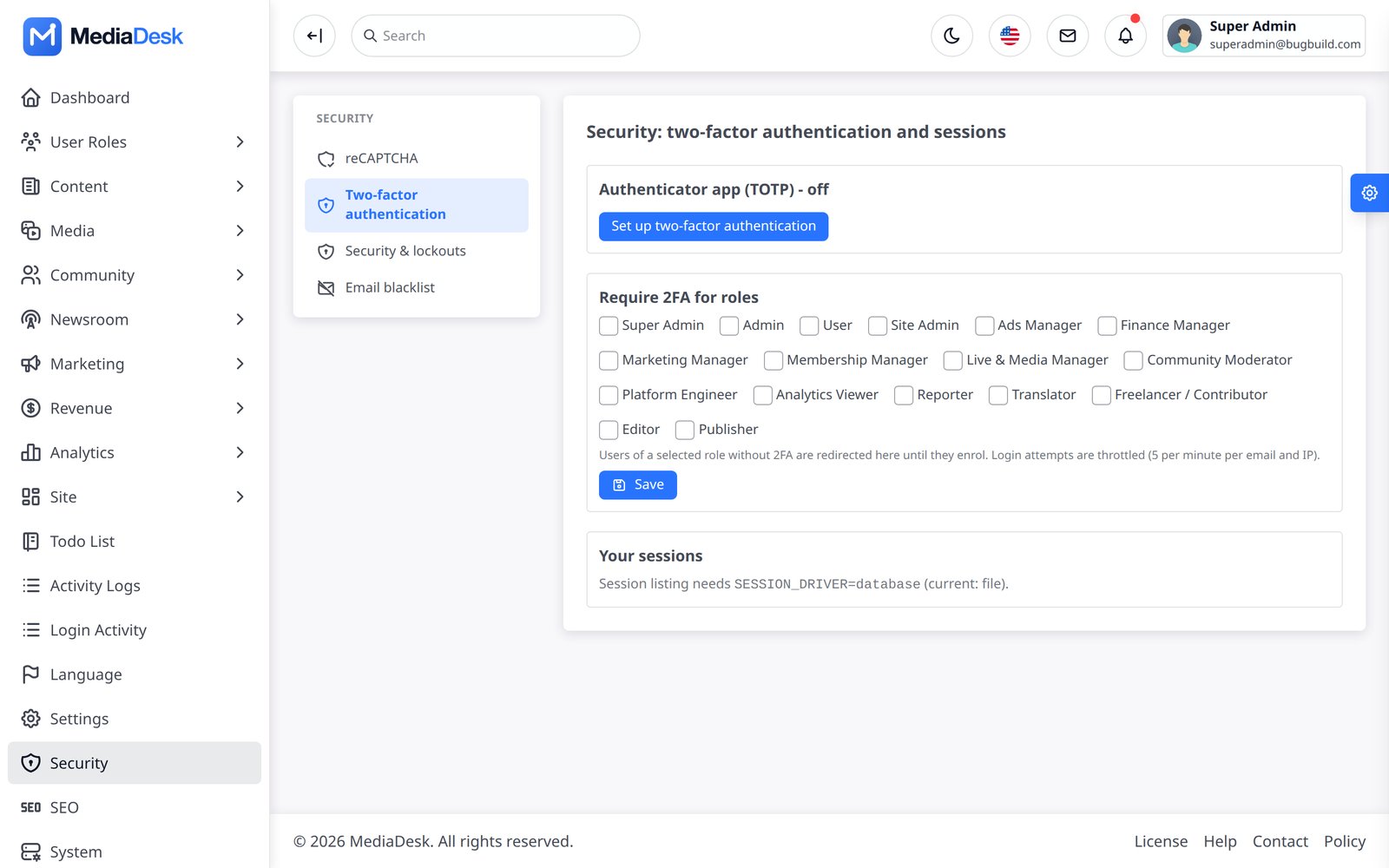
User Roles → Users creates admin-panel accounts; Roles defines what each role may do (permission keys per area such as article, campaign, push, finance, integrations). Built-in roles in the demo: Super Admin, Admin, Editor, Publisher, Reporter, Translator, Freelancer / Contributor and User. After an upgrade run php artisan cms:sync-permissions so new permission keys are registered and granted to Super Admin. Two-factor authentication (TOTP) is set up under Platform → Security, where you can also require it per role. Reader accounts (website and app visitors) are separate from admin users and are managed under Membership → Members.
Staff self sign-up is off by default. The staff panel page /register only exists when PANEL_REGISTRATION=true is set in .env. Self-registered accounts always get the least-privileged User role (profile and password only) and an admin must assign a real role. Readers have their own sign-up on the public site, which this switch does not affect.
Articles & Editor
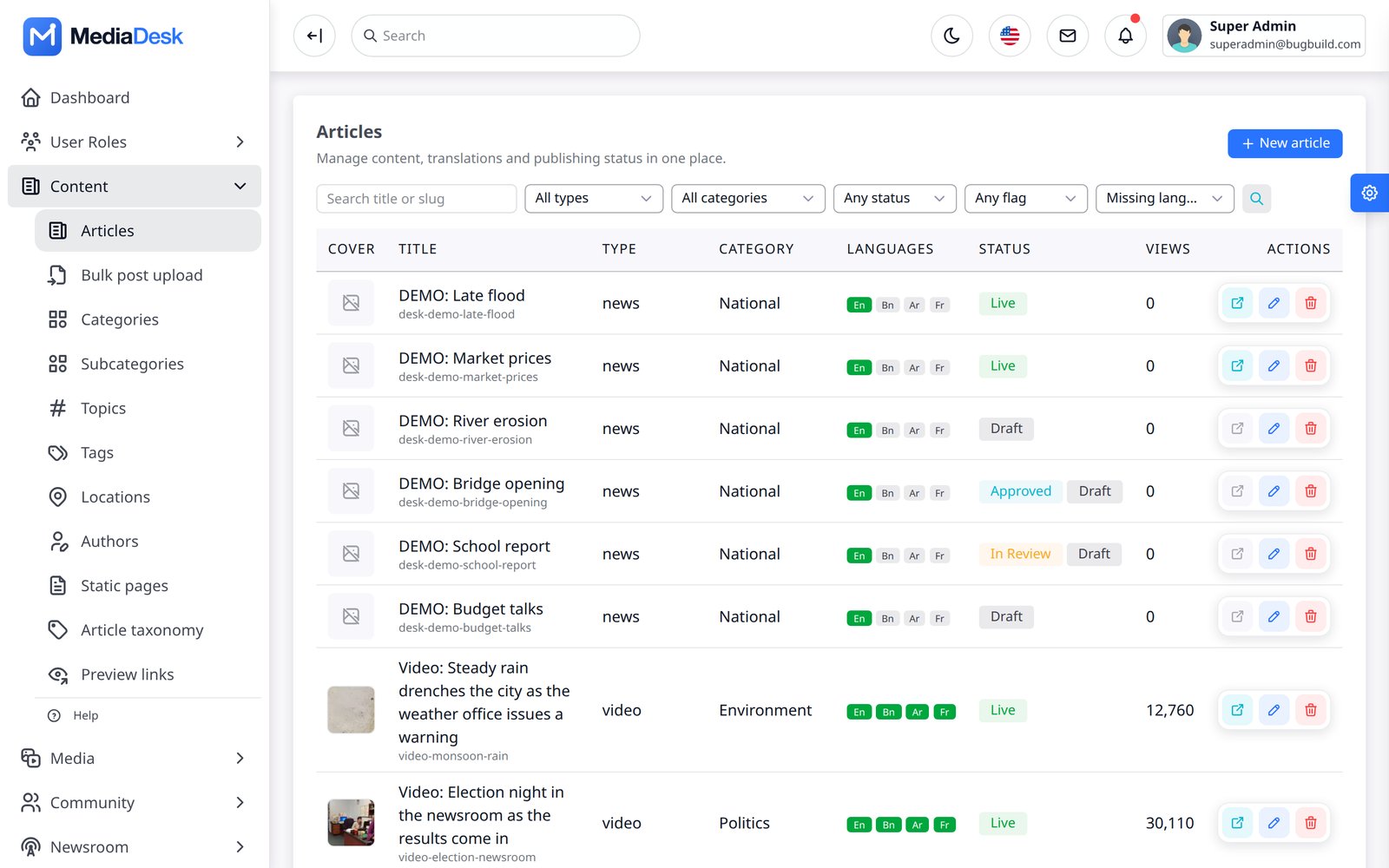
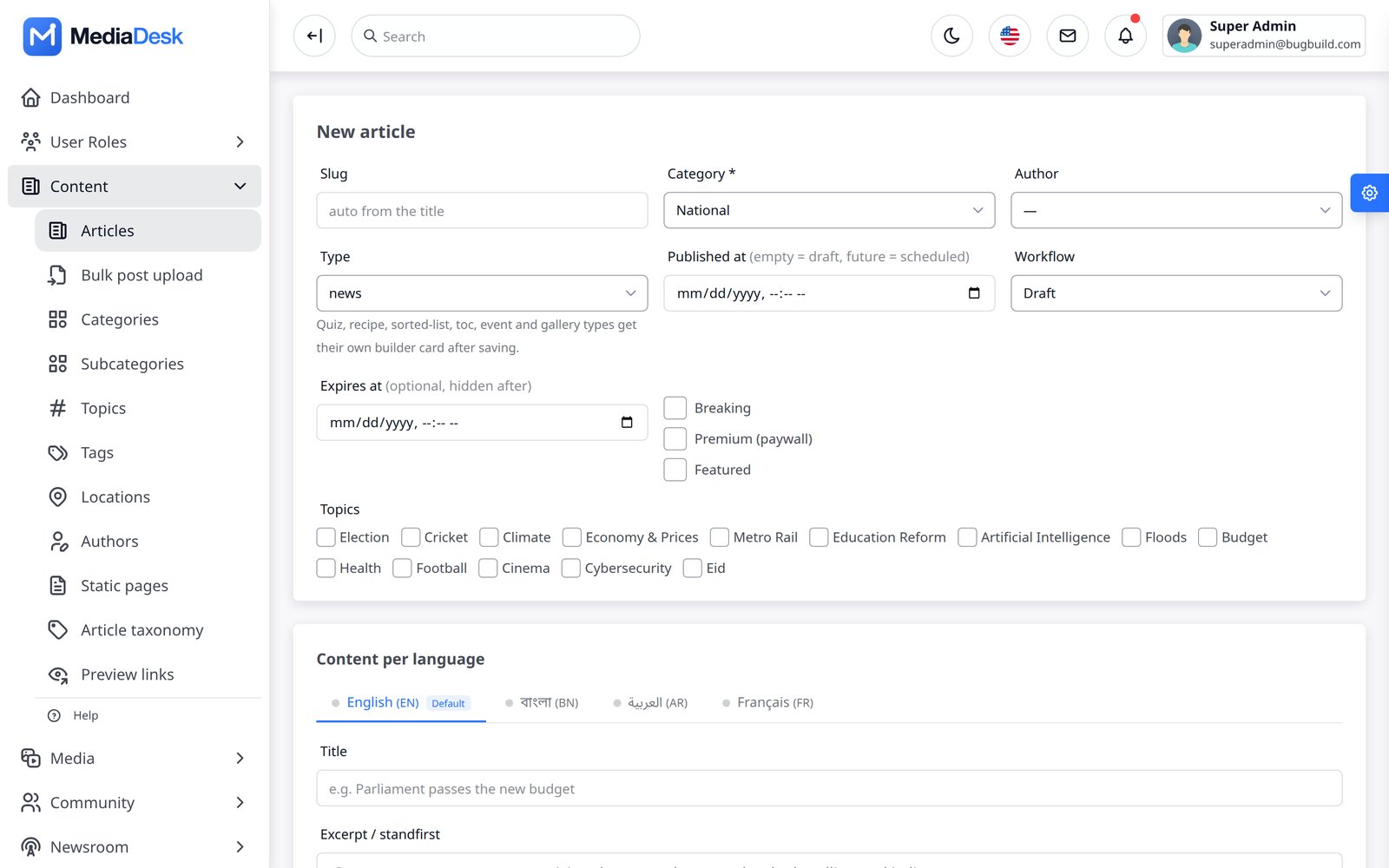
Content → Articles lists every story with filters (type, category, status, flag, language, missing language). New article opens the editor: slug, category, author, type (news, video, gallery, investigation…), publish date/time and expiry, flags (breaking, premium, featured), topics and a tab per active language for title, excerpt, key points and body. The rich body editor supports headings, lists, links, tables, figures and inline images; unsafe HTML is removed automatically. Excerpt and SEO title/description are plain text. Stories scheduled in the future go live when published_at passes (no job needed). Revisions, fact-check and corrections are tracked from the editor; the workflow state (Draft → In Review → Approved → Published) is the same one the Story desk uses. The AI copilot buttons live in this editor.
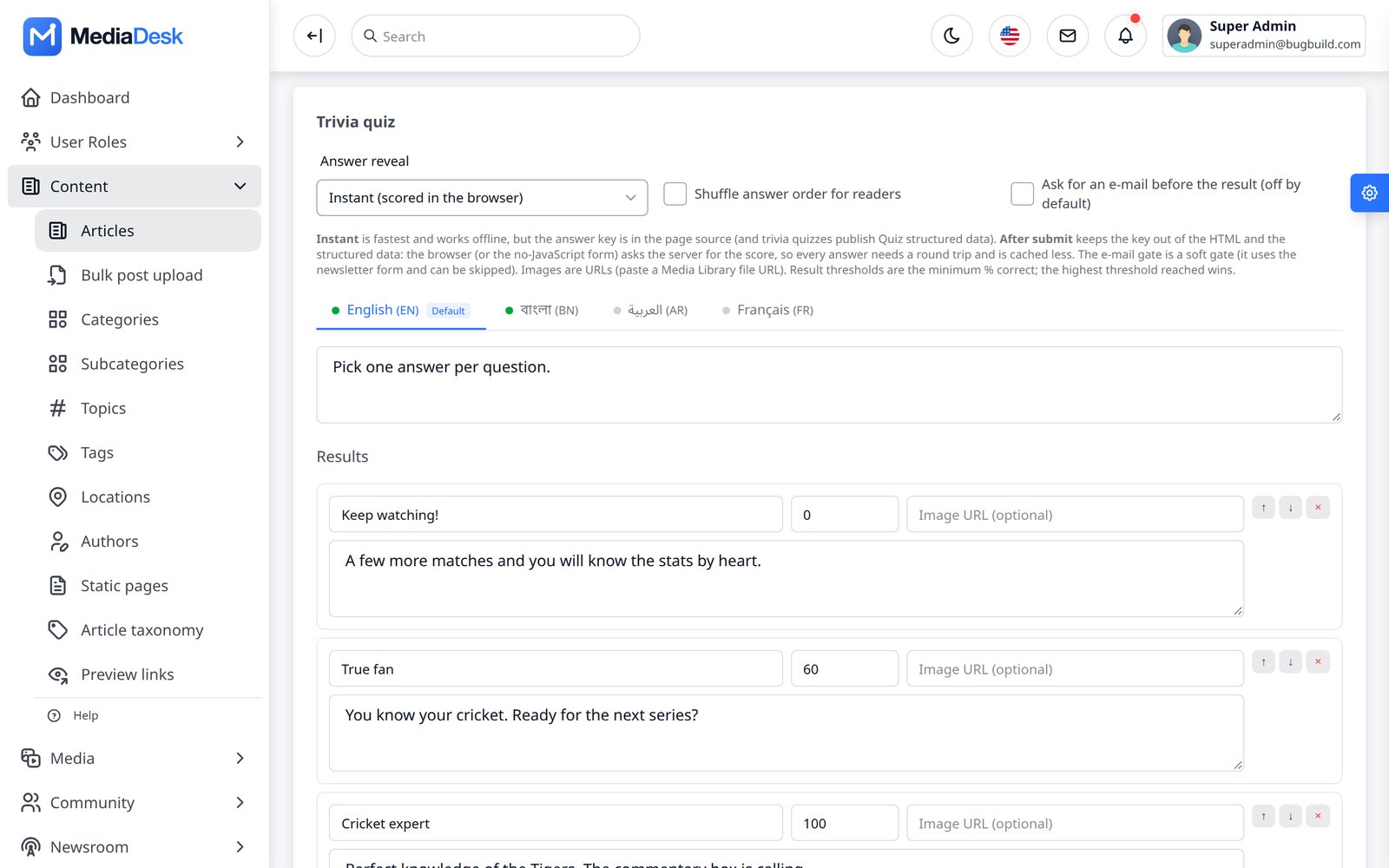
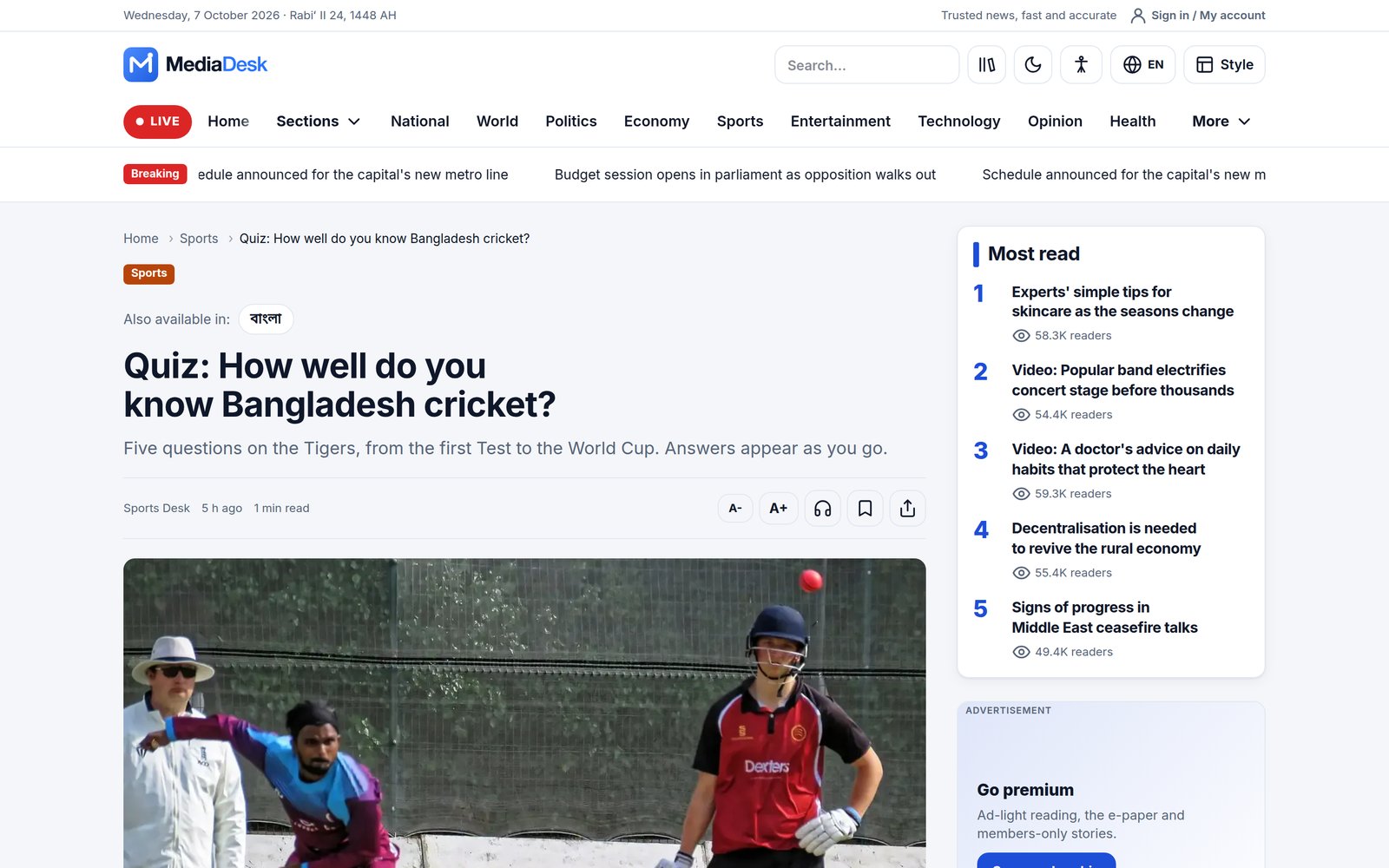
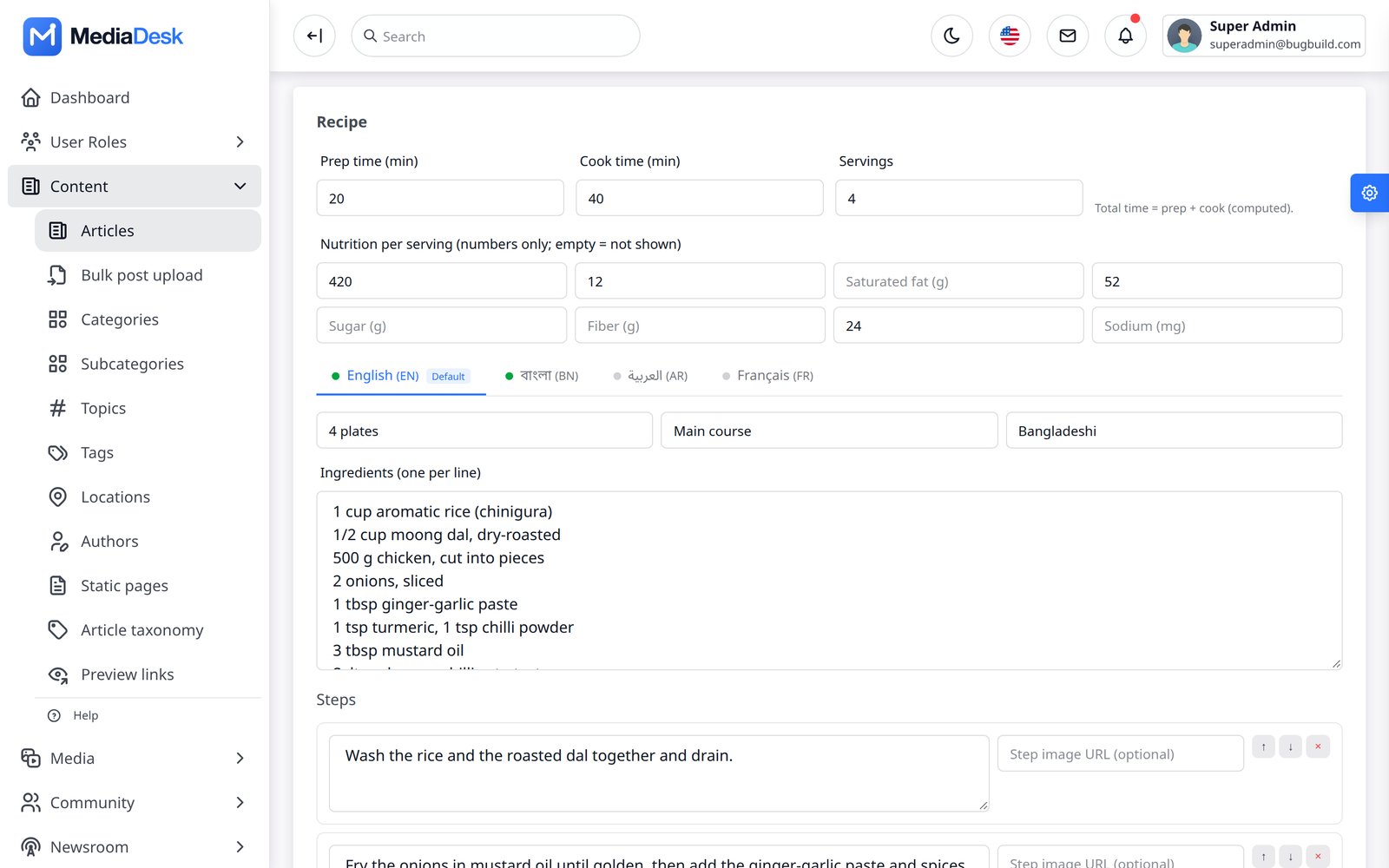
Post formats. Choosing one of these types opens a builder panel under the body, with text per language: Trivia quiz and Personality quiz (questions, answers, results; scored on the server, so it also works without JavaScript), Recipe, Sorted list (Top N), Table of contents, Event and Gallery captions. Each format can be switched off in the settings; switched-off formats disappear from the type list.
Autosave, edit locks and conflict protection
The editor protects unsaved work and stops editors overwriting each other. Nothing needs to be configured.
- Autosave. Changes are saved every 15 seconds to a private draft for the signed-in editor. A draft never changes the article, so autosaving a live story does not change what readers see. Press Save to apply your work.
- Restoring a draft. If you leave without saving, the next visit offers Restore draft or Discard. Autosave pauses until you choose, so the draft on offer is not replaced. If the server cannot be reached, the draft is kept in the browser until it can.
- Who is editing. A banner shows who has the article open, and the Articles list shows a badge. The lock is advisory: any editor with update permission can press Take over editing, and a lock is released when its holder closes the tab or stops responding for 2 minutes.
- Conflict protection. If the article changed after you opened it, on any screen, your save is stopped and your text stays in the form. You can open the latest version, or choose Replace it with my version. The version you replace stays under Revisions.
Drafts hold the text and settings fields. Media is not included, so attach cover images and files again after restoring. Rows newly added in a post format builder may not come back; the editor tells you how many fields could not be placed. Unused drafts are removed after 30 days.
Comments, Inbox, Subscribers
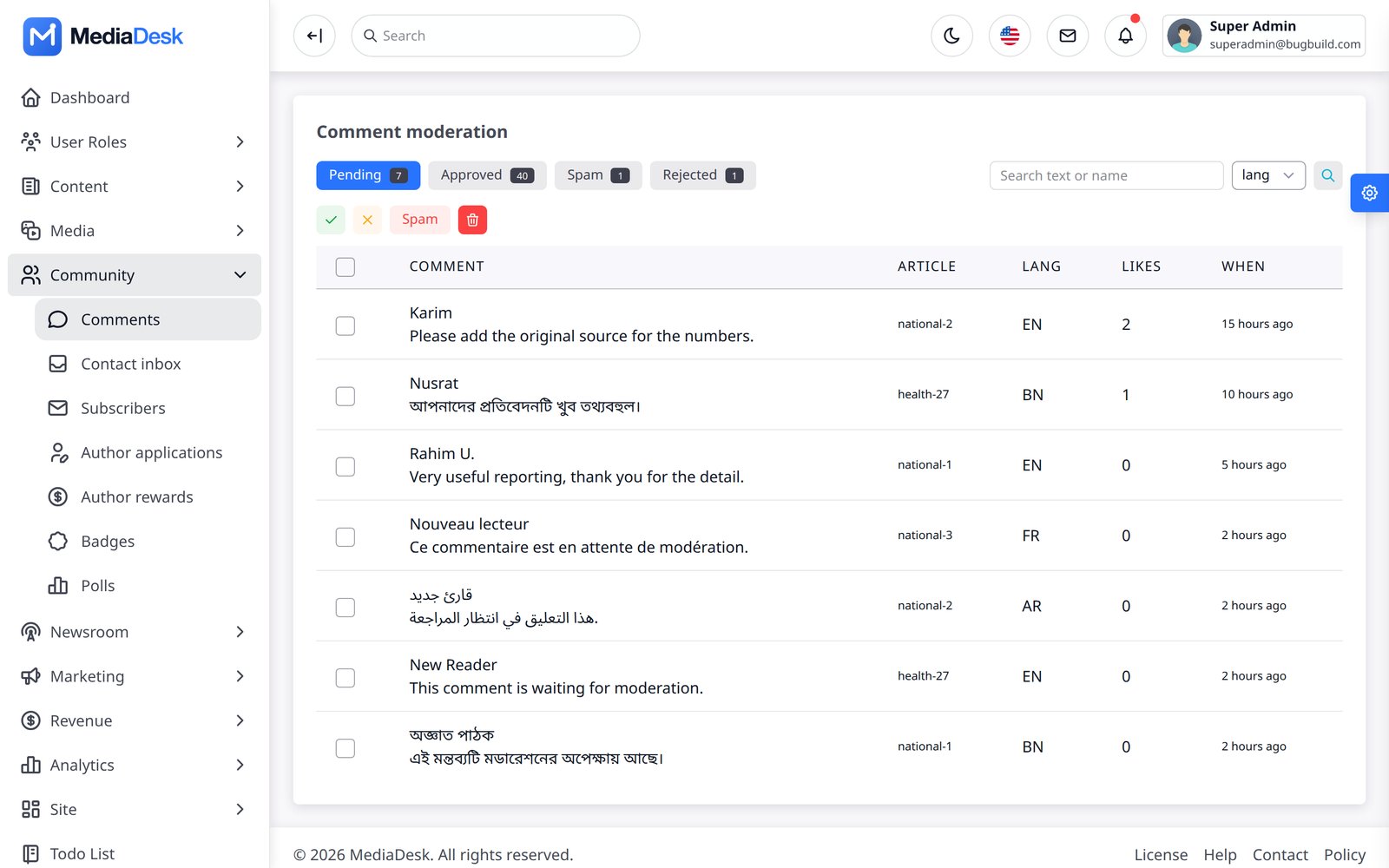
- Comments — moderation queue with Pending / Approved / Spam / Rejected tabs and bulk actions. Comments are held for approval by default (
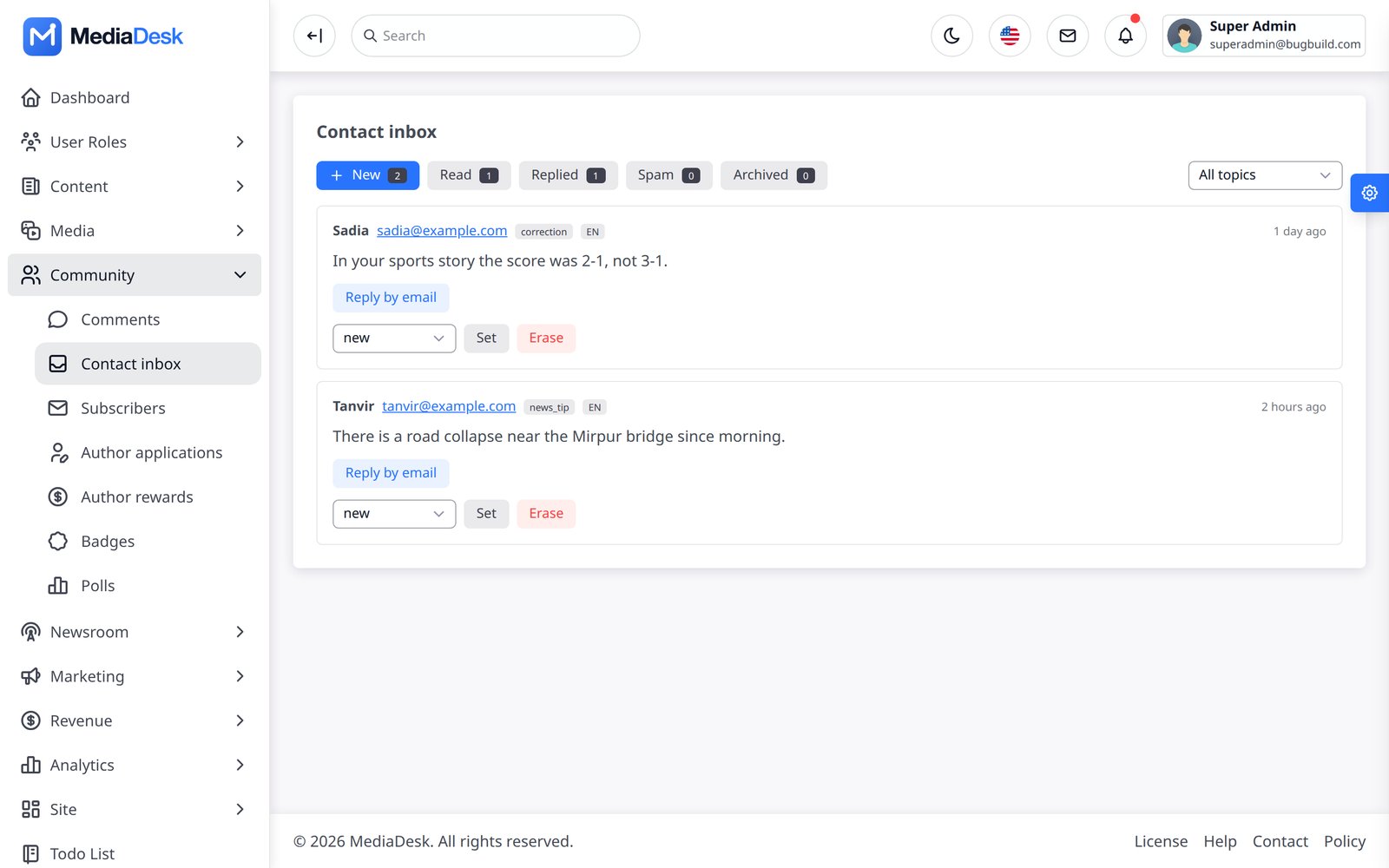
FRONTEND_COMMENTS_AUTO_APPROVE=false). - Contact inbox — messages from the public contact form with status (new, read, replied, archived) and reply by e-mail.
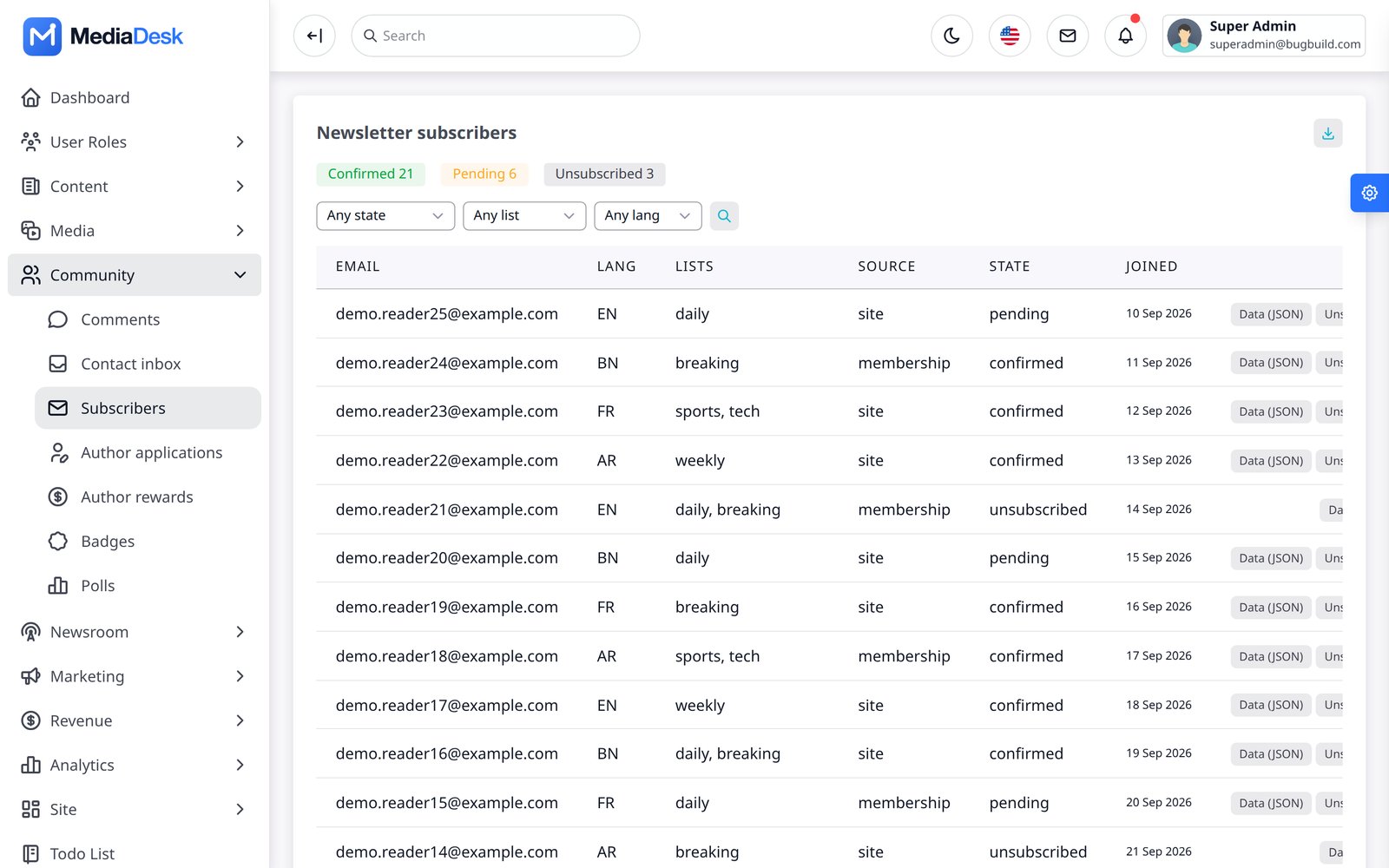
- Subscribers — newsletter subscribers with list, language, source and state (confirmed, pending, unsubscribed); CSV export.
Taxonomy, Media, Bulk Posts
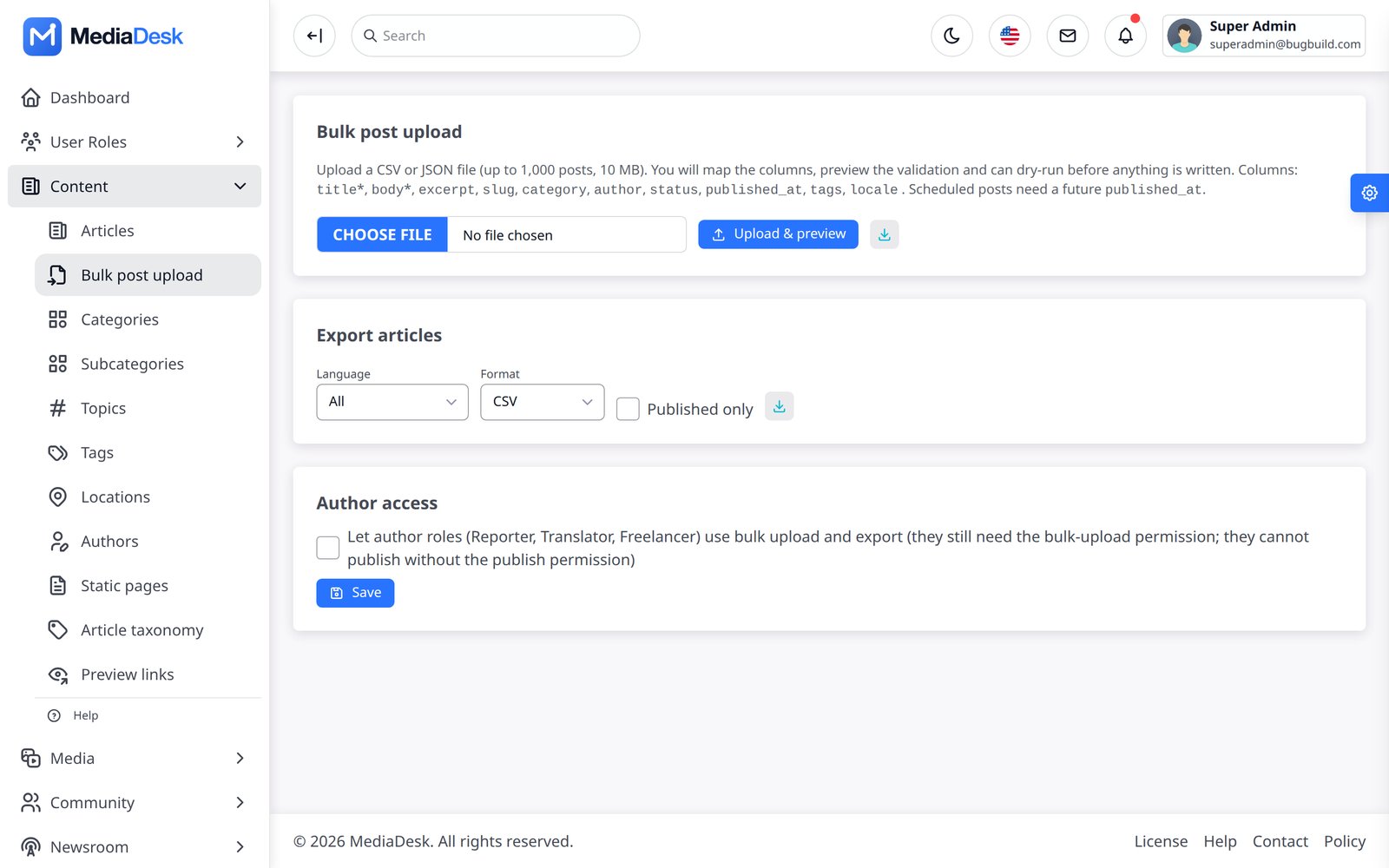
Under Content you also manage categories and subcategories, tags/topics, authors (profiles, bio, social), locations, static pages (about, policies, advertise, careers — Markdown, per language), preview links for unpublished stories, the Media library (uploads, responsive image conversions and a picker used by logos and articles), Web stories and Bulk post upload (CSV/JSON import with validation and a downloadable template, plus export; author roles may use it only when you enable bulkpost_authors_enabled). An article cover is used for its hero, cards and Open Graph/X social preview; gallery items remain separate. The editor's inline images are URL-based and are not Media Library attachments. Signed preview links show the last saved draft, in-review or scheduled story in the real reader template, are time-limited, and send noindex / no-store headers. WordPress sites can be imported from a WXR file under Import, Export, Backup.
Story Desk & Calendar
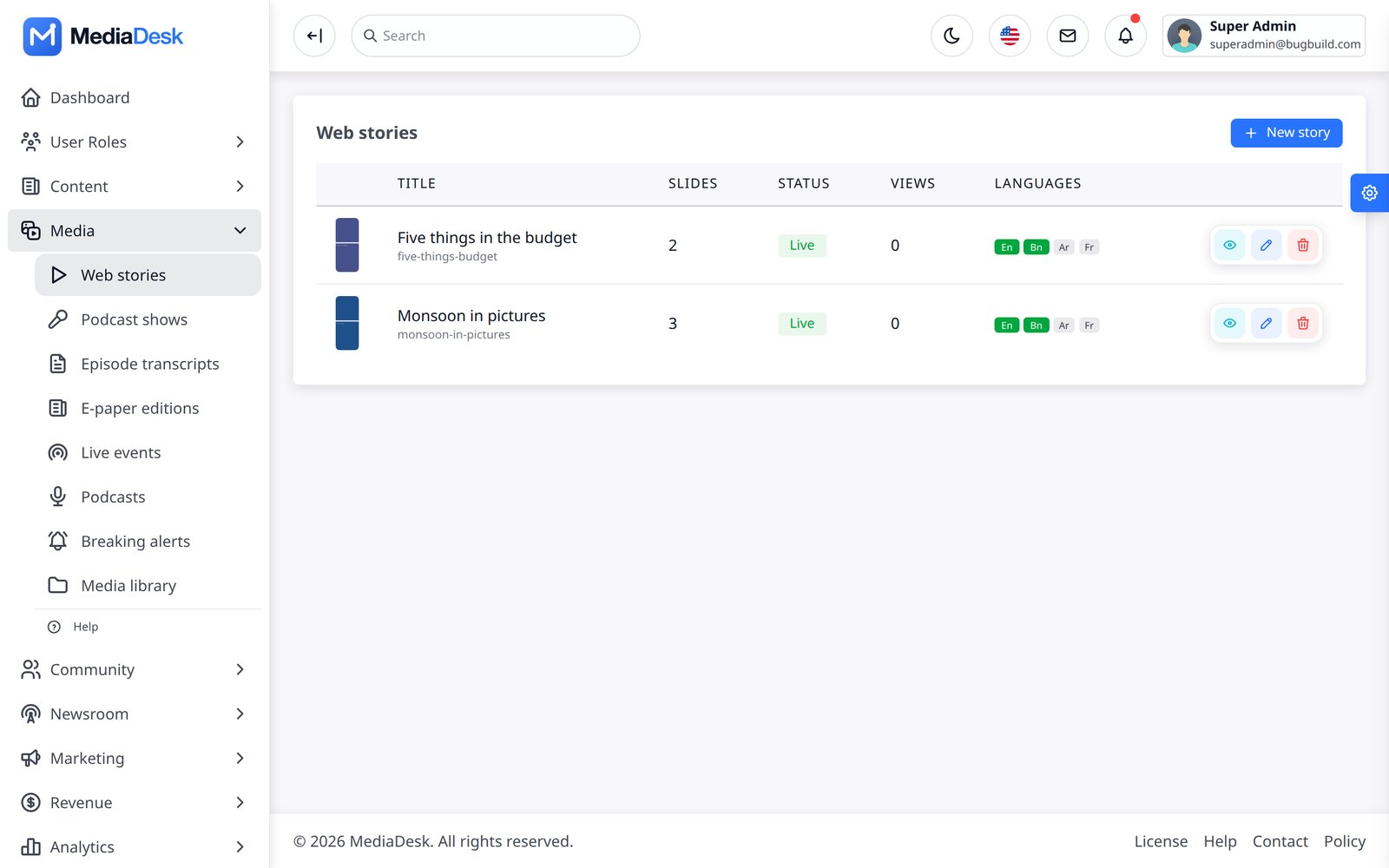
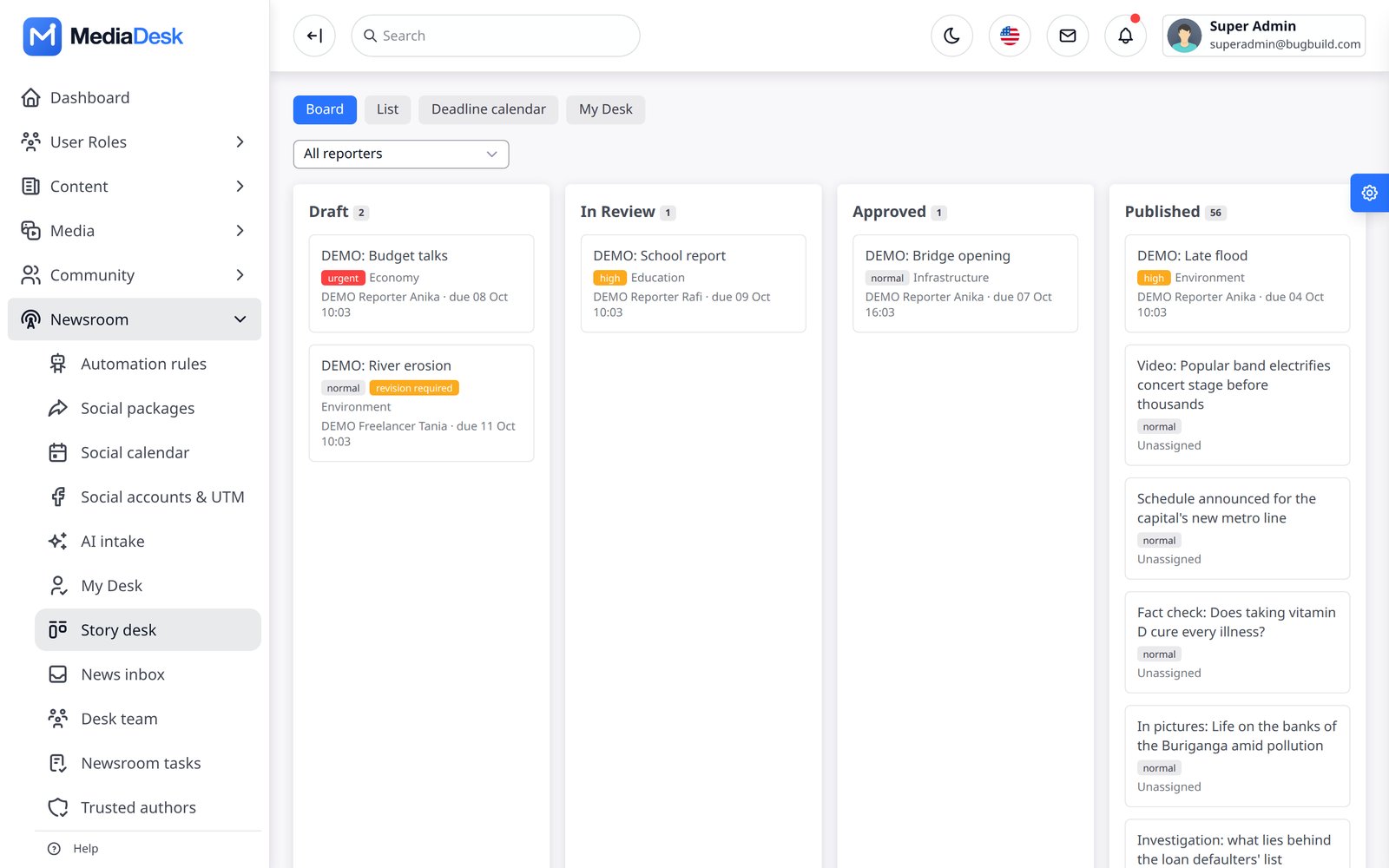
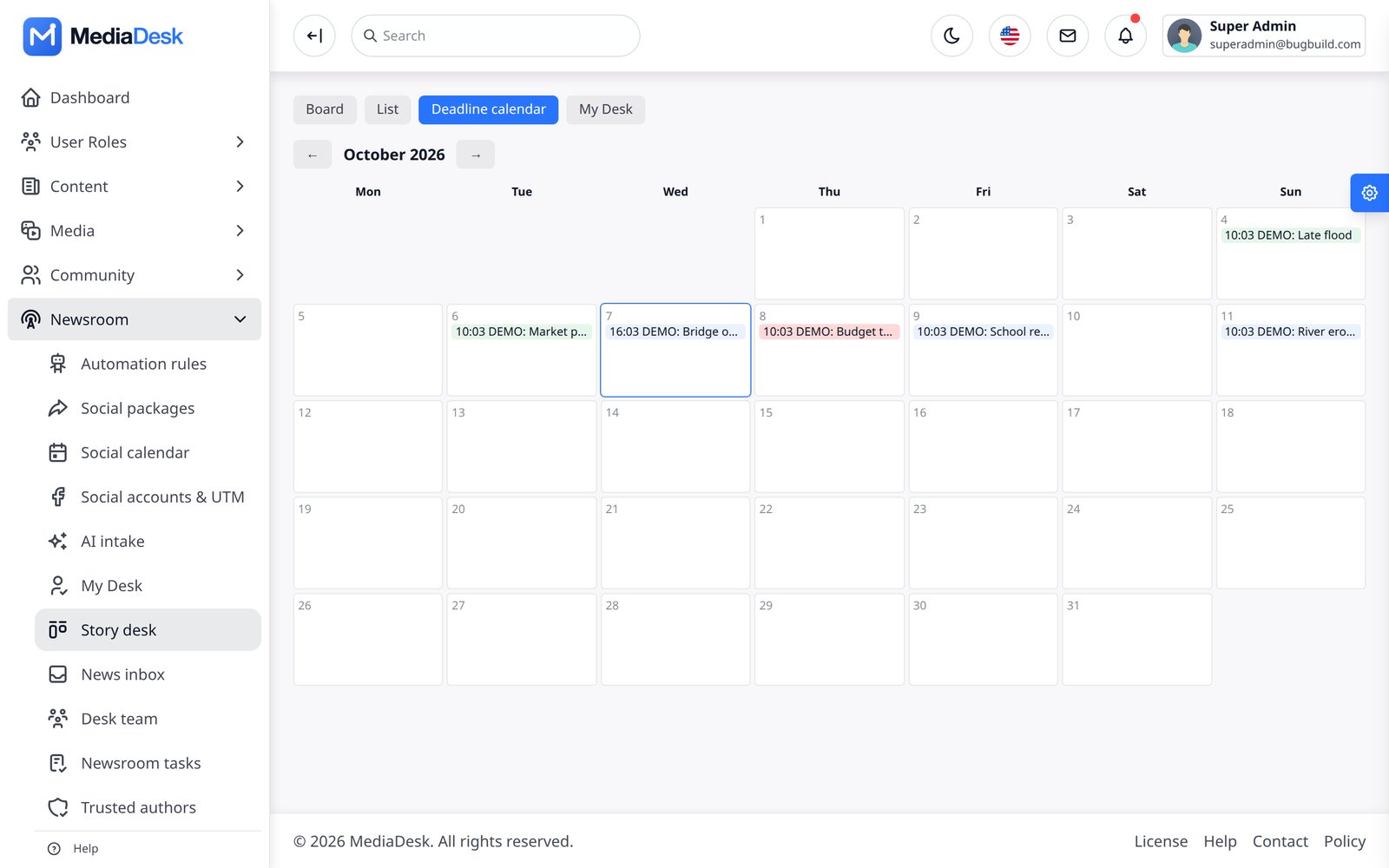
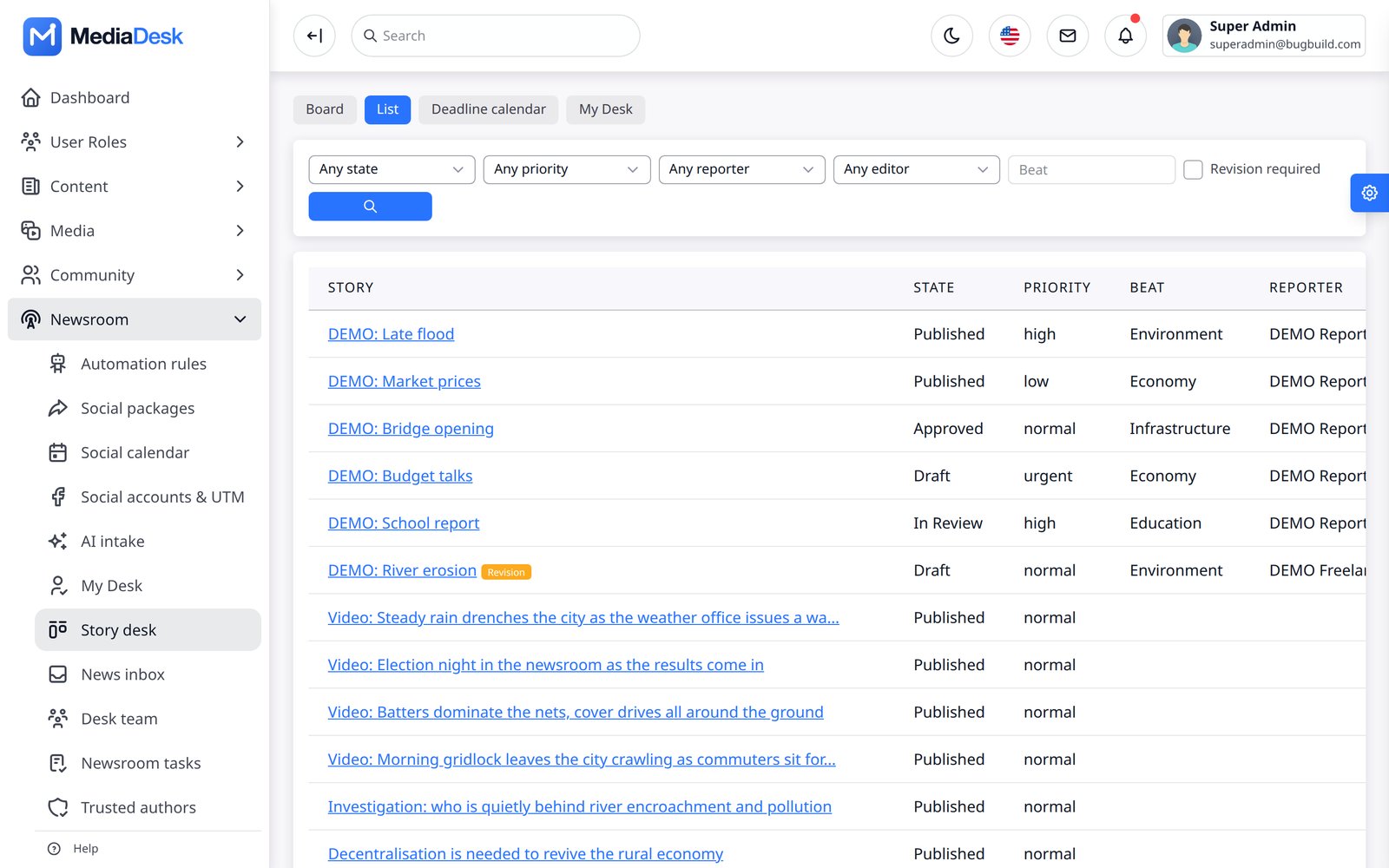
Newsroom → Story desk (/admin/desk/board) is the editorial board: Draft, In Review, Approved and Published columns with priority, beat, reporter and deadline on each card. Switch to List for sortable rows, Deadline calendar for the month view, and My Desk for your own assignments, deadlines, revisions and approvals.
News Inbox & Feeds
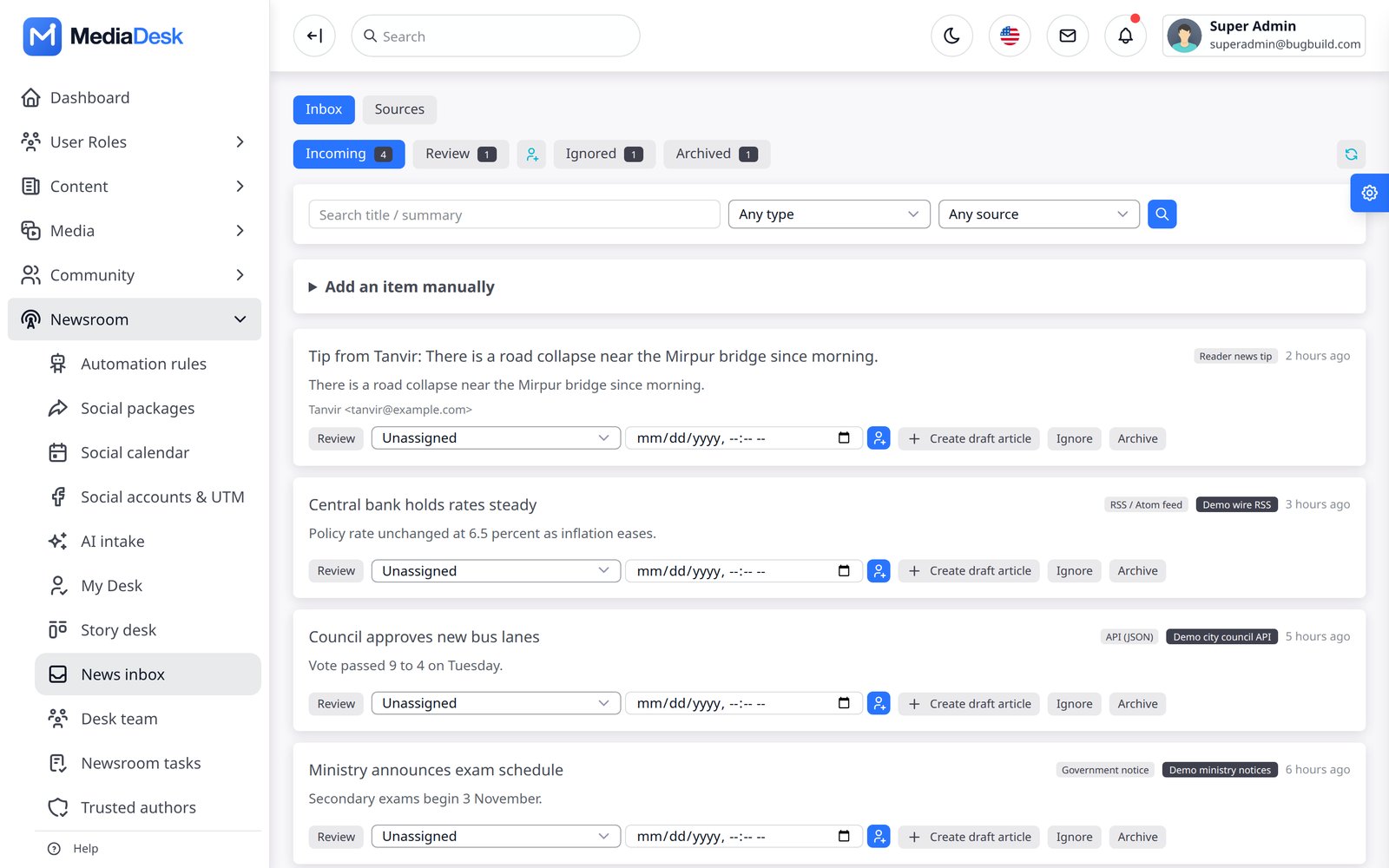
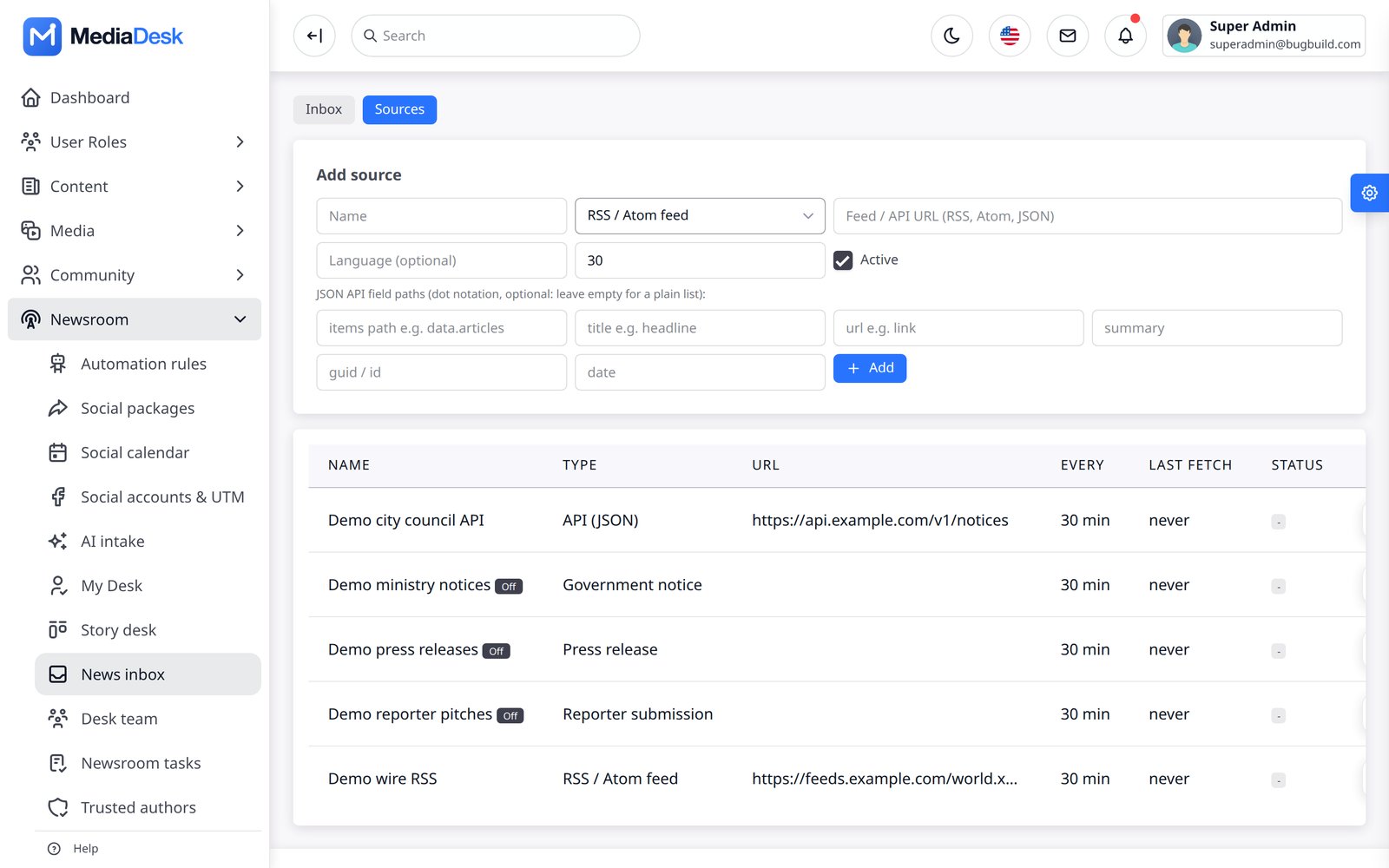
News inbox collects raw leads: RSS/Atom feeds, JSON APIs, government notices, press-release feeds, reader tips from the contact form and reader story submissions. Triage each item (Review, Assign, Ignore, Archive) or Create draft article from it. Add feeds on the Sources tab; desk:fetch-sources pulls due sources every five minutes. Feeds are fetched through an SSRF guard (public http/https hosts only).
Team, Tasks, Trusted
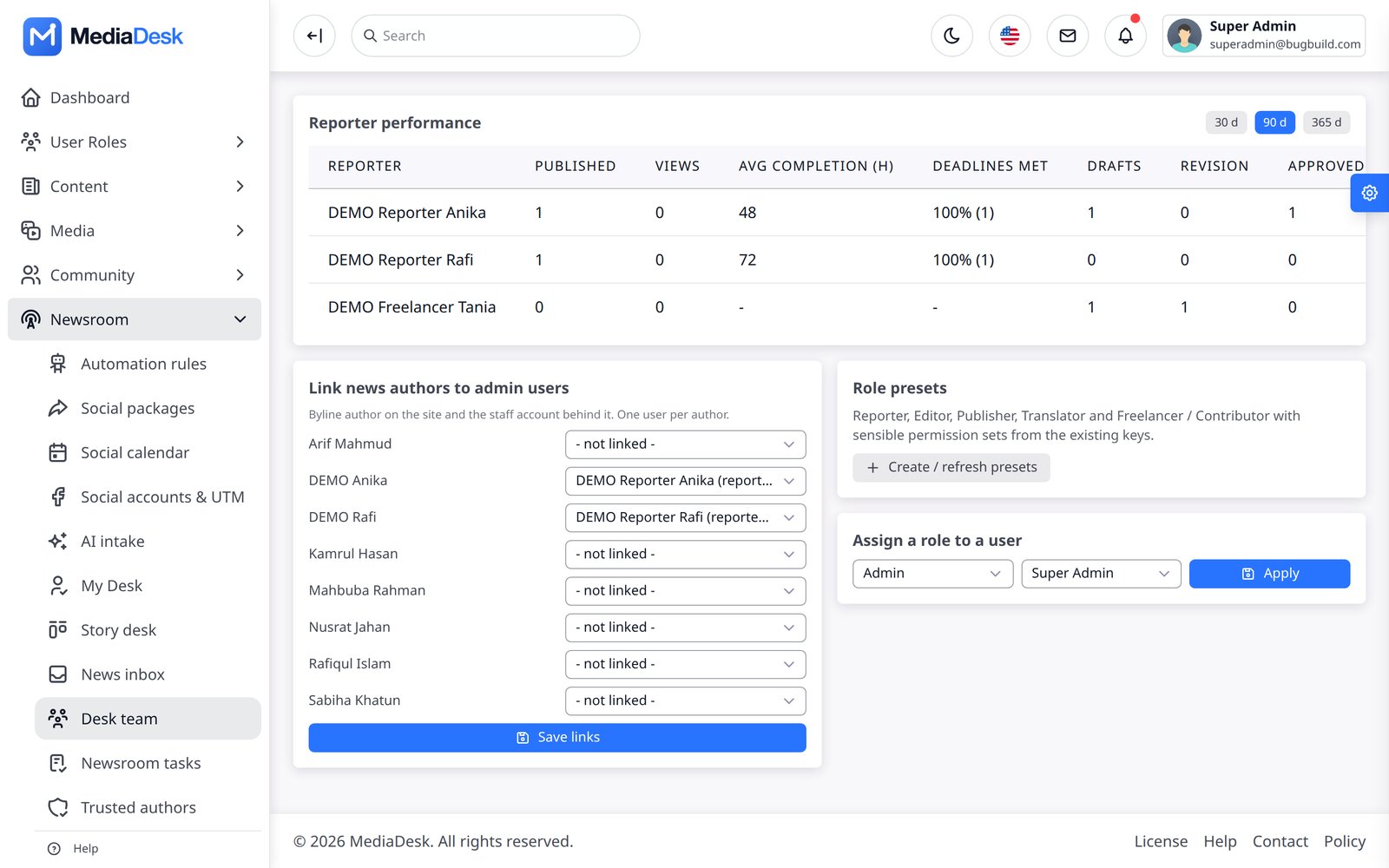
- Desk team — reporter performance (published, views, average completion, deadlines met), link admin users to reporter/author profiles, role presets.
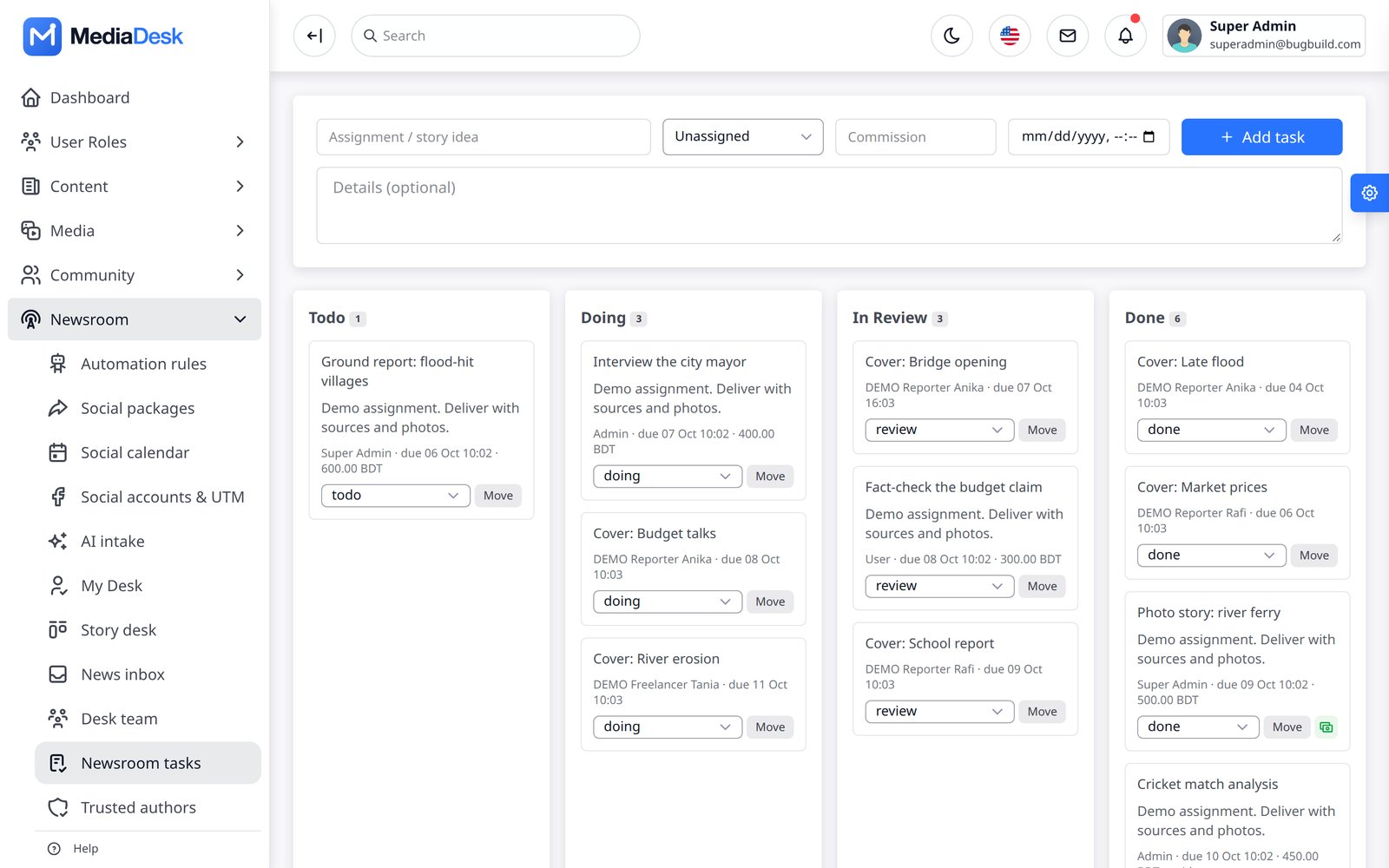
- Newsroom tasks — a Kanban of to-do / doing / in review / done tasks tied to stories and people.
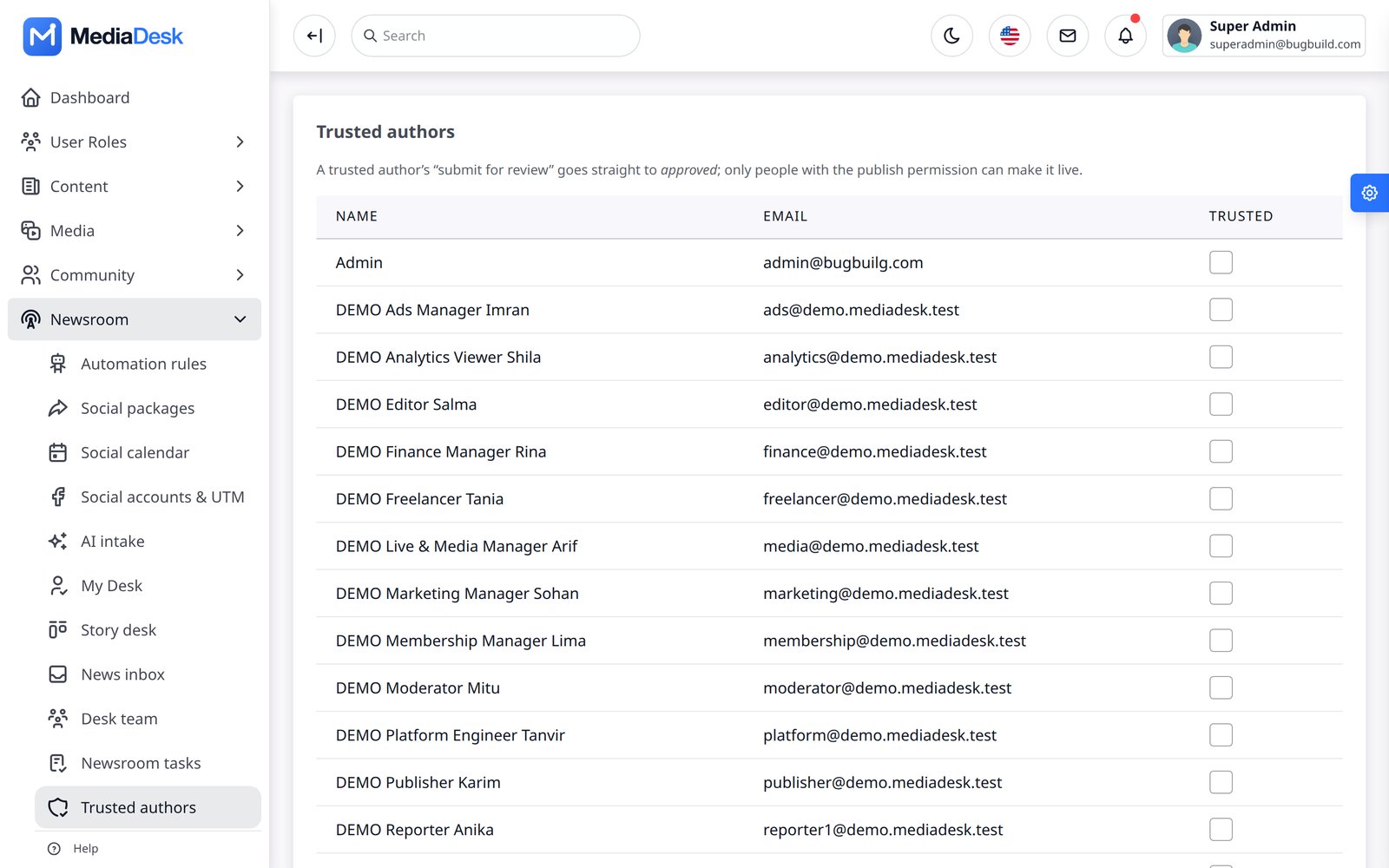
- Trusted authors — people whose “submit for review” goes straight to Approved; everyone else waits for an editor.
AI Copilot & Intake
The AI Copilot (module AI Studio) works inside the article editor: rewrite, shorten, expand, translate, summarise, headline suggestions, SEO title/description and tag suggestions. AI intake (Automation → AI intake) turns a web URL, pasted text or an uploaded PDF into an unpublished draft article with the source recorded. The default provider is Anthropic (Claude); Google Gemini and OpenAI can be selected in Integrations. Limits: AI_MONTHLY_TOKEN_LIMIT (0 = unlimited) and AI_USER_DAILY_CALLS (default 200).
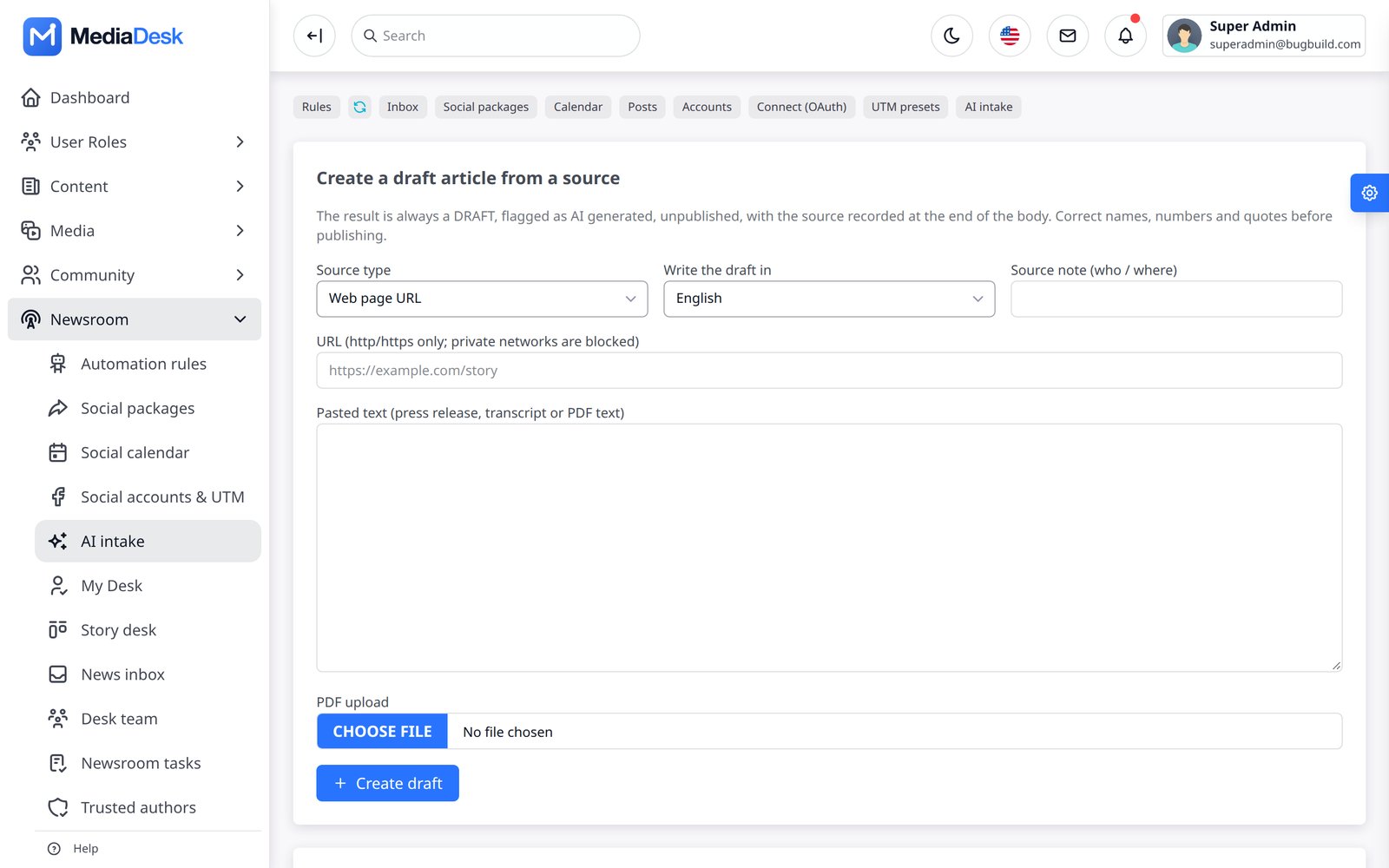
You must bring your own API key. With no key the copilot reports “not configured”. Output is a draft: an editor must review it. The AI paths were tested with faked HTTP, not against a live provider — use Integrations → Test connection and Tools → Diagnostics after adding your key.
Rules & Run Log
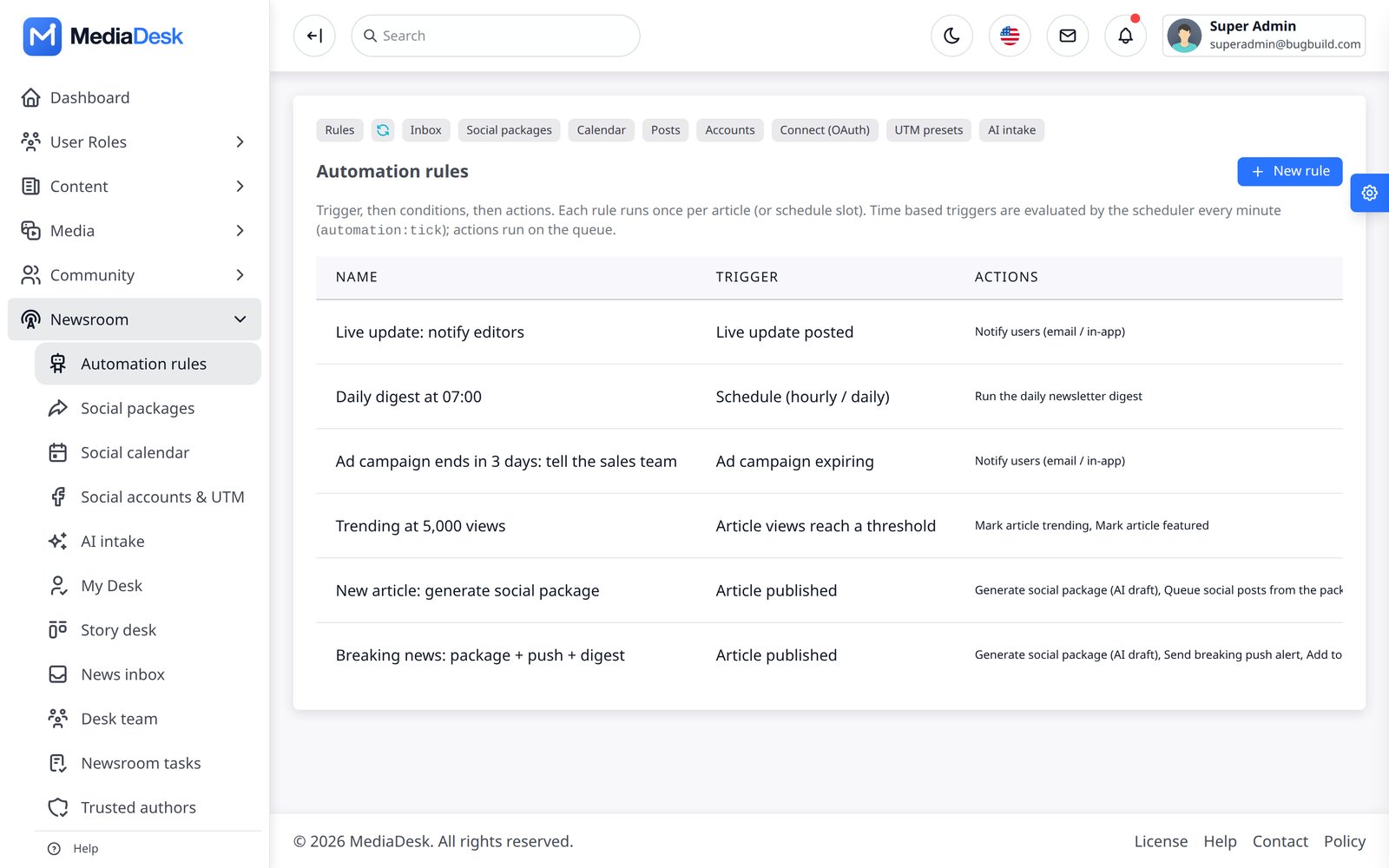
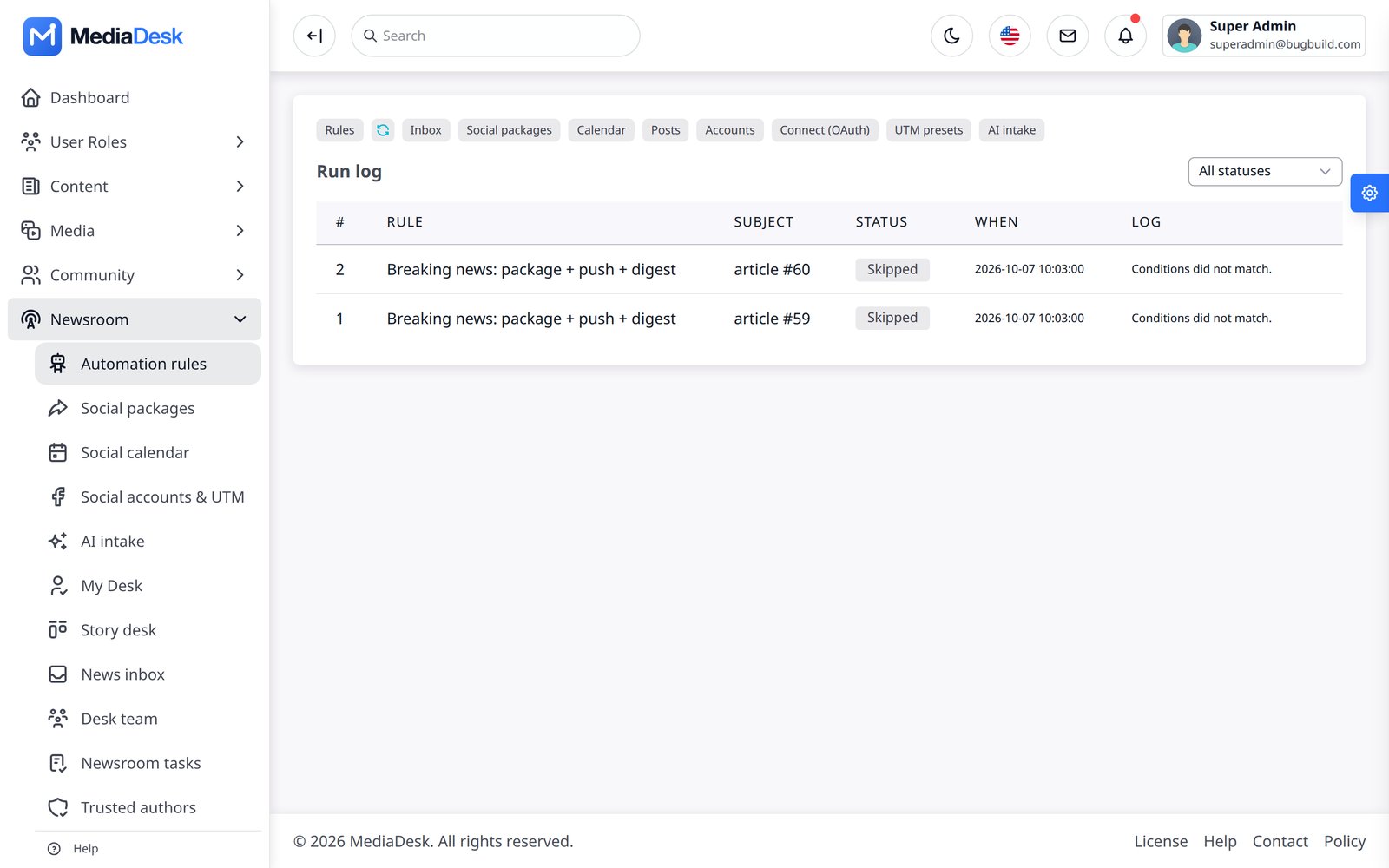
Automation → Automation rules is a trigger → actions engine. Triggers include article published, article views reach a threshold, ad campaign expiring and schedule (daily/hourly); actions include notifying editors, generating a social package, queueing a social post, sending breaking push, and sending a digest. Each run is logged on Run log with its status and reason (for example “conditions did not match”). The automation:tick command evaluates time and threshold triggers every minute.
Newsletter & Push
Marketing → Campaigns builds newsletter campaigns for a subscriber list/segment with scheduling; Push alerts sends web-push (VAPID) and, when Firebase is configured, FCM push to app devices. “Send now” only queues the job — a queue worker delivers (see Cron & Workers). Rate is throttled with SENDER_MAIL_RATE (mails/second). Automatic digests: frontend:newsletter-send daily|weekly (07:00 daily, Friday 08:00), de-duplicated per subscriber and issue; mail carries one-click List-Unsubscribe. Live → Breaking alerts pushes a breaking story on demand and frontend:push-breaking does it automatically every minute.
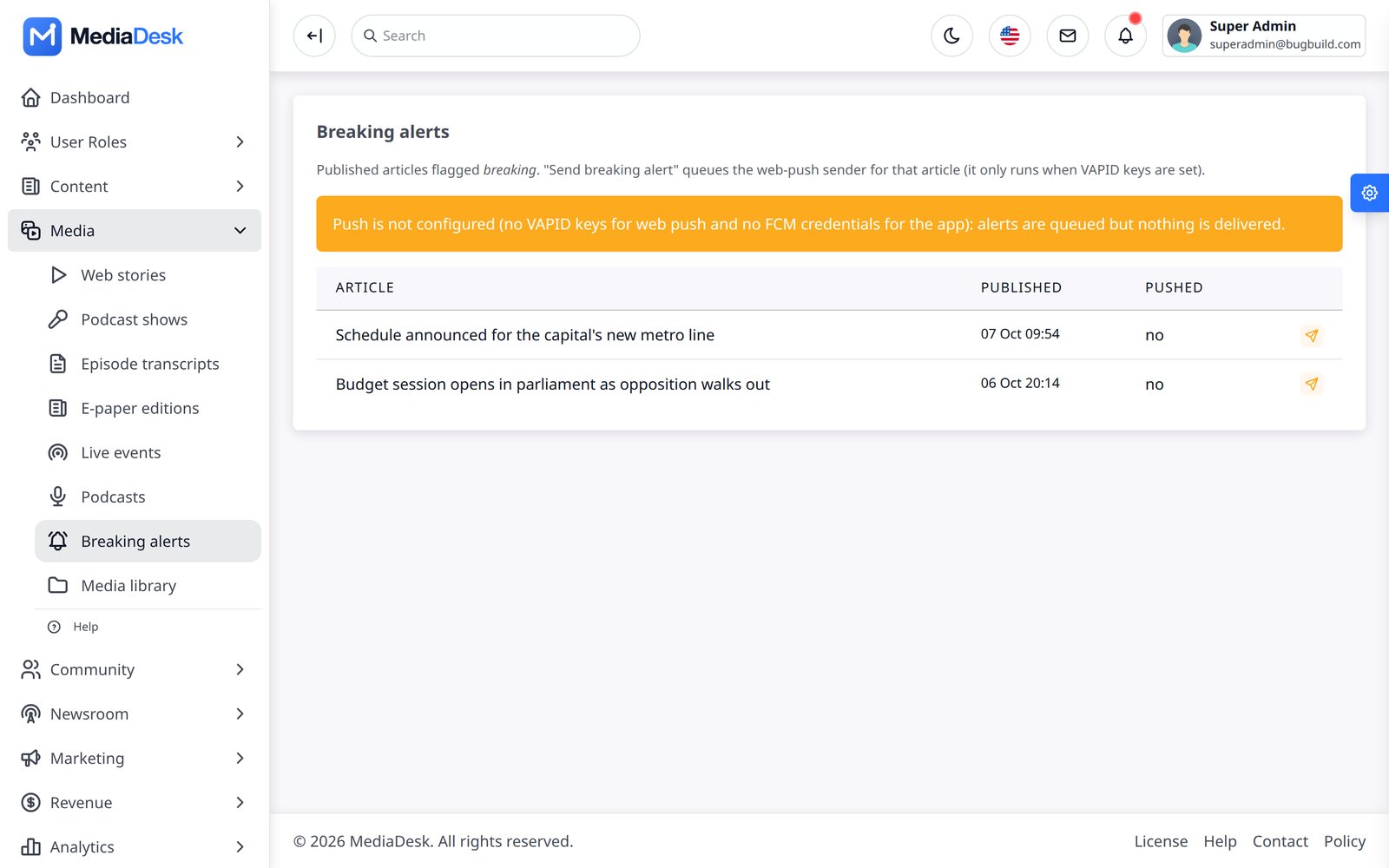
Without VAPID keys web push is a no-op and without FCM credentials app push sends nothing; both show a warning banner on the Push screens. Delivery to real push services has not been verified here, only with faked HTTP: use Tools → Diagnostics to send one test push first.
Lists & Popup
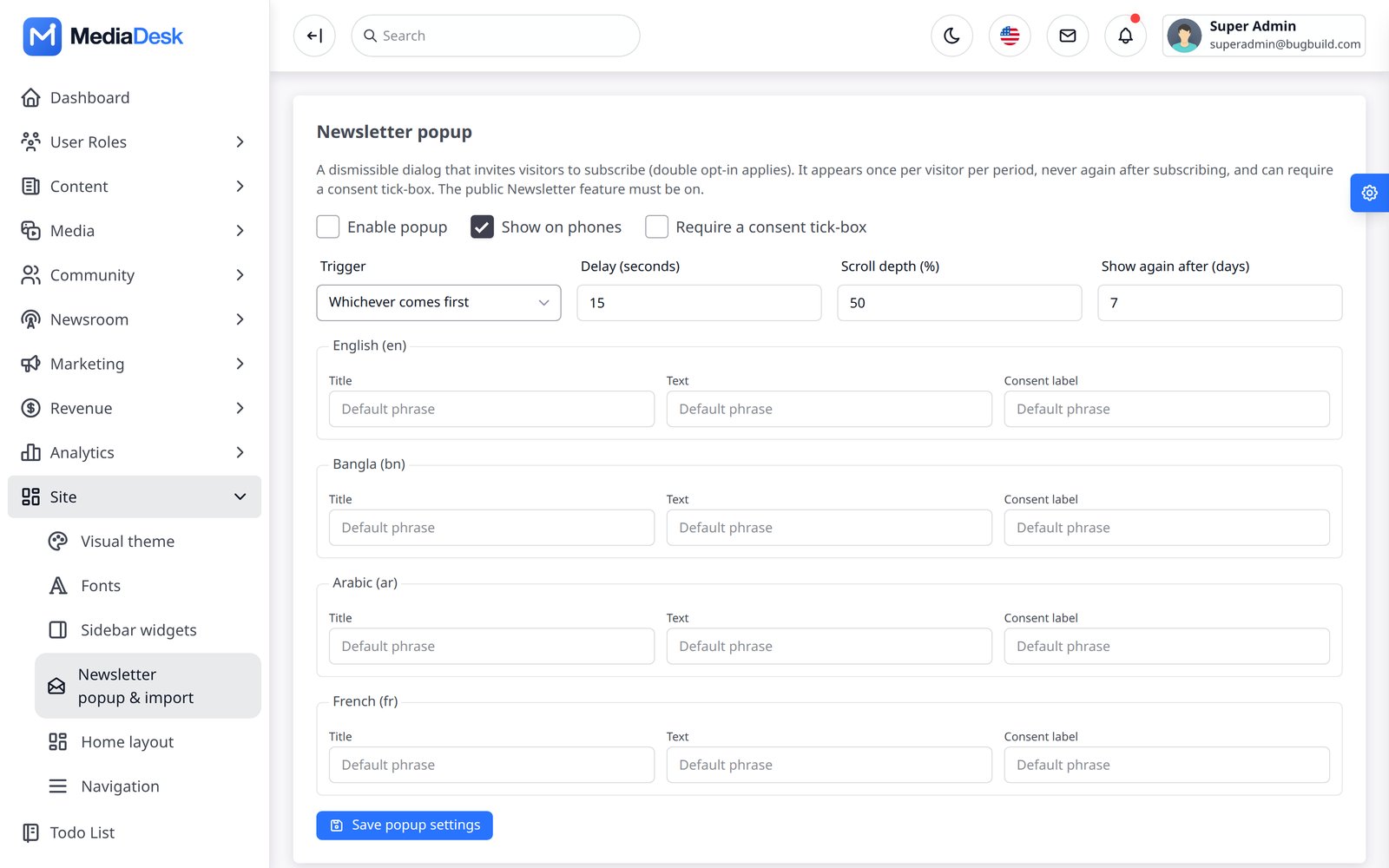
Appearance → Newsletter popup & import controls the sign-up popup (trigger by delay, scroll or either, frequency cap in days, mobile on/off, consent tick-box, per-language copy) and imports subscribers. Subscribers carry list memberships (daily, weekly, breaking, sports, tech…), language and suppression state; after repeated delivery failures a subscriber is automatically suppressed. php artisan frontend:marketing-stats prints counts per list, language and status.
Advertisers & Campaigns
Monetisation → Advertisers is a light advertiser CRM (company, contact, e-mail, status). Ad campaigns define placement (header, sidebar, article middle/bottom, home banners), schedule, pricing (CPM, CPC or fixed), creative and live impression/click counts (buffered and flushed by ads:flush). Finished campaigns close automatically and ads:expiry-alert mails ads_alert_email about campaigns ending soon. House ads fill empty slots; AdSense (ads_adsense_client plus slot ids) and ads.txt are configured in Settings. Advertisers can also log in at /{locale}/advertiser/login (self-service portal) to see campaigns, request new ones and pay invoices. Tools → Ad slot check shows which source wins each placement.
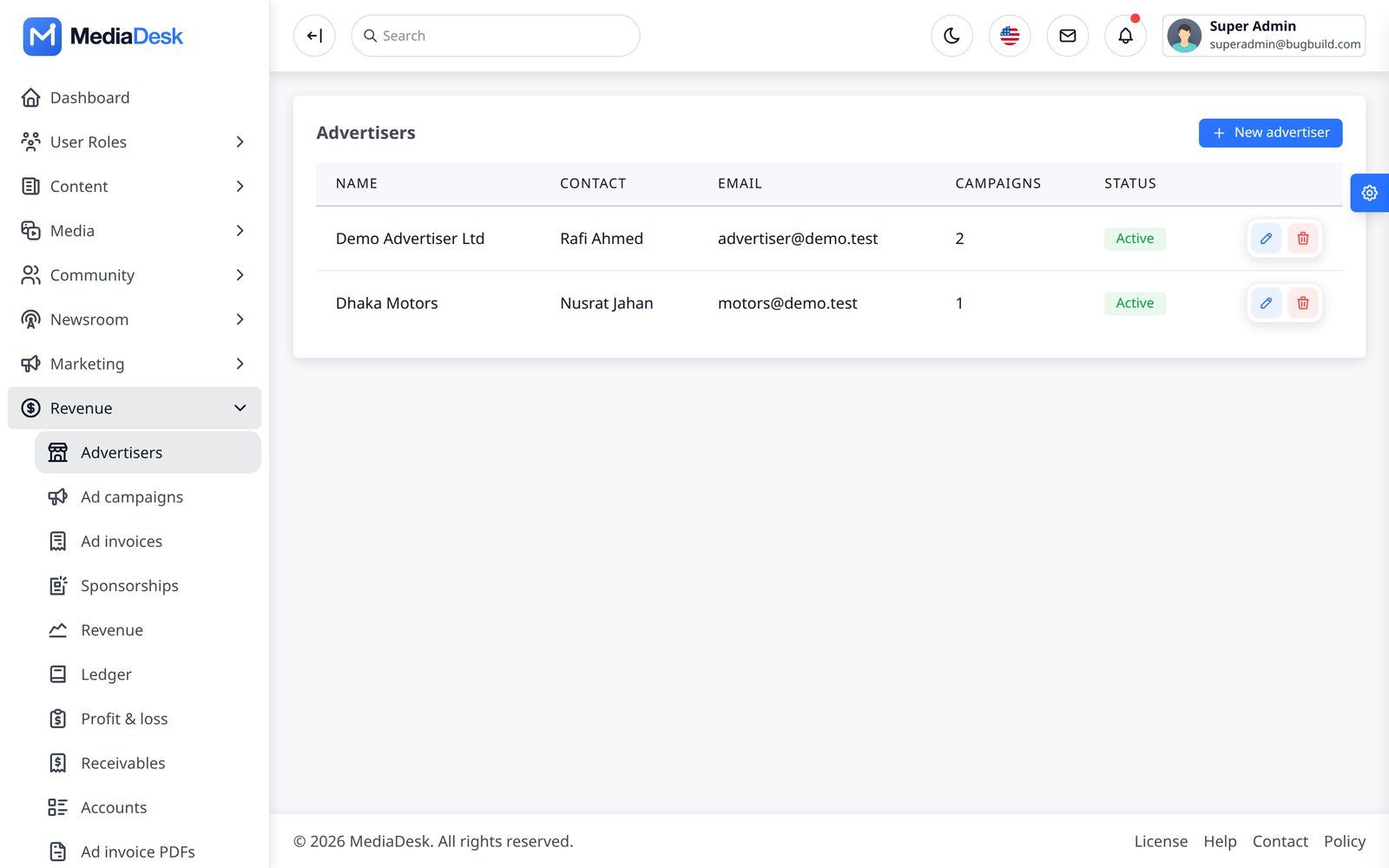
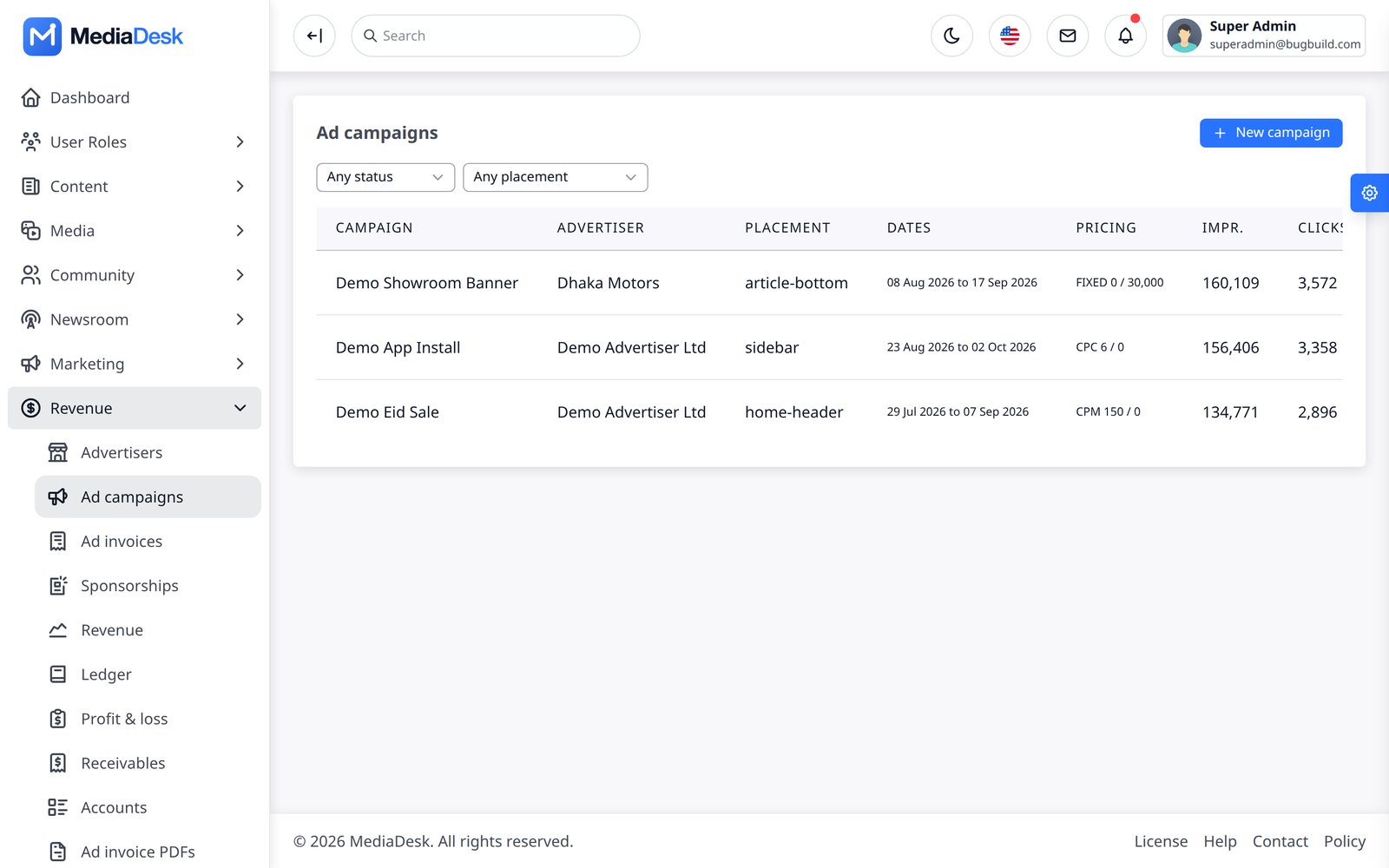
The “Demo Advertiser Ltd” and “Dhaka Motors” rows are sample data. House ads are placeholders until you add campaigns or AdSense.
Invoices & Sponsorship
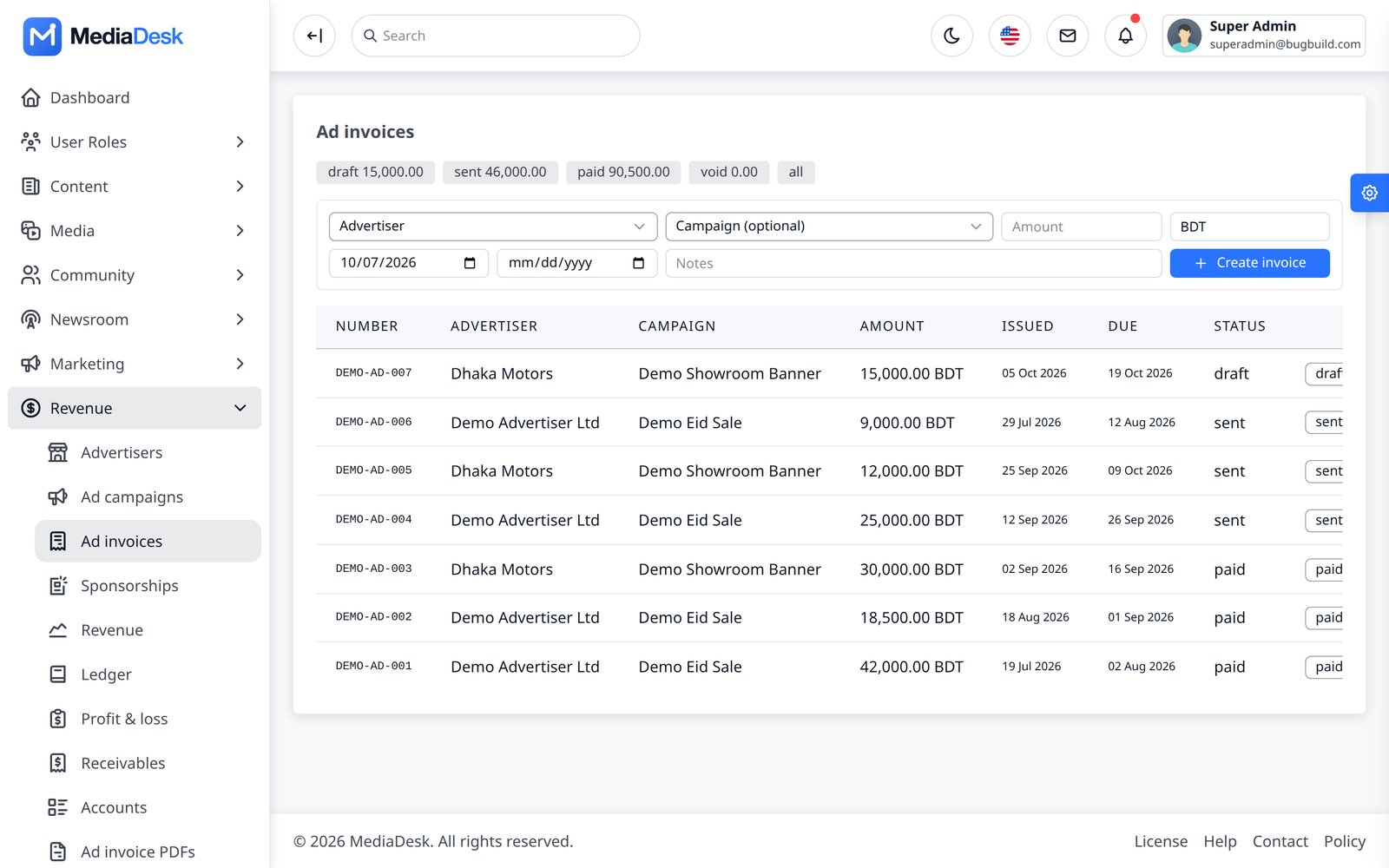
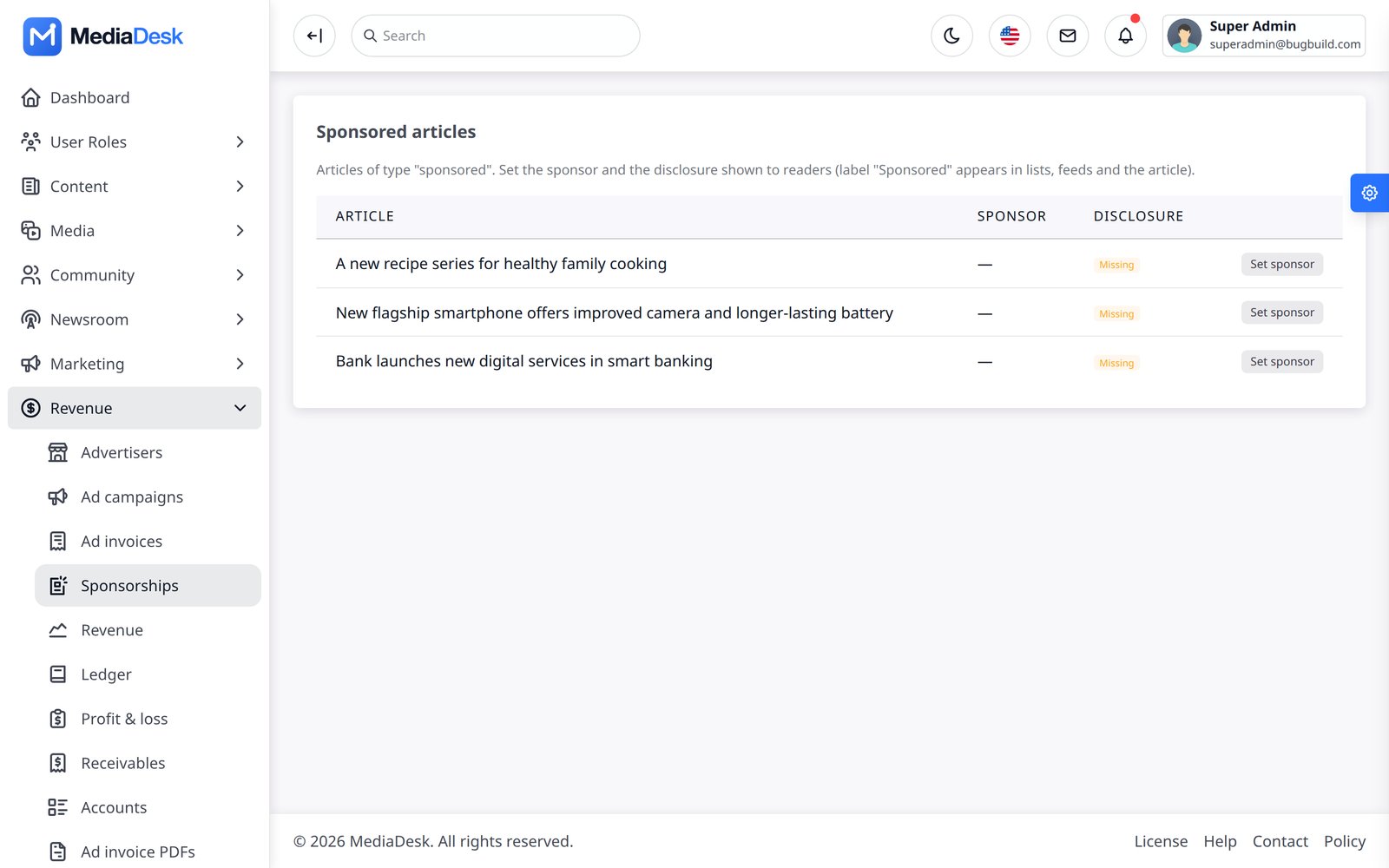
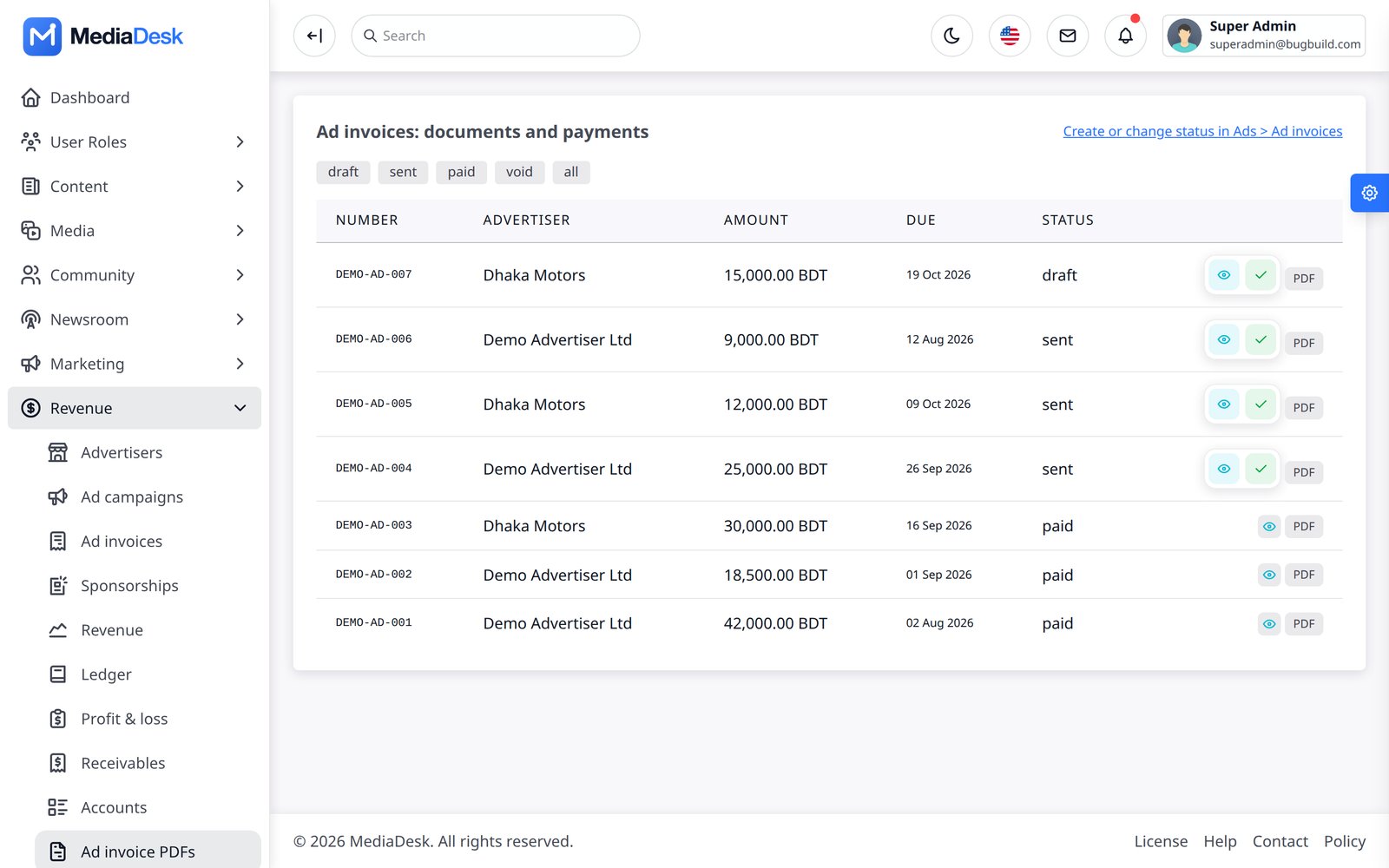
Invoices are created per advertiser/campaign with due dates and statuses (draft, sent, paid, void); Finance → Ad invoices lists them with View, PDF and Mark paid. Advertisers can pay online through any enabled gateway; offline payments are marked paid by hand. Sponsorships mark an article as “Sponsored” with a sponsor and a disclosure line that readers see in lists, feeds and the API.
Author Programme
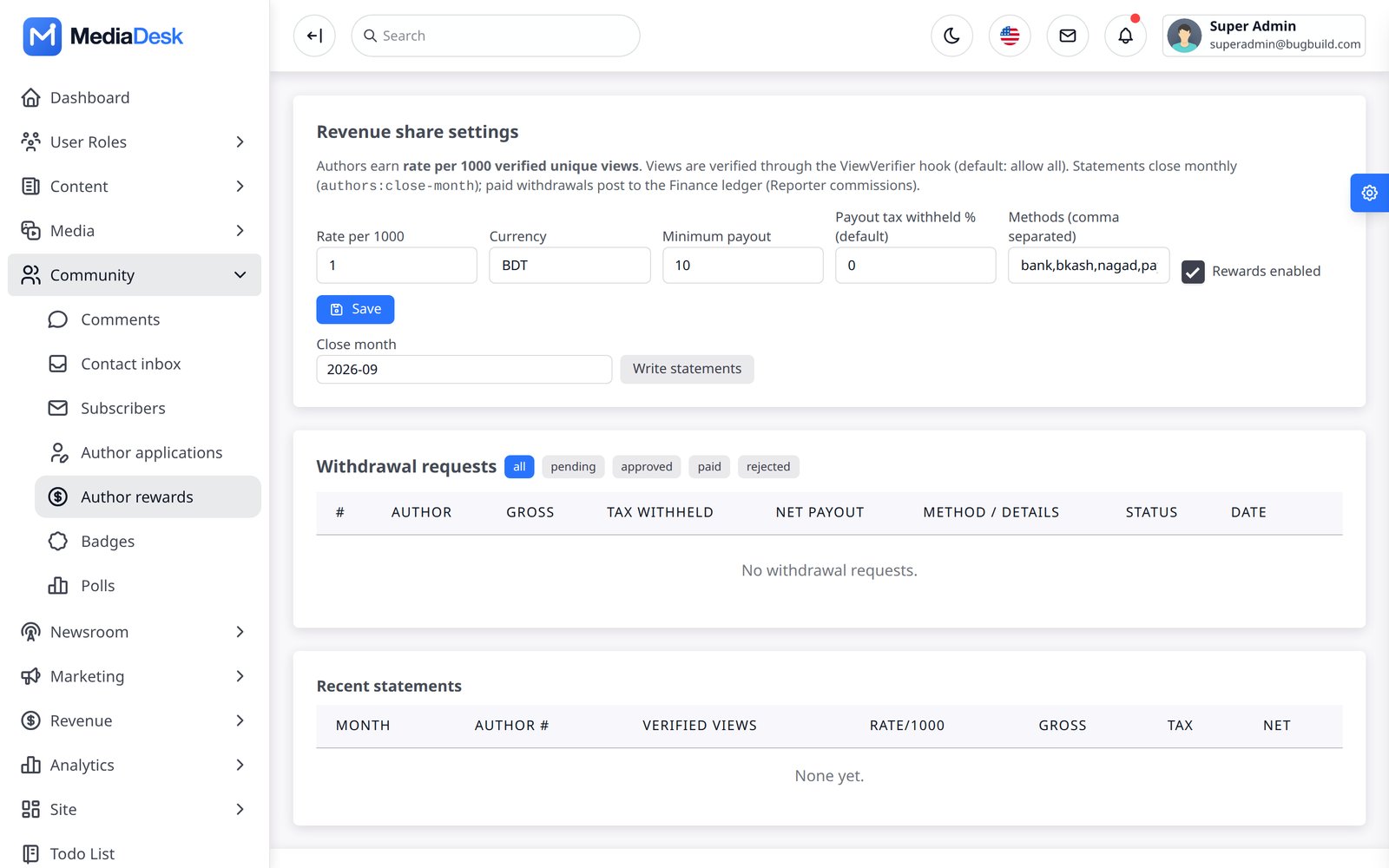
Author applications (reader story authors apply to write), Badges and Author rewards: a monthly revenue-share based on verified unique views × a rate per 1,000 views, with a minimum payout, withdrawal requests and a statement per month (authors:close-month on the 1st at 02:00). Human verification of views (stats_human_verify) keeps bots from earning rewards.
Revenue, Ledger, P&L
The Finance module turns payments into books. Revenue shows income by stream (advertising, subscriptions, e-paper, sponsored content, classifieds, donations), MRR, paying subscribers, churn and overdue invoices. The Ledger is an auto-posted double-entry-style list (income and expense accounts, manual entries with attachment, CSV export). Profit & loss summarises by month and account. Posting is idempotent: finance:post runs hourly and can be run by hand any time.
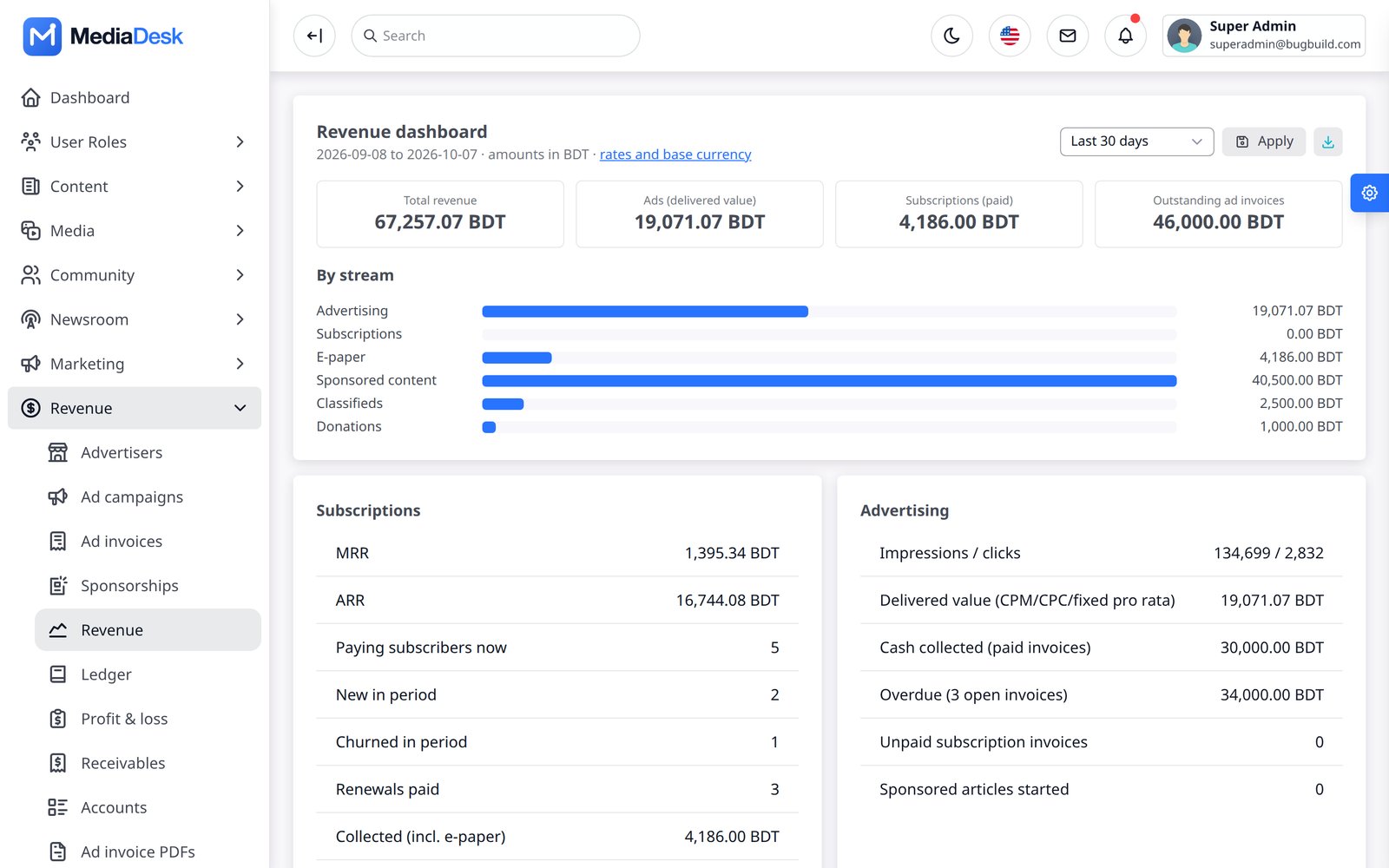
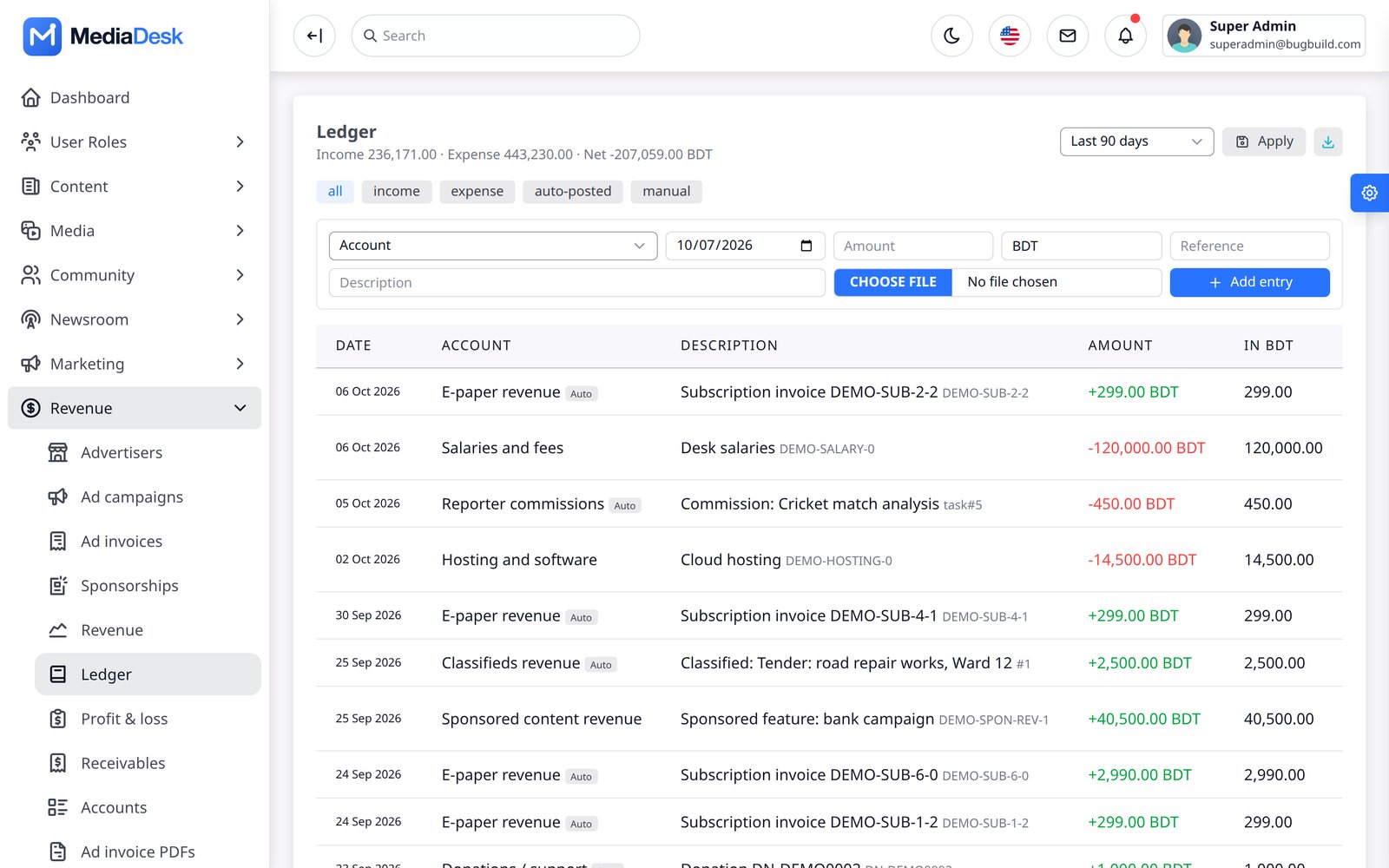
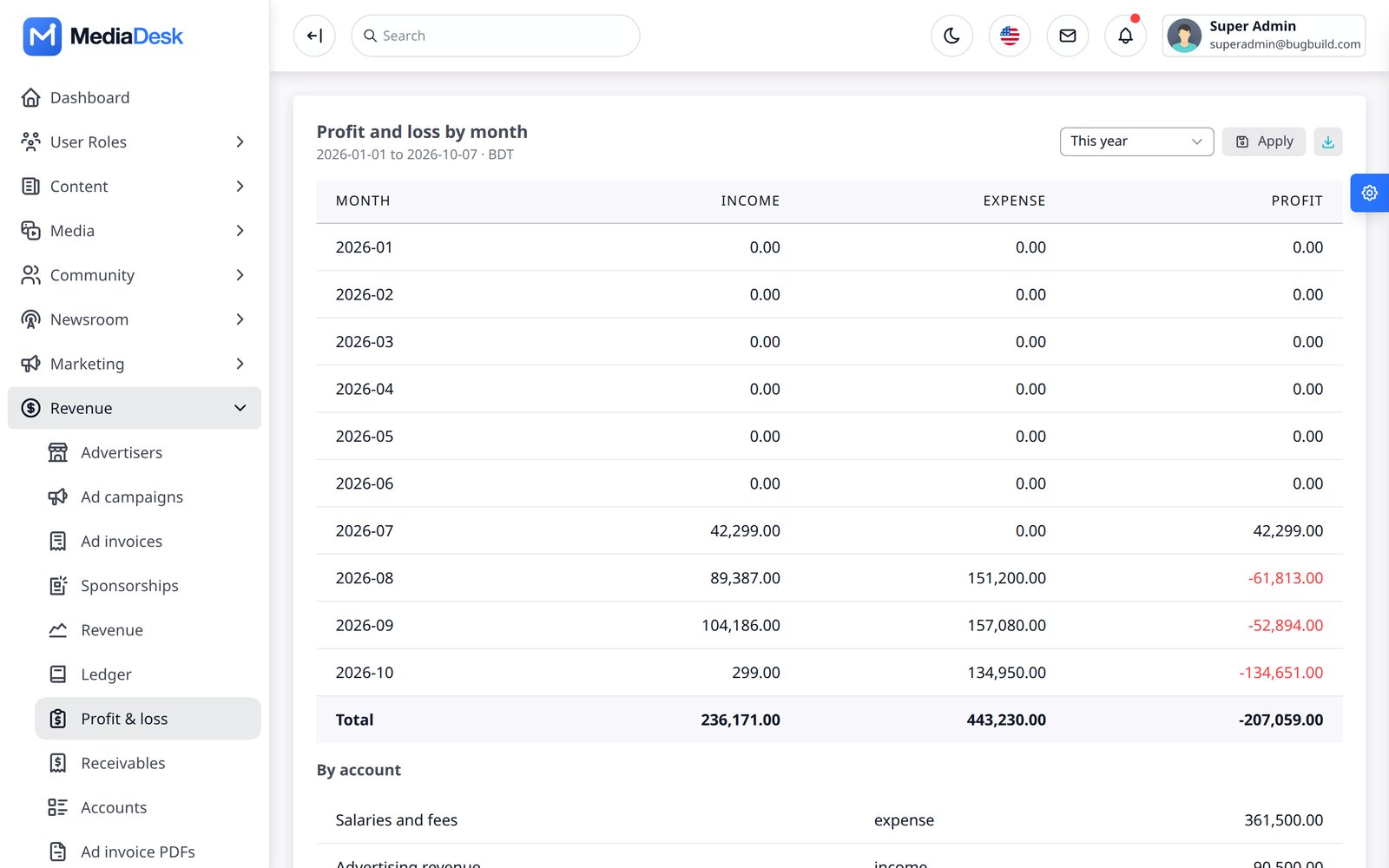
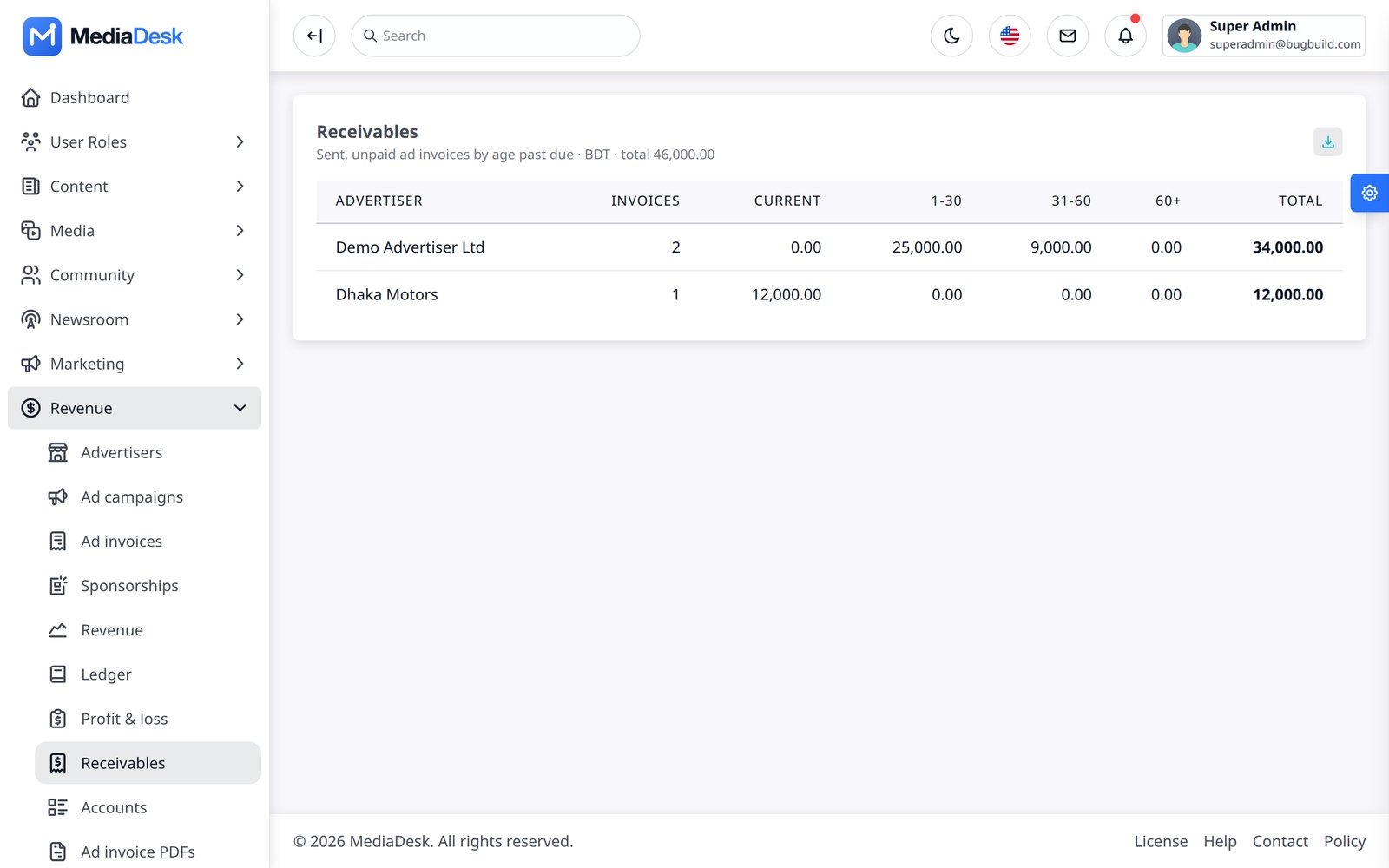
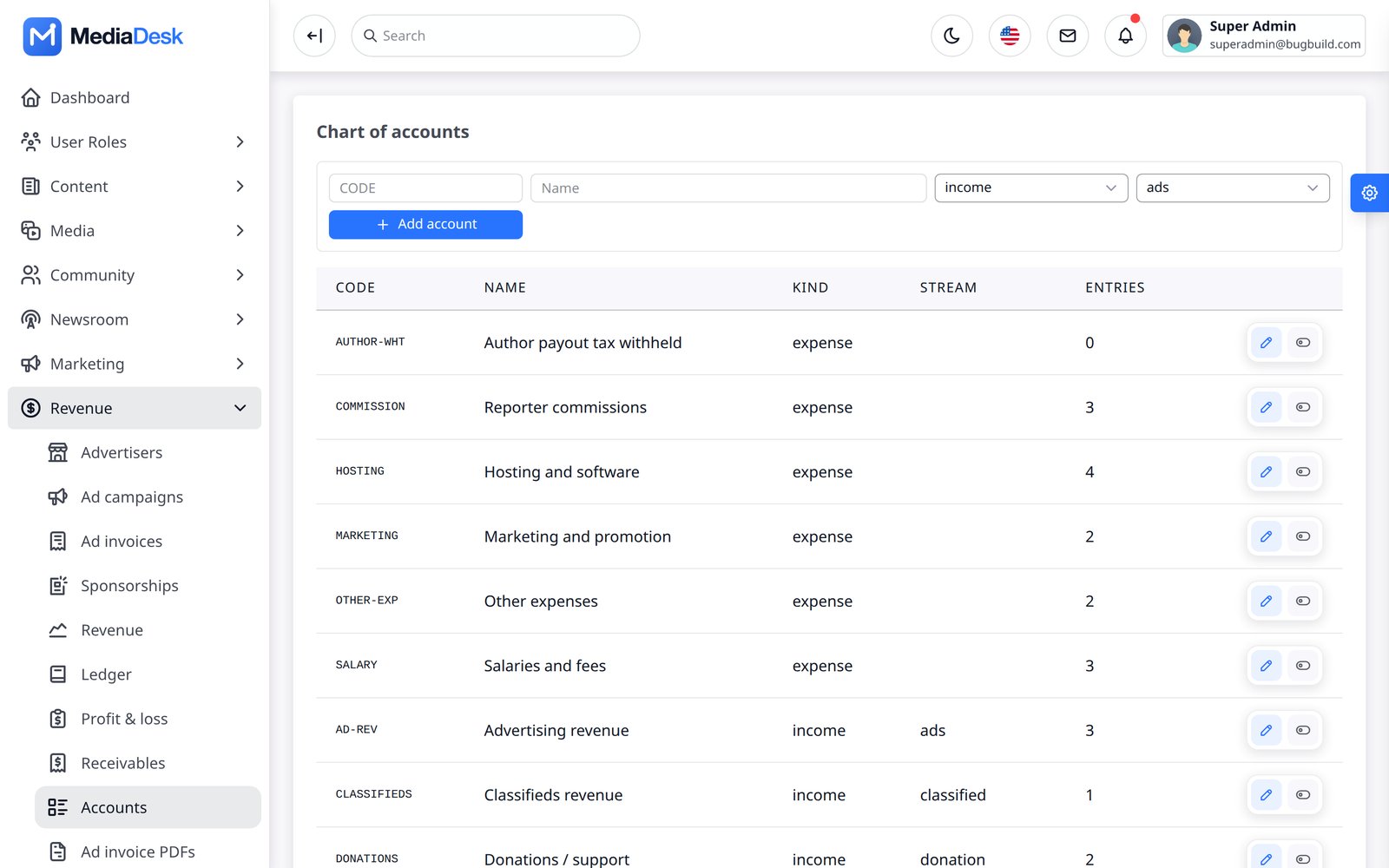
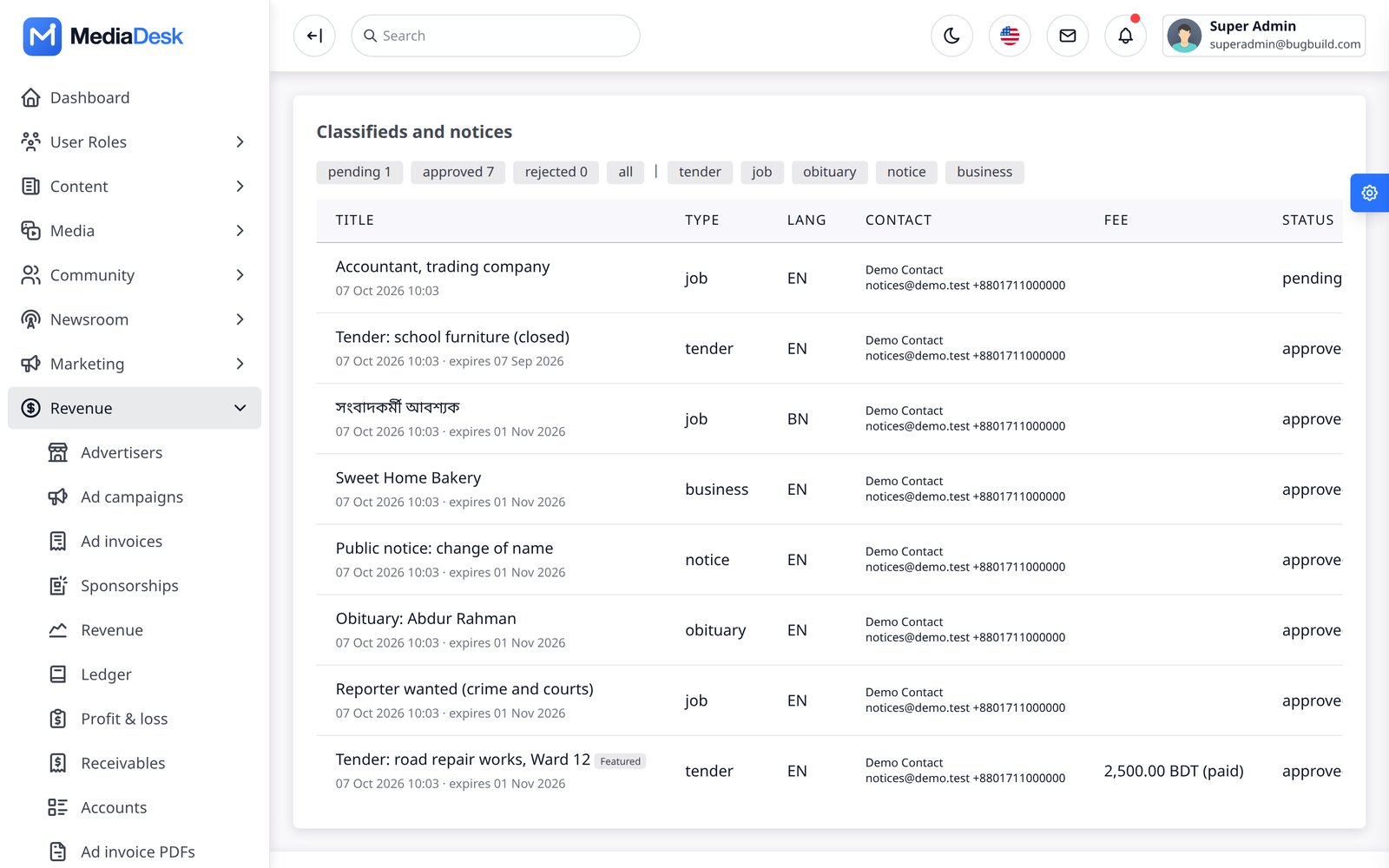
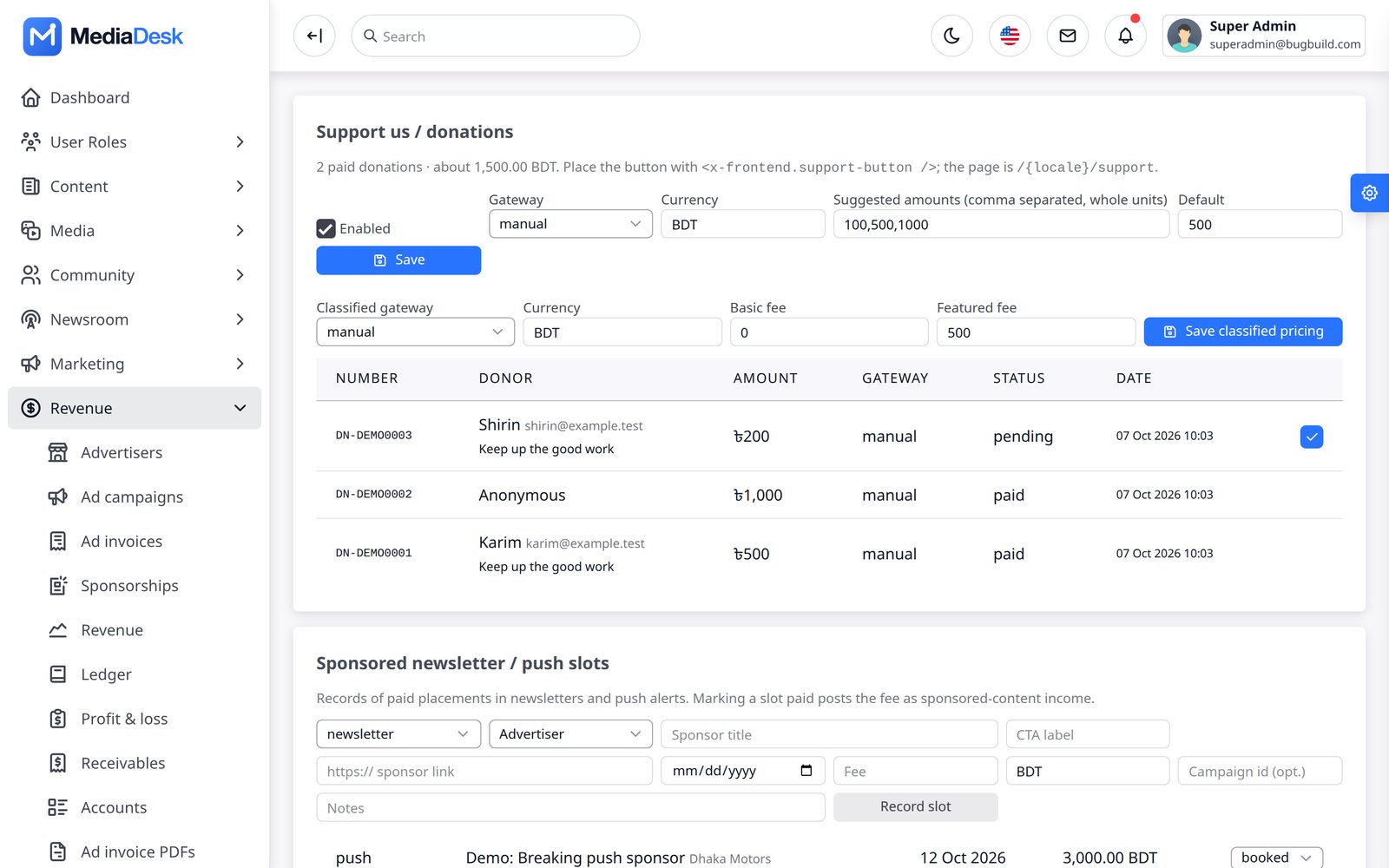
Figures in the screenshots are demo data in BDT.
Receivables & Accounts
- Receivables — unpaid ad invoices aged into current, 1–30, 31–60, 61–90 and 90+ day buckets per advertiser.
- Chart of accounts — income and expense accounts (e.g. ad revenue, hosting, salaries, reporter commissions).
- Classifieds — submitted notices (jobs, tenders, obituaries) with fees, approval and payment.
- Donations — the public support page: gateway, currencies, suggested amounts, and received donations.
- Settings — base currency and exchange rates used to report multi-currency income.
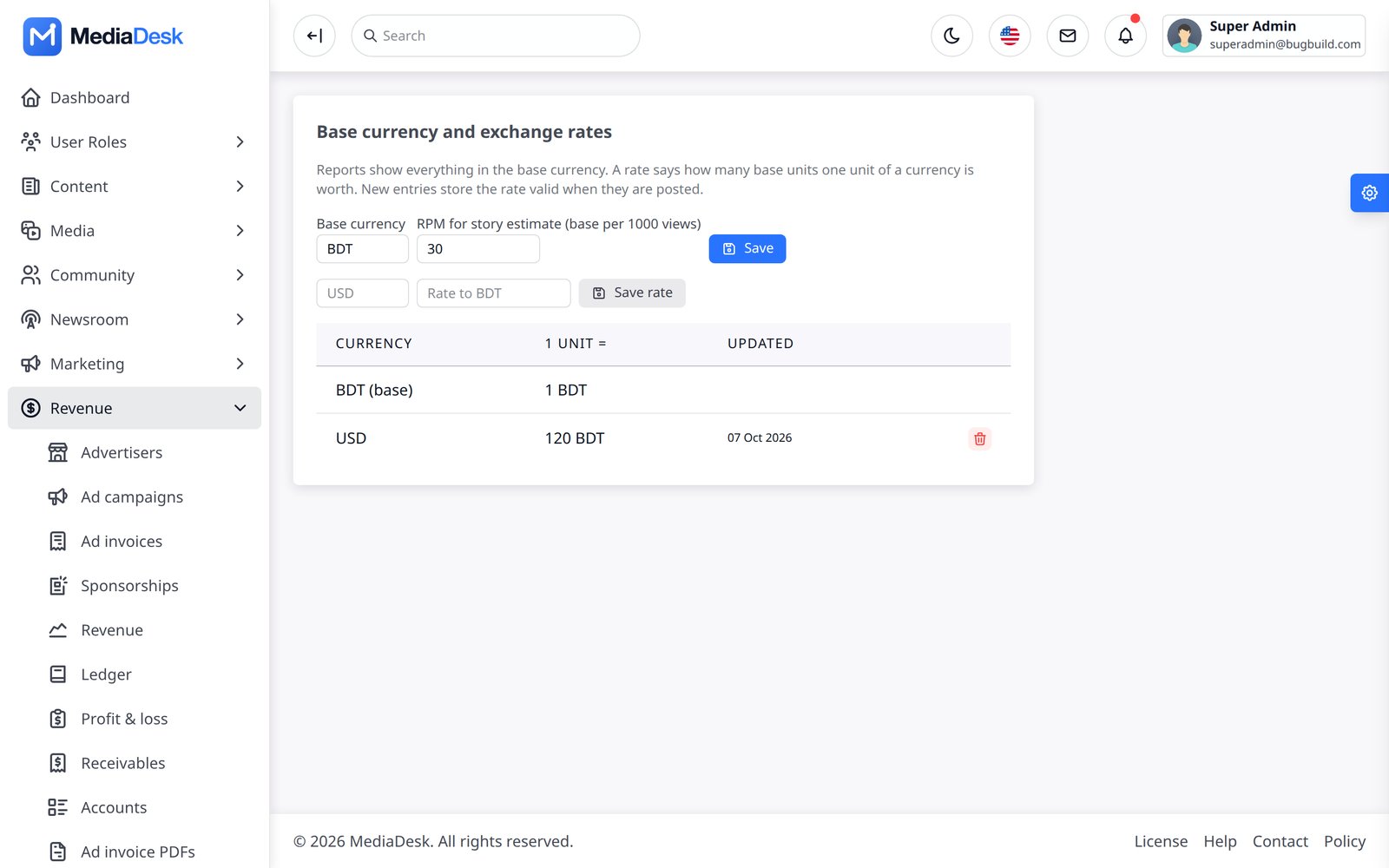
Payment Gateways
One payment layer serves memberships, ad invoices, donations and single-article purchases. 13 options: Stripe, PayPal, SSLCOMMERZ, bKash, Nagad, Razorpay, Mercado Pago, iyzico, PayTabs, Paystack, NOWPayments (crypto), Bank transfer (with proof upload) and Manual/offline. A gateway appears at checkout only when its credentials exist. Enter them in Settings → Integrations (encrypted). Webhook URL for every gateway: https://YOUR-DOMAIN/membership/webhook/{gateway}. Stripe supports automatic off-session renewal; the other gateways send a signed pay-now e-mail and follow the dunning schedule (retries at 1, 3 and 5 days, expiry after a 7-day grace). Full per-gateway steps are in Common Setup → Payment gateways.
Every gateway adapter was written against the provider’s public documentation and tested with faked HTTP only. Run each one through its sandbox before taking real money. Supply your own merchant accounts and keys.
Plans, Members, Coupons
Monetisation → Membership has four screens: Plans (tier free/premium/corporate, interval month/year, multi-currency prices, trial days, features, ad-free flag, corporate seats), Members (reader accounts with subscription, invoices, manual subscription, refund and credit notes), Coupons (percent or fixed, plan restriction, max uses, expiry) and Bank transfers (proof-of-payment queue: approve or reject, receipt download). Renewals run hourly through membership:renew; a failed charge puts the subscription in past due with access during the grace window.
Renewal reminders
Readers are e-mailed in their own language before a membership period ends, and get an app push as well when FCM is configured. The message states what will really happen:
| Situation | What the reader is told | When |
|---|---|---|
| Card saved with Stripe | The amount will be charged automatically on the date, and they can cancel before then | 7, 3 and 1 days before |
| Every other gateway, or no saved card | A link to pay will arrive on the date, and they can also pay from their account | 7, 3 and 1 days before |
| Canceled, free or admin-granted membership | Access ends on the date, and they can subscribe again | Once, 3 days before |
Change the days under Settings → Public site → Membership, for example 7, 3, 1. Enter 0 to switch reminders off. A step older than the current period is skipped, so nobody hears “renews in 7 days” right after starting a 7-day trial. After a scheduler outage only the latest step is sent. Check what is due without sending anything with php artisan membership:remind --dry-run.
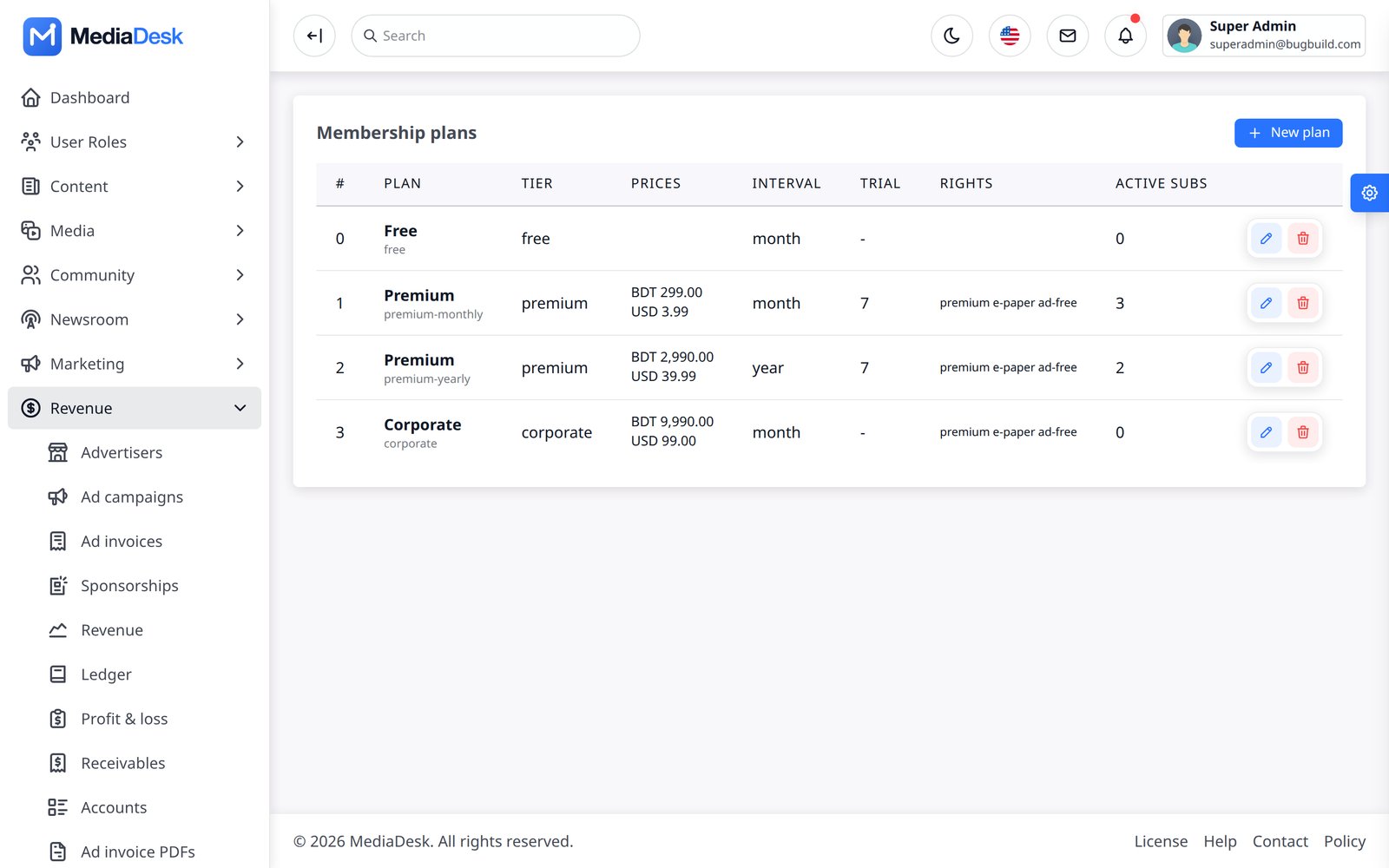
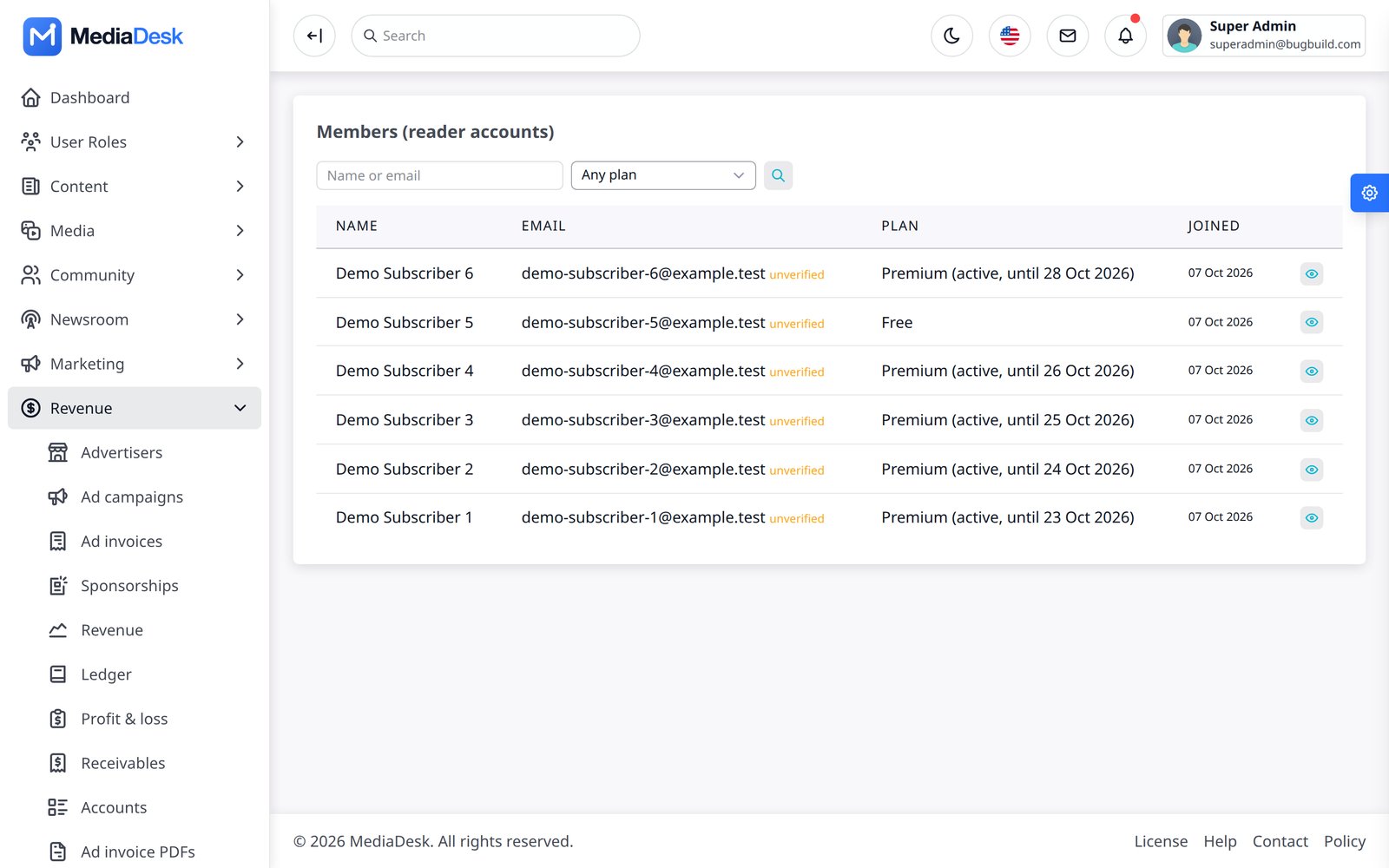
Paywall & Pay-per-post
Mark an article Premium and non-members see the intro plus a paywall card (truncation happens on the server). A metered free-article count and a per-article price (pay-per-post, price per currency) are supported; a purchase unlocks that article for that reader and appears in GET /api/v1/me/entitlements. E-paper PDF downloads can be free or members-only with EPAPER_DOWNLOAD=free|premium. Corporate plans let the owner invite seats from the account page.
Live Blogs & Breaking
Live → Live events creates a live blog (title, summary, status live/ended, languages) and its timed updates (text, pinned, embed, image). The public page polls for new updates and the API exposes /{locale}/live for the app. Breaking alerts lists breaking-flagged articles and lets you push them to subscribers.
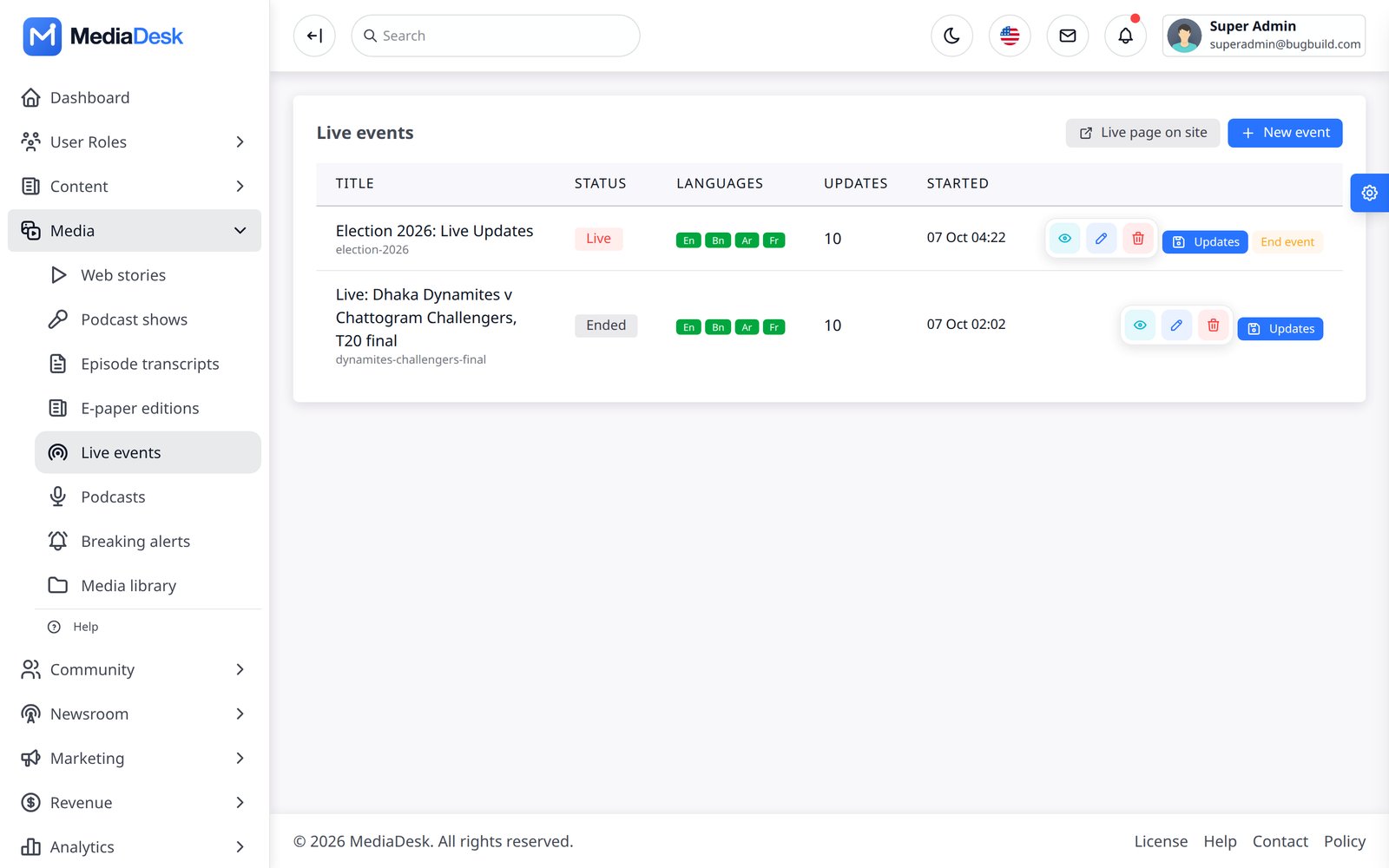
Podcasts & Web Stories
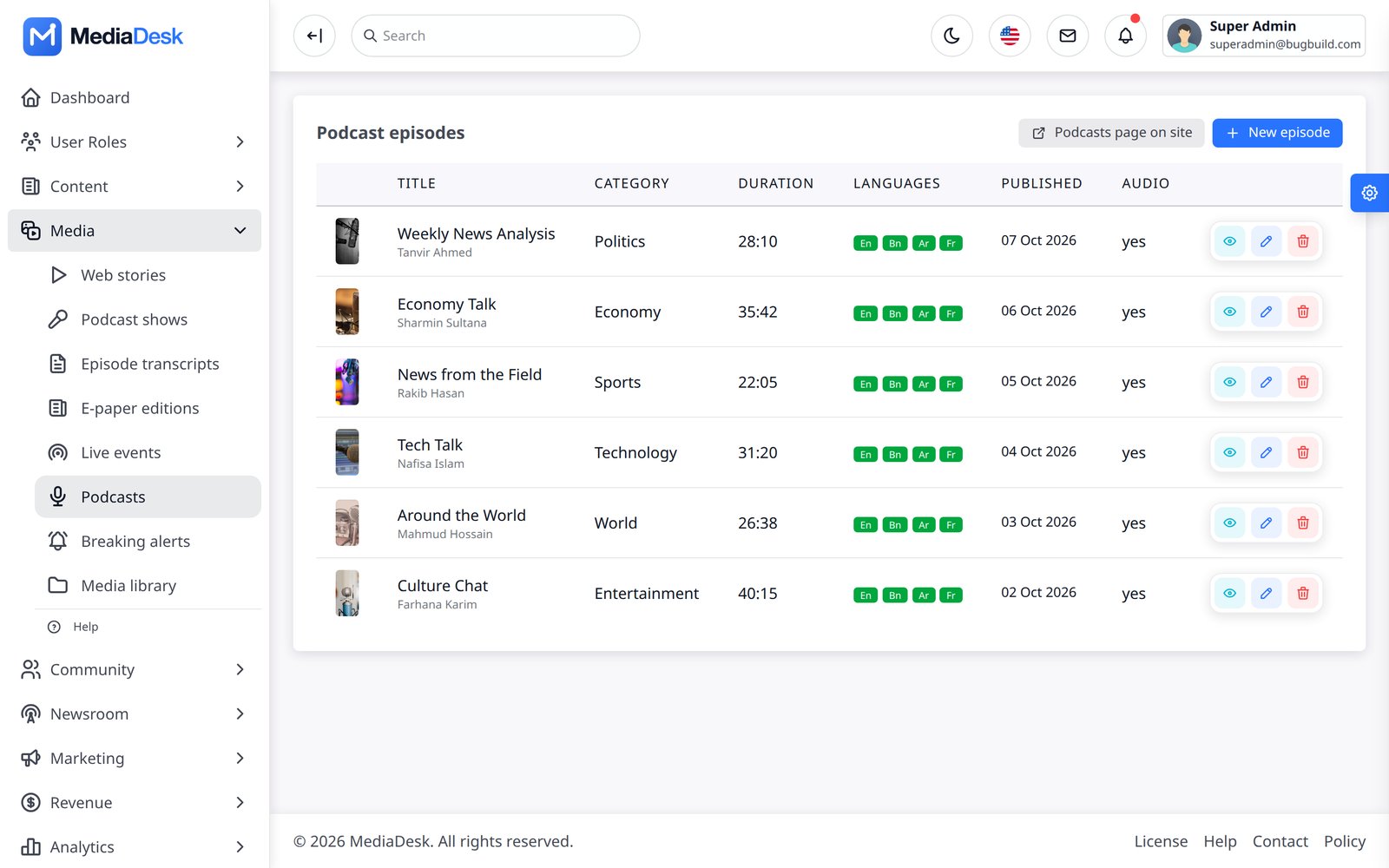
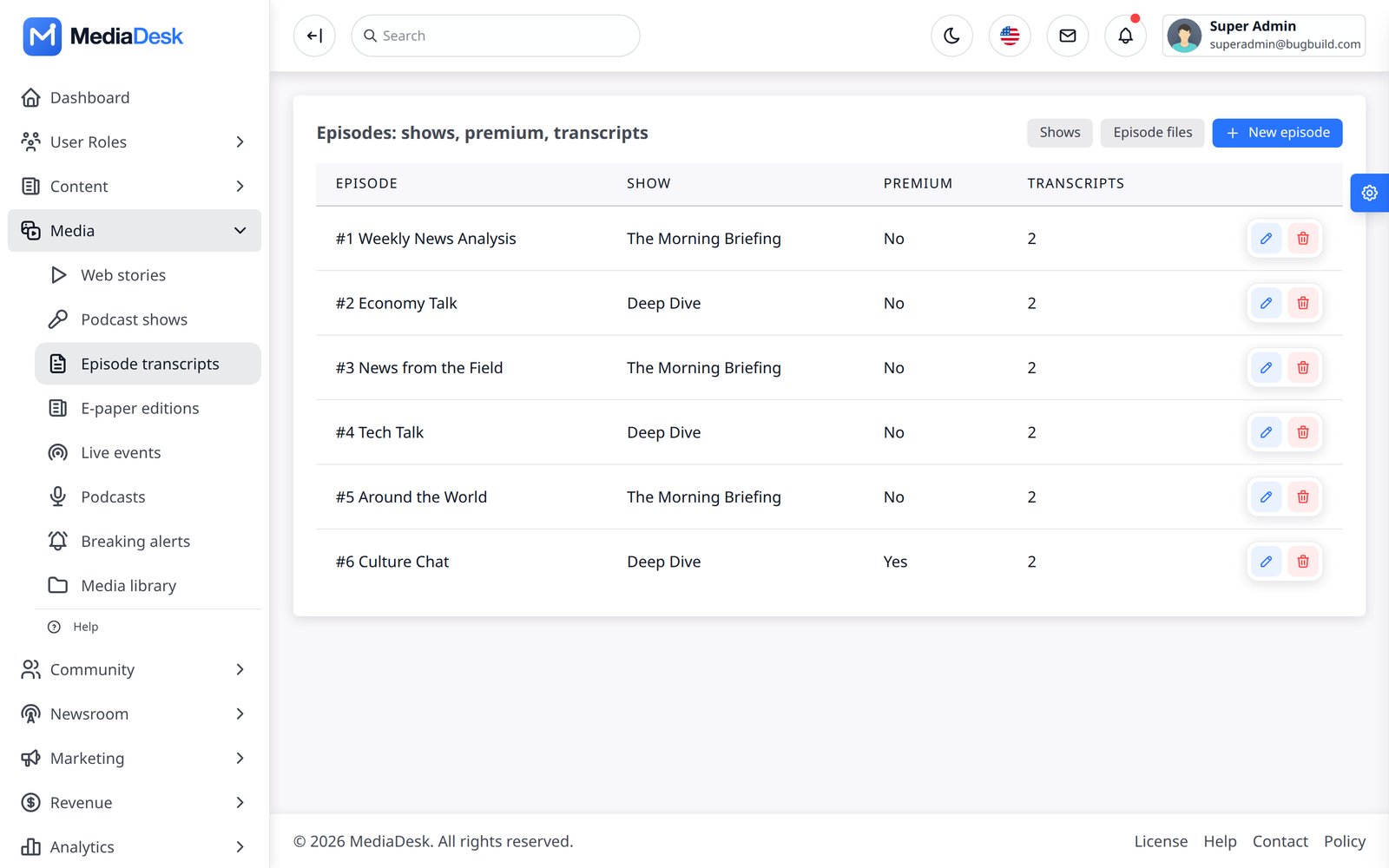
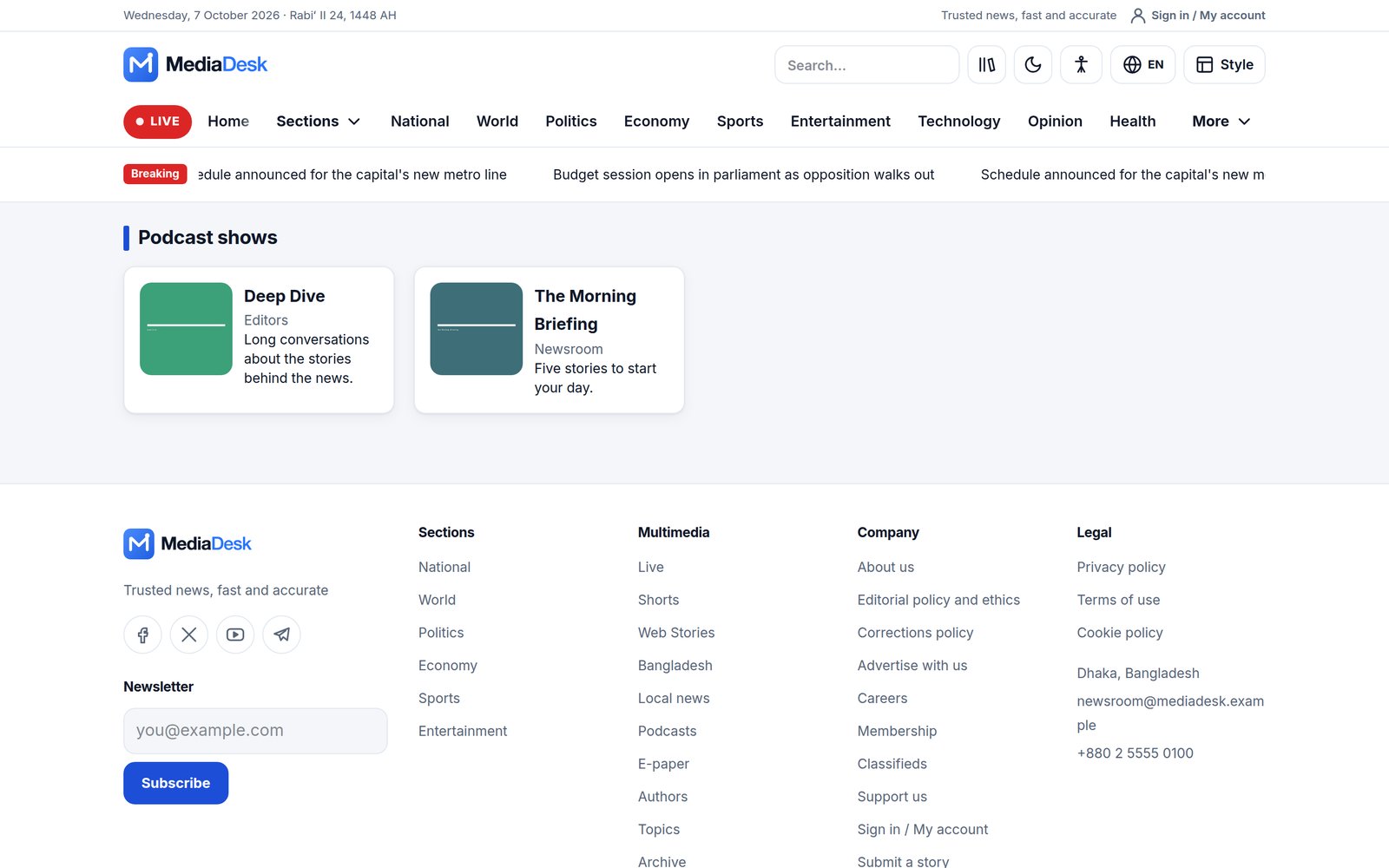
Live → Podcasts manages episodes (cover, audio, duration, category, per-language title and host, publish date; drafts and future dates stay off the site). Content → Podcast shows groups episodes into shows with season and episode numbers; every show gets a public page (/{lang}/podcast-shows/{slug}) and its own RSS feed with iTunes tags (…/feed.xml) for Apple Podcasts or Spotify. Content → Episodes manages shows and episodes (audio, duration, transcripts, premium flag, per-language titles). Premium episode audio can be moved to the private disk with php artisan podcast:protect-audio. Content → Web stories builds swipe stories (slides, status, languages).
E-paper Editions
Content → E-paper uploads or builds one edition per day × language × edition. Automatic PDFs: php artisan frontend:epaper-build {date?} {--locale=*} {--edition=*} {--force} renders each day with headless Chrome into a multi-page PDF (A-series sheet, 8 pages) from the same layouts as the web reader; it runs daily at 05:30 in the site time zone. A language needs at least 30 published translations (EPAPER_MIN_STORIES) to be built. Set EPAPER_CHROME if Chrome/Chromium is not auto-detected, and EPAPER_BASE_URL if the build host reaches the site on another URL. Downloads are signed 10-minute links with Range support; EPAPER_DOWNLOAD=premium turns them into a membership perk.
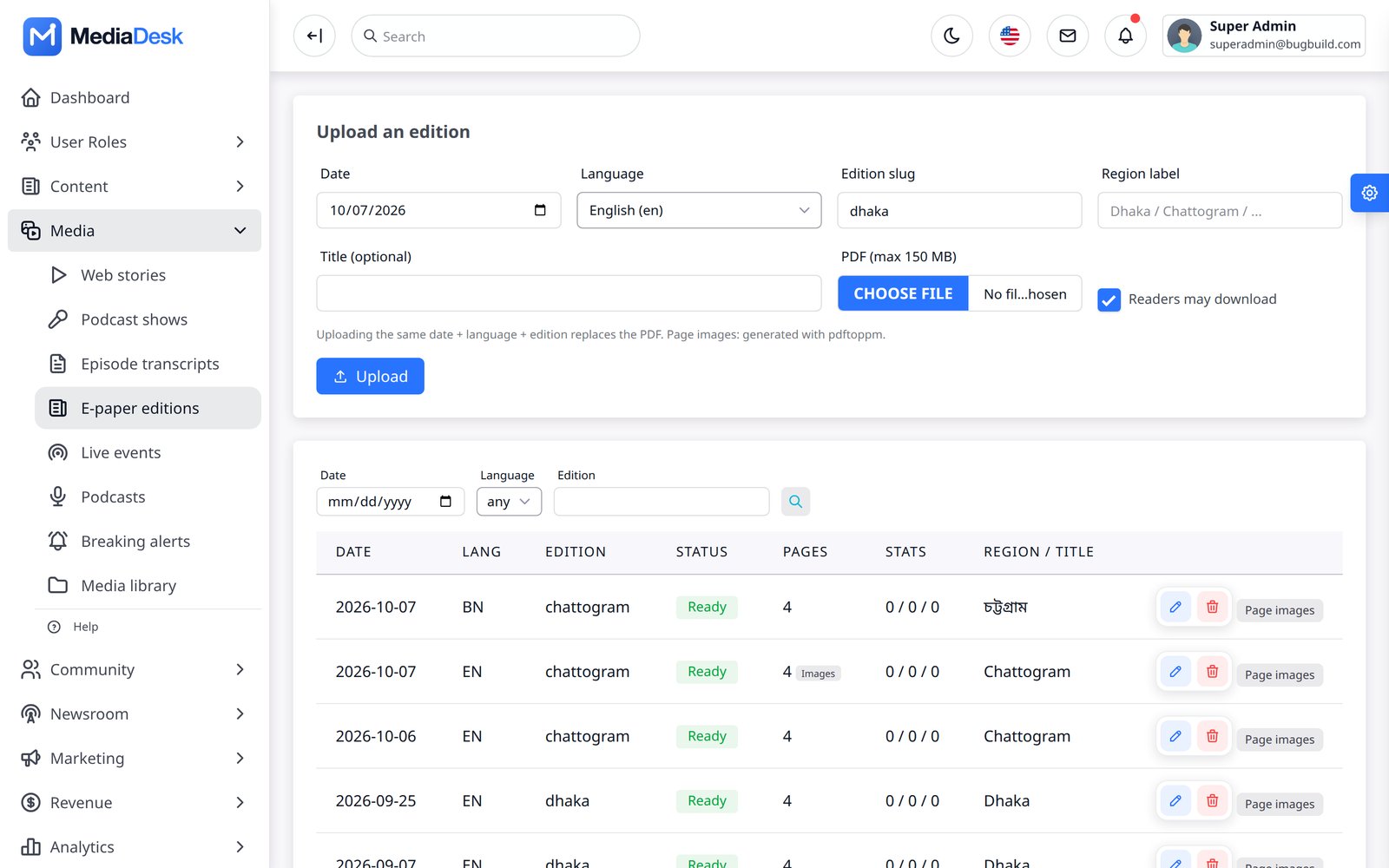
Needs Google Chrome or Chromium on the server. See Common Setup → Headless Chrome.
Analytics
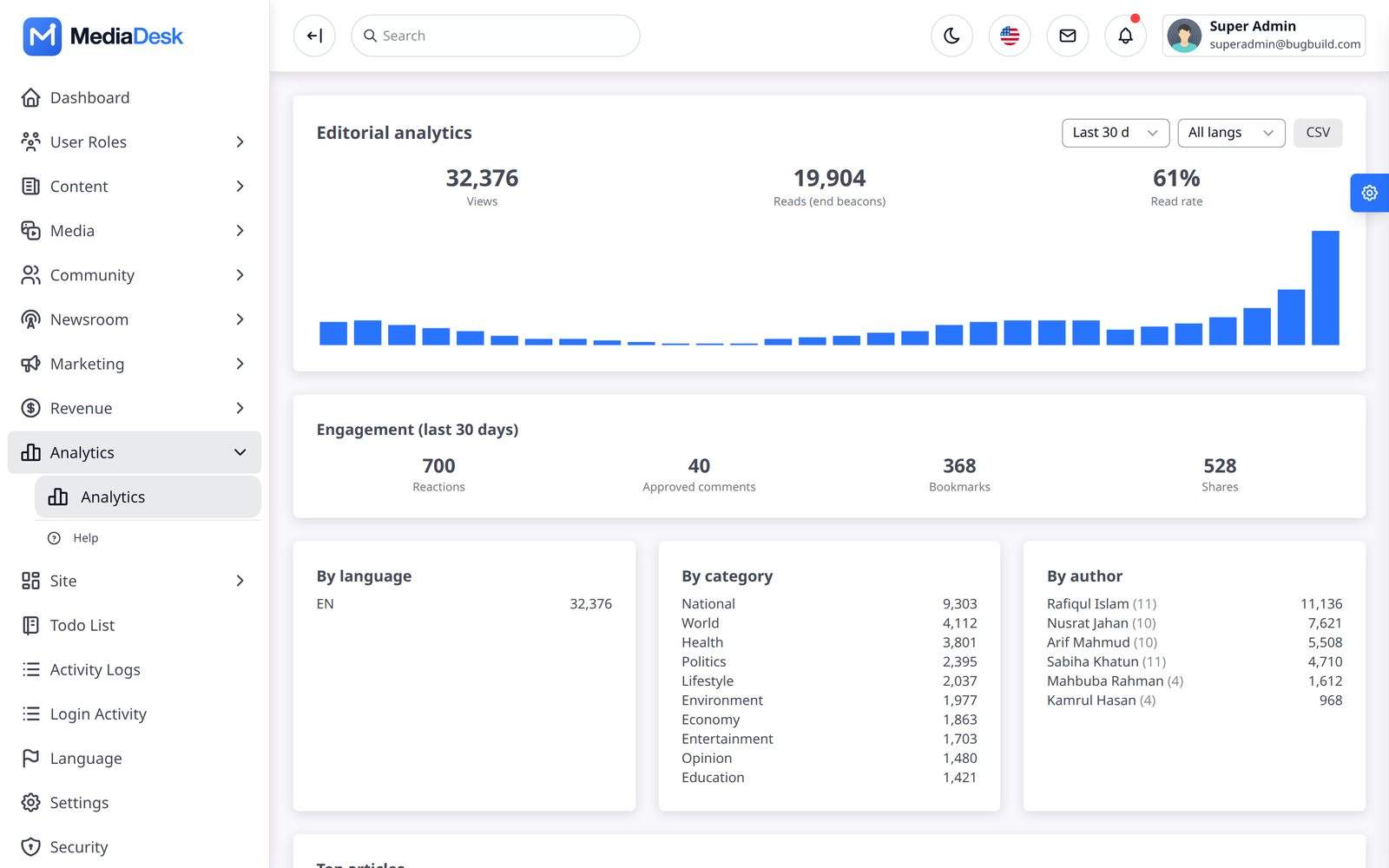
Analytics reports editorial performance: views, reads and read-through over a range, daily bars, engagement (reactions, comments, shares), and breakdowns by language, category and author, with CSV export. Counters are buffered in cache and flushed every minute by stats:flush; views are human-verified by default. GA4 and Meta Pixel ids are optional extras in Settings → Public site and load only after consent.
SEO & Sitemaps
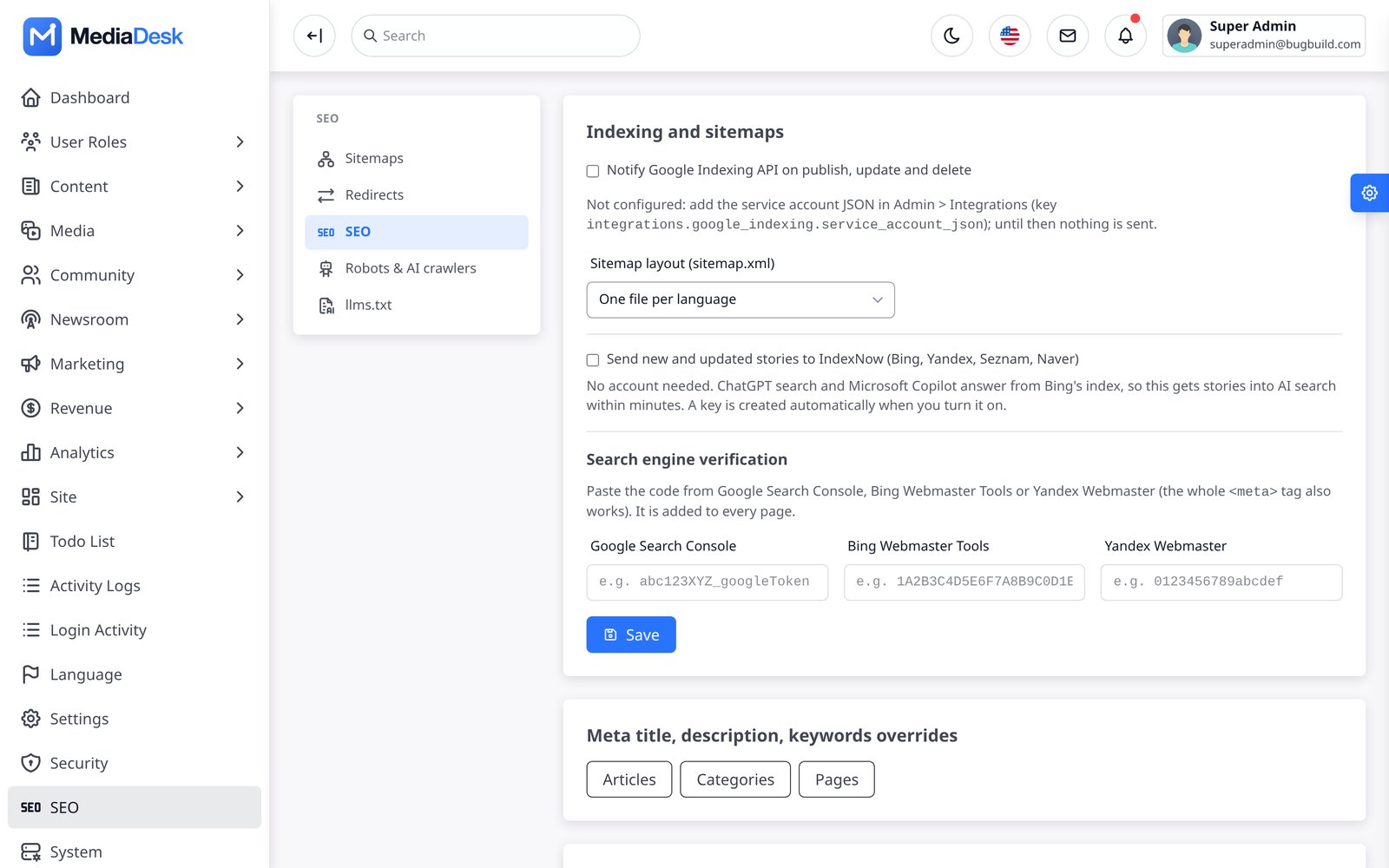
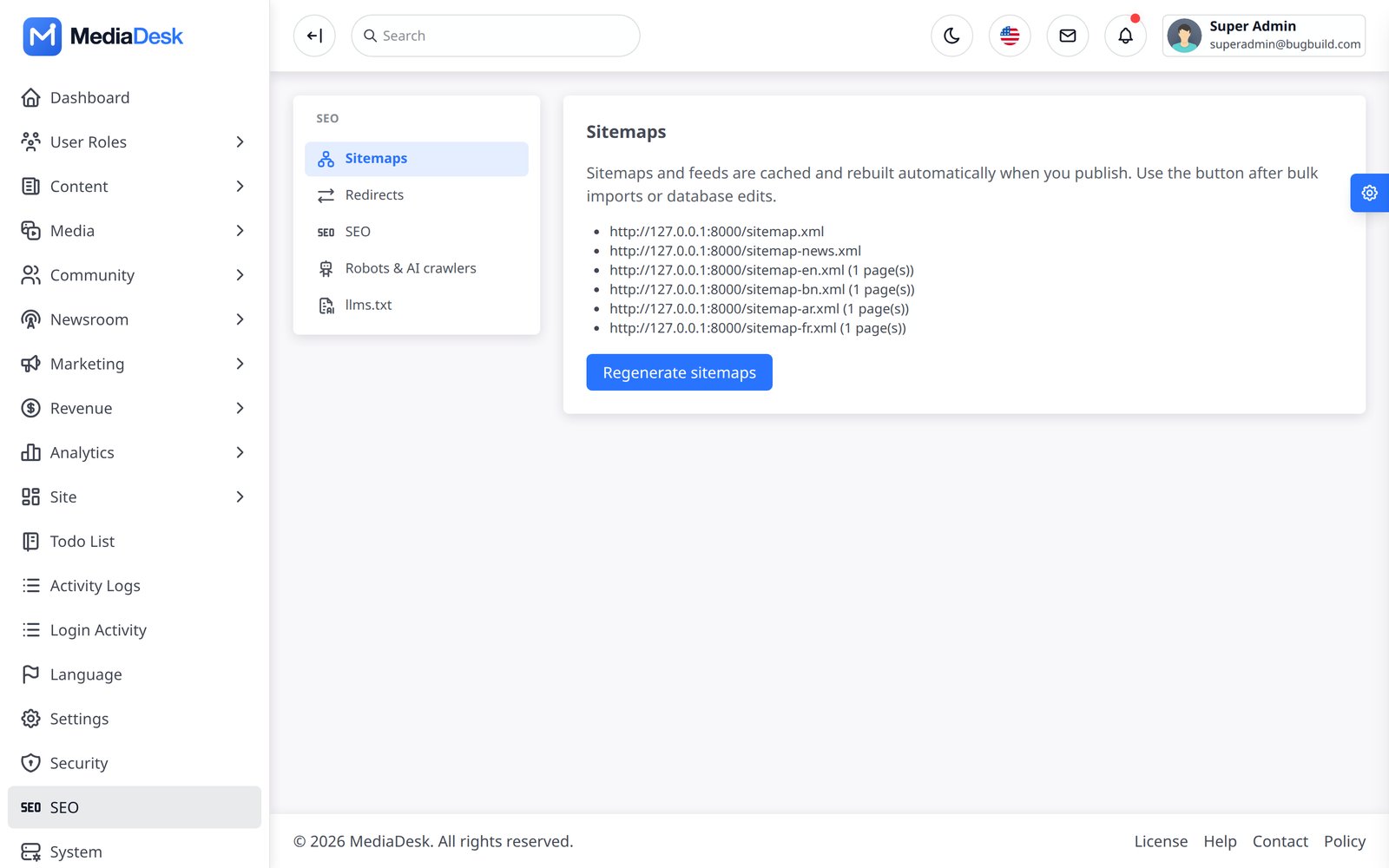
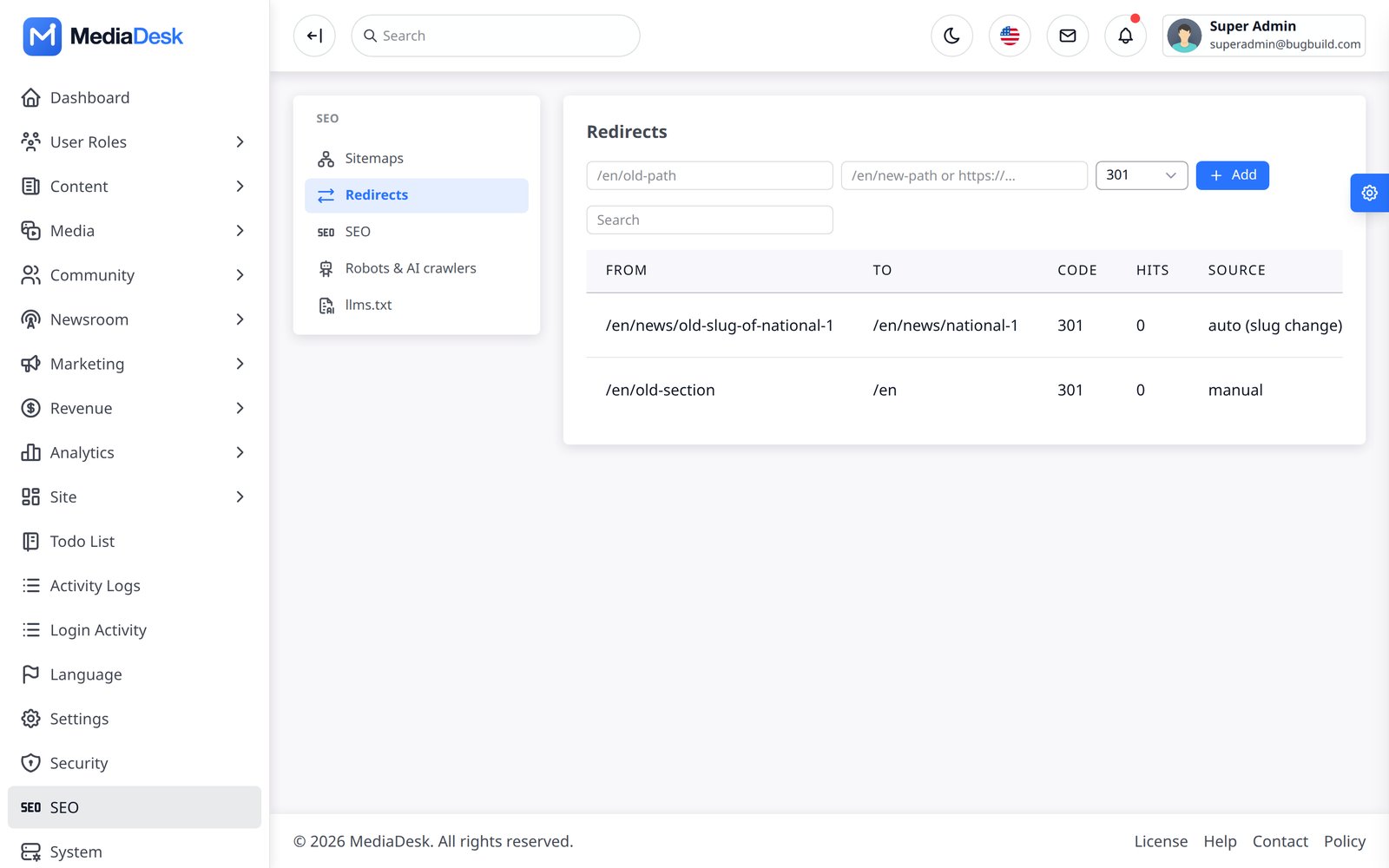
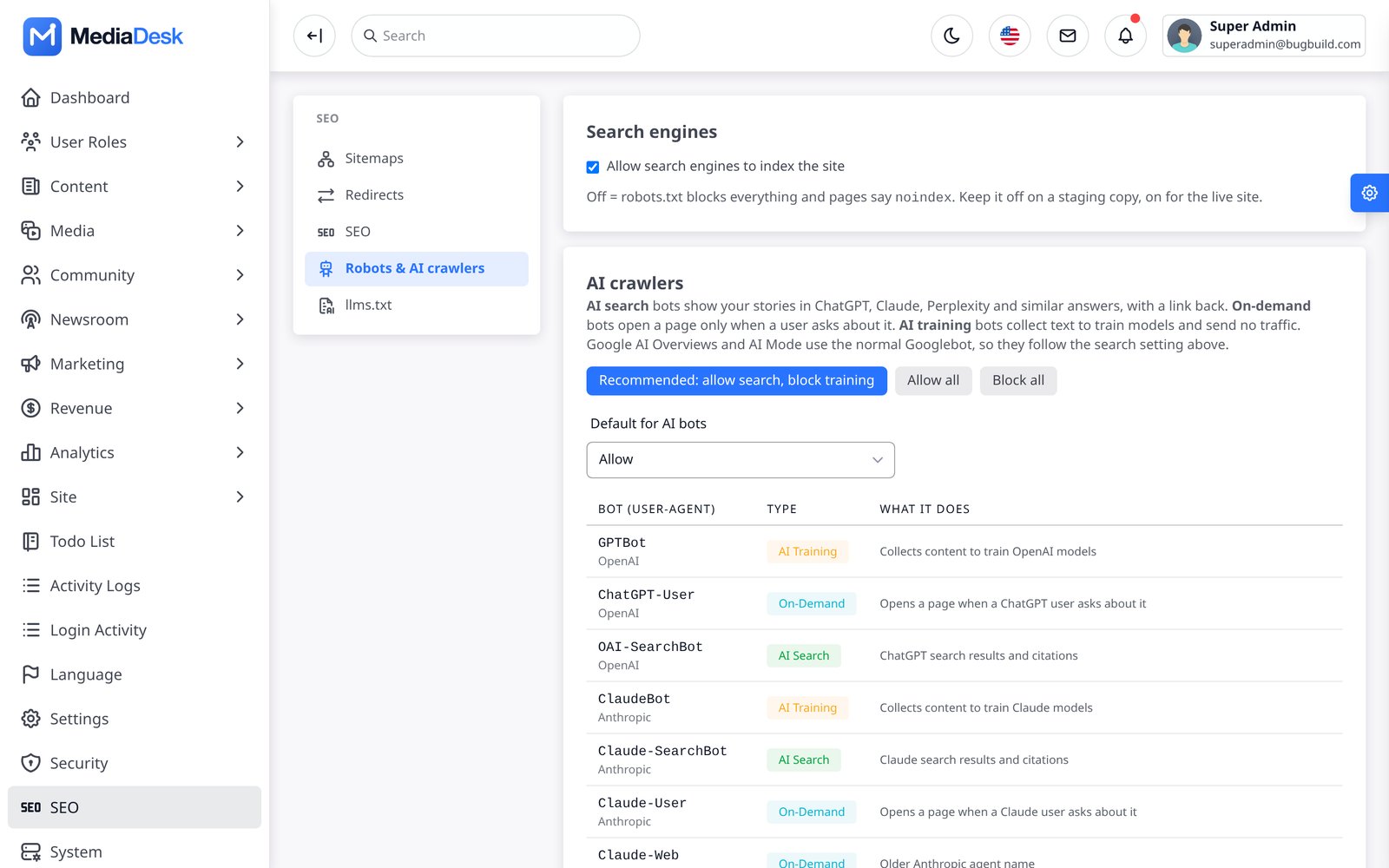
SEO (/admin/seo): indexing and sitemap layout (flat or segmented by month/category/page/author), optional Google Indexing API pings on publish/update/delete, and per-entity overrides (meta title, description, keywords, noindex, FAQ) for articles, categories and pages in each language. Tools → Sitemaps regenerates sitemaps and feeds. Redirects manages 301/302 rules (auto-created when a slug changes). SEO → Robots & AI crawlers sets whether the site is indexable, a default allow/disallow for AI crawlers (GPTBot, ClaudeBot, Google-Extended and others) with a per-bot override, extra Allow:/Disallow: lines, and shows a live preview of robots.txt. SEO → llms.txt sets how many latest and popular stories are listed and an intro text per language. Before anything is saved there, SEO_AI_CRAWLERS=allow|disallow is the default.
Home Layout & Navigation
Appearance → Home layout is a block builder: order, show/hide and edit the home blocks (lead story, live TV, featured tiles, weather & markets widgets, region strips, header ad slot, latest, editor’s picks, most read, e-paper banner, category blocks). Navigation builds the header, “more” dropdown, footer and bottom menus with per-language labels and mega-menus.
Navigation → Mobile bottom tabs controls the bottom bar of the mobile website and the mobile app from one list; the first five active items are shown. Home, Shorts, Live, E-paper and Search stay inside the app’s tab bar. Categories, pages and other sections open as a new screen, and other links open in the browser. Add a More item to open the mobile menu on the website and the More screen in the app. Changes to the app bar need an app built from this version.
Site → Visual theme sets the public site colours (background, surface, text, muted text, lines), corner radius, content width, spacing, density and the header and footer variants. Save a draft, open the preview, then publish; readers see nothing until you publish.
Fonts, Widgets, Phrases
- Fonts — upload woff2/woff/ttf families and assign one per language, plus base size and scale (so Bangla and Arabic read well).
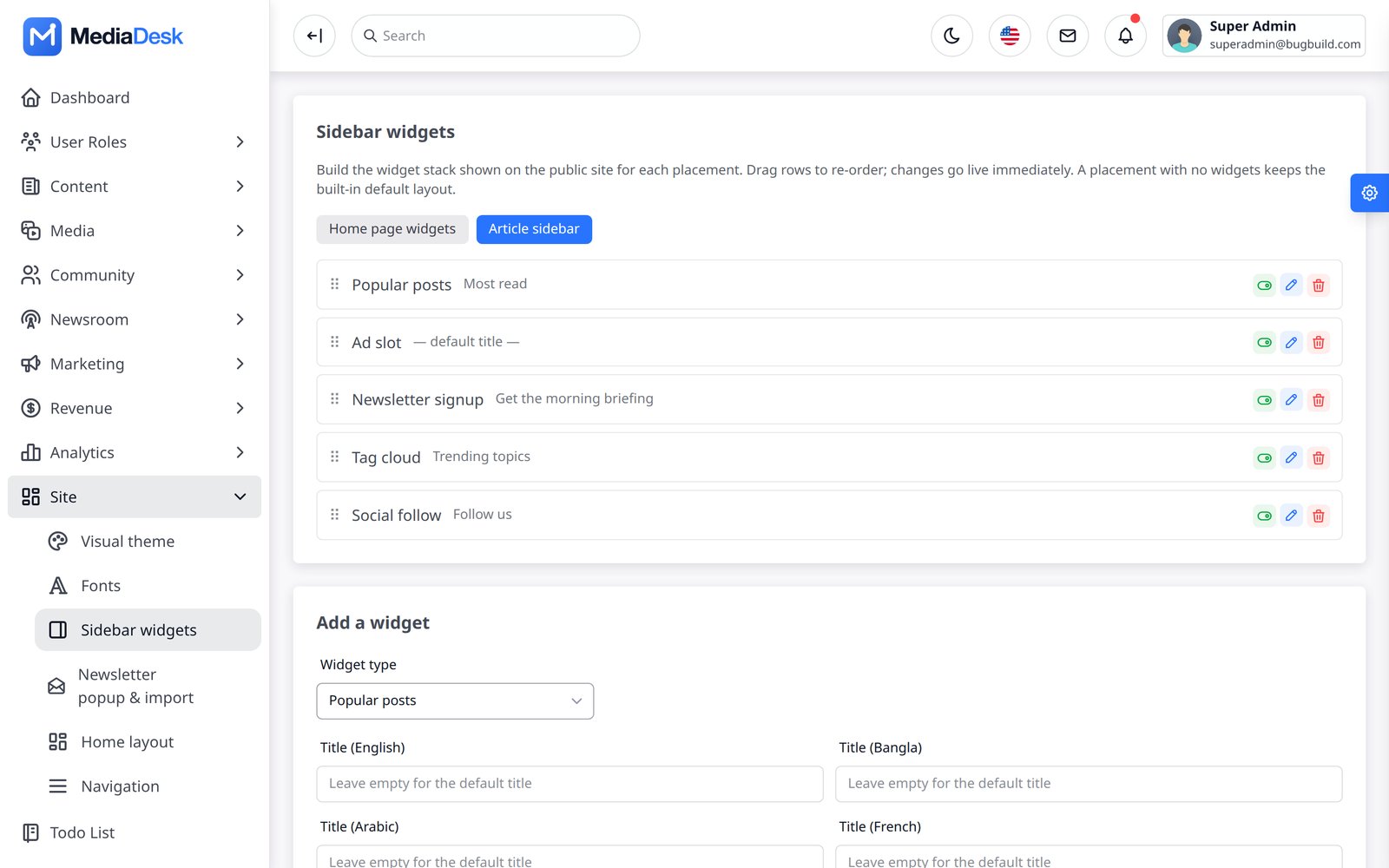
- Sidebar widgets — build the widget stack for the home page and the article sidebar: popular posts, latest posts, tags, a poll, newsletter sign-up, an ad, social links or custom HTML (scripts are removed on save). Titles per language; drag rows to re-order. A placement with no widgets keeps the built-in layout.
- Site phrases (
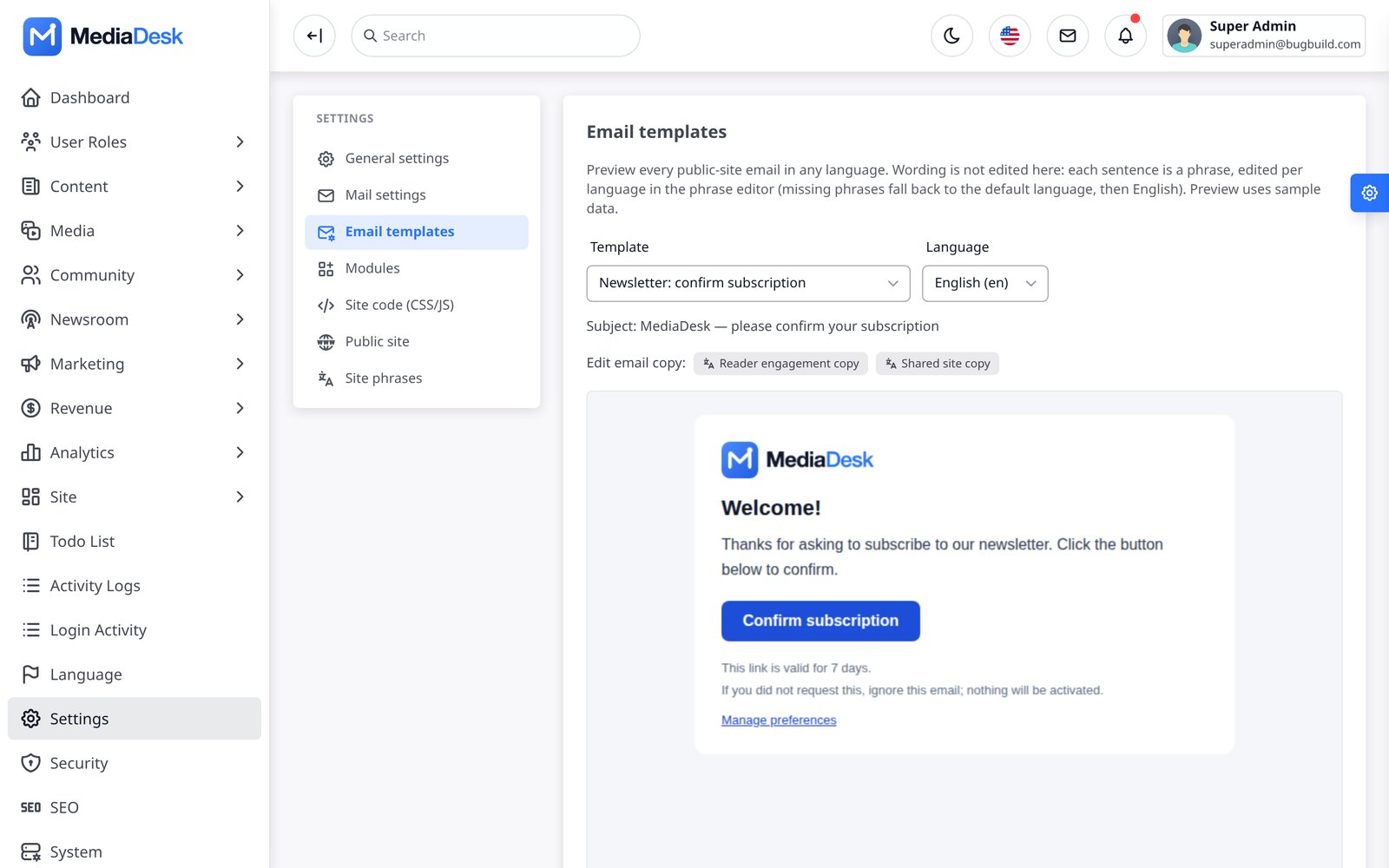
/admin/phrases) — edit every interface string per language (public site, mobile app, admin panel), with completeness bars and JSON import/export. - Email templates — preview transactional mails in any language.
Health, System, Webhooks
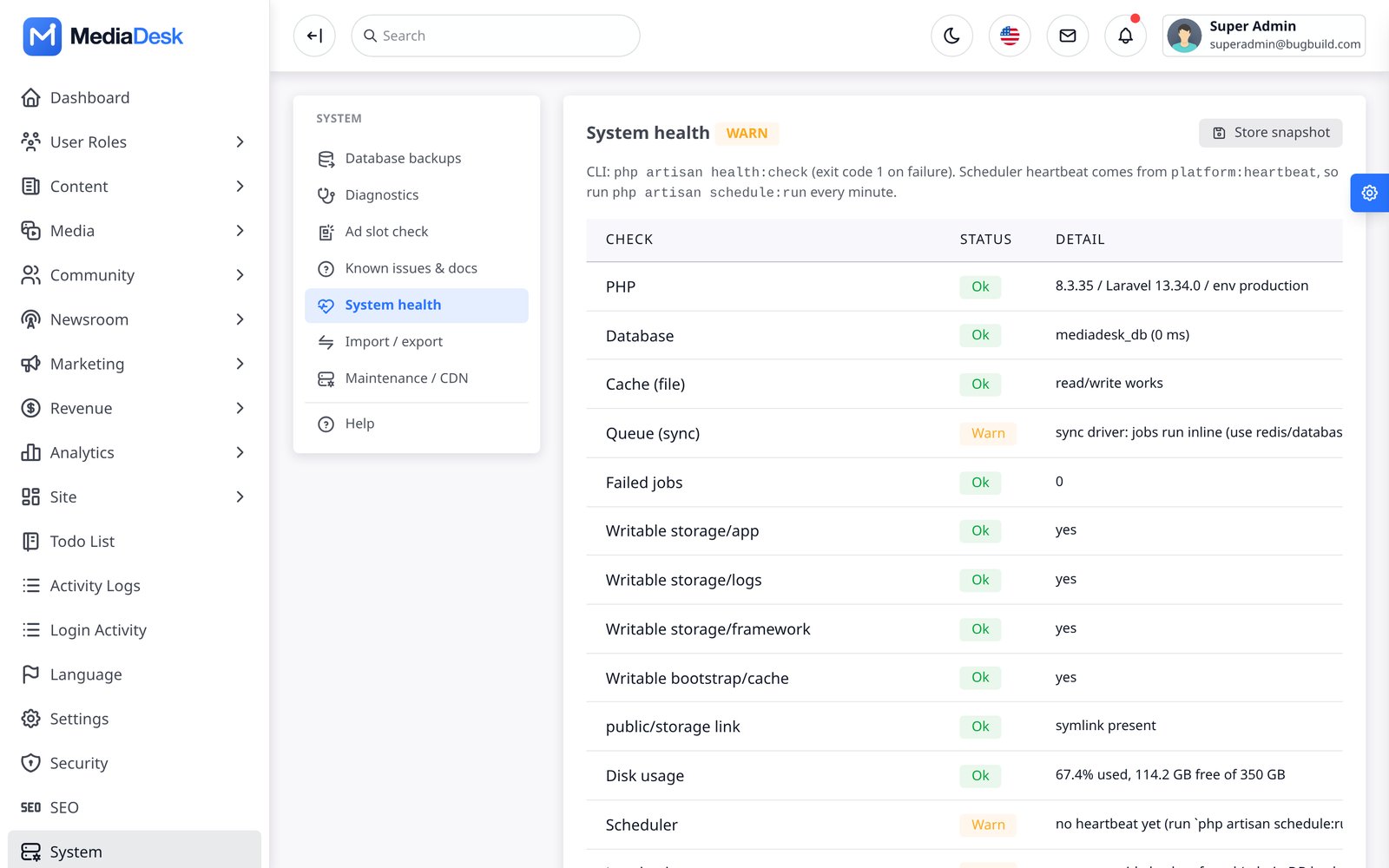
- System health (
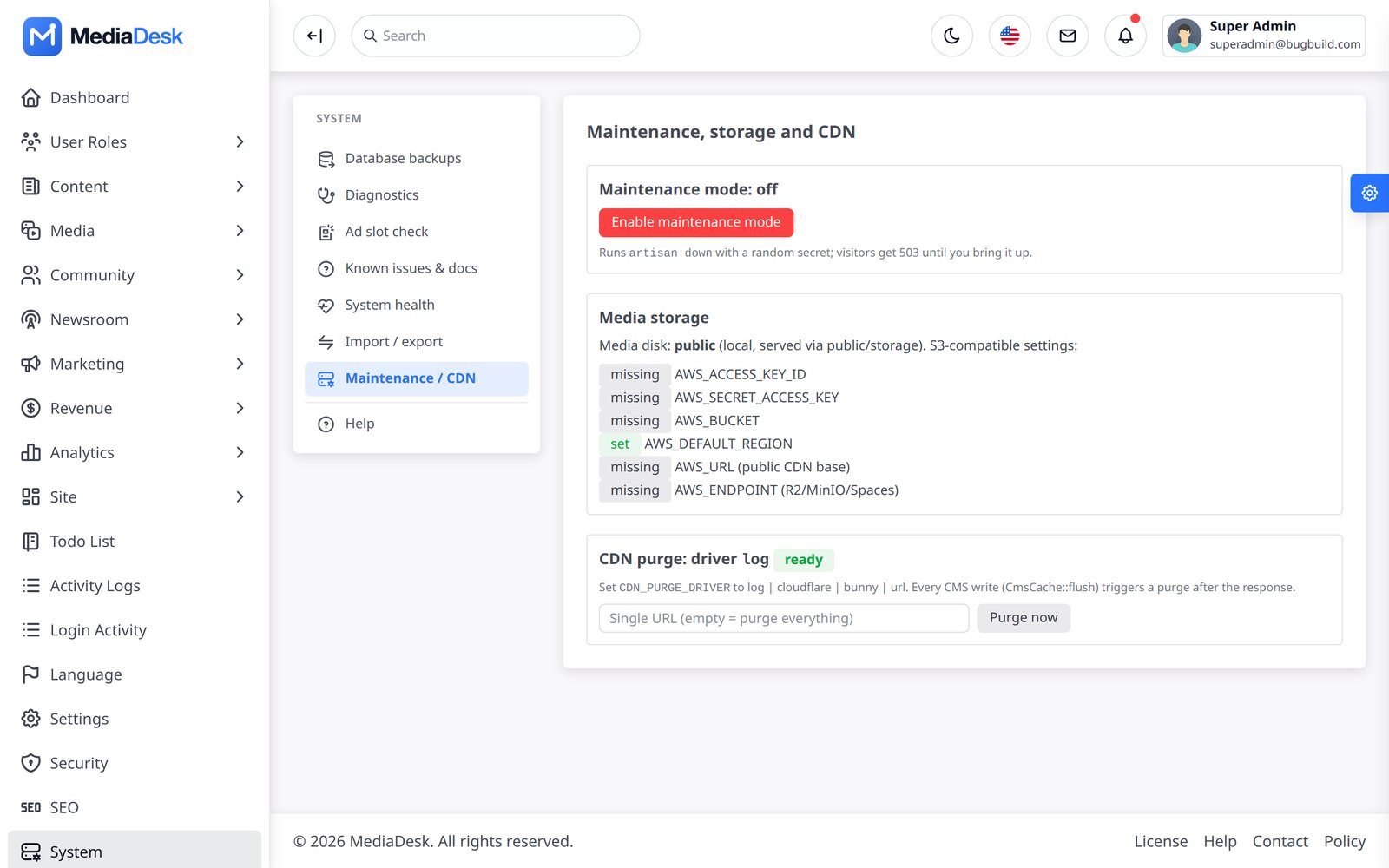
/admin/platform/health) — PHP, database, cache, queue, failed jobs, writable folders,public/storagelink, disk usage, scheduler heartbeat, payment keys and renewal freshness. CLI:php artisan health:check. - System — maintenance mode (admins keep access), media storage disk status, CDN purge (Cloudflare, Bunny or generic URL).
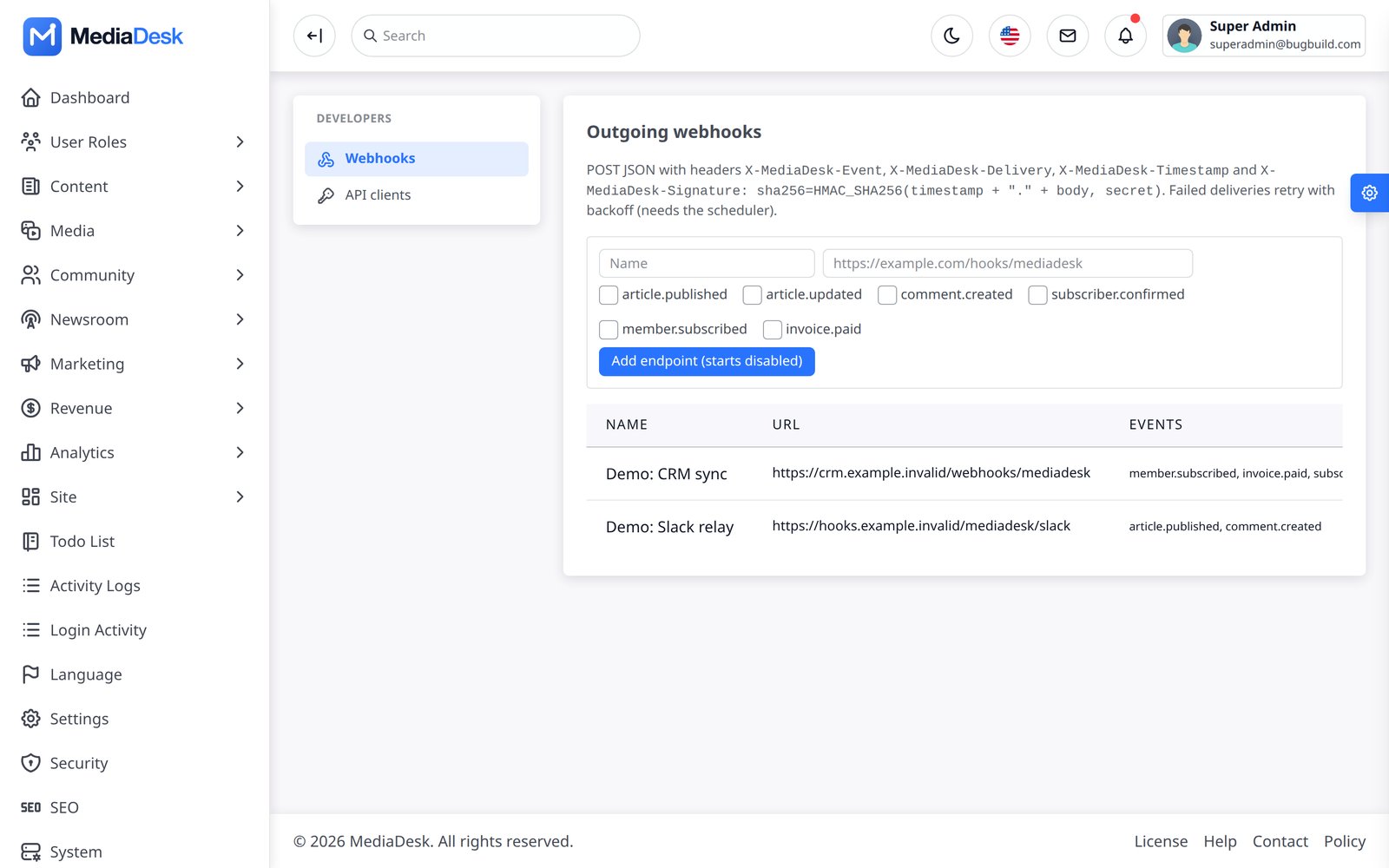
- Webhooks — outgoing signed webhooks (article published/updated, comment created, subscriber confirmed, member subscribed, invoice paid) with retry and delivery log (
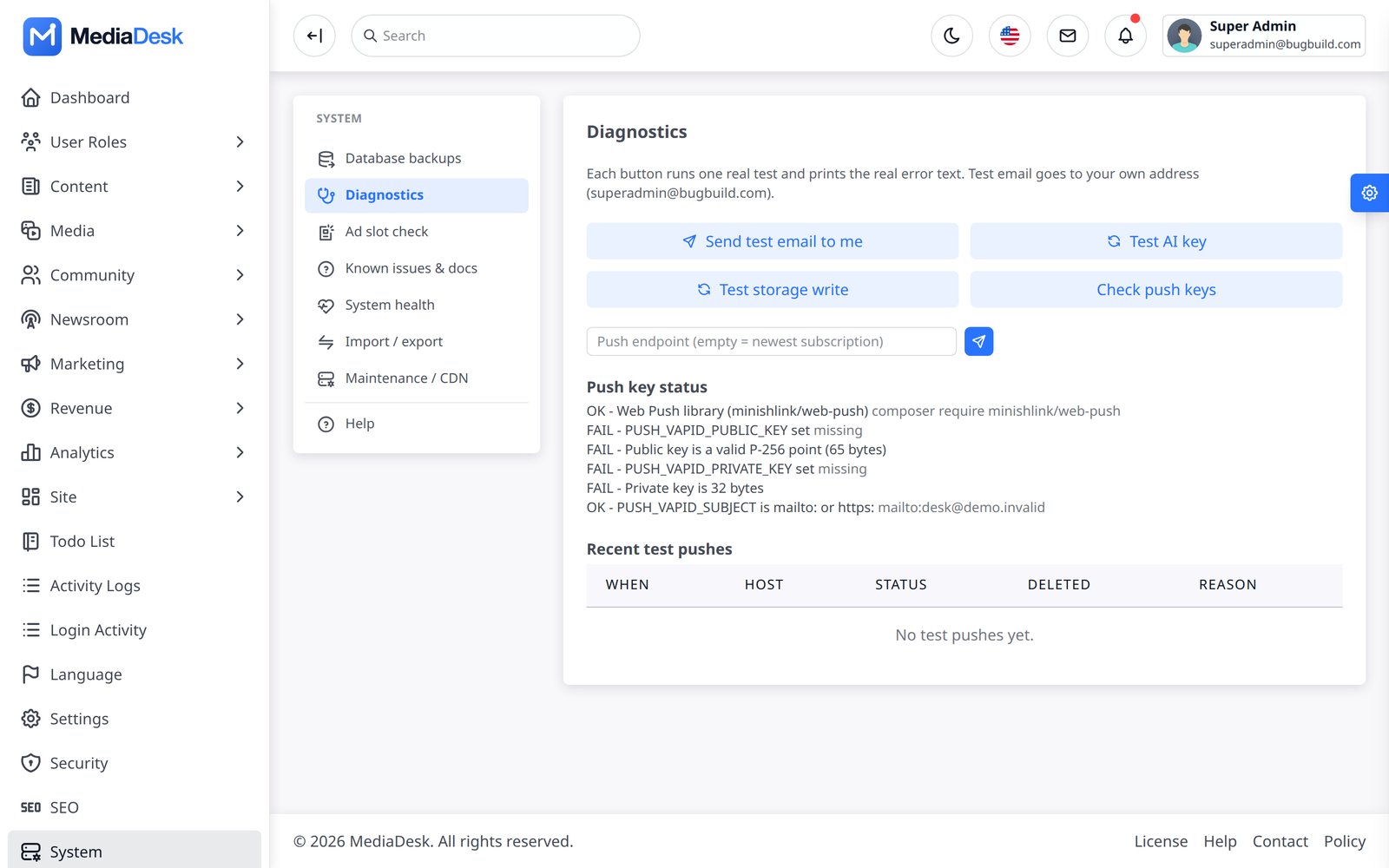
platform:webhooks-retry). Each request carriesX-MediaDesk-Signature: sha256=HMAC_SHA256(timestamp + "." + body, secret). New endpoints start disabled; private and local addresses are blocked. Deliveries are sent by the queue, so run a queue worker in production, and the scheduler for retries.article.publishedis sent when an article is saved as published; a story scheduled for later does not send it when its time arrives. - Tools → Diagnostics — test e-mail, AI key, storage write and a test push.
- Known issues & docs (
/admin/tools/help) — lists any Markdown pages you keep in adocs/folder of the project (for example your own internal notes). The package does not include such pages: this HTML documentation is the complete guide, and the API specification isdocumentation/openapi.yaml.
Security & Protection
- Two-factor authentication (TOTP app) with an option to require it for chosen roles; active sessions list.
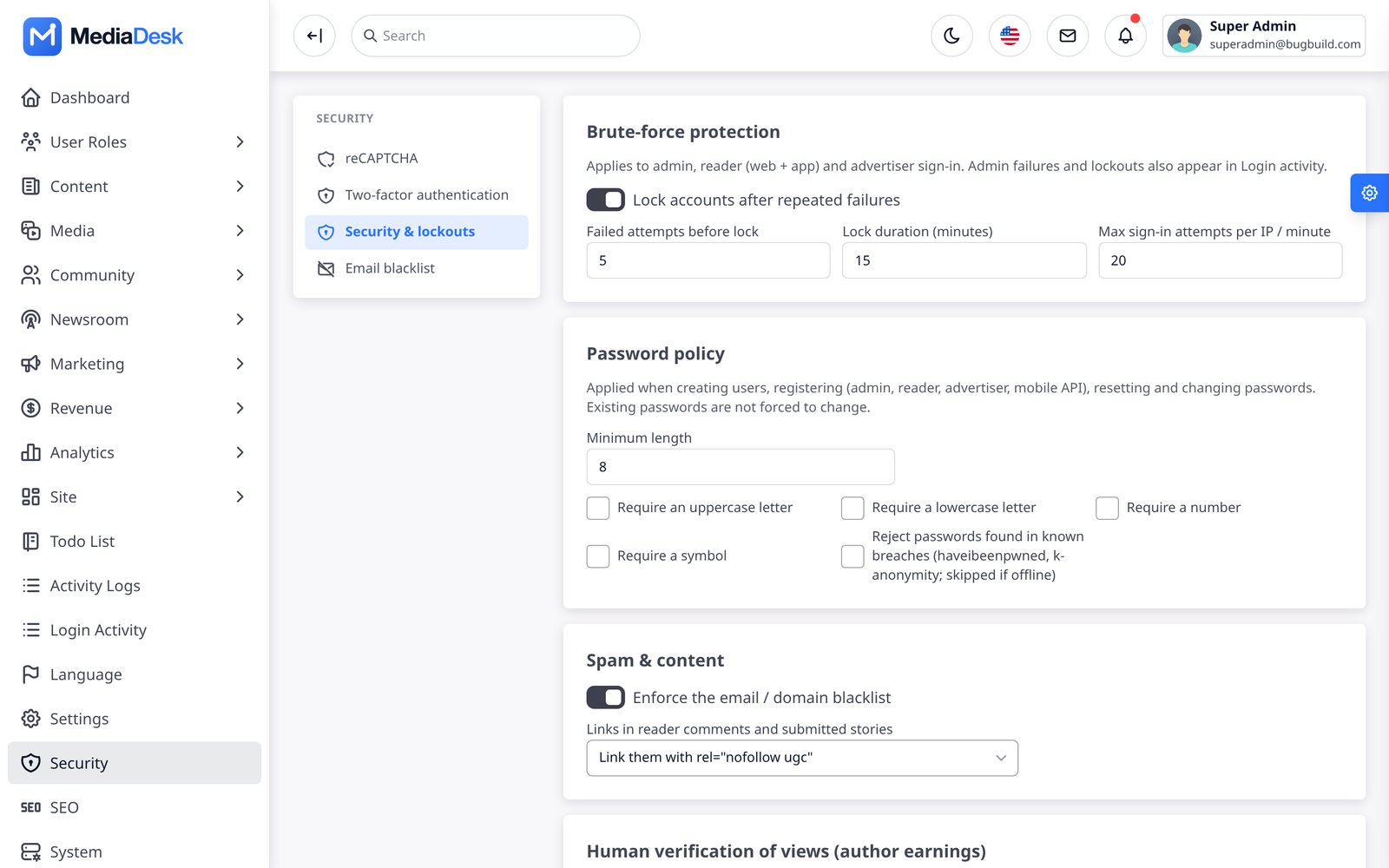
- Protection → Security & lockouts — account lockout after failed sign-ins (default 5 attempts / 15 minutes), per-IP sign-in limit, password policy (length, character classes, breached-password check), comment link policy, human verification of views.
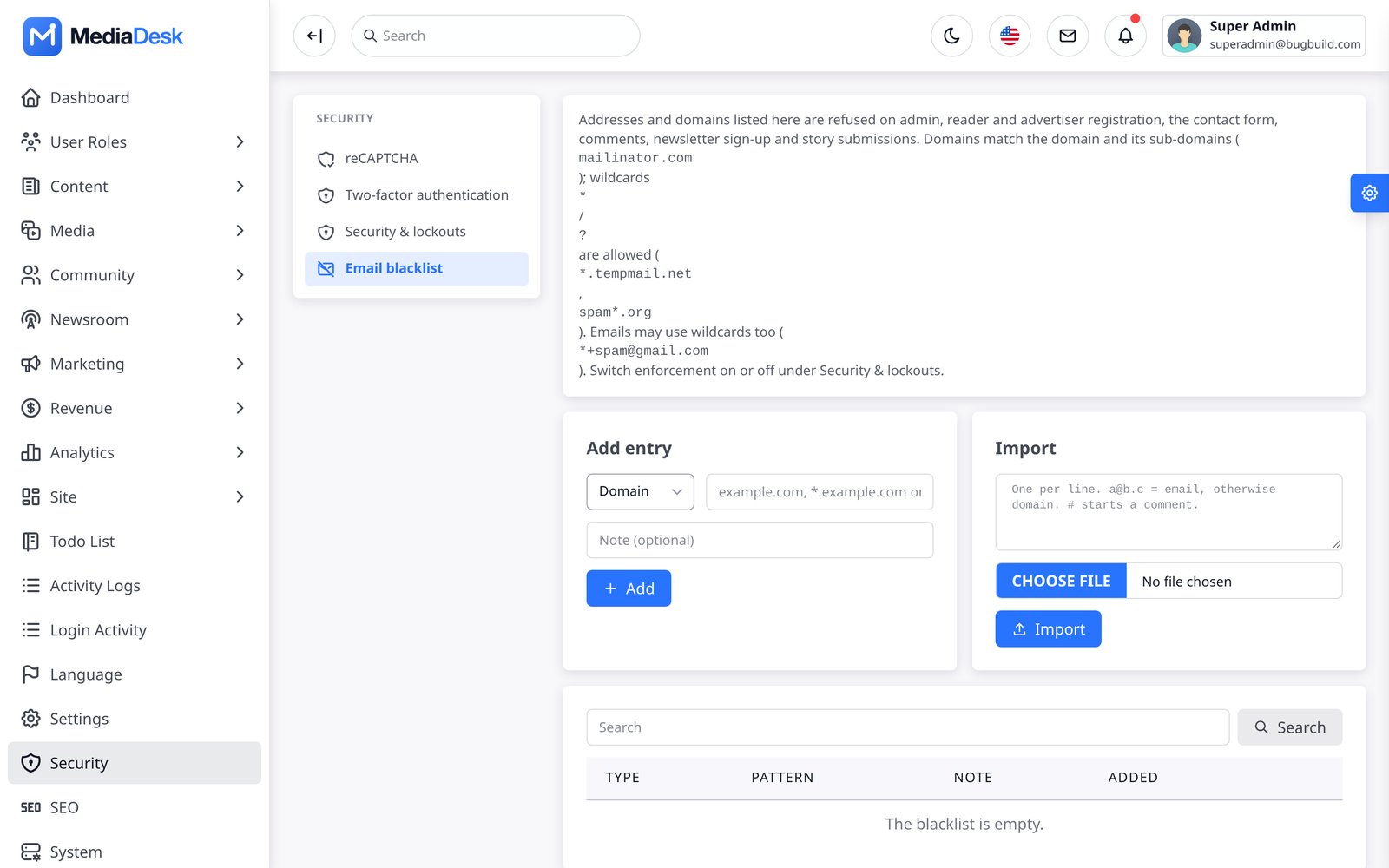
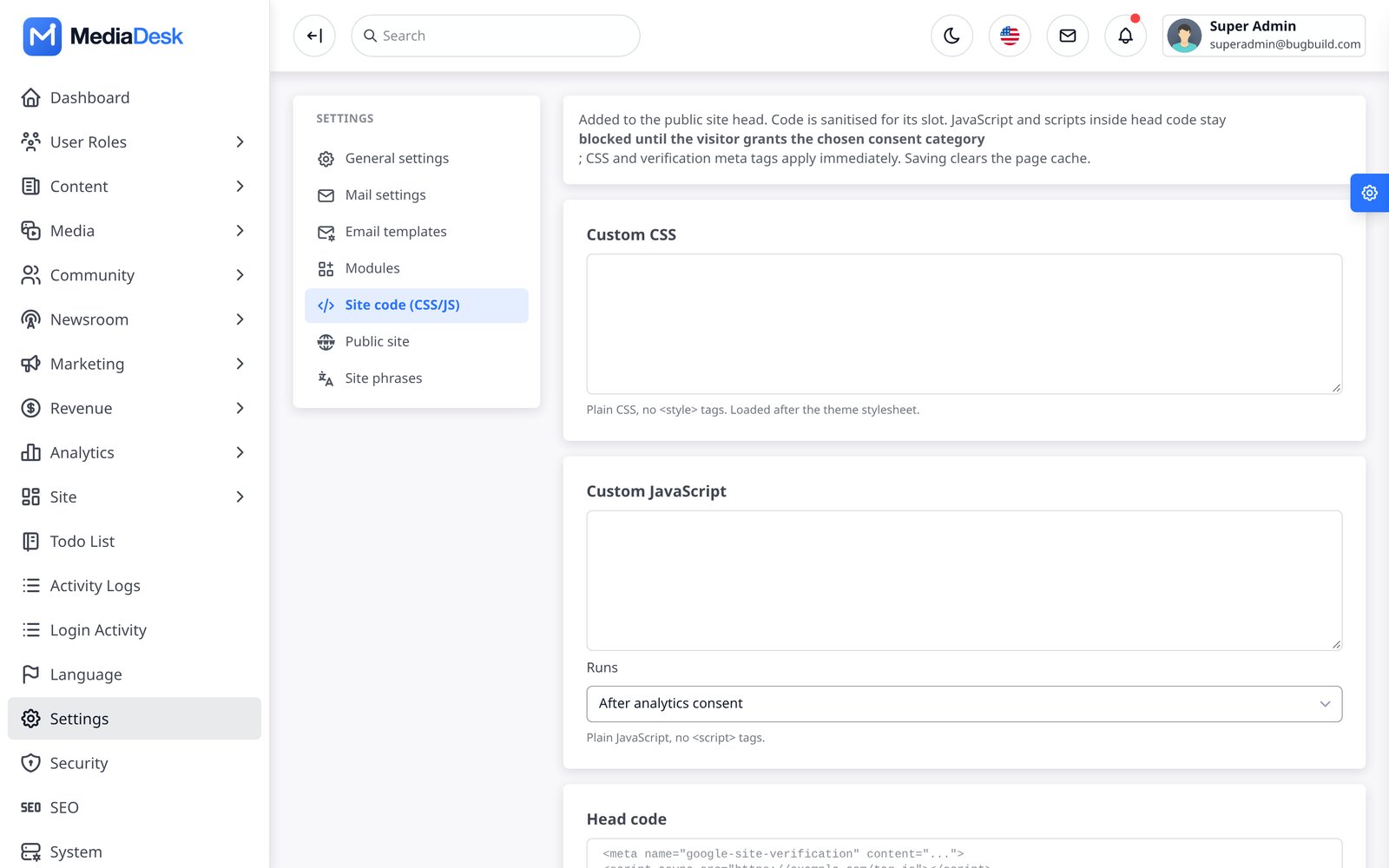
- Email blacklist (emails/domains with wildcards) and Site code (custom CSS/JS/head code, consent-gated).
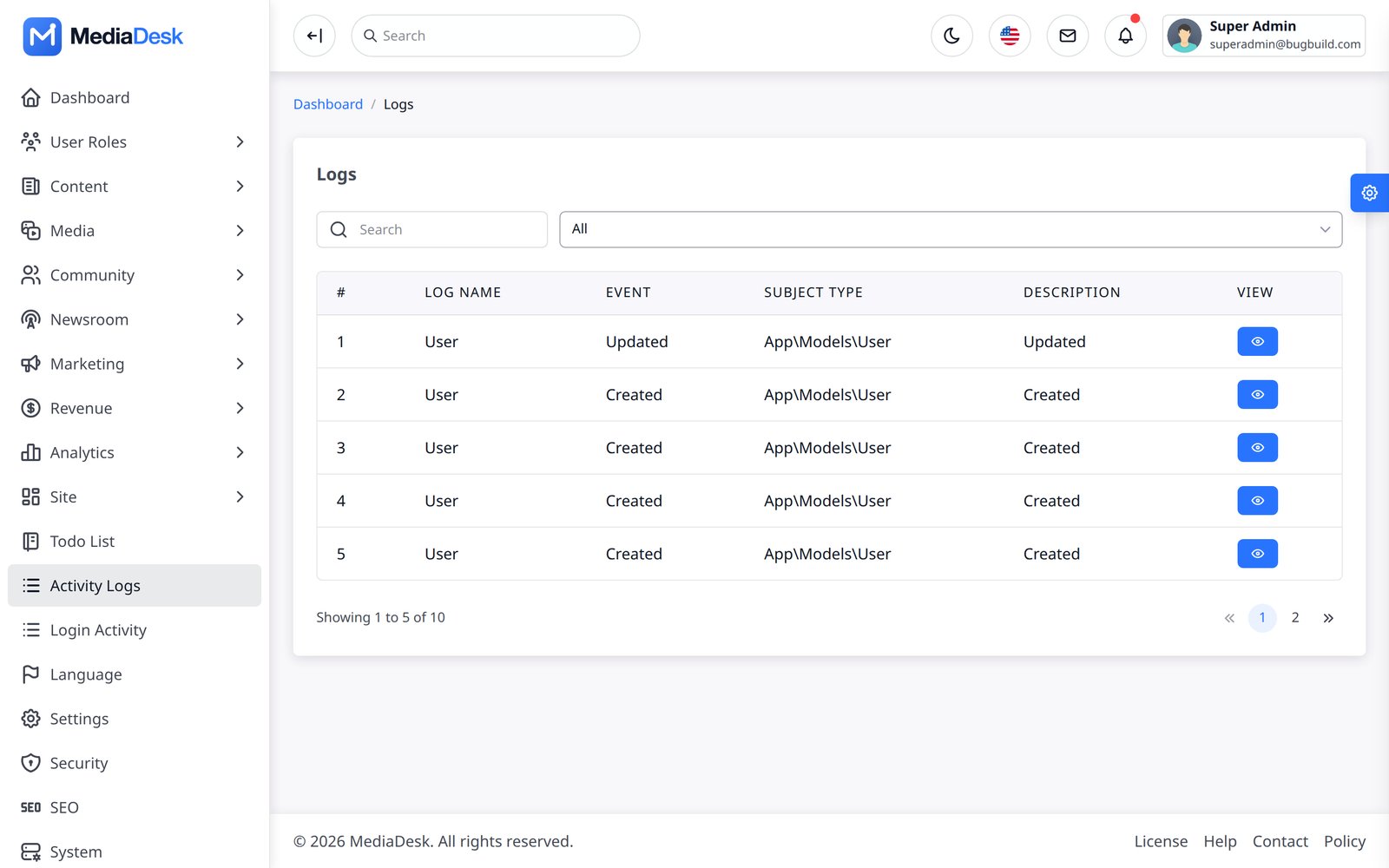
- Activity log and Login activity record admin actions and sign-ins; geo-restriction and reCAPTCHA / Turnstile (Integrations → Captcha) protect forms.
REST API & API Clients
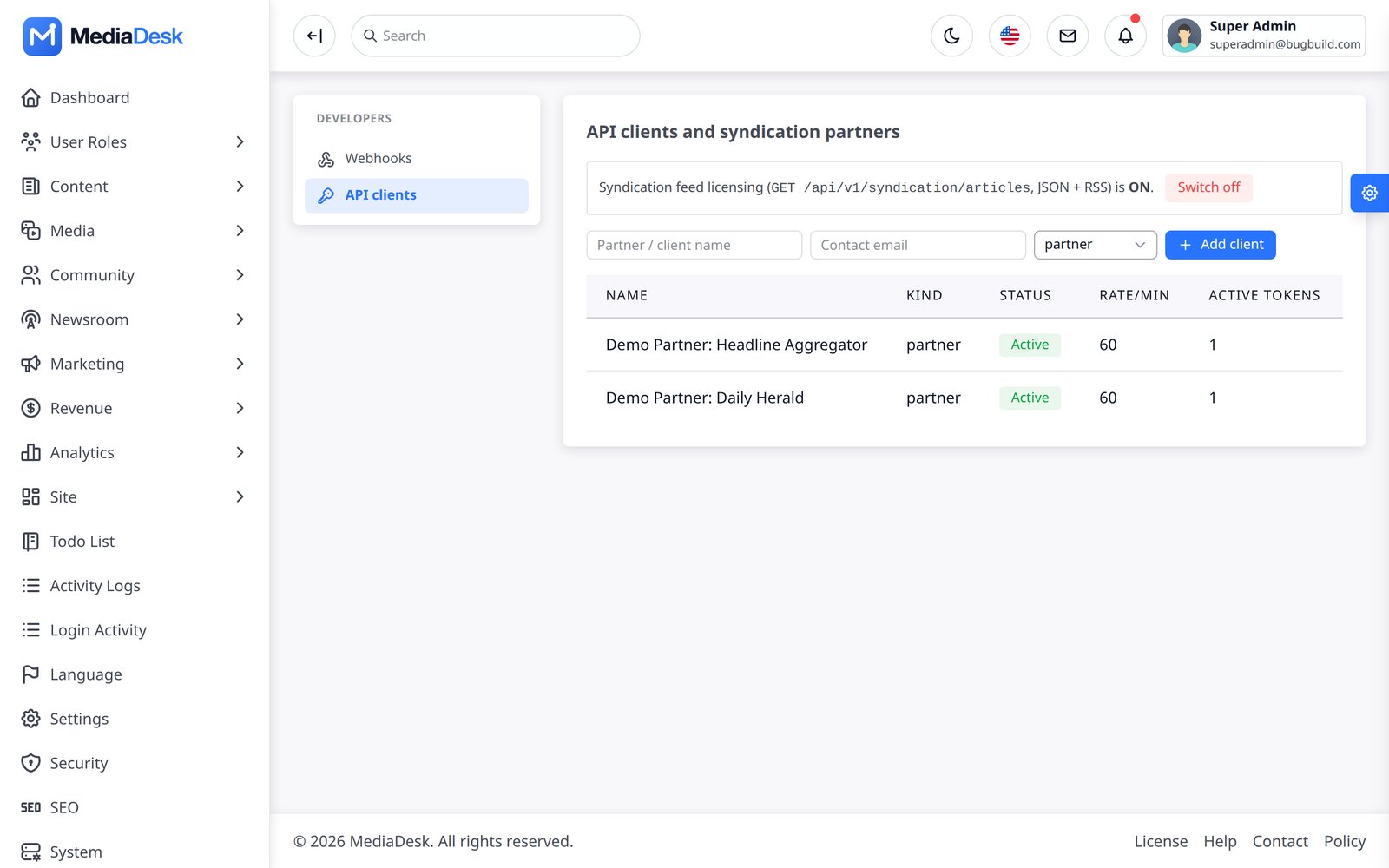
The public JSON API lives under /api/v1 (read-only, cacheable, 120 requests/minute/IP; OpenAPI spec in openapi.yaml beside this guide). Reader endpoints (login, register, /me, devices, subscription, comment edit/delete) use Laravel Sanctum bearer tokens (180-day expiry). Platform → API clients issues partner tokens: a syndication feed partner can read articles, and a client with the write-articles scope can POST /api/v1/articles — the article always lands in review and is never auto-published. Image URLs are downloaded through an SSRF guard (max 8 MB, JPEG/PNG/WebP).
curl https://your-domain.com/api/v1/languages
curl https://your-domain.com/api/v1/en/home
Import, Export, Backup
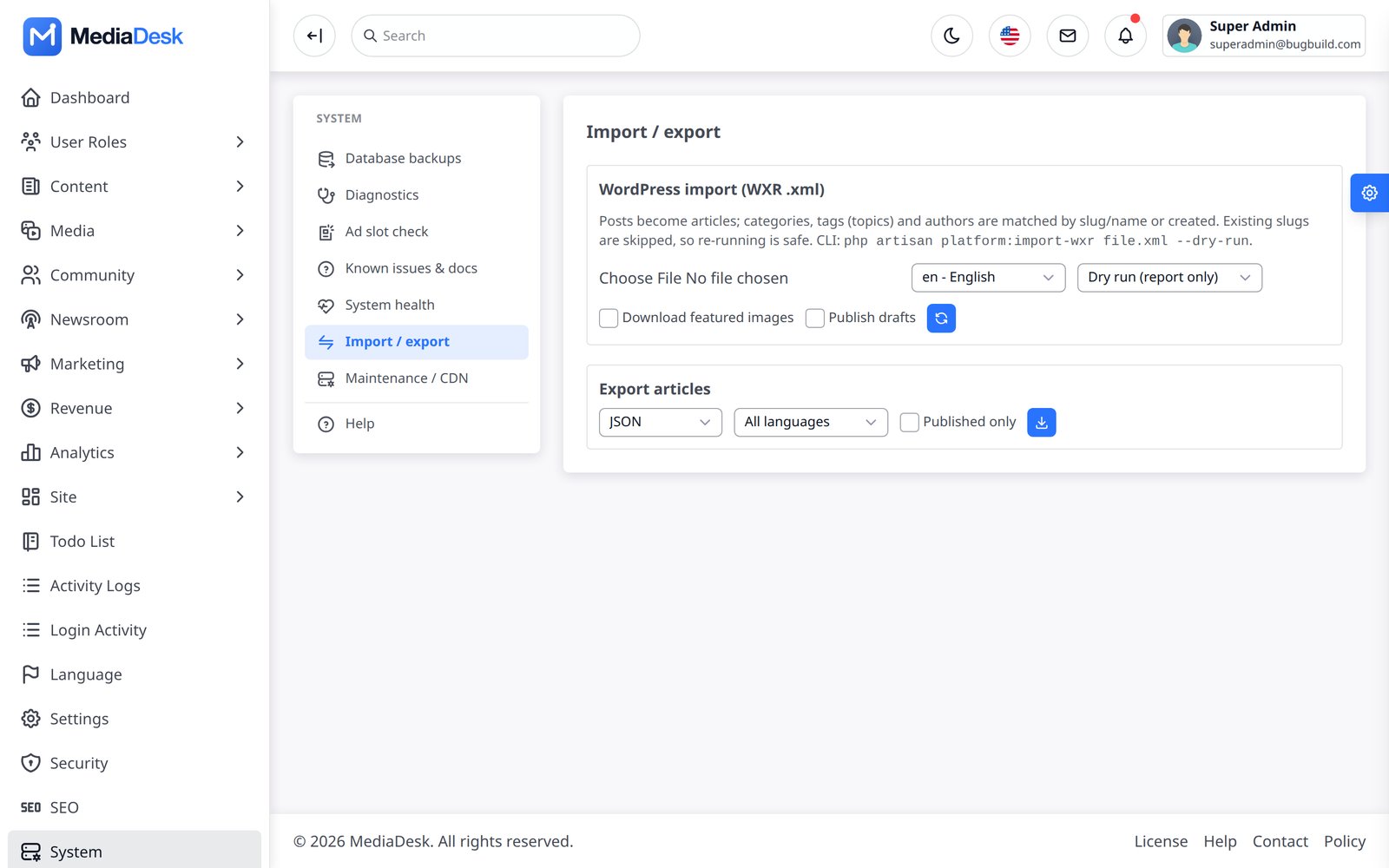
- Platform → Data — import a WordPress WXR file (posts, categories, tags, authors, featured images; dry-run option) and export articles (one row per translation) to JSON or CSV. CLI:
php artisan platform:import-wxr,php artisan platform:export-articles. - System → Operations creates private local SQL backups on demand and every day at 02:30 in the site timezone. It provides retention, download, restore and delete controls. Restore first creates a pre-restore safety backup.
- Optional Google Drive copies are configured under Settings → Integrations → Storage → Google Drive backups. Client Secret and Refresh Token are encrypted in the database; use Test connection before enabling. A Drive failure never removes the local backup.
php artisan media:migrate-disk public s3 --dry-runmoves media between local, S3, R2 and B2.
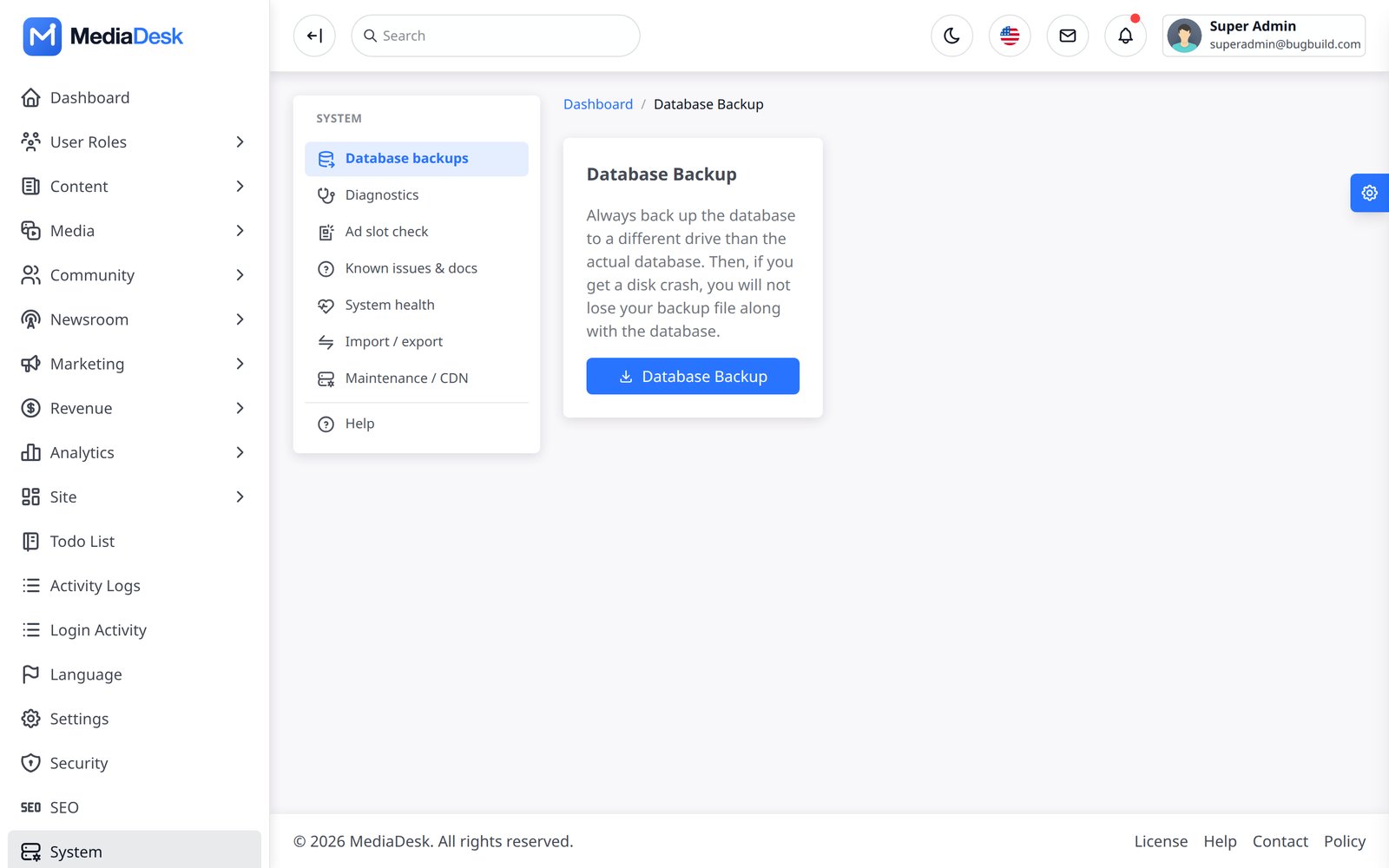
Database backups do not include uploaded media. Continue backing up storage/app/public, .env and any external object-storage bucket separately. Keep the scheduler cron active for automatic backups.
General, Public Site, Mail
- General settings — organisation name, contact, currency, date/time format, light/dark logos, favicon, default social image.
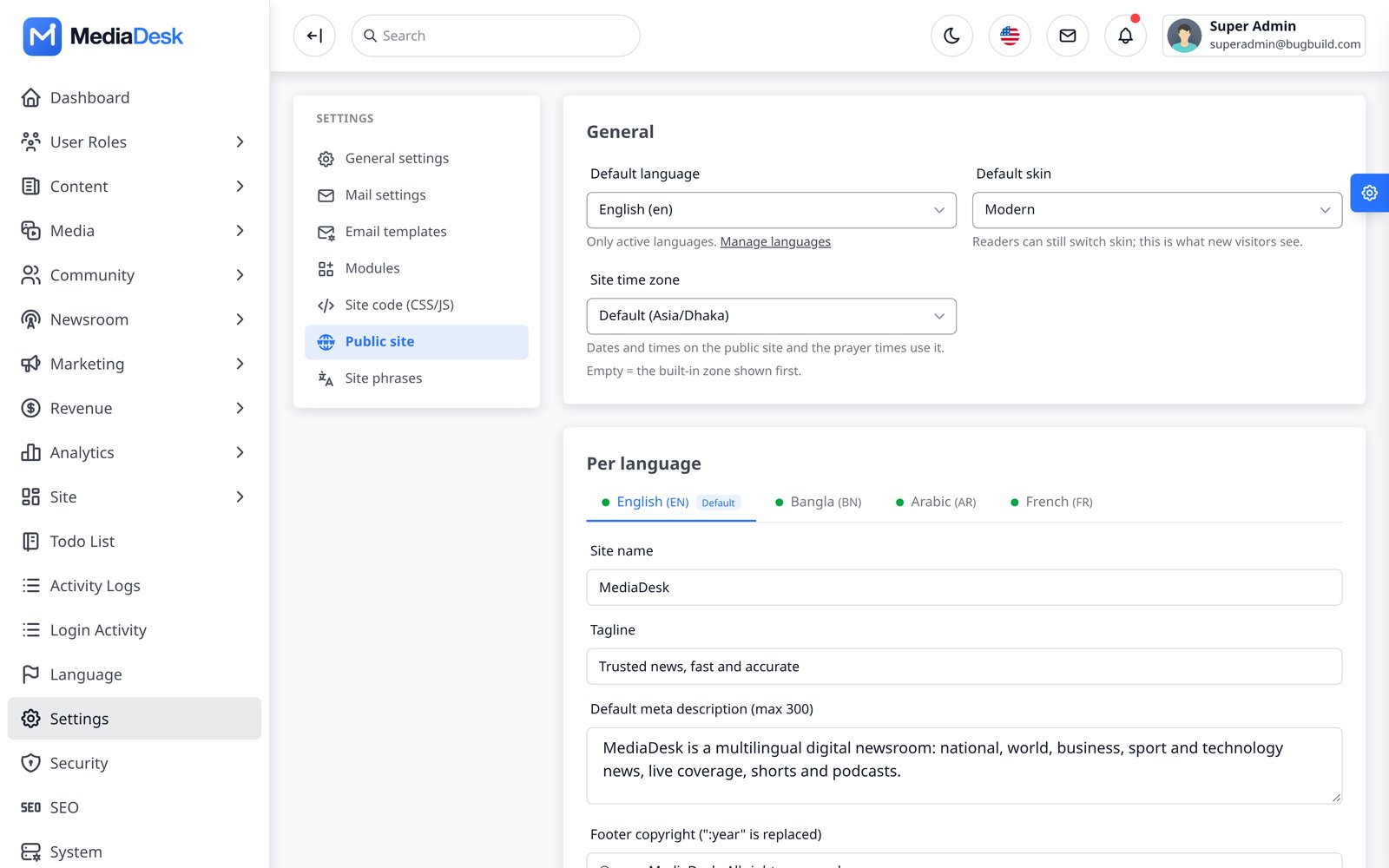
- Public site — default language and skin, per-language site name, tagline, description, footer copyright, address; brand colour, social links, feature flags (comments, newsletter, reactions, push, stories, paywall, e-paper, podcasts, live), AdSense/GA4/Pixel ids.
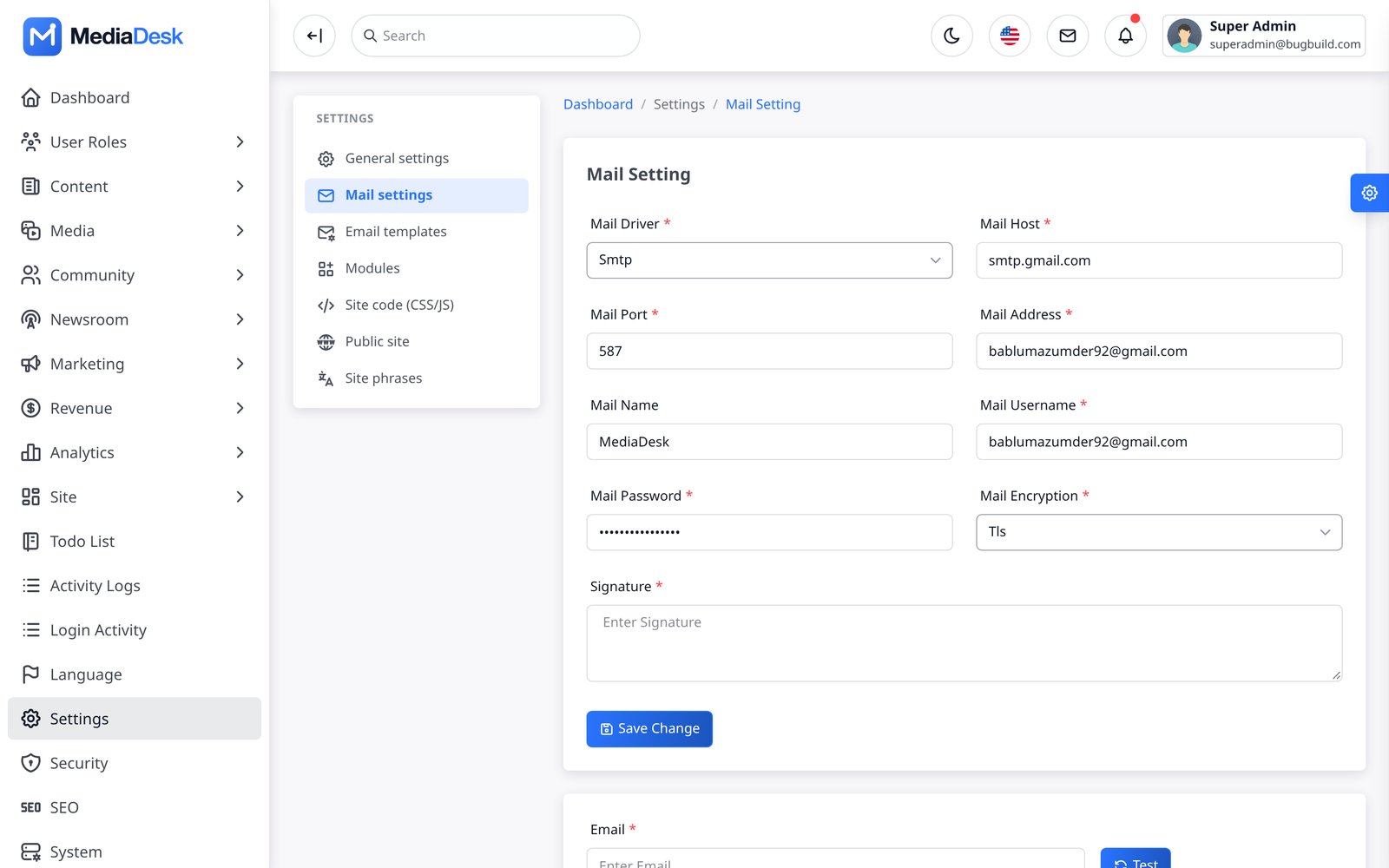
- Mail setting — the SMTP form (the same fields are in Integrations → Mail / SMTP).
- Database backup, reCAPTCHA.
Integrations Hub
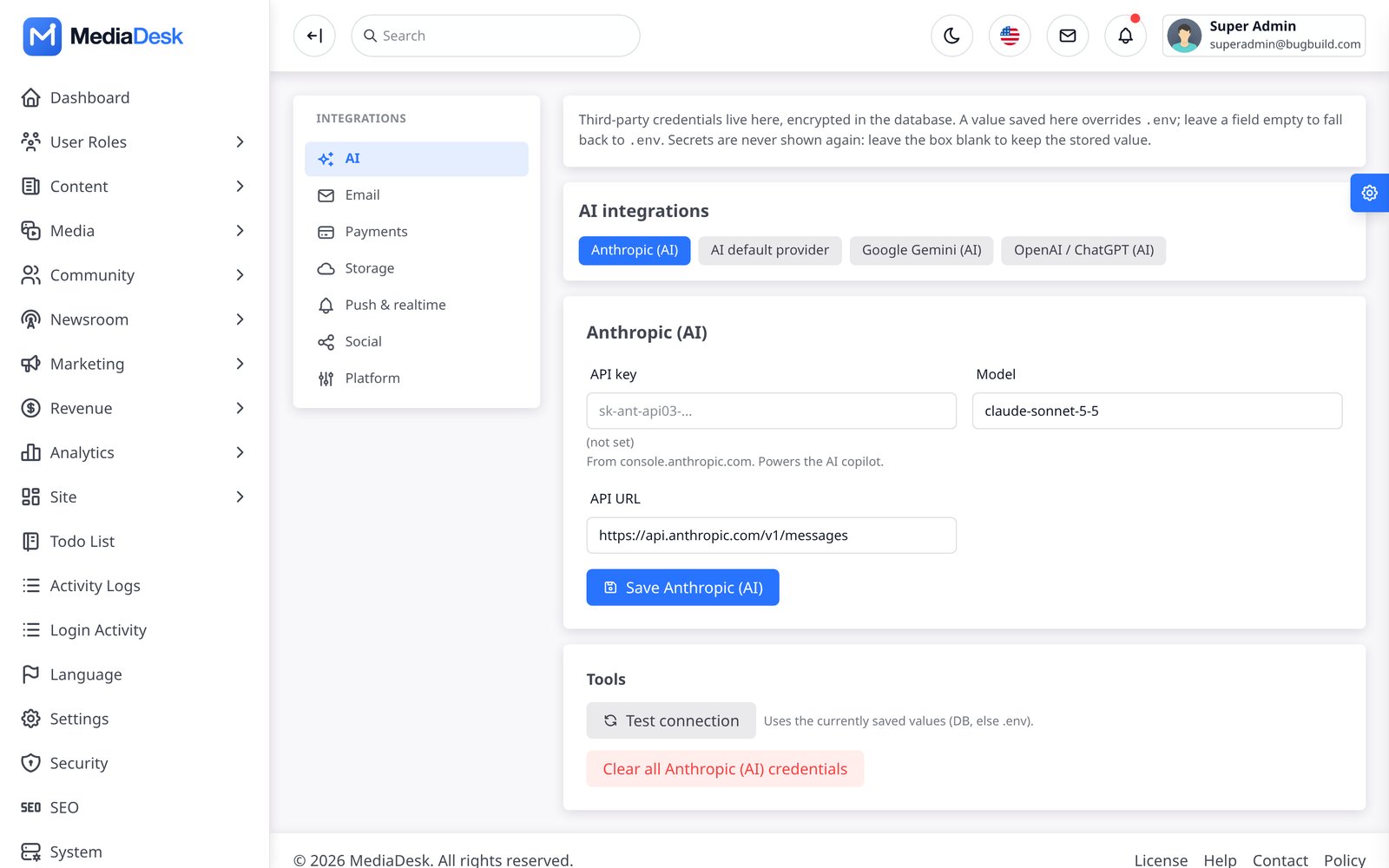
Settings → Integrations (/admin/settings/integrations) is the one place for third-party credentials. Values are stored encrypted in the settings table and override .env; secrets are never shown again (a blank box keeps the stored value) and most groups have a Test connection button. Groups: General (Anthropic, AI default provider, Gemini, OpenAI, Mail/SMTP, Mailgun/Postmark/SES, Brevo, Captcha), Storage (media disk, S3, R2, B2, Google Drive backups), Push (VAPID, Firebase FCM), Payments (the 13 options above), Social (Google sign-in, Facebook, LinkedIn, X, Telegram, social-card renderer) and Platform (Google Indexing, CDN purge, Pusher/Ably). Google Drive backup is database-only and never reads credentials from .env. Existing environment-backed integration values can be copied in once with php artisan integrations:import-env. Rotating APP_KEY makes stored secrets unreadable — re-enter them. Step-by-step setup for each group is in Common Setup.
Troubleshooting FAQ
Find the symptom you see, then work through the fixes in order. Each answer says who can do it. First stop for every problem: System → System health in the admin panel (it flags most causes below in plain words) and, for the server administrator, the last lines of storage/logs/laravel.log.
“Permission denied”, a blank 500 page, or “The stream or file …/storage/logs/laravel.log could not be opened”
Why: the web server user (often www-data, nginx or your cPanel user) cannot write to storage/ or bootstrap/cache/. Common after uploading files by FTP as another user, or after running php artisan as root. System health shows Writable storage/… as Fail. Who: server admin.
Give the folders to the web user
sudo chown -R www-data:www-data storage bootstrap/cache(replacewww-datawith your web user), thensudo chmod -R 775 storage bootstrap/cache. Never use777.Shared hosting (no SSH)
In the file manager set
storageandbootstrap/cache(and everything inside) to755or775, “apply recursively”.Run artisan as the web user from now on
sudo -u www-data php artisan …, so new cache and log files get the right owner.SELinux (CentOS, Rocky, Alma)
sudo chcon -R -t httpd_sys_rw_content_t storage bootstrap/cache.Check
Reload System health: all Writable rows should be Ok.
Uploaded images are broken (404) or show another site’s files
Why: the public/storage link is missing or points to an old folder (it stores an absolute path, so it breaks when the project is moved). Who: server admin.
Recreate the link
rm public/storage && php artisan storage:link. No SSH: ask your host to create a symlink frompublic/storagetostorage/app/public.Check
readlink public/storagemust print this project’sstorage/app/public. System health row public/storage link = Ok.Using S3/R2/B2?
The bucket (or its CDN) must be publicly readable, and the public / CDN base URL in the storage integration must be correct.
Large uploads (video, PDF) fail with “The file failed to upload” or HTTP 413
Why: PHP or the web server limits request size. Who: server admin.
Fix: raise upload_max_filesize and post_max_size in php.ini (for example 64M), client_max_body_size 64m; in nginx (or LimitRequestBody in Apache), then reload PHP-FPM and the web server.
Queue worker is not processing jobs: newsletters stay “sending”, push never arrives, social posts stay “queued”
Why: with QUEUE_CONNECTION=redis or database, jobs wait until a worker picks them up. No worker, a worker on the wrong connection or a worker running old code all look the same: nothing happens. Who: server admin.
Is a worker running?
sudo supervisorctl statusshould showmediadesk-workerRUNNING. If not:sudo supervisorctl reread && sudo supervisorctl update && sudo supervisorctl start mediadesk-worker:*(config in Cron, Queue & Workers).Same connection as
.env?The worker command names a connection (
queue:work redis). It must matchQUEUE_CONNECTIONin.env. Aredisworker never sees jobs stored in thedatabasequeue, and vice versa.Database driver: do the tables exist?
The project ships no jobs migration. Run
php artisan queue:table,php artisan queue:failed-table,php artisan migrate --force.Redis driver: is Redis reachable?
redis-cli pinganswersPONG; the phpredis extension is installed (php -m | grep redis);REDIS_HOST,REDIS_PASSWORDare right.Old code or old settings?
After any deploy or
.envchange:php artisan optimize:clear,php artisan optimize,php artisan queue:restart. Workers keep the code they started with until restarted.Jobs failing instead of waiting?
php artisan queue:failedlists them with the error; fix the cause (usually mail or push credentials), thenphp artisan queue:retry all. System health row Failed jobs should return to 0.Watch it work
Run
php artisan queue:work --once -vby hand: it processes one job and prints the result or the error.
No way to run a worker (basic shared hosting)? Set QUEUE_CONNECTION=sync: jobs then run immediately inside the request. Fine for small lists; large newsletters will be slow.
Scheduled articles do not publish; view counts, renewals and digests do not update; System health says “no heartbeat”
Why: the cron entry is missing or fails. Who: server admin.
Is it installed for the right user?
sudo crontab -u www-data -lshould show* * * * * cd /path/to/project && php artisan schedule:run >> /dev/null 2>&1.Use full paths
Cron has a short
PATH. Use the full PHP path fromwhich php(for example/usr/bin/php8.3) and the full project path. On cPanel use the PHP 8.3 binary your host documents (for example/usr/local/bin/ea-php83).Run it by hand
php artisan schedule:runin the project folder: errors print here.php artisan schedule:listshows the next run of each task.Check
Within two minutes the System health Scheduler row turns Ok.
Payment webhook rejected (HTTP 400 “invalid signature”), or a paid order stays “pending”
Why: MediaDesk only trusts a webhook whose signature matches the secret you saved. A wrong or old secret, a test/live mix-up, a wrong URL, or a proxy that changes the request body all end in 400 and the payment is not applied. Who: admin panel for secrets; server admin for CDN/firewall.
Look at the gateway’s delivery log
Stripe: Developers → Webhooks → your endpoint; PayPal: Webhooks events; other gateways have a similar “IPN / webhook history”. A
400response with{"error":"invalid signature"}means the secret is wrong;404means the URL or gateway name is wrong;403/5xxor a challenge page means a firewall/CDN is in the way.URL exactly right
https://your-domain.com/membership/webhook/stripe— no language prefix (/en/), no trailing slash,https, gateway name in lower case (stripe,paypal,sslcommerz,razorpay,mercadopago,paytabs,paystack,nowpayments, …).Secret copied from the same endpoint and mode
Stripe: each endpoint has its own
whsec_…, test mode and live mode have different ones, and thestripe listenCLI prints yet another. Paste the one that belongs to this URL and mode into Integrations → Payments → Stripe → Webhook signing secret (see the screenshot in Payment Gateways). PayPal: the Webhook id must be the id of this webhook in the same sandbox/live app. Razorpay, PayTabs, NOWPayments: the webhook/IPN secret you typed in their dashboard. Save, then press Resend in the gateway dashboard.Sandbox switch matches the keys
Sandbox on with live keys (or the reverse) fails verification or verifies against the wrong account. For Stripe the key prefix decides (
sk_test_/sk_live_); Test connection warns on a mismatch.Server clock
Stripe signatures expire after 5 minutes. Make sure the server time is synced (
timedatectlshows “System clock synchronized: yes”).CDN / firewall
Do not cache, minify, challenge or rewrite
POST /membership/webhook/*. On Cloudflare add a WAF skip rule for that path (Bot Fight Mode and “I’m under attack” block webhooks). See the bypass list in CDN.Secrets unreadable after a move
If
APP_KEYchanged, stored secrets read as empty: re-enter them.
Receiving MediaDesk’s own outgoing webhooks (Webhooks screen, /admin/platform/webhooks) and your check fails? Compute HMAC_SHA256(X-MediaDesk-Timestamp + "." + raw body, secret) over the raw request body (before JSON parsing) and compare it with the hex part of X-MediaDesk-Signature: sha256=….
E-mails never arrive (password reset, newsletter confirmation, invoices)
Who: admin panel.
Mail is still in “log” mode
System health row Mail (log) means mails are only written to
storage/logs/laravel.log. Configure Settings → Integrations → Email → Mail / SMTP.Send a test
Test connection on the Mail tab, or System → Diagnostics → Send test email. The error text (wrong password, port blocked, TLS) tells you what to change. Port 587 + TLS or 465 + SSL; many hosts block port 25.
Arrives in spam
Use a From address on your own domain and add the SPF, DKIM and DMARC records your mail provider gives you.
Only bulk mail is missing
Newsletters are queued: see queue worker.
My change (logo, setting, article) does not show on the site
Why: lists are cached for about 60 seconds, a CDN for about 5 minutes, and your browser caches images. Who: anyone; the last step is for the server admin.
Wait a minute and hard-reload
Ctrl/Cmd + Shift + R, or open a private window.
Visual theme?
Theme changes need Publish saved draft, not only Save theme draft.
CDN in front?
System → Maintenance / CDN → Purge.
Still old
php artisan optimize:clearthenphp artisan optimize.
Browser notification prompt never shows, or app push is not delivered
- Web: VAPID keys missing (System health Web push (VAPID) = not configured): Integrations → Push & realtime → Web push (VAPID) → Generate VAPID keys. The site must use HTTPS. The prompt appears after the 2nd article view or from the footer “Notifications” button.
- App: the app needs your own Firebase config files at build time, and the server needs the project id and service-account JSON (Push). iOS also needs an APNs key in Firebase; the iOS simulator cannot receive push.
- Both are sent by the queue: see queue worker.
Other common problems
| Symptom | Cause / fix |
|---|---|
Every page redirects to /install | The installer has not finished, or storage/installed was not copied after a move. Copy it back or set APP_INSTALL=true in .env, then php artisan config:clear |
Page loads assets from 127.0.0.1:5173 and looks unstyled | public/hot exists from npm run dev. Delete it and run npm run build |
| Unstyled admin or site after an upgrade | public/build missing: run npm ci && npm run build |
| Secrets in Integrations read as empty after a deploy | APP_KEY changed. Restore the old key or re-enter the secrets |
| Comments accepted but invisible | They wait for moderation (Content → Comments) unless auto-approve is on |
Site shows noindex / Disallow: / | Set APP_ENV=production or SEO_INDEXABLE=true |
| A language added in admin answers 404 | The language is not active, or lang/{code}/site_*.json files are missing |
| E-paper PDF build fails | Chrome/Chromium not found (set EPAPER_CHROME); fewer than 30 published translations in that language; EPAPER_BASE_URL not reachable from the server itself |
| AI copilot says “not configured” | No key for the chosen default provider: AI Keys |
artisan serve is slow with video/audio | The PHP development server has no Range/gzip support. Use nginx/Apache for real testing |
Still stuck? Run php artisan mediadesk:doctor (prints a fix hint for each failing check) and include its output and the last 50 lines of storage/logs/laravel.log when you contact support.
Honest Notes
- Bring your own keys. AI providers, payment gateways, push (VAPID/FCM), social networks and S3/R2/B2 need your own accounts, and these providers (for example Stripe, PayPal and Firebase/FCM) may charge their own fees, which are not included in the item price. They were tested against faked HTTP, not live services.
- No author-controlled services. MediaDesk never routes your traffic through the author’s servers. Web push uses
minishlink/web-push(MIT) with the VAPID key pair you generate (Generate VAPID keys orphp artisan frontend:push-keys); no VAPID key ships in the code, and notifications go straight from your server to the push endpoint each reader’s browser issues (Google, Mozilla, Apple). App push goes from your server to Google FCM with your own service account. There is no licence server, telemetry or phone-home call. - Demo data. Screenshots show sample articles, “Demo” advertisers, invoices and ledger rows, and sample weather/stock/prayer values. A fresh install is empty.
- Queue worker and cron are required for campaigns, push, social, renewals, e-paper and the ledger.
- Mobile purchases. The app opens membership and pay-per-post checkout in the device’s external browser (never inside the app); Apple/Google store billing is not implemented. Where the store does not allow external purchase links, build the app with
CHECKOUT_LINKS=false(see Payments & store policy). - Not included: Meta Conversions API, multiple e-paper editions per day (only
dhaka), bookmark sync across devices (saved articles live on the device).
Changelog
Version 1.2.0 — 3 November 2026
- Official ZIP upload and FTP/cPanel updates finished from the admin panel, with checksums, protected paths, backups and rollback.
- Installed/new version and pending database status plus one-click database migrations and permission synchronization.
- Scheduled/on-demand local backups, restore controls and optional automatic Google Drive copies configured securely in Admin.
- Server-managed app maintenance, minimum/latest versions, optional/required updates and store links.
- Dynamic web-managed app bottom navigation and improved Shorts autoplay and tap-to-pause/resume.
- Platform Operations tools for failed queue jobs and sanitized app error reports.
- App download section on the website, with Android and iOS links set under Settings → Public site.
- E-paper lists real PDF editions on the website and in the app, with protected PDF access and page previews.
- Article views are tracked on the website and in the app, and Most Read shows the server counts.
- App: read articles aloud with the device voice, following feeds, guest library, library backup and account security tools.
- Category/listing, pagination, play/pause indicator and authenticated-reader redirect fixes.
- Reader self-service: download my data and delete my account on the website, including Google sign-in accounts.
- Renewal reminders by e-mail and app push before a membership renews or ends, with the days set in Admin.
- Article editor autosave to a private draft, restore, who-is-editing locks with takeover, and protection against overwriting newer changes.
- Fixed saving of Bangla and Arabic text in key points, poll options, plan features, live key points and AI headlines, which could fail with an error or be cut apart.
- Fixed deleted accounts blocking a later Google sign-up with the same address, and deleted or banned readers staying signed in on other browsers.
Upgrade from 1.0.0: take a full backup, use System → System update, or follow the manual workflow above. Install locked dependencies with composer install; do not run composer update.
Version 1.0.0 — initial release
- Public reader site with 11 skins, visual theme editor, 4 languages (Bangla, English, Arabic RTL, French), PWA, live blog, podcasts and podcast shows, e-paper, web stories and shorts.
- Interactive post formats (quizzes, recipes, lists, table of contents, events) and a sidebar widget builder.
- Newsroom ERP: story desk, inbox and feeds, tasks, revisions, fact-check and corrections.
- Optional AI Copilot and AI intake with your own Anthropic, Gemini or OpenAI-compatible key.
- Automation engine, social packages, newsletters and push campaigns.
- Advertising, membership, pay-per-post, classifieds, donations, finance reports and 13 payment options.
- REST API (api/v1) with an OpenAPI document, partner syndication and article write API.
- Flutter app for Android and iOS; checkout opens in the external browser.
- Web installer that only installs into an empty database and locks itself after the first run.
- RBAC, two-factor authentication, signed webhooks, WordPress import, backups and a module manager.
- Uploads are stored under server-chosen file names whose extension comes from the detected file type; HTML, SVG, script and other renderable types are refused on every upload path.
- Demo mode (
APP_DEMO=true): the published demo logins are read-only and see API keys masked (DEMO_READONLY_ACCOUNTS).
Future updates are listed here with their version number and the upgrade steps from Updating.
Sources & Credits
MediaDesk is built on open-source software. All third-party code keeps its own license; the item license covers MediaDesk’s own code only.
| Component | License |
|---|---|
| Laravel 13, Fortify, Sanctum, Tinker | MIT |
| Spatie Laravel Activitylog, Laravel Medialibrary | MIT |
| Guzzle, Intervention Image, Flysystem S3, Ziggy, Symfony components | MIT |
| minishlink/web-push | MIT |
| Tailwind CSS 4, Vite | MIT |
FlyonUI 2.4.1 — the free community edition from npm (flyonui), not FlyonUI Pro. Bundled by Vite from node_modules; two of its helper files are in public/dashboard-assets/third-party/flyonui/ with its LICENSE. It includes Preline UI plugins (Preline UI, MIT + Preline UI Fair Use License, text included in that LICENSE file) | MIT |
ApexCharts 4.7.0, pinned on purpose: it is an MIT release (LICENSE shipped in public/dashboard-assets/third-party/apexcharts/). Later 5.x releases moved to a Community/Commercial dual license, so do not upgrade it without checking that license | MIT |
| DataTables, DataTables Buttons | MIT |
| jQuery, Lodash, Axios, JSZip | MIT |
Dropzone 6.0.0-beta.2 (npm tarball integrity sha512-k44yLuFF…h9fQ==; its package.json and LICENSE file both say MIT, © 2021 Matias Meno). LICENSE shipped in public/dashboard-assets/third-party/dropzone/ | MIT |
pdfmake 0.3.11 (LICENSE shipped next to it). Its vfs_fonts.js embeds only the four Roboto files (Regular, Medium, Italic, MediumItalic), © Google, Apache 2.0 — license text in LICENSE-Roboto-Apache-2.0.txt. No other or proprietary font is embedded | MIT / Apache 2.0 (fonts) |
| Flatpickr, Raty, SweetAlert2, Summernote (article editor) | MIT |
| D3 3.5.17, Datamaps, TopoJSON client 3.1.0 (LICENSE file next to each) | BSD-3 / MIT / ISC |
| hls.js | Apache 2.0 |
| Tabler Icons, Lucide (via Iconify) | MIT / ISC |
| Circle Flags, Flagpack (via Iconify) | MIT |
| Fonts: Inter, Cairo, Noto Sans Bengali, Noto Serif Bengali, Noto Naskh Arabic, Source Serif 4 (Fontsource) | SIL Open Font License 1.1 |
| Flutter app: Flutter, provider, http, cached_network_image, shared_preferences, url_launcher, intl, just_audio, flutter_secure_storage, app_links | BSD-3 / MIT / Apache 2.0 |
Flutter app: Firebase Core and Firebase Messaging (firebase_core, firebase_messaging). The SDK code is BSD-3; using Firebase requires your own Firebase project and acceptance of Google’s Firebase / Google APIs Terms of Service (see Firebase disclosure) | BSD-3 + Google service terms |
Flutter app fonts: Inter, Source Serif 4, Noto Sans Bengali, Noto Naskh Arabic (OFL text next to each file in assets/fonts/) | SIL Open Font License 1.1 |
Demo photos, video and audio
The photos, clips and tracks below appear on the live demo only and are not included in the download: they are Creative Commons or public-domain works, used under their own licenses, and are not part of the item license. When you load the optional demo data, articles and podcasts get generated placeholder thumbnails and the demo video articles and podcast audio are skipped. Upload your own media from the admin.
| Item | Author | License | Link |
|---|---|---|---|
| Article photo national-1 | S.M.M.Musabbir Uddin / Wikimedia Commons | CC BY 4.0 | source |
| Article photo national-2 | TausifAlHossain / Wikimedia Commons | CC BY-SA 4.0 | source |
| Article photo national-3 | Ashikul Islam Anik / Wikimedia Commons | CC BY-SA 4.0 | source |
| Article photo world-4 | U.S. Department of Agriculture / Wikimedia Commons | Public domain | source |
| Article photo world-6 | Artem Svetlov from Moscow, Russia / Wikimedia Commons | CC BY 2.0 | source |
| Article photo politics-8 | Press Information Department / Wikimedia Commons | Public domain | source |
| Article photo economy-10 | Fahad Faisal / Wikimedia Commons | CC BY-SA 4.0 | source |
| Article photo economy-11 | Torsten Dettlaff / Wikimedia Commons | CC BY-SA 4.0 | source |
| Article photo national-39 | Heptagon / Wikimedia Commons | Public domain | source |
| Article photo sports-17 | The President's Office, Maldives / Wikimedia Commons | CC BY 4.0 | source |
| Article photo sports-43 | A.yeasin10 / Wikimedia Commons | CC BY-SA 4.0 | source |
| Article photo national-50 | Nahian Bin Shafiq / Wikimedia Commons | CC BY-SA 4.0 | source |
| Article photo world-5 | Roman Ismayilov / Wikimedia Commons | CC BY 4.0 | source |
| Article photo politics-7 | Press Information Department / Wikimedia Commons | Public domain | source |
| Article photo politics-12 | Salim Khandoker / Wikimedia Commons | CC BY-SA 4.0 | source |
| Article photo economy-13 | أشرف اليماني / Wikimedia Commons | CC BY-SA 4.0 | source |
| Article photo sports-15 | Acabashi / Wikimedia Commons | CC BY-SA 4.0 | source |
| Article photo sports-16 | Robert Drummond / Wikimedia Commons | CC0 | source |
| Article photo world-40 | Eric Kilby / Wikimedia Commons | CC BY-SA 2.0 | source |
| Article photo politics-41 | Press Information Department / Wikimedia Commons | Public domain | source |
| Article photo economy-42 | Bikrampur / Wikimedia Commons | CC0 | source |
| Article photo world-49 | Leonhard Lenz / Wikimedia Commons | CC0 | source |
| Article photo economy-14 | Leocadio Sebastian / Wikimedia Commons | CC BY 2.0 | source |
| Article photo politics-9 | Press Information Department / Wikimedia Commons | Public domain | source |
| Article photo health-27 | Press Information Department / Wikimedia Commons | Public domain | source |
| Article photo environment-36 | Soumyajit Nandy / Wikimedia Commons | CC BY-SA 4.0 | source |
| Article photo education-30 | Narek75 / Wikimedia Commons | CC BY-SA 4.0 | source |
| Article photo lifestyle-33 | Authentic Stock / StockSnap | CC0 1.0 | source |
| Article photo technology-45 | Christopher Hedreyd - PIA 4A CALABARZON / Wikimedia Commons | Public domain | source |
| Article photo health-28 | Shixart1985 / Wikimedia Commons | CC BY 2.0 | source |
| Article photo entertainment-18 | Valsts kanceleja/ State Chancellery from Rīga, Latvija / Wikimedia Commons | CC BY-SA 2.0 | source |
| Article photo education-31 | Australian Humanitarian Partnership (AHP) Bangladesh / Wikimedia Commons | CC BY-SA 4.0 | source |
| Article photo entertainment-19 | usbotschaftberlin / Rawpixel | CC0 1.0 | source |
| Article photo entertainment-20 | Jorge Royan / Wikimedia Commons | CC BY-SA 3.0 | source |
| Article photo technology-21 | Rawpixel (public domain contributor) | CC0 1.0 | source |
| Article photo technology-22 | Director Mtonga Kenya / Wikimedia Commons | CC BY-SA 4.0 | source |
| Article photo technology-23 | Markus Spiske / Rawpixel | CC0 1.0 | source |
| Article photo opinion-24 | Mike Prince from Bangalore, India / Wikimedia Commons | CC BY 2.0 | source |
| Article photo opinion-25 | Humphrey Bolton / Wikimedia Commons | CC BY-SA 2.0 | source |
| Article photo opinion-26 | Kristin Hardwick / StockSnap | CC0 1.0 | source |
| Article photo lifestyle-34 | Kingshuk Mondal / Wikimedia Commons | CC BY 4.0 | source |
| Article photo environment-37 | Yahya / Wikimedia Commons | CC BY-SA 4.0 | source |
| Article photo health-29 | Rawpixel (public domain contributor) | CC0 1.0 | source |
| Article photo entertainment-44 | Shixart1985 / Wikimedia Commons | CC BY 2.0 | source |
| Article photo opinion-47 | Solomon203 / Wikimedia Commons | CC BY-SA 4.0 | source |
| Article photo education-32 | Gary Todd / Wikimedia Commons | CC0 | source |
| Article photo technology-46 | Rawpixel (public domain contributor) | CC0 1.0 | source |
| Article photo lifestyle-35 | Shixart1985 / Wikimedia Commons | CC BY 2.0 | source |
| Article photo opinion-48 | Ferdous / Wikimedia Commons | CC BY-SA 3.0 | source |
| Article photo environment-38 | Shobhla-Himachal / Wikimedia Commons | CC BY 4.0 | source |
| Gallery photo education-31-1 | Joel Solomon from Denver, CO, USA | CC BY 2.0 | source |
| Gallery photo education-31-2 | Muhammad Jubayer Hossain | CC BY-SA 4.0 | source |
| Gallery photo education-31-3 | DFID - UK Department for International Development | CC BY 2.0 | source |
| Gallery photo education-31-4 | Motiur Rahman Oni | CC BY-SA 4.0 | source |
| Gallery photo education-31-5 | Beyond Access | CC BY-SA 2.0 | source |
| Gallery photo education-31-6 | Beyond Access | CC BY-SA 2.0 | source |
| Gallery photo sports-43-1 | Stewart | CC BY 2.0 | source |
| Gallery photo sports-43-2 | Sebleouf | CC BY-SA 4.0 | source |
| Gallery photo sports-43-3 | Octagon | CC BY 3.0 | source |
| Gallery photo sports-43-4 | The African Union Mission in Somalia | CC0 1.0 | source |
| Gallery photo sports-43-5 | Frankie Fouganthin | CC BY-SA 4.0 | source |
| Gallery photo sports-43-6 | https://www.flickr.com/photos/normalityrelief/ | CC BY-SA 2.0 | source |
| Gallery photo lifestyle-34-1 | Shihabur Rahman | CC BY-SA 4.0 | source |
| Gallery photo lifestyle-34-2 | Fabian Lambeck | CC BY-SA 4.0 | source |
| Gallery photo lifestyle-34-3 | joiseyshowaa | CC BY-SA 2.0 | source |
| Gallery photo lifestyle-34-4 | Hiroki Ogawa | CC BY 3.0 | source |
| Gallery photo lifestyle-34-5 | Soumyajit Nandy | CC BY-SA 4.0 | source |
| Gallery photo lifestyle-34-6 | Soumyajit Nandy | CC BY-SA 4.0 | source |
| Gallery photo environment-37-1 | Shagorkhan2 | CC BY-SA 4.0 | source |
| Gallery photo environment-37-2 | Kroisenbrunner | CC BY-SA 4.0 | source |
| Gallery photo environment-37-3 | Shafiul Islam Shaikot | CC BY 4.0 | source |
| Gallery photo environment-37-4 | Adam Jones from Kelowna, BC, Canada | CC BY-SA 2.0 | source |
| Gallery photo environment-37-5 | Kroisenbrunner | CC BY-SA 4.0 | source |
| Gallery photo environment-37-6 | Kritzolina | CC BY-SA 4.0 | source |
| Podcast photo 1 | rawpixel (CC0) | CC0 1.0 | source |
| Podcast photo 2 | rawpixel (CC0) | CC0 1.0 | source |
| Podcast photo 3 | rawpixel (CC0) | CC0 1.0 | source |
| Podcast photo 4 | rawpixel (CC0) | CC0 1.0 | source |
| Podcast photo 5 | Ryan McGuire | CC0 1.0 | source |
| Podcast photo 6 | rawpixel (CC0) | CC0 1.0 | source |
| Epaper photo 1 | rawpixel (CC0) | CC0 1.0 | source |
| Epaper photo 2 | Douglas W. Jones | CC0 1.0 | source |
| Epaper photo 3 | Markus Spiske | CC0 1.0 | source |
| Video clip: Traffic situation in Mango Avenue, Cebu City | Lady01v | CC BY-SA 4.0 | source |
| Video clip: Aythorpe Roding CC v Terling CC - batsman hits cover drives | Acabashi | CC BY-SA 4.0 | source |
| Video clip: WSIL Newsroom on Election Night | WSIL News | CC BY 3.0 | source |
| Video clip: Rainfall in East Legon 03 | Ibnali1 | CC BY-SA 4.0 | source |
| Podcast audio: Ambient Voyager | Zeropage | CC BY 3.0 | source |
| Podcast audio: Keep Calm | Jahzzar | CC BY-SA 3.0 | source |
| Podcast audio: Corvois calm | Torley on Piano | CC BY-SA 3.0 | source |
Social Packages & Calendar
One content, everywhere: Social packages generates per-network copy (Facebook, LinkedIn, X, Telegram) and a social card image for an article; Social calendar and Posts schedule and track them; Social accounts & UTM stores the connected accounts and UTM presets that tag every link. Accounts connect through OAuth (Facebook, LinkedIn, X) or a Telegram bot token; the driver can be set to
logfor a dry run that publishes nothing. Social cards use headless Chrome when present (correct Bangla/Arabic shaping) and fall back to GD.Social publishing was tested with faked HTTP only. Create your own Facebook, LinkedIn and X developer apps (see Common Setup) and test with the
logdriver first.